

使用Ubuntu演示介绍,Linux下安装和配置Redis、配置远程连接redis(保姆级教学)
创始人
2024-01-25 03:50:53
安装redis
1、先在官网下载好Redis的安装包
Redis 官网:https://redis.io/
Redis 在线测试:http://try.redis.io/
Redis菜鸟教程: https://www.runoob.com/redis/redis-tutorial.html
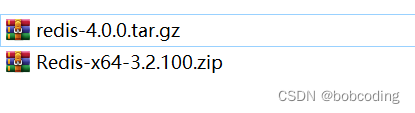
2、把下载好的安装包放在Ubantu的共享文件夹下
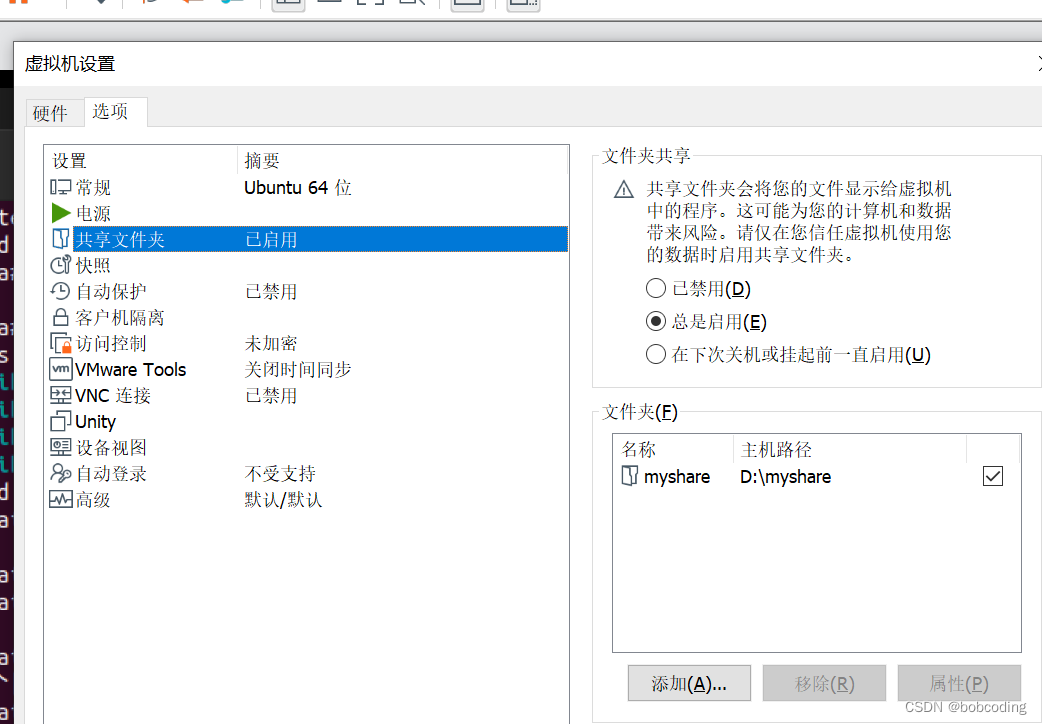
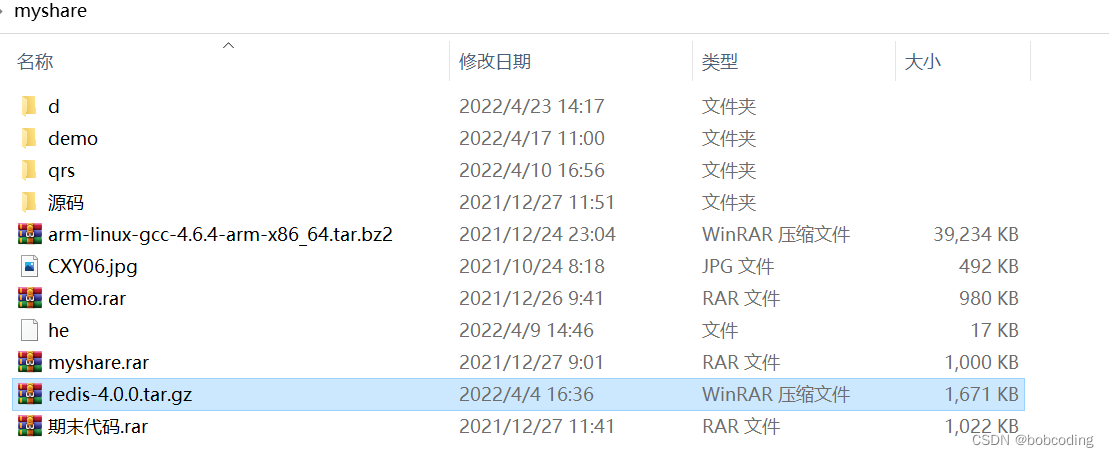
3、Linux下查看是否有安装包

root@ubuntu:/mydata/redis/conf# cd /mnt
root@ubuntu:/mnt# ls
hgfs
root@ubuntu:/mnt# cd hgfs
root@ubuntu:/mnt/hgfs# ls
myshare
root@ubuntu:/mnt/hgfs# cd myshare
root@ubuntu:/mnt/hgfs/myshare# ls
redis-4.0.0.tar.gz
root@ubuntu:/mnt/hgfs/myshare#
4、解压安装包
root@ubuntu:/mnt/hgfs/myshare# tar -zxvf redis-4.0.0.tar.gz -C /usr/local
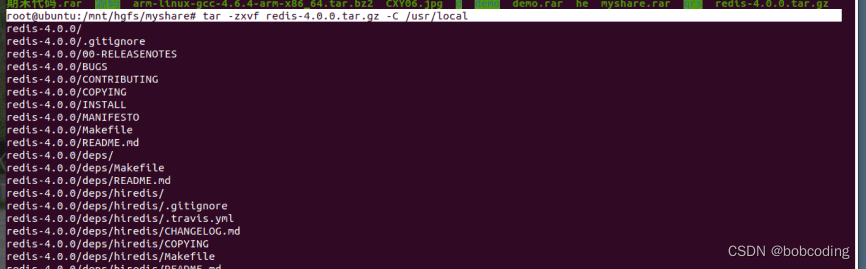
5、查看解压是否成功
root@ubuntu:/mnt/hgfs/myshare# cd /usr/local
root@ubuntu:/usr/local# ls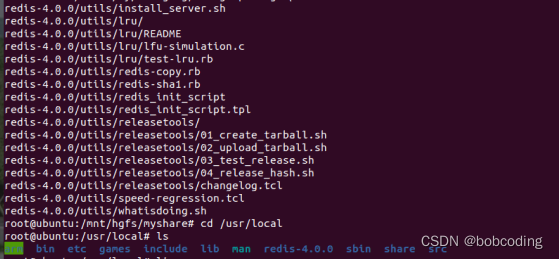
6、安装Redis的依赖环境gcc
sudo apt-get install gcc-c++
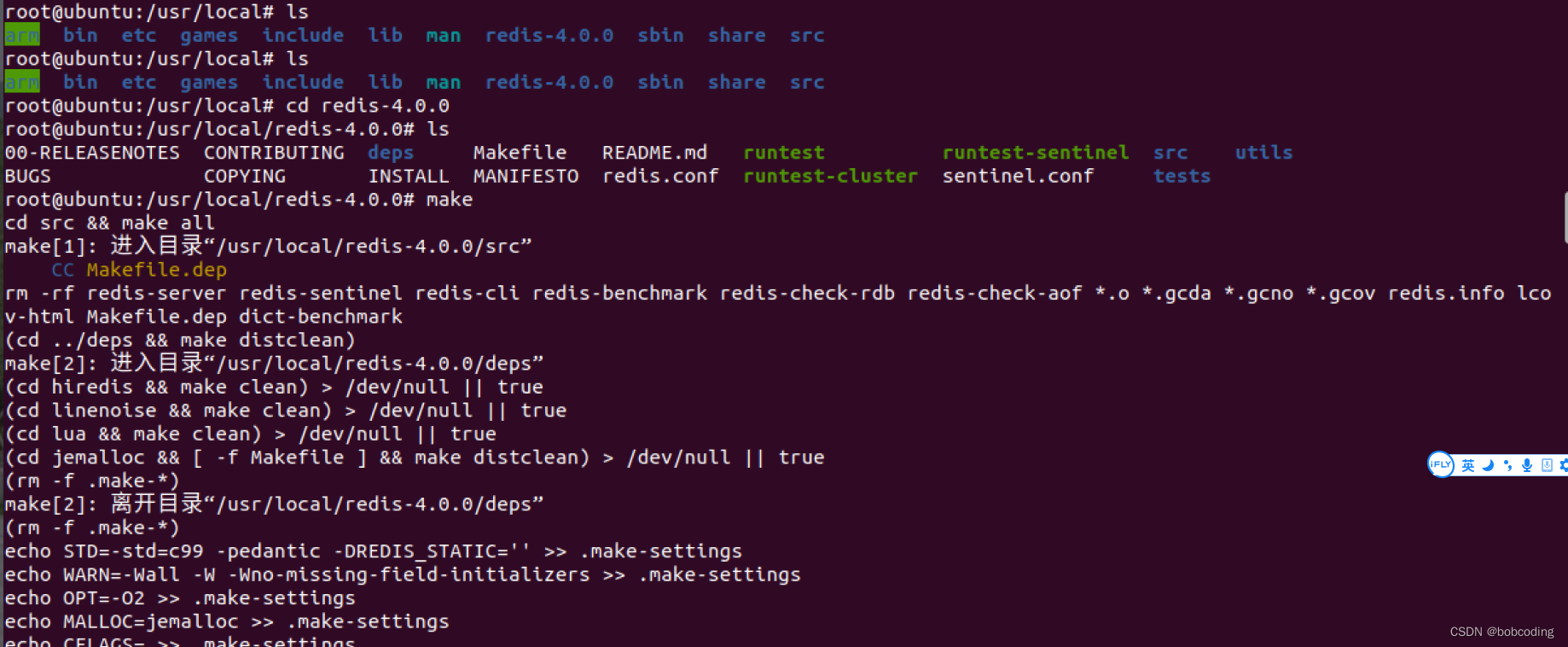
7、进入/usr/local/redis-4.0.0进行编译,命令:make
root@ubuntu:/usr/local# ls
arm  bin  etc  games  include  lib  man  redis-4.0.0  sbin  share  src
root@ubuntu:/usr/local# ls
arm  bin  etc  games  include  lib  man  redis-4.0.0  sbin  share  src
root@ubuntu:/usr/local# cd redis-4.0.0
root@ubuntu:/usr/local/redis-4.0.0# ls
00-RELEASENOTES  CONTRIBUTING  deps     Makefile   README.md   runtest          runtest-sentinel  src    utils
BUGS             COPYING       INSTALL  MANIFESTO  redis.conf  runtest-cluster  sentinel.conf     tests
root@ubuntu:/usr/local/redis-4.0.0# make
8、进入redis的src目录,进行安装,命令:make install
root@ubuntu:/usr/local/redis-4.0.0# cd src
root@ubuntu:/usr/local/redis-4.0.0/src# ls
root@ubuntu:/usr/local/redis-4.0.0/src# make install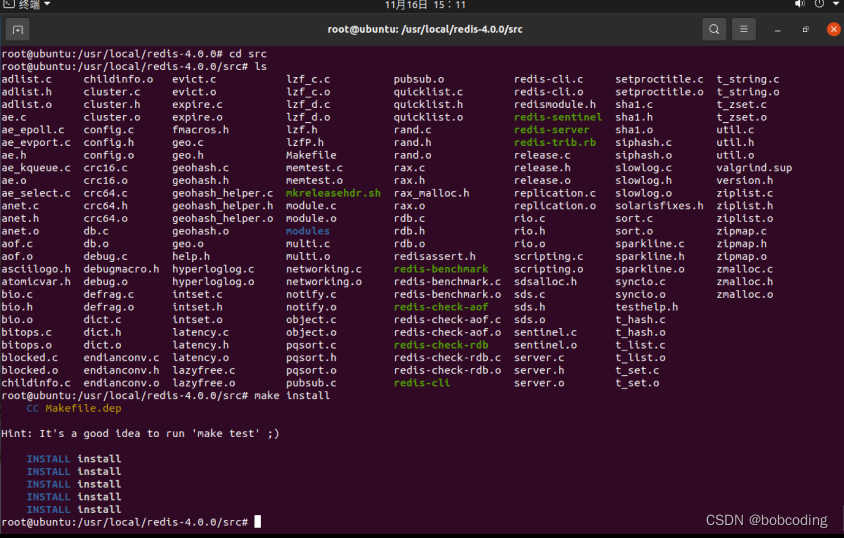
9、成功安装
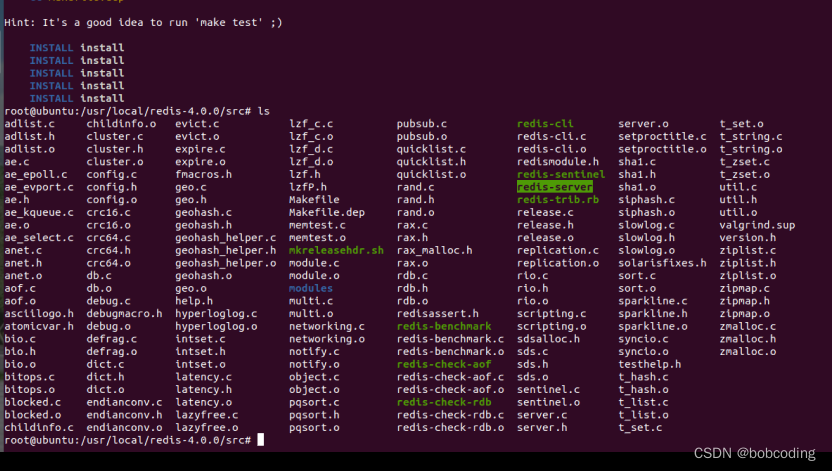
redis-server:启动redis服务
redis-cli:客户端
10、查看redis的配置文件
root@ubuntu:/usr/local/redis-4.0.0/src# cd ..
root@ubuntu:/usr/local/redis-4.0.0# ls

cat redis.conf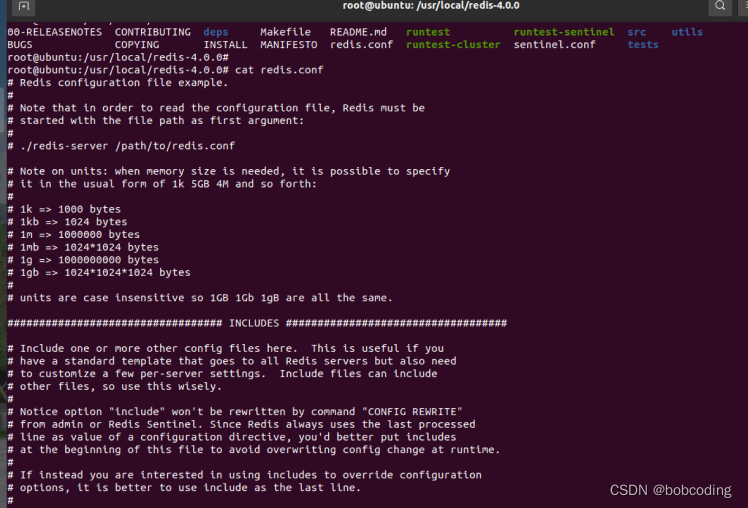
Linux启动和配置redis
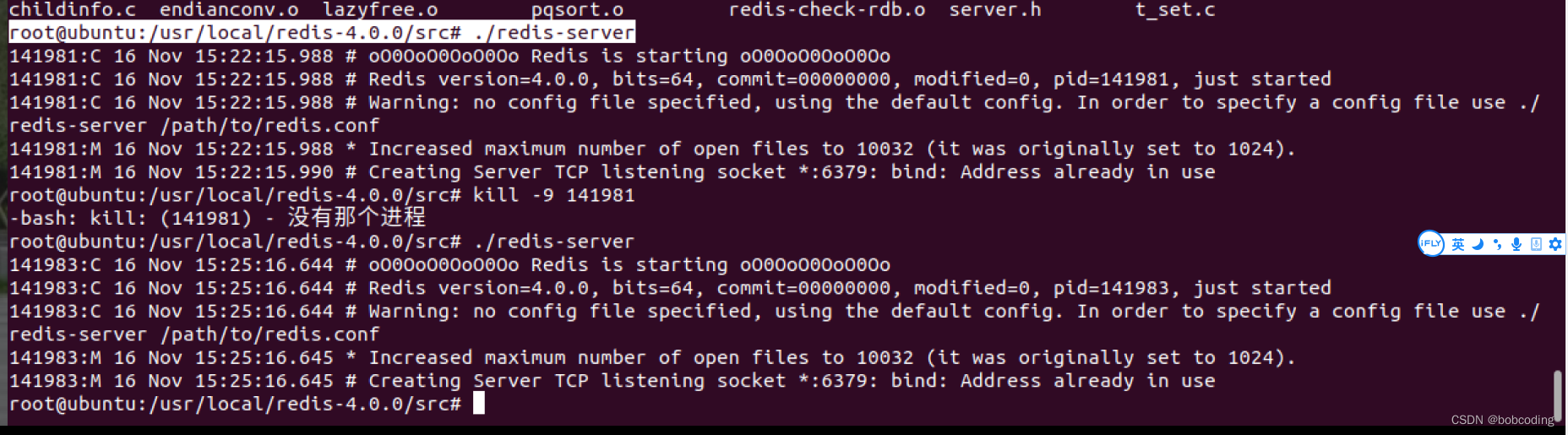
1、启动redis-server
root@ubuntu:/usr/local/redis-4.0.0/src# ./redis-server端口号:6379
Pid(进程号):不固定
2、启动redis客户端
./redis-cli
3、设置redis在后台服务,修改配置文件
默认情况下是 no

修改为yes,可以后台服务

4、默认端口号 6379 一般不修改

5、重新启动redis 并加载redis.conf
root@ubuntu:/usr/local/redis-4.0.0# src/redis-server ./redis.conf
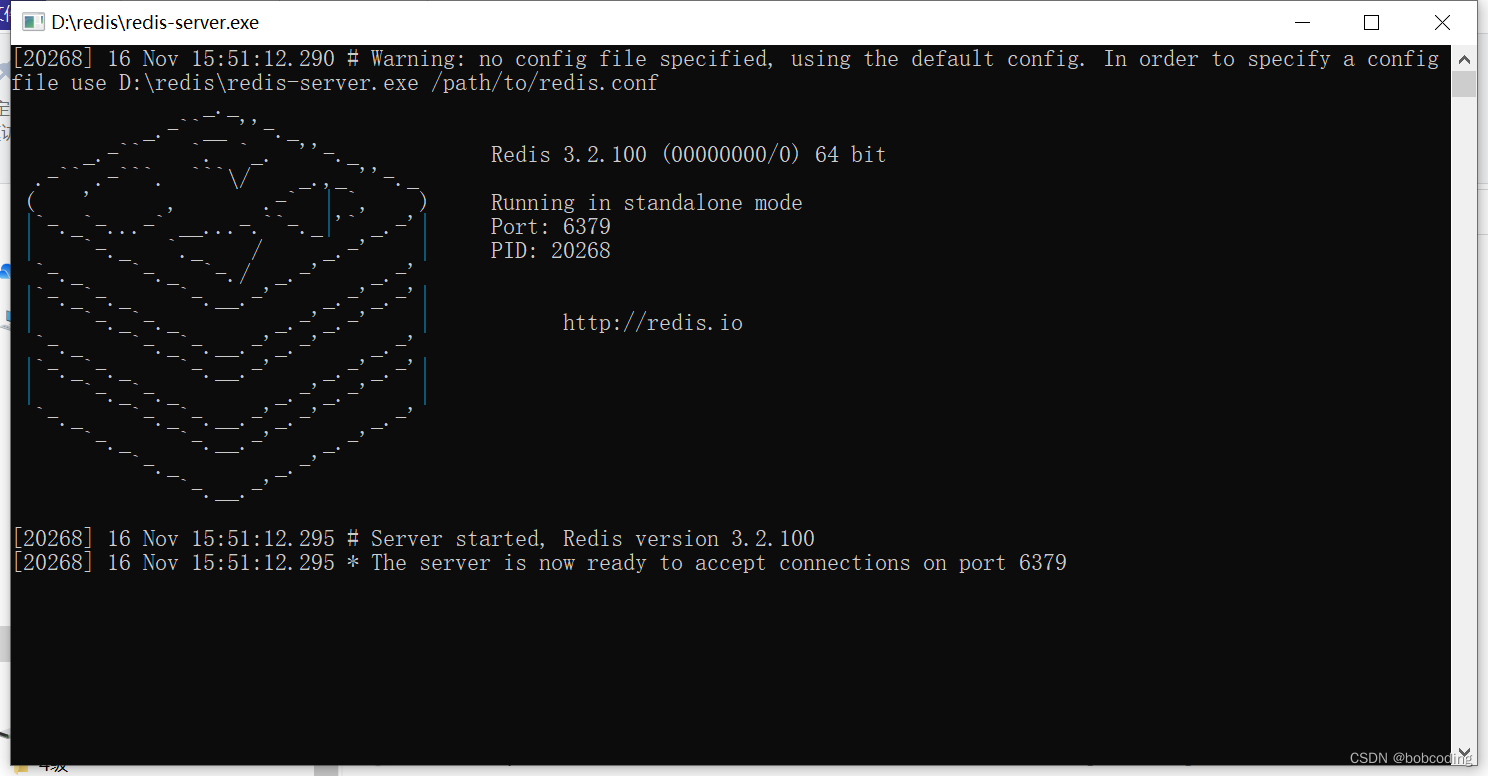
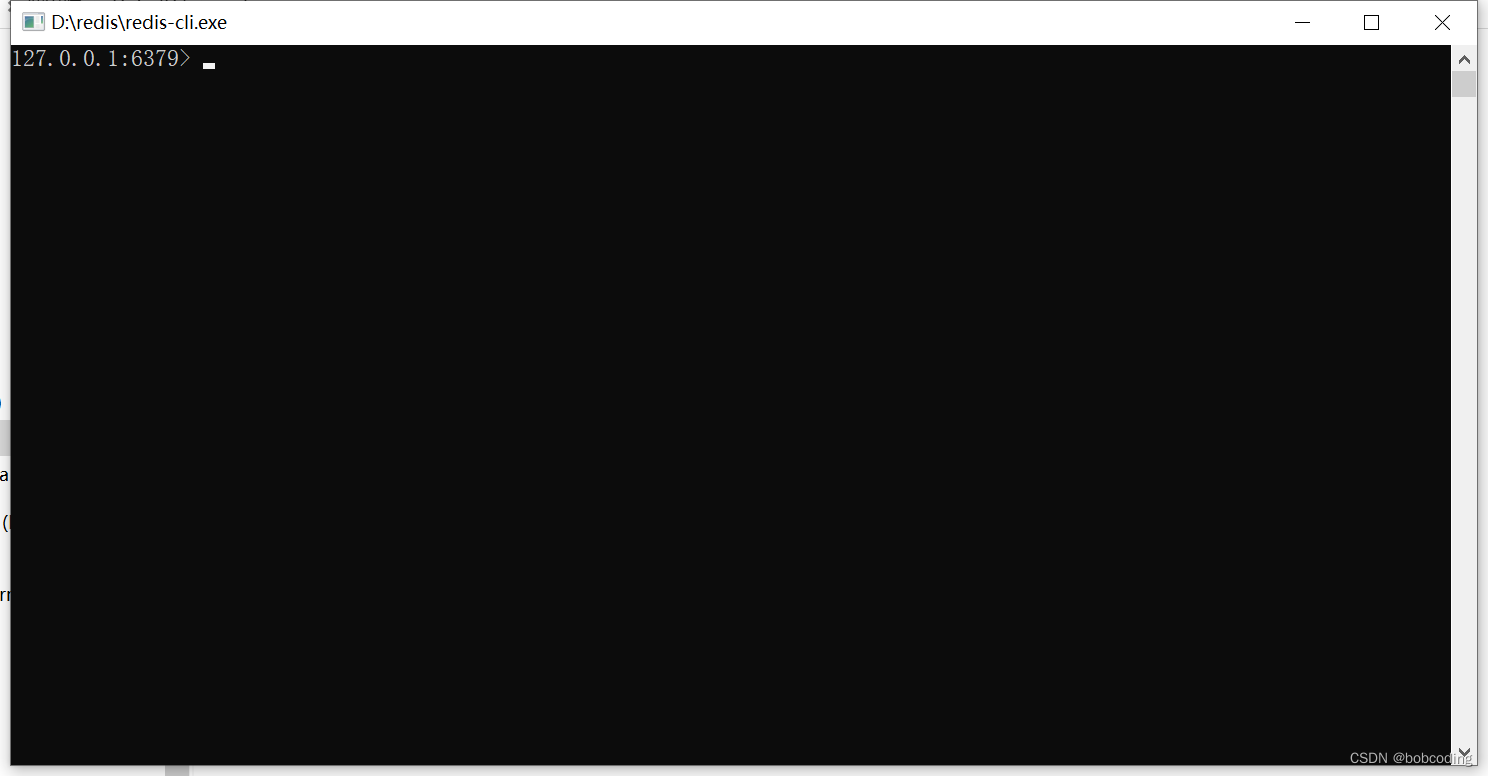
在window下启动redis
给Redis设置启动密码
redis在默认情况下是不需要密码的(配置文件呈现注释状态)
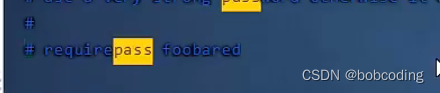
1、设置密码
打开命令行 设置密码为123456
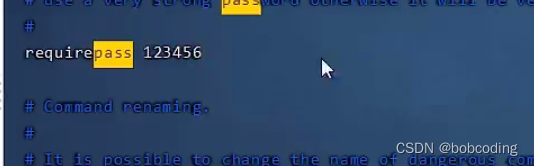
2、查看redis是否在后台运行
root@ubuntu:/usr/local/redis-4.0.0# ps -ef | grep redi
3、结束redis进程
kill -9 进程名4、重新启动redis 并加载redis.conf
root@ubuntu:/usr/local/redis-4.0.0# src/redis-server ./redis.conf5、连接客户端
src/redis-cli -h localhost -p 6379执行keys * 命令发现 需要认证密码

6、输入密码
auth 密码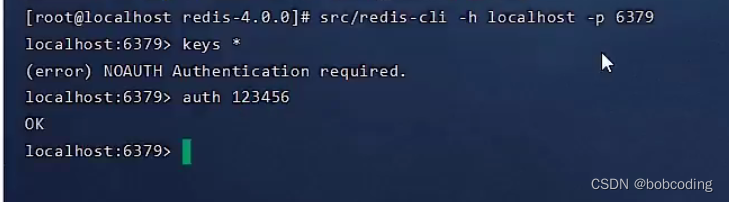
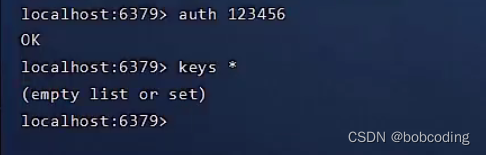
7、退出客户端
exit8、登陆且输入密码
src/redis-cli -h localhost -p 6379 -a 123456
配置Redis远程服务
使用windos的redis-cli连接虚拟机的redis服务
1、查看虚拟机ip
root@ubuntu:/usr/local/redis-4.0.0# ifconfig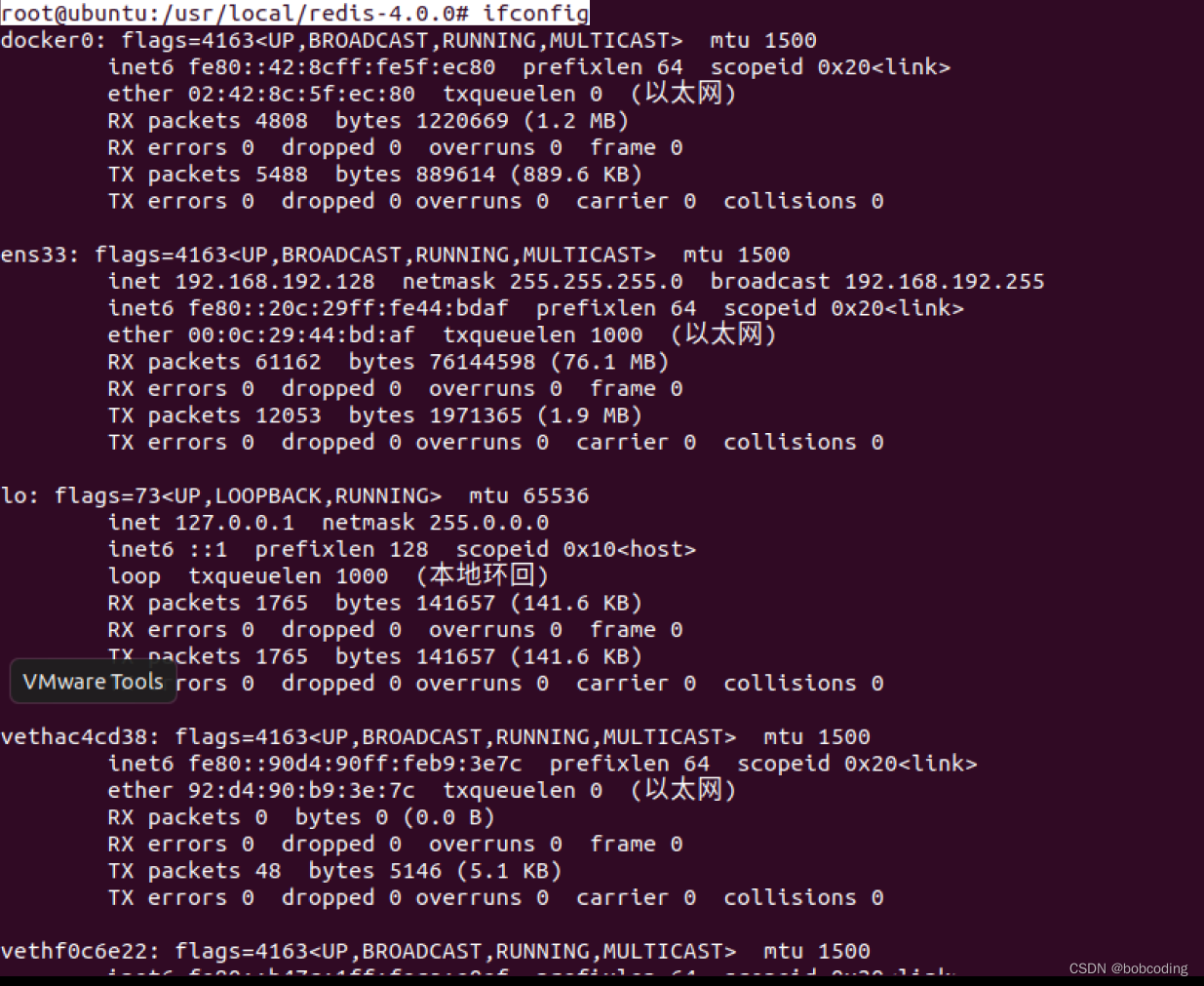
2、在windows打开命令行窗口,并执行连接虚拟机端口的命令
redis-cli -h 192.168.192.128 -p 6379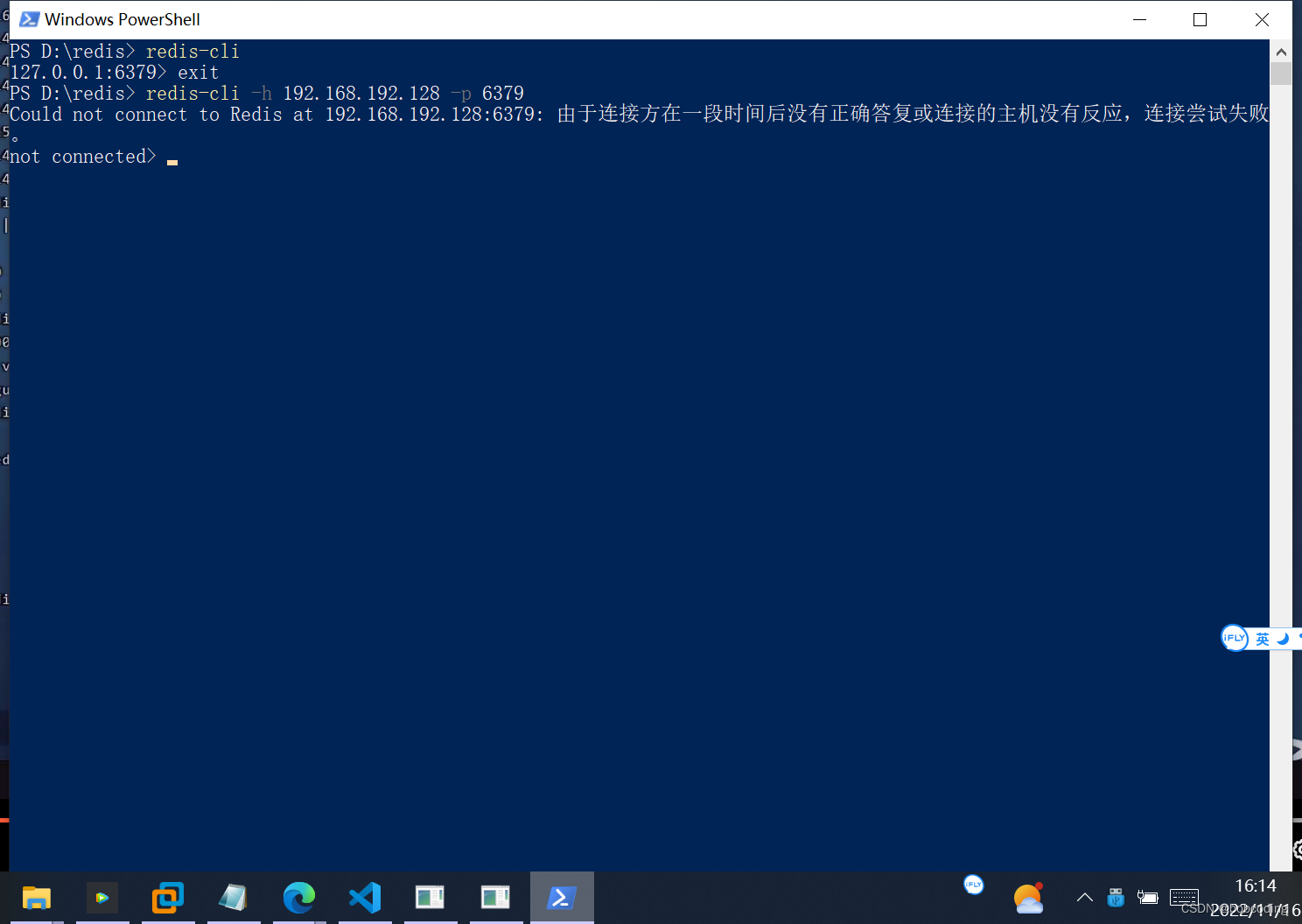
发现无法连接,是因为没有修改redis的配置文件的远程链接
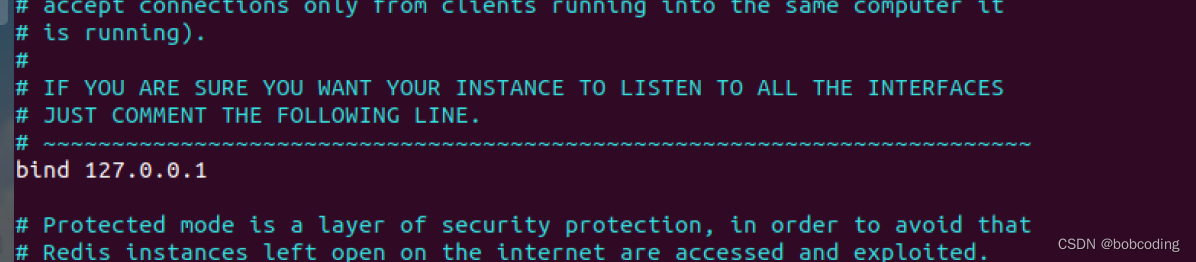
3、修改redis的远程连接配置
发现配置文件默认连接的主机是 bind 127.0.0.1
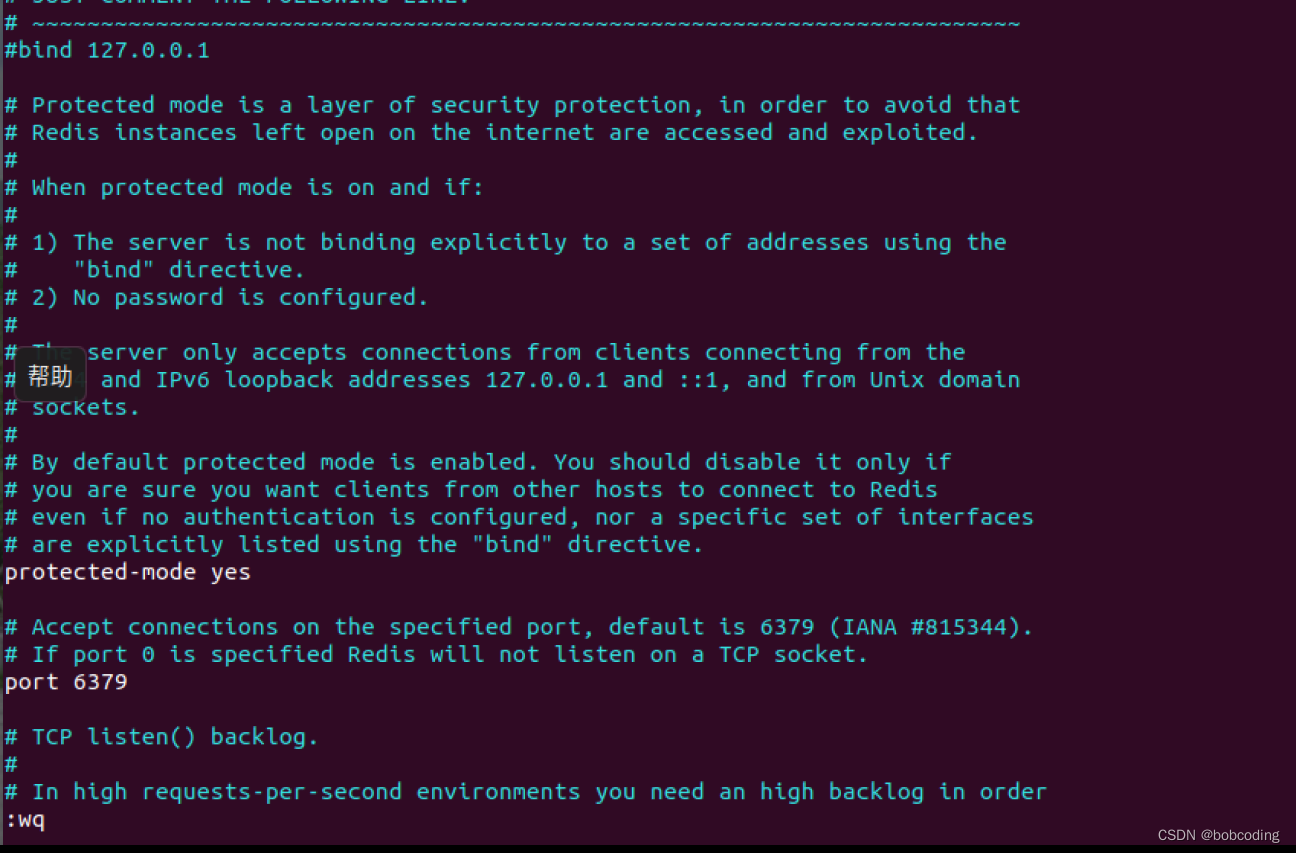
4、注释bind 127.0.0.1 并保存退出
5、杀掉redis进程并重启redis
root@ubuntu:/usr/local/redis-4.0.0# ls
00-RELEASENOTES  CONTRIBUTING  deps     Makefile   README.md   runtest          runtest-sentinel  src    utils
BUGS             COPYING       INSTALL  MANIFESTO  redis.conf  runtest-cluster  sentinel.conf     tests
root@ubuntu:/usr/local/redis-4.0.0# vim redis.conf
root@ubuntu:/usr/local/redis-4.0.0# ps -ef | grep redis
systemd+  137239  137220  0 11:55 ?        00:00:24 redis-server *:6379
root      142116  136919  0 16:22 pts/0    00:00:00 grep --color=auto redis
root@ubuntu:/usr/local/redis-4.0.0# kill -9 137239
root@ubuntu:/usr/local/redis-4.0.0# ps -ef | grep redis
root      142228  136919  0 16:22 pts/0    00:00:00 grep --color=auto redis
root@ubuntu:/usr/local/redis-4.0.0# src/redis-server ./redis.conf
142265:C 16 Nov 16:23:50.015 # oO0OoO0OoO0Oo Redis is starting oO0OoO0OoO0Oo
142265:C 16 Nov 16:23:50.015 # Redis version=4.0.0, bits=64, commit=00000000, modified=0, pid=142265, just started
142265:C 16 Nov 16:23:50.015 # Configuration loaded
root@ubuntu:/usr/local/redis-4.0.0# ps -ef | grep redis
systemd+  142219  142194  0 16:22 ?        00:00:00 redis-server *:6379
root      142268  136919  0 16:23 pts/0    00:00:00 grep --color=auto redis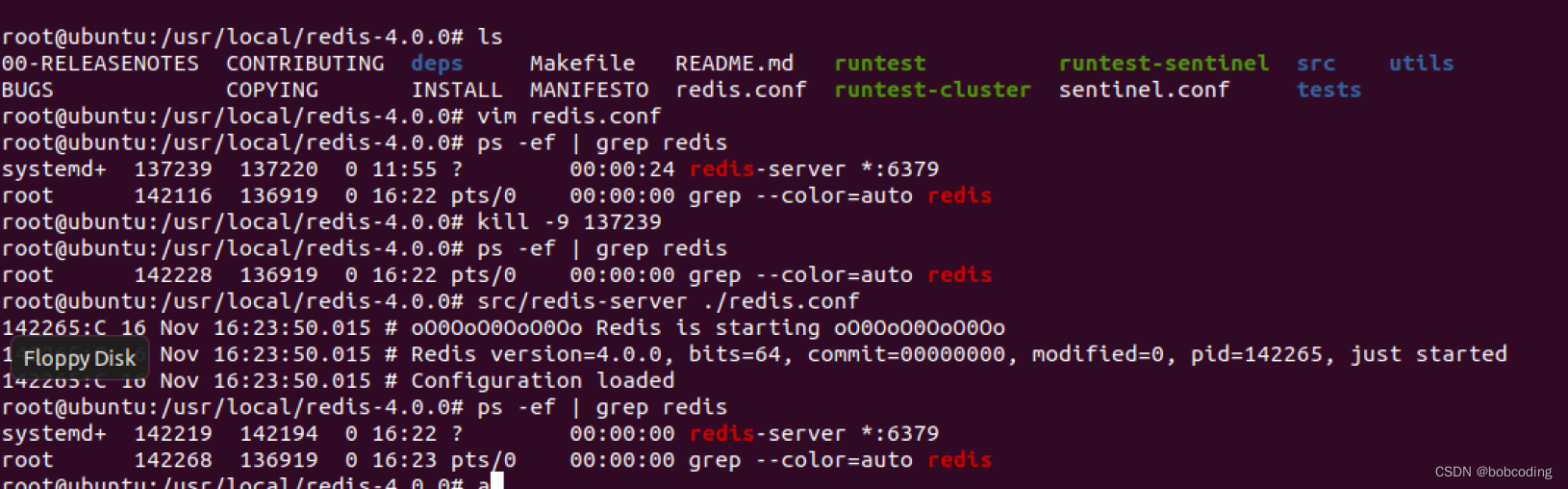
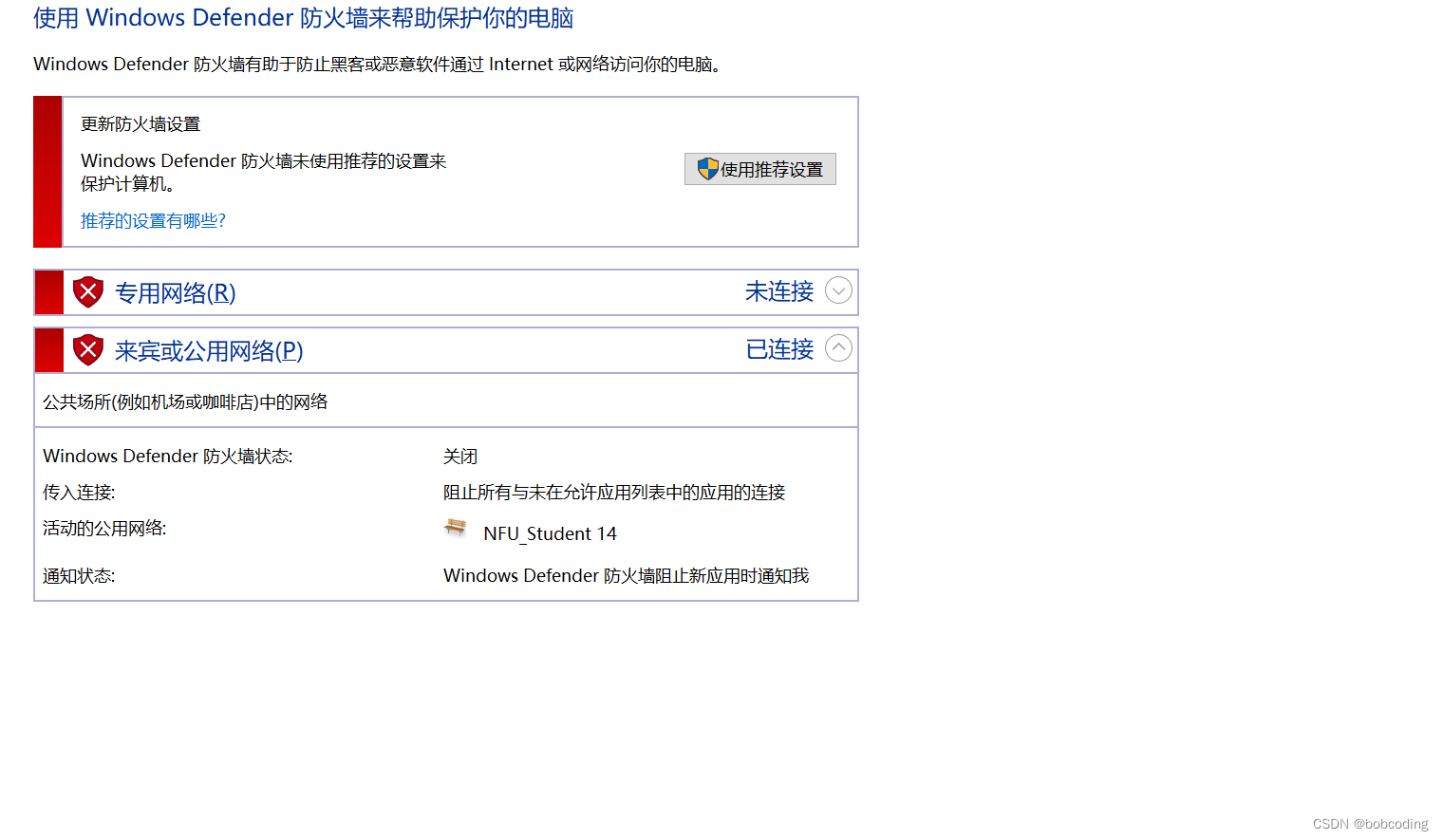
6、关闭windows的防火墙
7、检测 windows是否可以正常连接
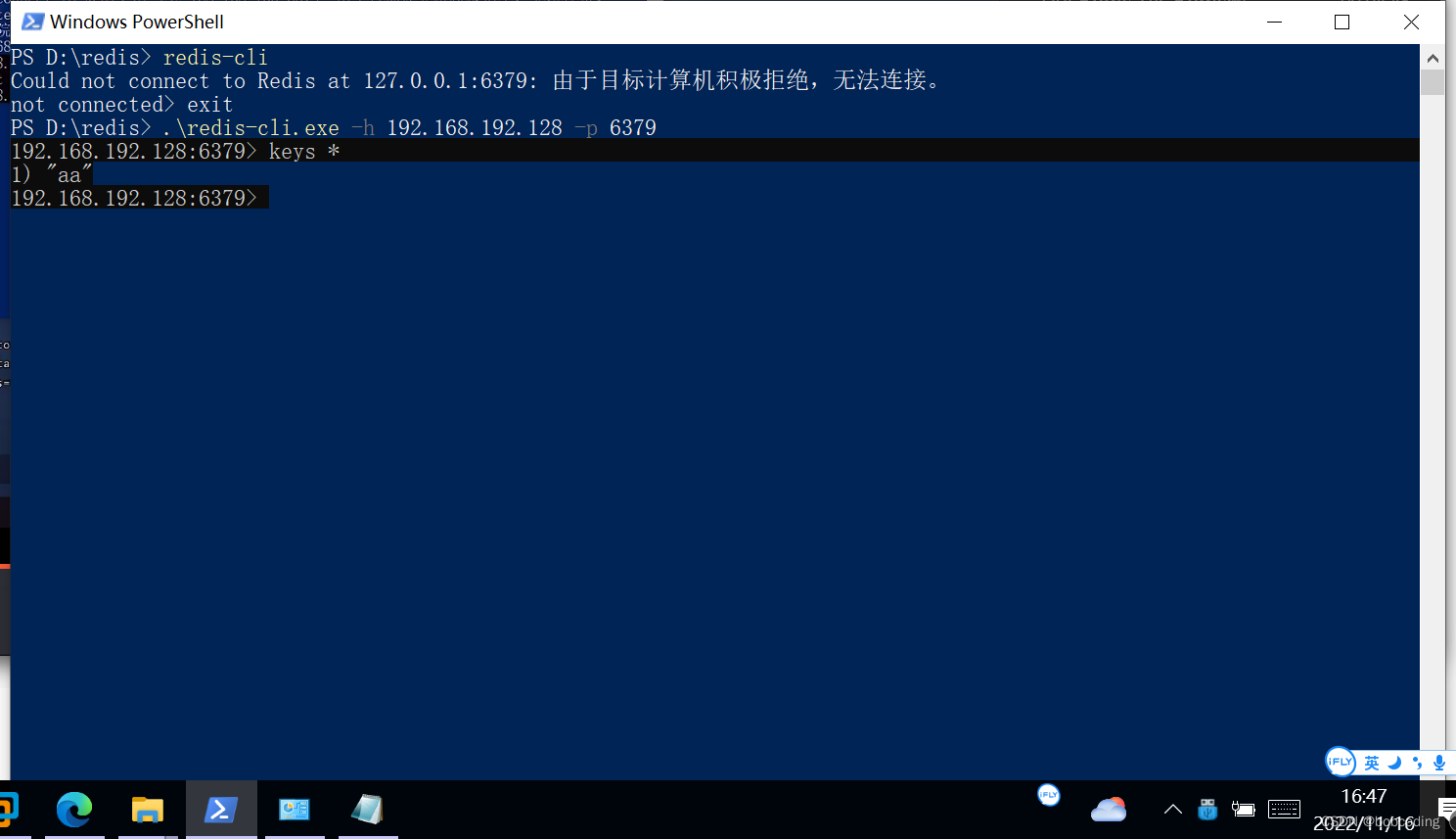
发现成功连接
相关内容
热门资讯
埃菲尔铁塔在哪 中国仿建埃菲尔...
2019年4月26日,广西南宁市,街头惊现一座巨型山寨版埃菲尔铁塔,高约20米,白色塔身,造型逼真,...
公司优势怎么写比较好 如何描述...
我对企业竞争优势的理解和总结
苗族的传统节日 贵州苗族节日有...
【岜沙苗族芦笙节】岜沙,苗语叫“分送”,距从江县城7.5公里,是世界上最崇拜树木并以树为神的枪手部落...
北京的名胜古迹 北京最著名的景...
北京从元代开始,逐渐走上帝国首都的道路,先是成为大辽朝五大首都之一的南京城,随着金灭辽,金代从海陵王...
应用未安装解决办法 平板应用未...
---IT小技术,每天Get一个小技能!一、前言描述苹果IPad2居然不能安装怎么办?与此IPad不...
脚上的穴位图 脚面经络图对应的...
人体穴位作用图解大全更清晰直观的标注了各个人体穴位的作用,包括头部穴位图、胸部穴位图、背部穴位图、胳...
长白山自助游攻略 吉林长白山游...
昨天介绍了西坡的景点详细请看链接:一个人的旅行,据说能看到长白山天池全凭运气,您的运气如何?今日介绍...
猫咪吃了塑料袋怎么办 猫咪误食...
你知道吗?塑料袋放久了会长猫哦!要说猫咪对塑料袋的喜爱程度完完全全可以媲美纸箱家里只要一有塑料袋的响...
世界上最漂亮的人 世界上最漂亮...
此前在某网上,选出了全球265万颜值姣好的女性。从这些数量庞大的女性群体中,人们投票选出了心目中最美...
埃菲尔铁塔在哪 中国仿建埃菲尔...
2019年4月26日,广西南宁市,街头惊现一座巨型山寨版埃菲尔铁塔,高约20米,白色塔身,造型逼真,...
苗族的传统节日 贵州苗族节日有...
【岜沙苗族芦笙节】岜沙,苗语叫“分送”,距从江县城7.5公里,是世界上最崇拜树木并以树为神的枪手部落...
乌拉是什么意思 乌托邦是什么意...
相信对俄罗斯有一定了解的朋友肯定不会对“乌拉”(Ура,读成“歪--屁--哎”的朋友请出门左转不送)...
北京的名胜古迹 北京最著名的景...
北京从元代开始,逐渐走上帝国首都的道路,先是成为大辽朝五大首都之一的南京城,随着金灭辽,金代从海陵王...