

Windows安装配置Vagrant
创始人
2024-02-08 13:49:18
1、下载
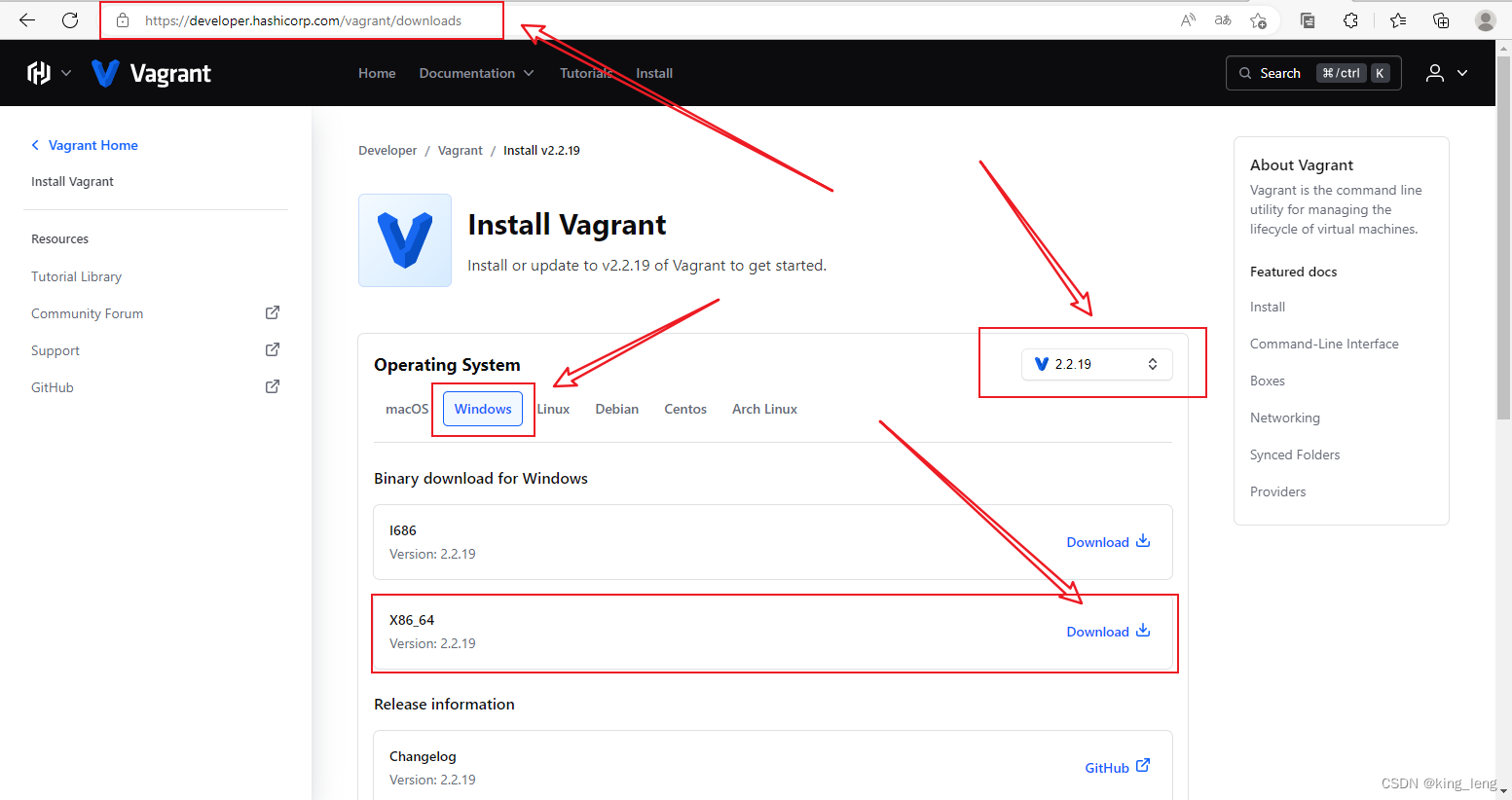
1.1、连接:https://developer.hashicorp.com/vagrant/downloads
1.2 、选择系统、版本、型号,然后下载
2、安装
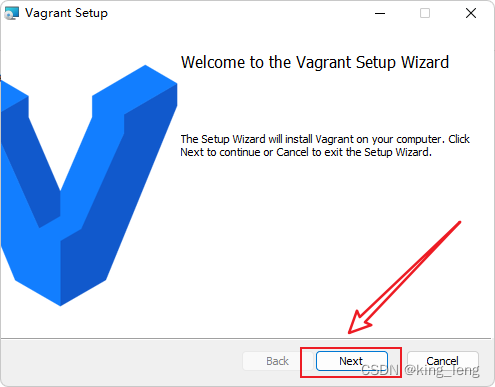
2.1、双击运行下载的可执行文件,点击Next
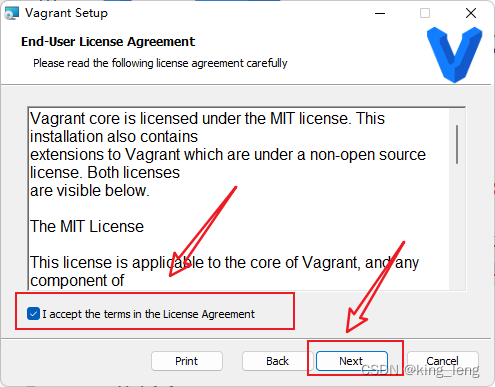
2.2、先同意许可,然后点击Next
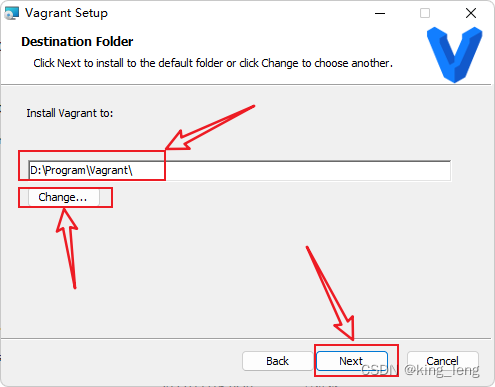
2.3、点击Change,选择安装目录,然后点击Next
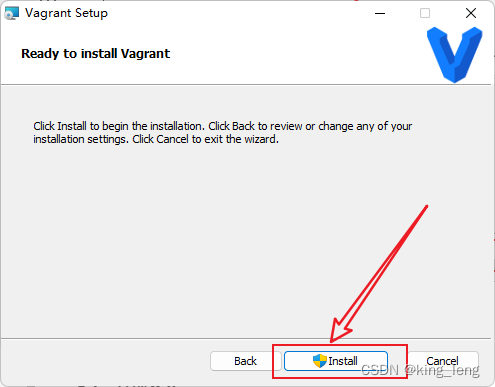
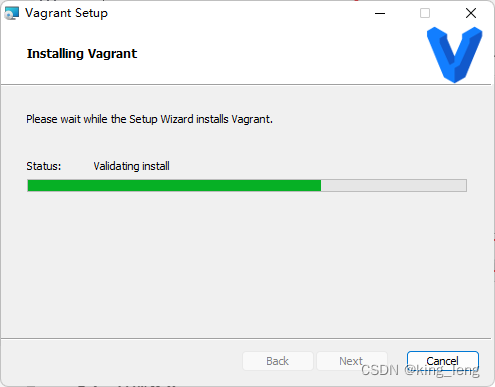
2.4、点击Install,然后等待安装
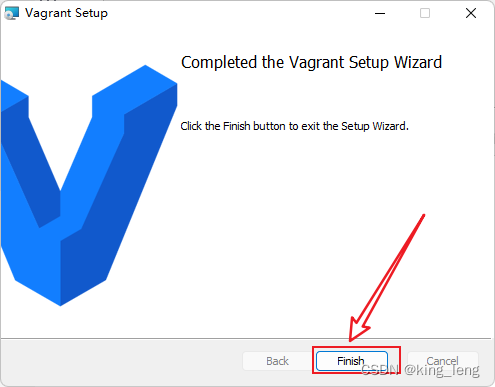
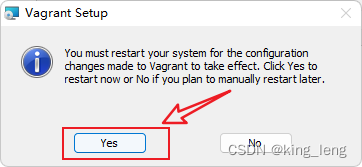
2.5、点击Finish,然后直接选择重启(Yes)
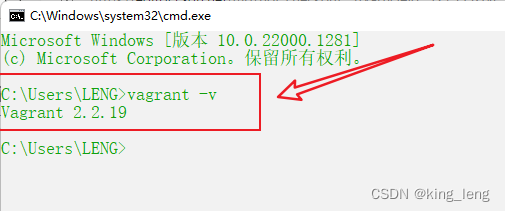
2.6、Windows+R调出运行,输入cmd回车调出DOS命令窗口,输入vagrant -v,如下即安装成功
3、配置
3.1、配置box的存储位置
3.1.1 简介
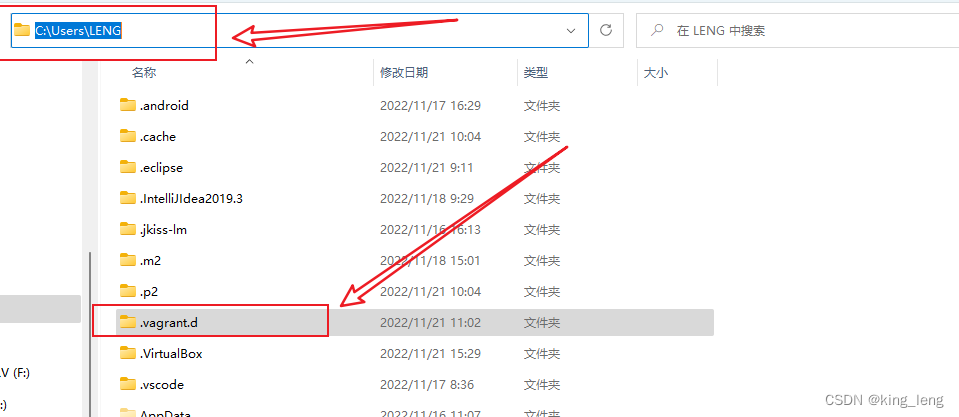
通过 Vagrant 创建虚机需要先导入镜像文件,默认存储位置是在用户目录下的 .vagrant.d 目录下,对于 Windows 系统来说,就是 C:\Users\用户名.vagrant.d。如果后续会用到较多镜像,或者C 盘空间比较紧缺,则可通过创建环境变量 VAGRANT_HOME 来设置该目录。
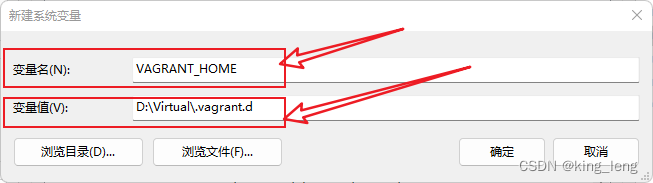
3.1.2、新建系统环境变量
变量名: VAGRANT_HOME
变量值:(根据你的目录写,文件夹.vagrant.d可以是别的名字)
4、基础用法
4.1、下载镜像
4.1.1、官方仓库:https://app.vagrantup.com/boxes/search
4.1.2、第三方仓库:http://www.vagrantbox.es/
4.2、将镜像(Box)添加到本地仓库
命令:vagrant box add osName --name
例子:vagrant box add centos/7 --name centos7
如果box已经下载到本地(推荐,官方仓库下载慢):
命令:vagrant box add filePath --name
例子:vagrant box add C:\Users\LENG\Downloads\CentOS-7-x86_64-Vagrant-2004_01.VirtualBox.box --name centos7
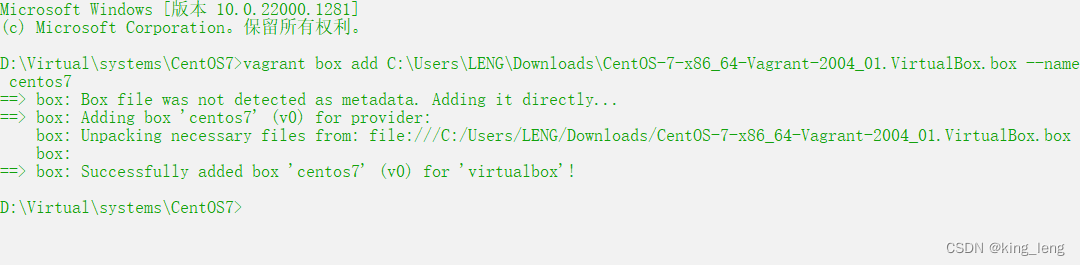
这时候步骤3.1配置的文件夹下就会增加一个box
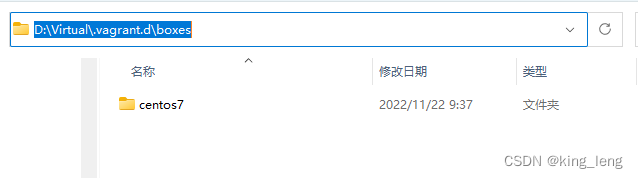
4.3、显示已添加到本地的box列表
命令:vagrant box list

4.4、初始化虚拟机系统
4.4.1、命令:vagrant init centos7

4.4.2、当前目录下生成一个文件 Vagrantfile
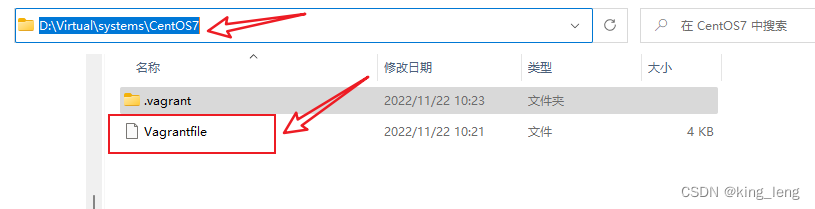
4.5、编辑Vagrantfile文件
# -*- mode: ruby -*-
# vi: set ft=ruby :# All Vagrant configuration is done below. The "2" in Vagrant.configure
# configures the configuration version (we support older styles for
# backwards compatibility). Please don't change it unless you know what
# you're doing.
Vagrant.configure("2") do |config|# The most common configuration options are documented and commented below.# For a complete reference, please see the online documentation at# https://docs.vagrantup.com.# Every Vagrant development environment requires a box. You can search for# boxes at https://vagrantcloud.com/search.config.vm.box = "centos7"# Disable automatic box update checking. If you disable this, then# boxes will only be checked for updates when the user runs# `vagrant box outdated`. This is not recommended.# config.vm.box_check_update = false# Create a forwarded port mapping which allows access to a specific port# within the machine from a port on the host machine. In the example below,# accessing "localhost:8080" will access port 80 on the guest machine.# NOTE: This will enable public access to the opened port# config.vm.network "forwarded_port", guest: 80, host: 8080# Create a forwarded port mapping which allows access to a specific port# within the machine from a port on the host machine and only allow access# via 127.0.0.1 to disable public access# config.vm.network "forwarded_port", guest: 80, host: 8080, host_ip: "127.0.0.1"# Create a private network, which allows host-only access to the machine# using a specific IP.config.vm.network "private_network", ip: "192.168.33.10"# Create a public network, which generally matched to bridged network.# Bridged networks make the machine appear as another physical device on# your network.# config.vm.network "public_network", ip: "192.168.56.10"# Share an additional folder to the guest VM. The first argument is# the path on the host to the actual folder. The second argument is# the path on the guest to mount the folder. And the optional third# argument is a set of non-required options.# config.vm.synced_folder "../data", "/vagrant_data"# Provider-specific configuration so you can fine-tune various# backing providers for Vagrant. These expose provider-specific options.# Example for VirtualBox:## config.vm.provider "virtualbox" do |vb|#   # Display the VirtualBox GUI when booting the machine#   vb.gui = true##   # Customize the amount of memory on the VM:#   vb.memory = "1024"# endconfig.vm.provider "virtualbox" do |vb|# 名称vb.name = "centos7-1"# CPU大小vb.cpus = 2# 内存大小vb.memory = "2048"end# View the documentation for the provider you are using for more# information on available options.# Enable provisioning with a shell script. Additional provisioners such as# Ansible, Chef, Docker, Puppet and Salt are also available. Please see the# documentation for more information about their specific syntax and use.# config.vm.provision "shell", inline: <<-SHELL#   apt-get update#   apt-get install -y apache2# SHELL
end
4.6、启动虚拟机
命令:vagrant up
由于安装的VirtualBox(7.0.2)版本太高,Vagrant(2.2.19)不支持,请查看此解决办法:https://blog.csdn.net/zf14840/article/details/127289925
经过上述方法解决后,执行vagrant up,则可以正常启动
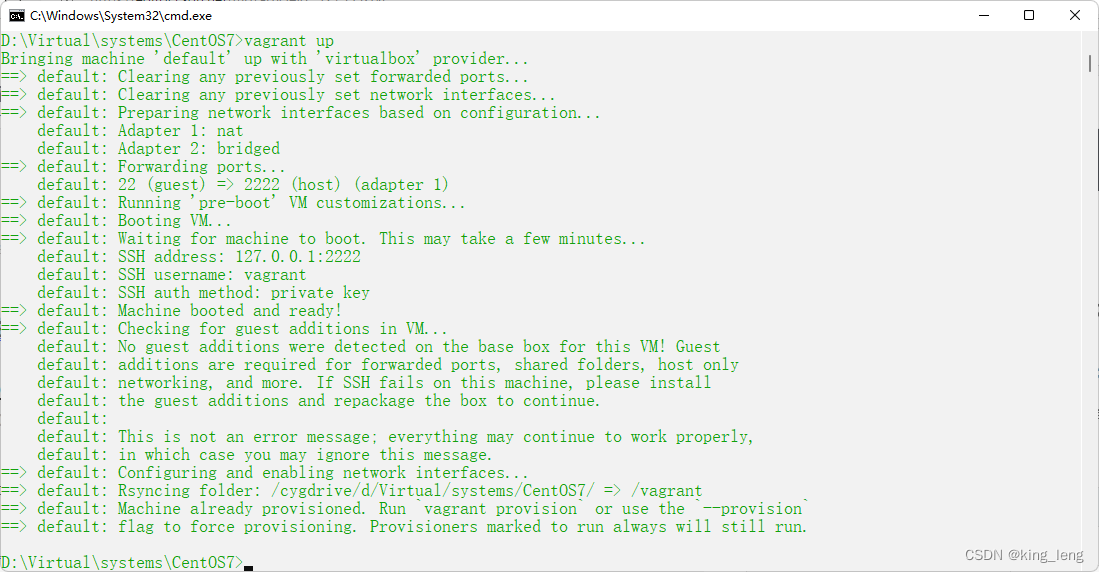
4.7、连接虚拟机系统
命令:vagrant ssh
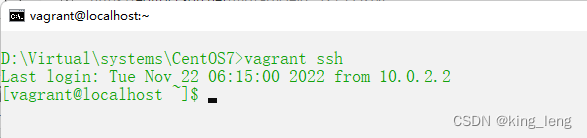
4.8、开启远程登录
4.8.1、切换到root用户
命令:su root
密码默认是vagrant
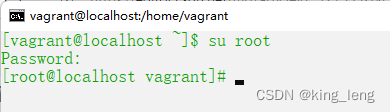
4.8.2、修改 /etc/ssh/sshd_config 文件
将 PasswordAuthentication no 改成 yes

4.8.3、然后重启SSH服务
命令:systemctl restart sshd
5、常用命令列表
| 命令 | 作用 |
|---|---|
| vagrant -v/version | 查看Vagrant版本 |
| vagrant global-status | 查看 Vagrant 当前所有已安装系统 |
| vagrant box add filePath --boxName | 将镜像(Box)添加到本地仓库 |
| vagrant box list | 查看所有已添加box |
| vagrant box remove boxName | 移除已添加box |
| vagrant init centos7 | 初始化虚拟机系统 |
| vagrant validate | 编辑Vagrantfile之后,不确定编写是否正确,使用该命令进行验证 |
| vagrant up | 启动虚拟机系统 |
| vagrant ssh | 连接虚拟机系统 |
| vagrant reload | 重新启动虚拟机系统 |
| vagrant status | 查看虚拟机系统状态 |
| exit | 退出ssh连接的虚拟机系统 |
| vagrant halt | 关闭虚拟机系统 |
| vagrant package | 打包虚拟机系统 |
| vagrant destory | 删除虚拟机系统 |
上一篇:驱动开发2
相关内容
热门资讯
埃菲尔铁塔在哪 中国仿建埃菲尔...
2019年4月26日,广西南宁市,街头惊现一座巨型山寨版埃菲尔铁塔,高约20米,白色塔身,造型逼真,...
苗族的传统节日 贵州苗族节日有...
【岜沙苗族芦笙节】岜沙,苗语叫“分送”,距从江县城7.5公里,是世界上最崇拜树木并以树为神的枪手部落...
北京的名胜古迹 北京最著名的景...
北京从元代开始,逐渐走上帝国首都的道路,先是成为大辽朝五大首都之一的南京城,随着金灭辽,金代从海陵王...
应用未安装解决办法 平板应用未...
---IT小技术,每天Get一个小技能!一、前言描述苹果IPad2居然不能安装怎么办?与此IPad不...
脚上的穴位图 脚面经络图对应的...
人体穴位作用图解大全更清晰直观的标注了各个人体穴位的作用,包括头部穴位图、胸部穴位图、背部穴位图、胳...
长白山自助游攻略 吉林长白山游...
昨天介绍了西坡的景点详细请看链接:一个人的旅行,据说能看到长白山天池全凭运气,您的运气如何?今日介绍...
猫咪吃了塑料袋怎么办 猫咪误食...
你知道吗?塑料袋放久了会长猫哦!要说猫咪对塑料袋的喜爱程度完完全全可以媲美纸箱家里只要一有塑料袋的响...
demo什么意思 demo版本...
618快到了,各位的小金库大概也在准备开闸放水了吧。没有小金库的,也该向老婆撒娇卖萌服个软了,一切只...
世界上最漂亮的人 世界上最漂亮...
此前在某网上,选出了全球265万颜值姣好的女性。从这些数量庞大的女性群体中,人们投票选出了心目中最美...
埃菲尔铁塔在哪 中国仿建埃菲尔...
2019年4月26日,广西南宁市,街头惊现一座巨型山寨版埃菲尔铁塔,高约20米,白色塔身,造型逼真,...
苗族的传统节日 贵州苗族节日有...
【岜沙苗族芦笙节】岜沙,苗语叫“分送”,距从江县城7.5公里,是世界上最崇拜树木并以树为神的枪手部落...
北京的名胜古迹 北京最著名的景...
北京从元代开始,逐渐走上帝国首都的道路,先是成为大辽朝五大首都之一的南京城,随着金灭辽,金代从海陵王...
应用未安装解决办法 平板应用未...
---IT小技术,每天Get一个小技能!一、前言描述苹果IPad2居然不能安装怎么办?与此IPad不...