

美食杰项目 -- 菜品信息(五)
目录
- 前言:
- 具体实现思路:
- 步骤:
- 1. 展示美食杰菜谱大全效果
- 2. 引入element-ui
- 3. 代码
- 总结:
前言:
本文给大家讲解,美食杰项目中 实现菜品信息页的效果,和具体代码。
具体实现思路:
- 跳转时传递菜品 id
- 根据菜品 id 进行(获取菜品详细信息,获取评论信息,发布评论,收藏/取消收藏)
- 点击收藏,判断是否收藏如果收藏则取消收藏,未收藏则收藏
- 给 input 框输入信息,点击提交发布评论信息
- 提交后的评论信息添加到开头
- 根据效果图进行渲染
步骤:
1. 展示美食杰菜谱大全效果
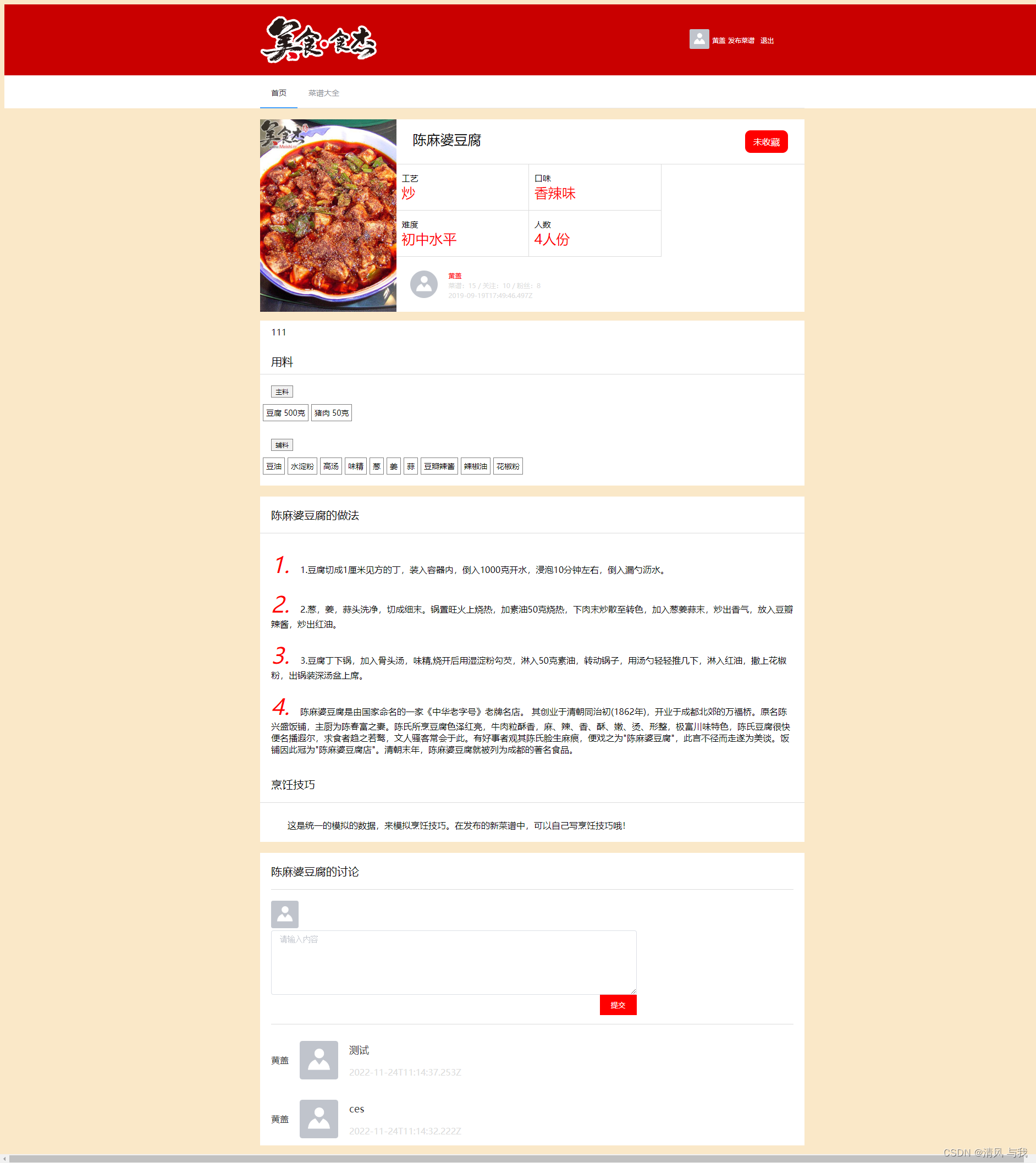
美食杰菜品信息页
2. 引入element-ui
点击跳转至 element-ui 中 input 输入框使用方法:https://element.eleme.cn/#/zh-CN/component/input
点击跳转至 element-ui 中 button 按钮使用方法:https://element.eleme.cn/#/zh-CN/component/button
3. 代码
菜品信息页中可以引入 element-ui 框架使用,本文引入了 input 输入框方法,button 则使用了原生 js。
当然静态页面其他地方你也可以使用 element-ui 框架或其他框架进行布局。
![]() {{ menuInfo.title }}
{{ menuInfo.title }}{{ menuInfo.isCollection ? "已收藏" : "未收藏" }} {{ item.parent_name }}
{{ item.name }} ![]()
{{ menuInfo.userInfo.name }}
菜谱:{{ menuInfo.userInfo.work_menus_len }} / 关注:{{menuInfo.userInfo.following_len}}/ 粉丝:{{ menuInfo.userInfo.follows_len }}
{{ menuInfo.createdAt }}
{{ menuInfo.product_story }}
用料
主料
{{ item.name }} {{ item.specs }} 辅料
{{ item.name }} {{ item.specs }} {{ menuInfo.title }}的做法
{{ index + 1 }}.![]() {{ item.describe }}
{{ item.describe }} 烹饪技巧
{{ menuInfo.skill }}
{{ menuInfo.title }}的讨论
请先登录后,在进行评论
- {{ item.userInfo.name }}
![]()
{{ item.commentText }}
{{ item.updateAt }}
总结:
总结:
以上就是 美食杰项目 中 菜品信息的具体实现方法,不懂得也可以在评论区里问我,以后会持续发布一些新的功能,敬请关注。
我的其他文章:https://blog.csdn.net/weixin_62897746?type=blog
上一篇:简述表现林黛玉才情的一个情节
下一篇:392所野鸡大学分别是哪些学校