

SpringCloud:Nacos注册中心和服务消费方式
目录
一、nacos环境搭建
nacos简介
步骤1:安装nacos
步骤2:启动nacos
启动
步骤3:访问nacos
二、nacos的微服务注册
①导入pom依赖
shop-common的pom.xml
父工程的pom
②加注解
③在application.yml中添加nacos服务的地址
④启动服务
三、负载均衡实现
第一种:DiscoveryClient
OrderCtroller_DiscoveryClient
第二种:Ribbon
ShopOrderApplication
OrderCtroller_Ribbon
第三种:Feign
Feign是Spring Cloud提供的一个声明式的伪Http客户端, 它使得调用远程服务就像调用本地服务 一样简单, 只需要创建一个接口并添加一个注解即可。 Nacos很好的兼容了Feign, Feign默认集成了 Ribbon, 所以在Nacos下使用Fegin默认就实现了负 载均衡的效果。
①加入Fegin的依赖
shop-common的pom
②在主类上添加Fegin的注解
ShopOrderApplication
③创建一个service, 并使用Fegin实现微服务调用
ProductService
OrderCtroller_Fegin
四、Feign传参
FeignServerController
ProductService
FeignClintController
一、nacos环境搭建
我们已经可以实现微服务之间的调用。但是我们把服务提供者的网络地址 (ip,端口)等硬编码到了代码中,这种做法存在许多问题:
一旦服务提供者地址变化,就需要手工修改代码
一旦是多个服务提供者,无法实现负载均衡功能
一旦服务变得越来越多,人工维护调用关系困难
那么应该怎么解决呢, 这时候就需要通过注册中心动态的实现服务治理。
什么是服务治理 服务治理是微服务架构中最核心最基本的模块。用于实现各个微服务的自动化注册
nacos简介
Nacos 致力于帮助您发现、配置和管理微服务。Nacos 提供了一组简单易用的特性集,帮助您快速 实现动态服务发现、服务配置、服务元数据及流量管理。 从上面的介绍就可以看出,nacos的作用就是一个注册中心,用来管理注册上来的各个微服务。
步骤1:安装nacos
下载地址: https://github.com/alibaba/nacos/releases
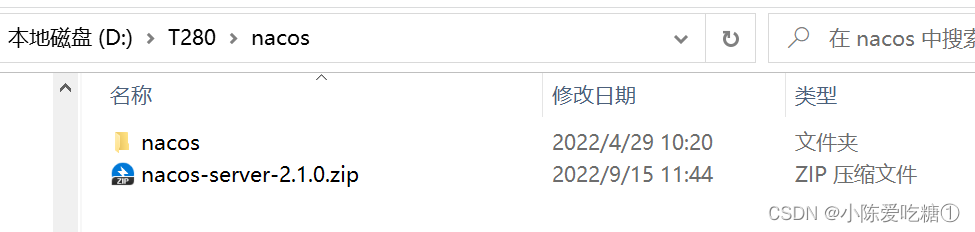
下载zip格式的安装包,然后进行解压缩操作
下载以及解压后
步骤2:启动nacos
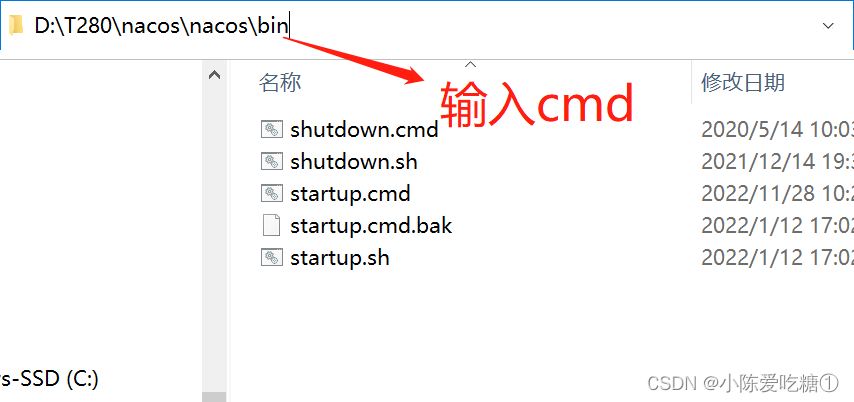
#切换目录
cd nacos/bin
#命令启动
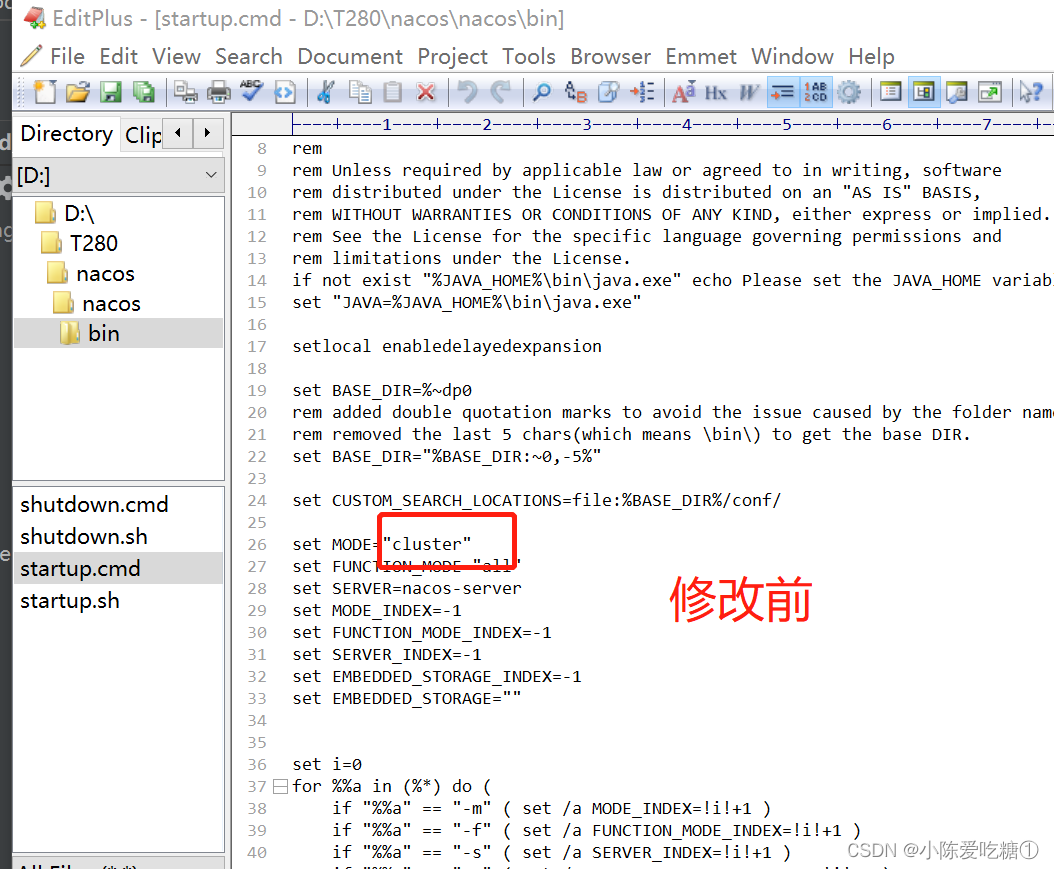
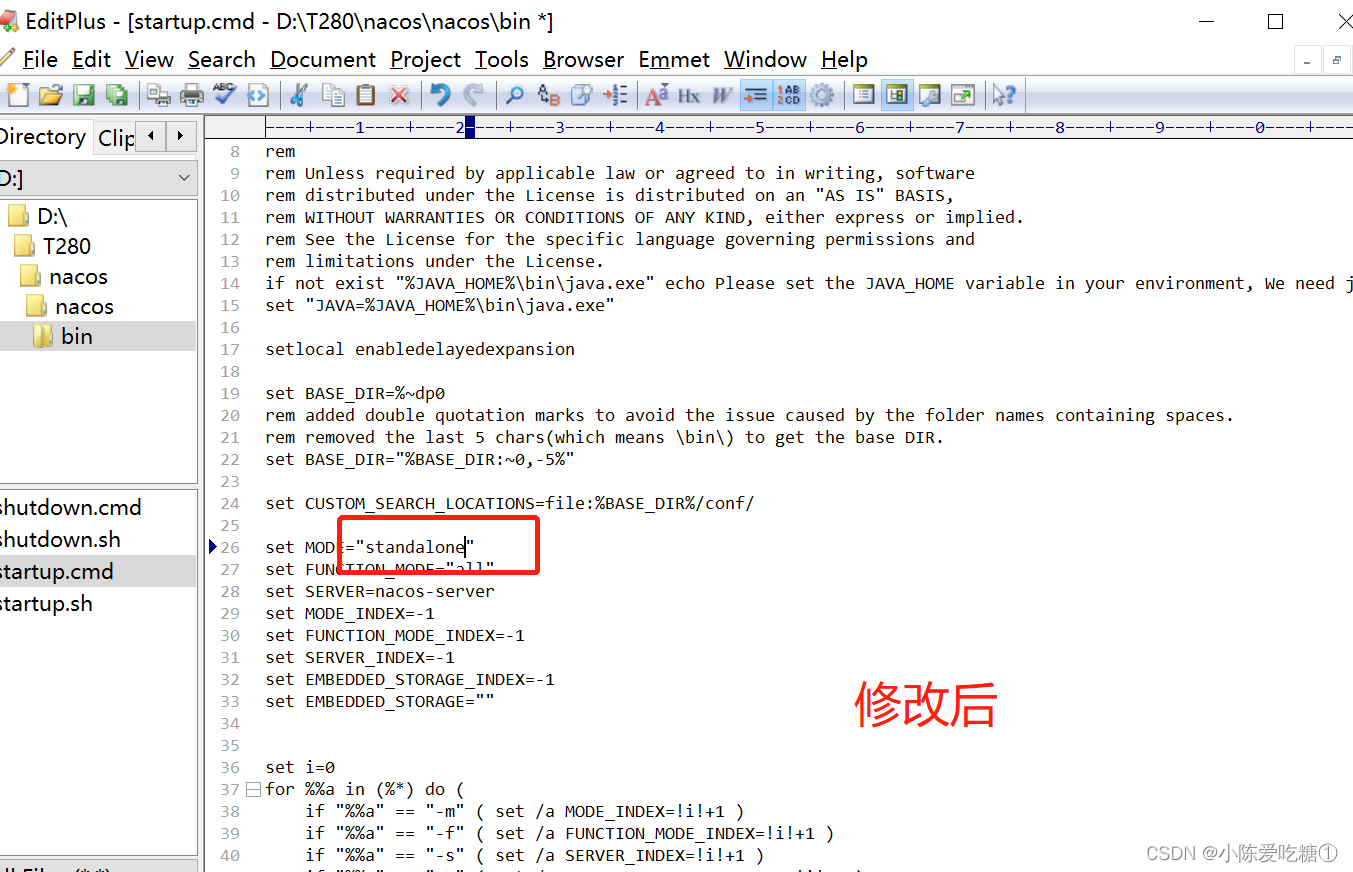
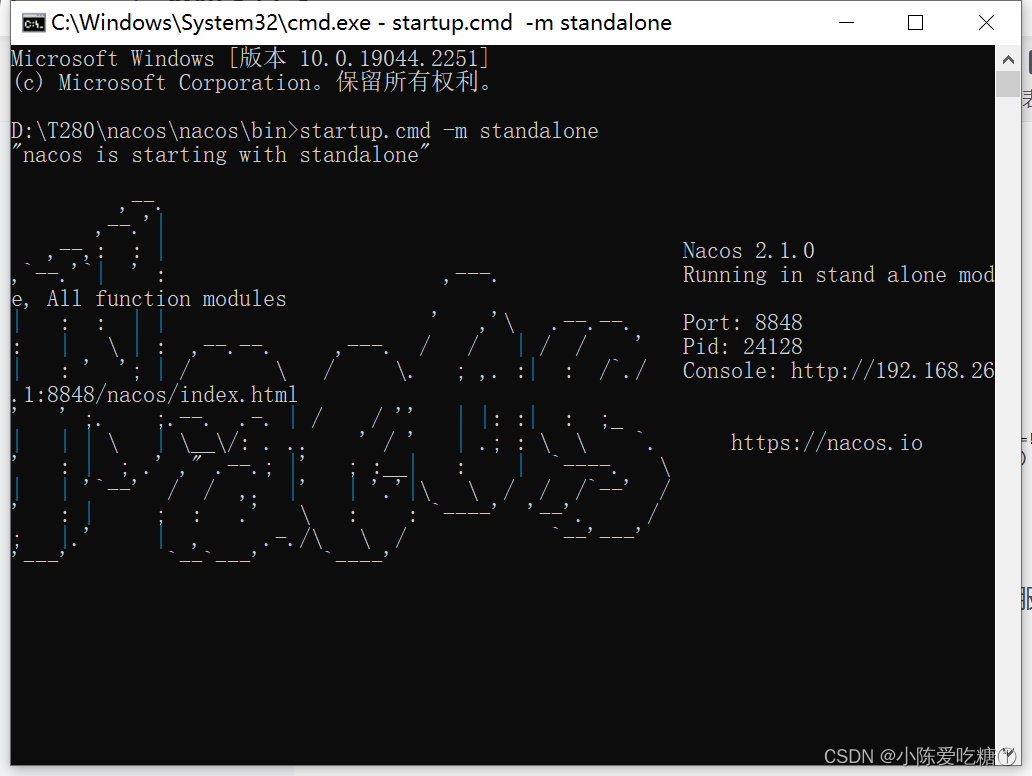
startup.cmd -m standalone或者直接修改startup.cmd文件:
set MODE="standalone
修改前
修改后
启动
步骤3:访问nacos
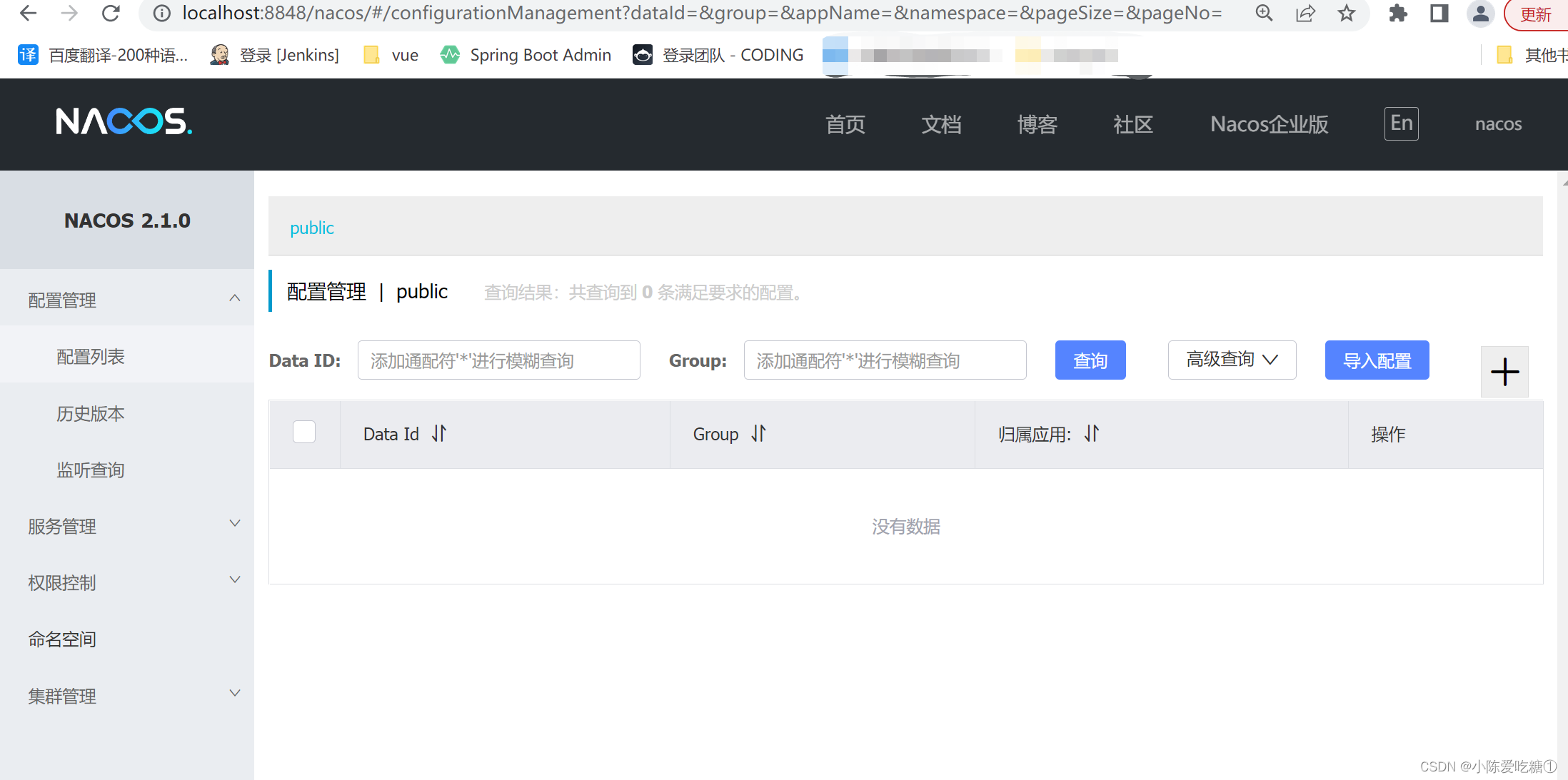
打开浏览器输入http://localhost:8848/nacos,即可访问服务, 账户和默认密码是nacos/nacos
二、nacos的微服务注册
将商品微服务注册到nacos
①导入pom依赖
接下来开始修改shop-product 模块的代码, 将其注册到nacos服务上 1 在shop-common模块的pom.xml中添加nacos的依赖
com.alibaba.cloud spring-cloud-starter-alibaba-nacos-discovery
注意在父模块中是否导入了alibaba
org.springframework.cloud spring-cloud-dependencies ${spring-cloud.version} pom import com.alibaba.cloud spring-cloud-alibaba-dependencies ${spring-cloud-alibaba.version} pom import shop-common的pom.xml
spcloud-shop com.cdl 1.0-SNAPSHOT 4.0.0 shop-common
org.projectlombok lombok com.alibaba fastjson 1.2.56 mysql mysql-connector-java 5.1.44 com.alibaba.cloud spring-cloud-starter-alibaba-nacos-discovery 父工程的pom
4.0.0 com.cdl spcloud-shop 1.0-SNAPSHOT shop-common shop-order shop-product shop-user pom 1.8 UTF-8 UTF-8 2.3.2.RELEASE Hoxton.SR9 2.2.6.RELEASE org.springframework.boot spring-boot-dependencies ${spring-boot.version} pom import org.springframework.cloud spring-cloud-dependencies ${spring-cloud.version} pom import com.alibaba.cloud spring-cloud-alibaba-dependencies ${spring-cloud-alibaba.version} pom import ②加注解
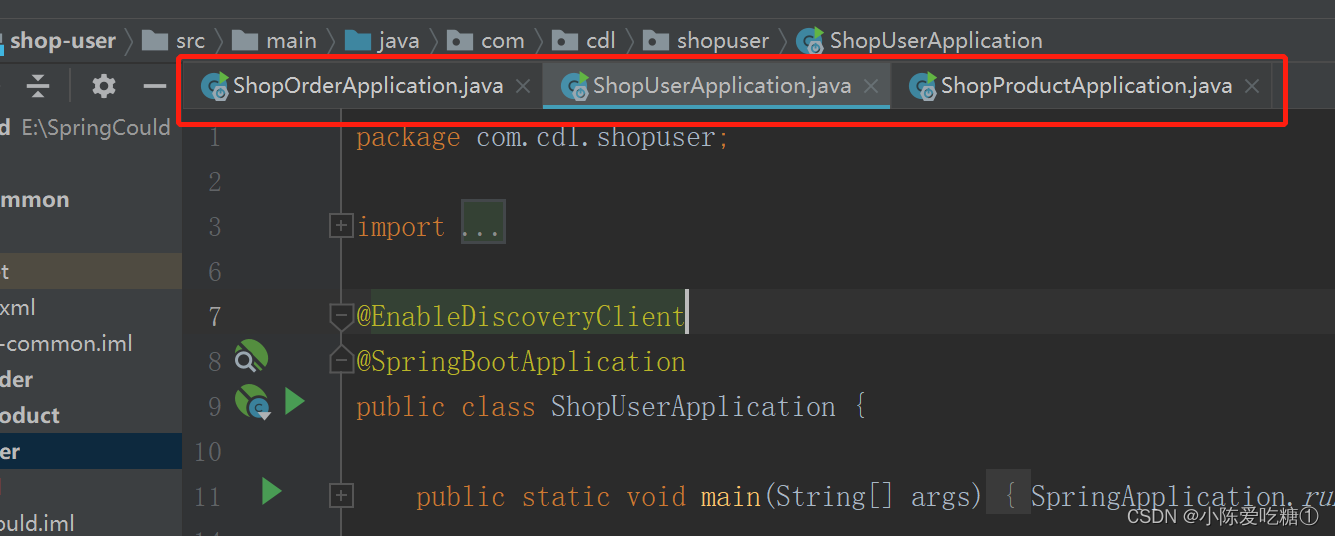
在主类上添加@EnableDiscoveryClient(用于开启远程连接)注解
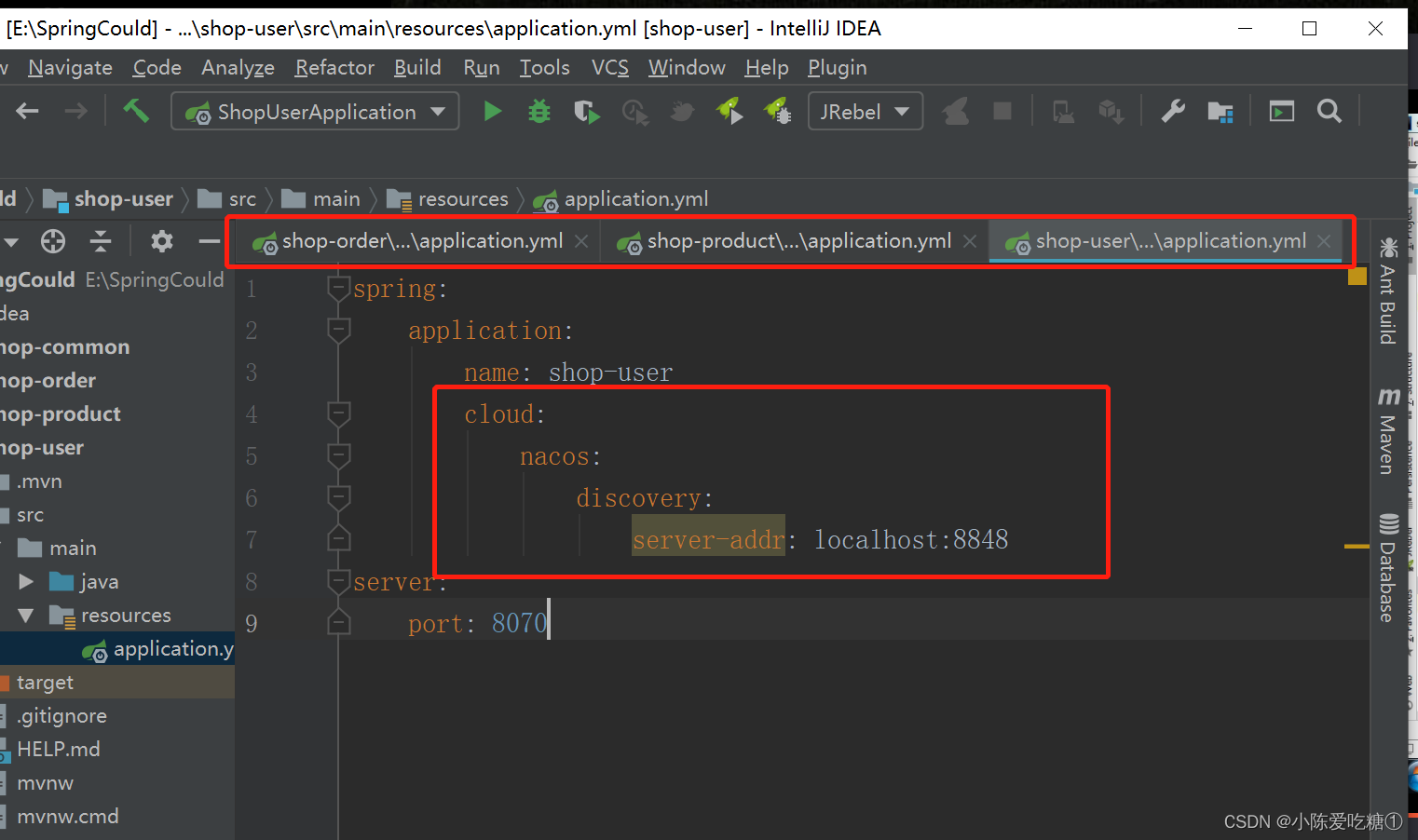
③在application.yml中添加nacos服务的地址
spring:
cloud:
nacos:
discovery:
server-addr: localhost:8848
④启动服务
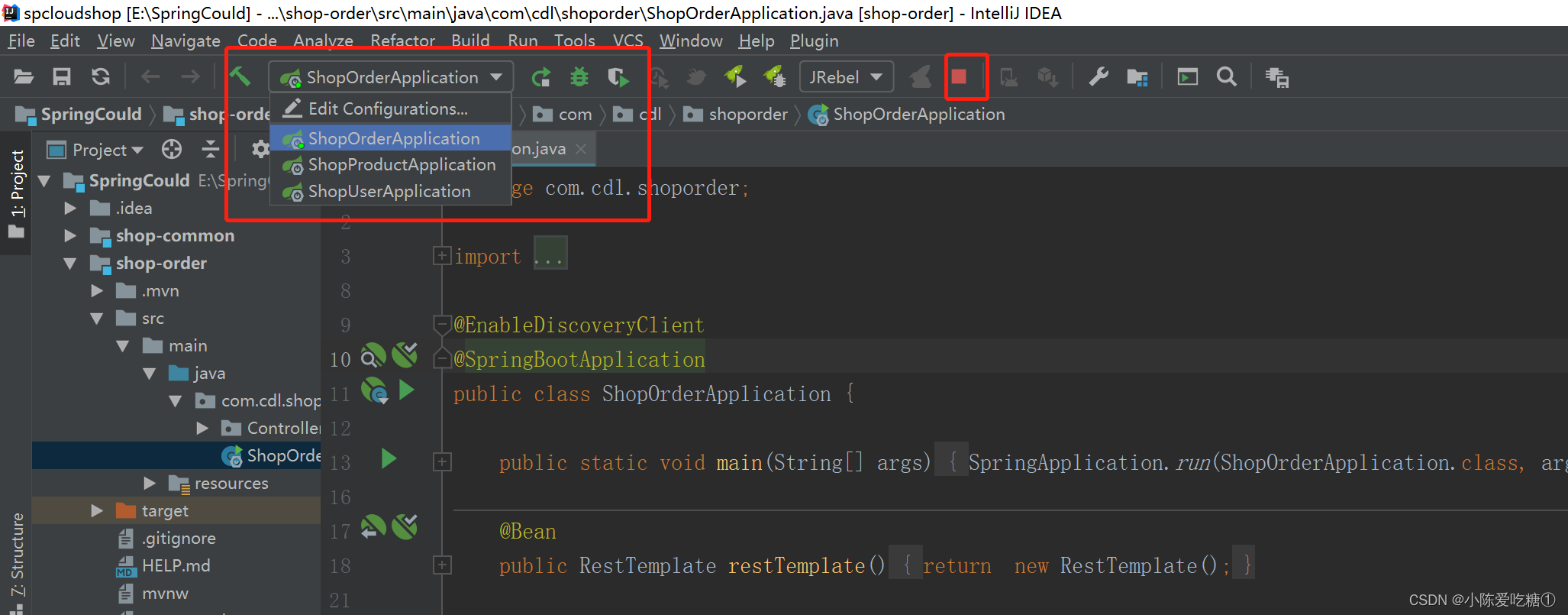
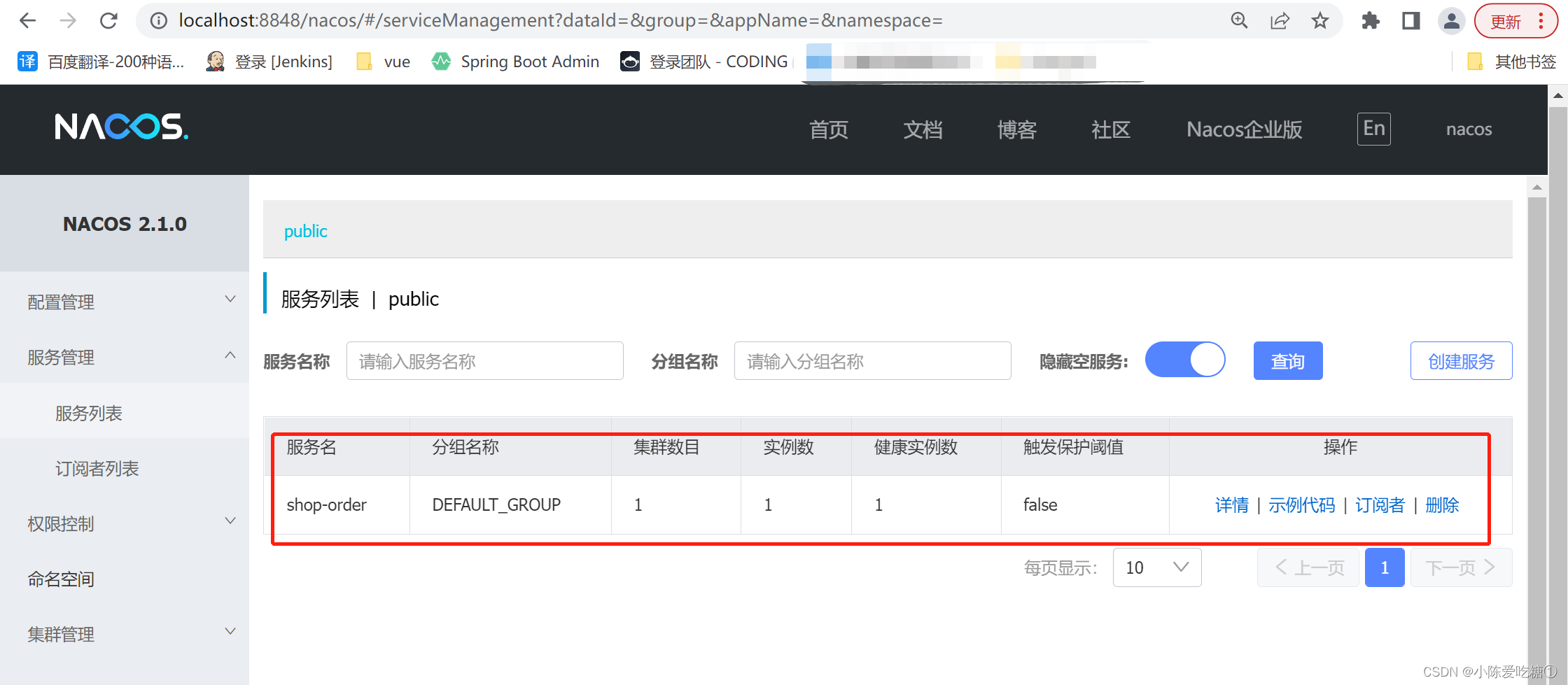
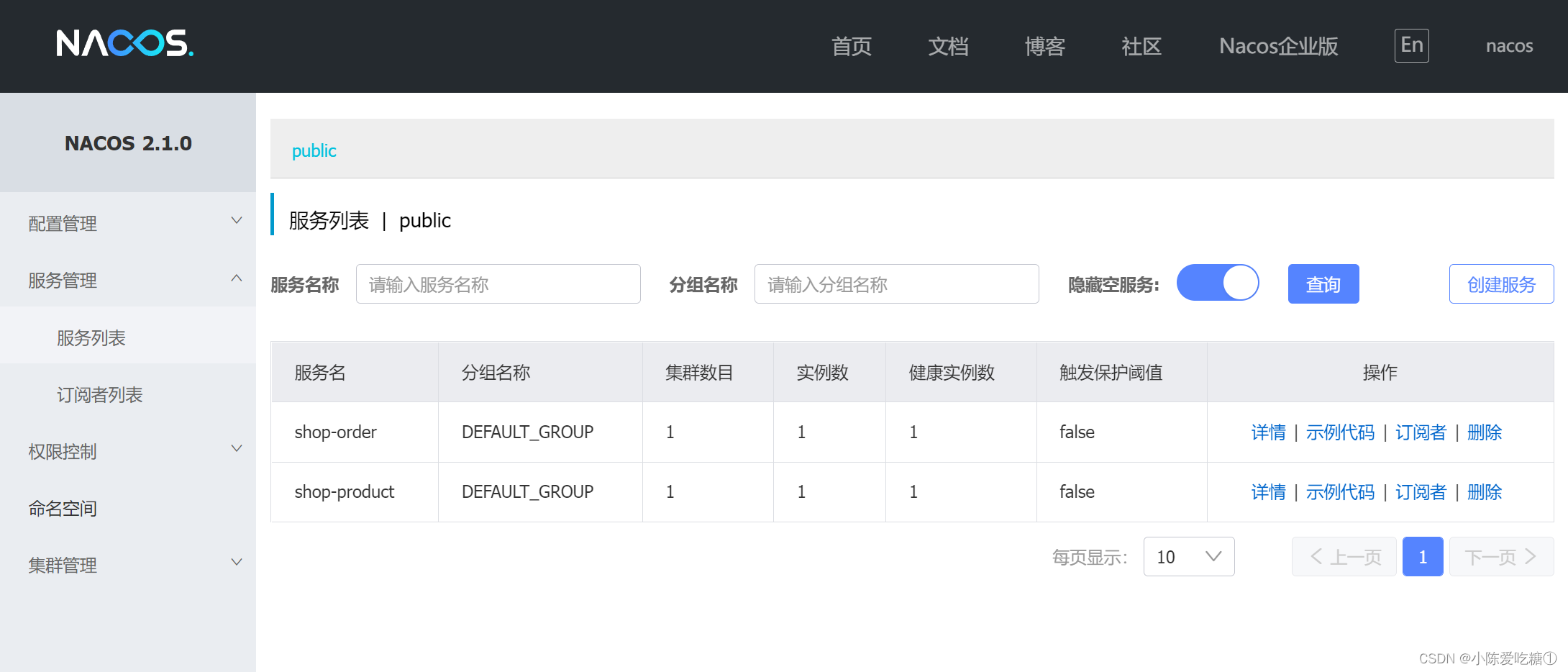
观察nacos的控制面板中是否有注册上来的商品微服务
运行订单
再运行一个商品
三、负载均衡实现
第一种:DiscoveryClient
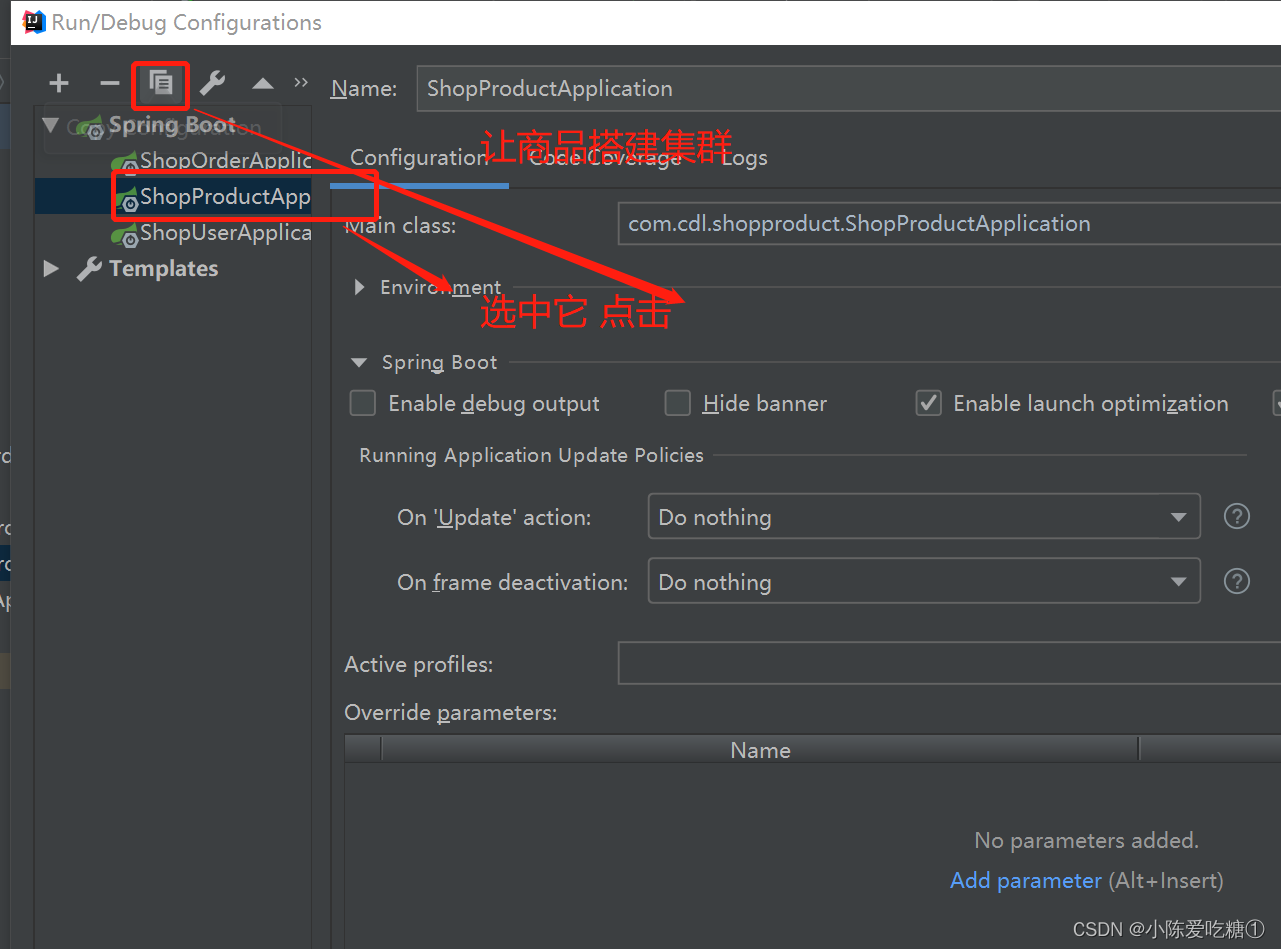
创建集群
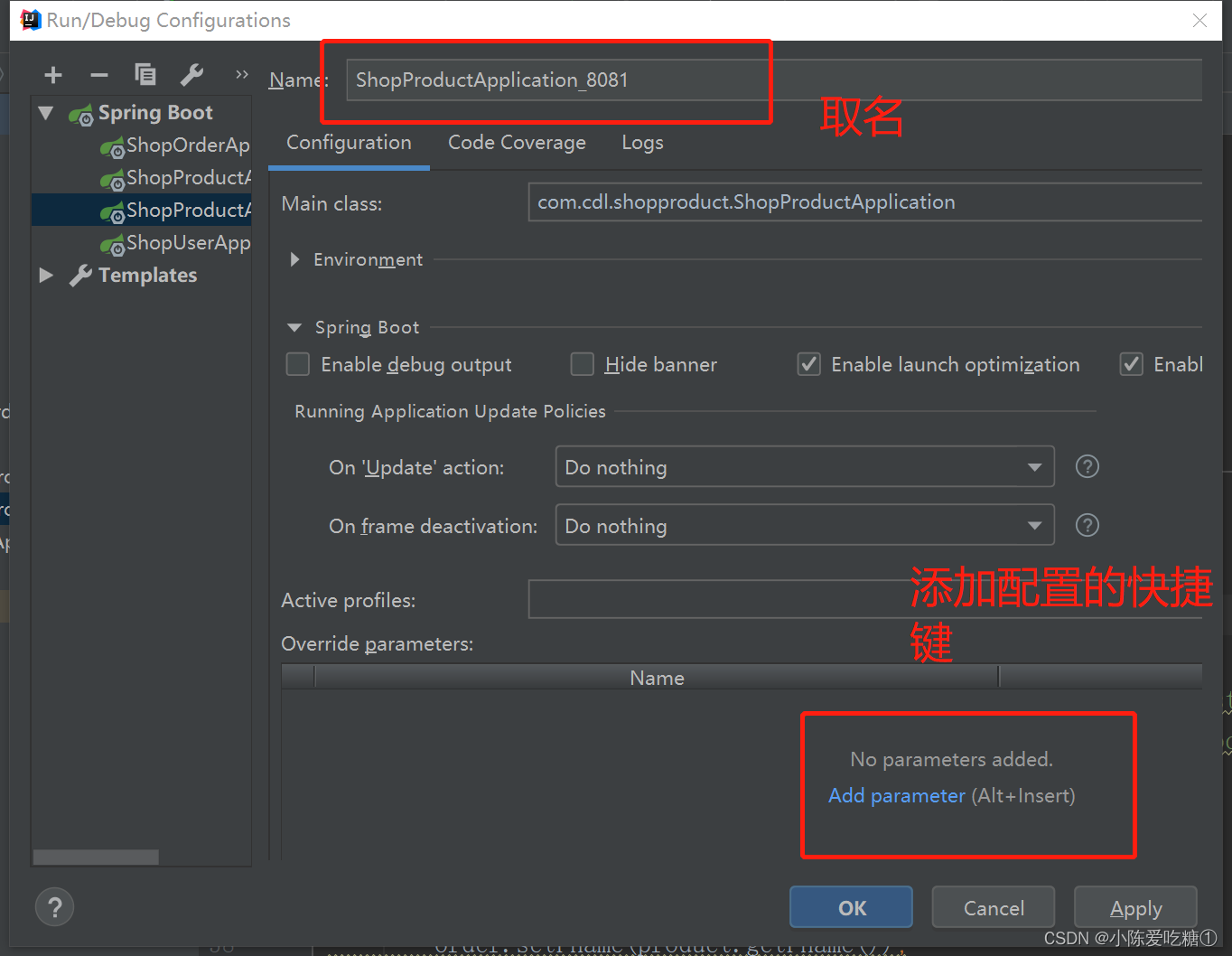
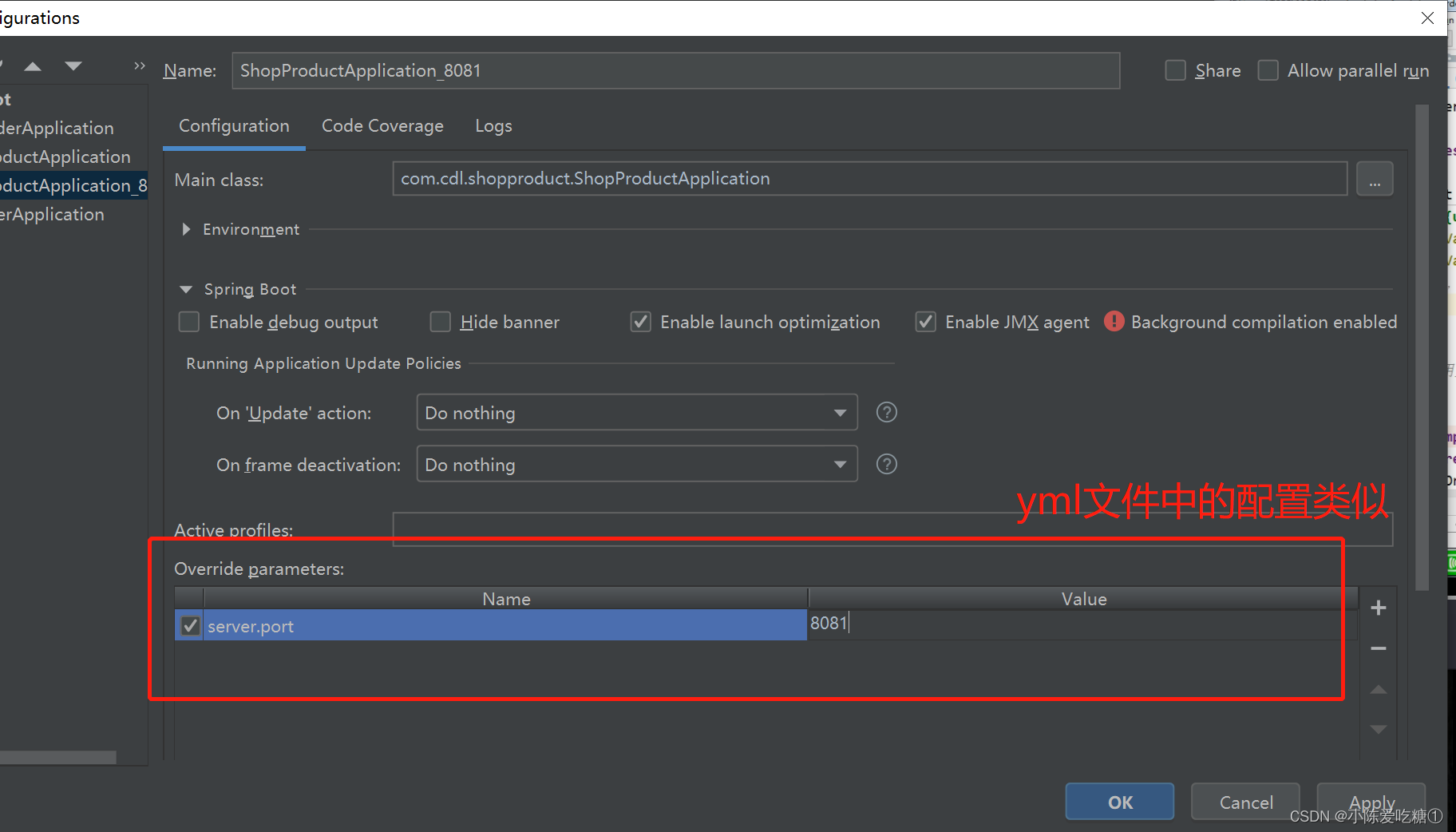
运行8081
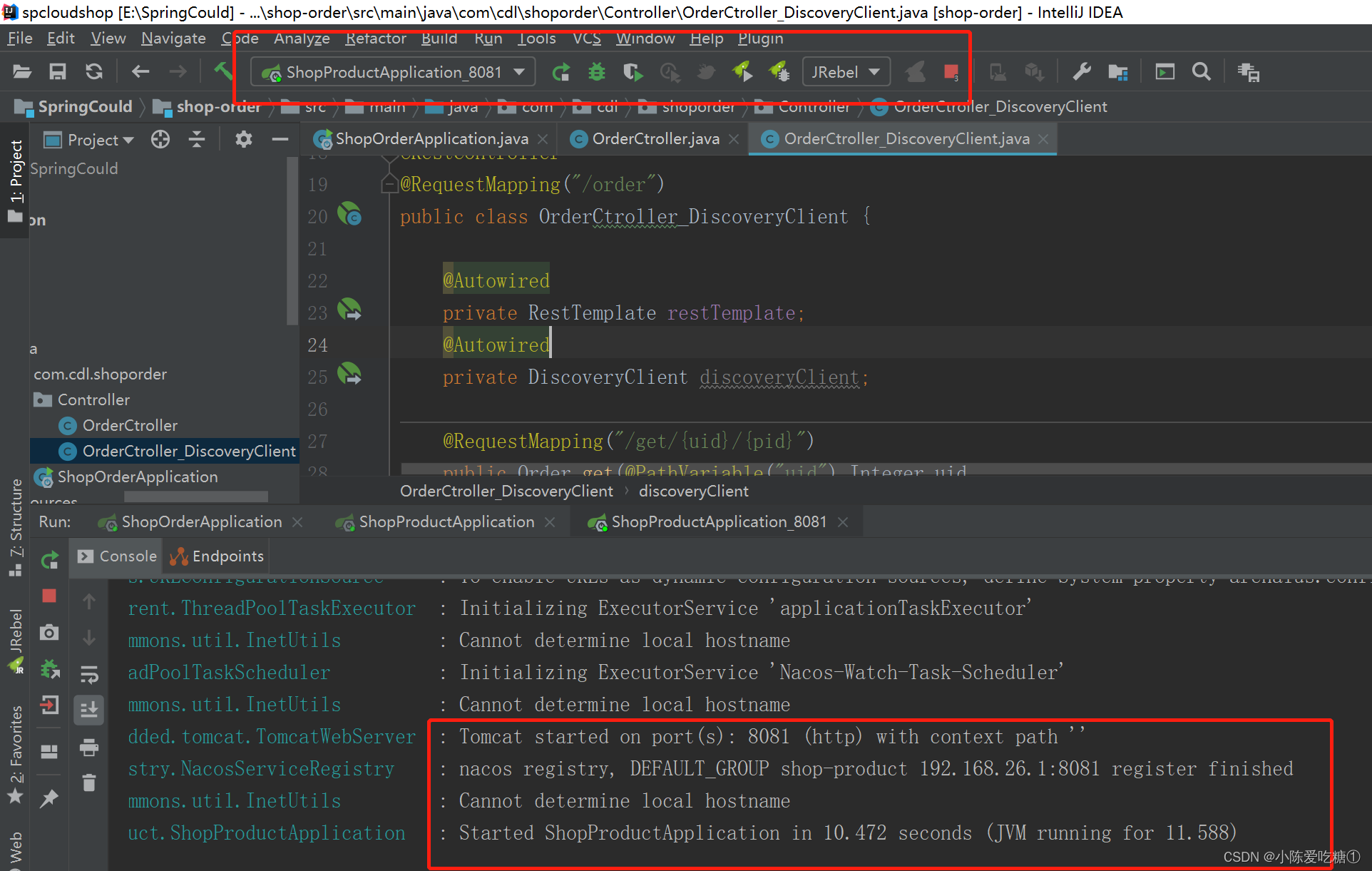
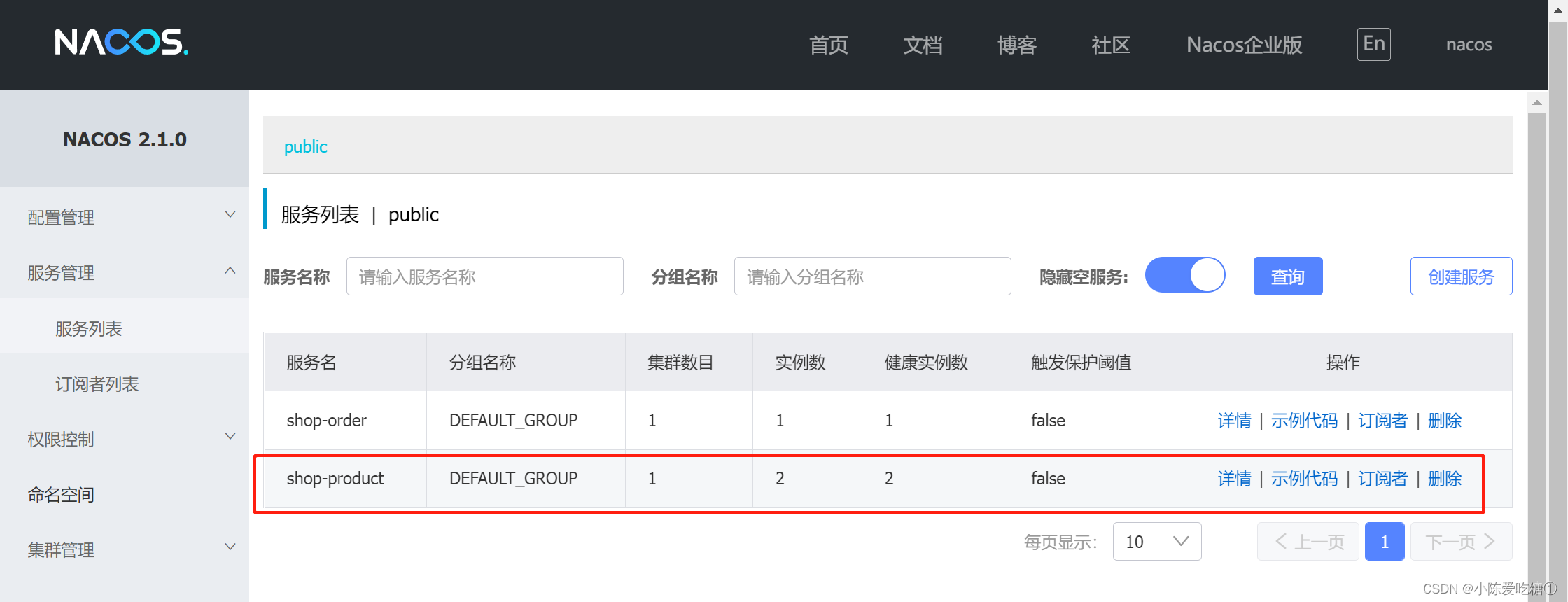


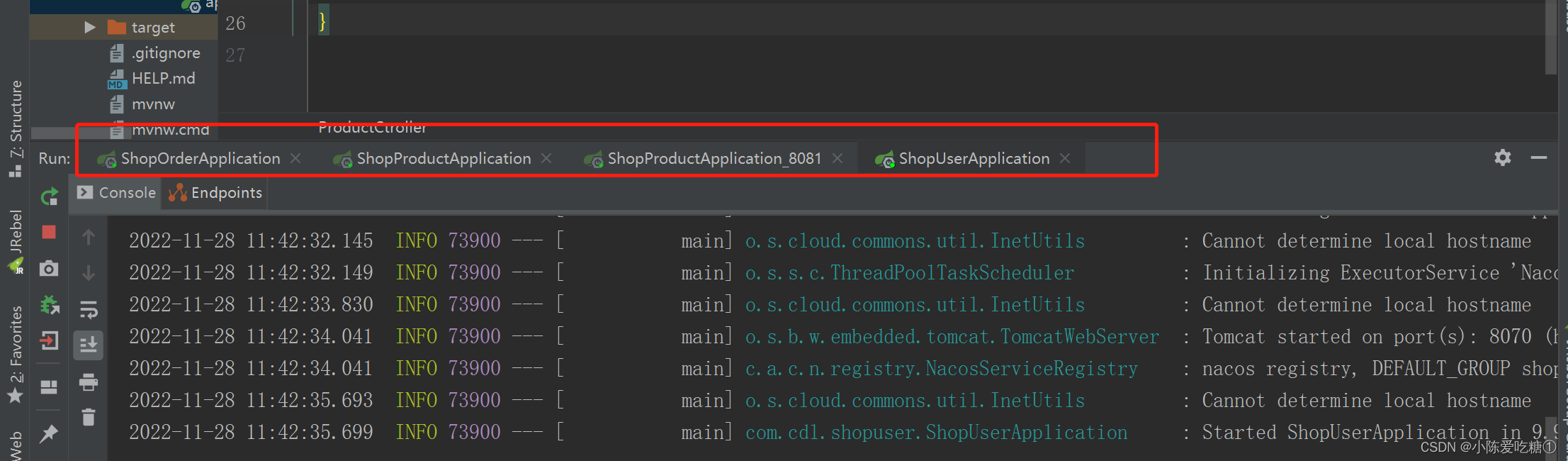
将启动类都运行

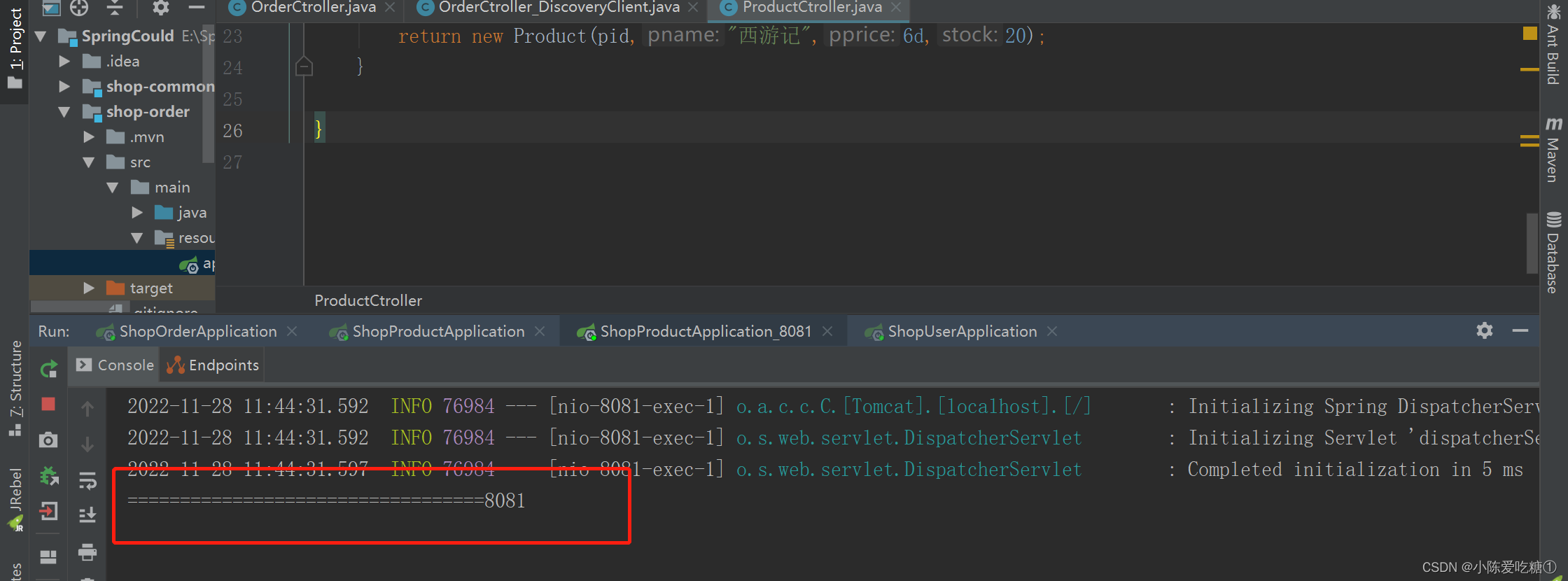
对应的端口号:
刷新页面
对应的端口号: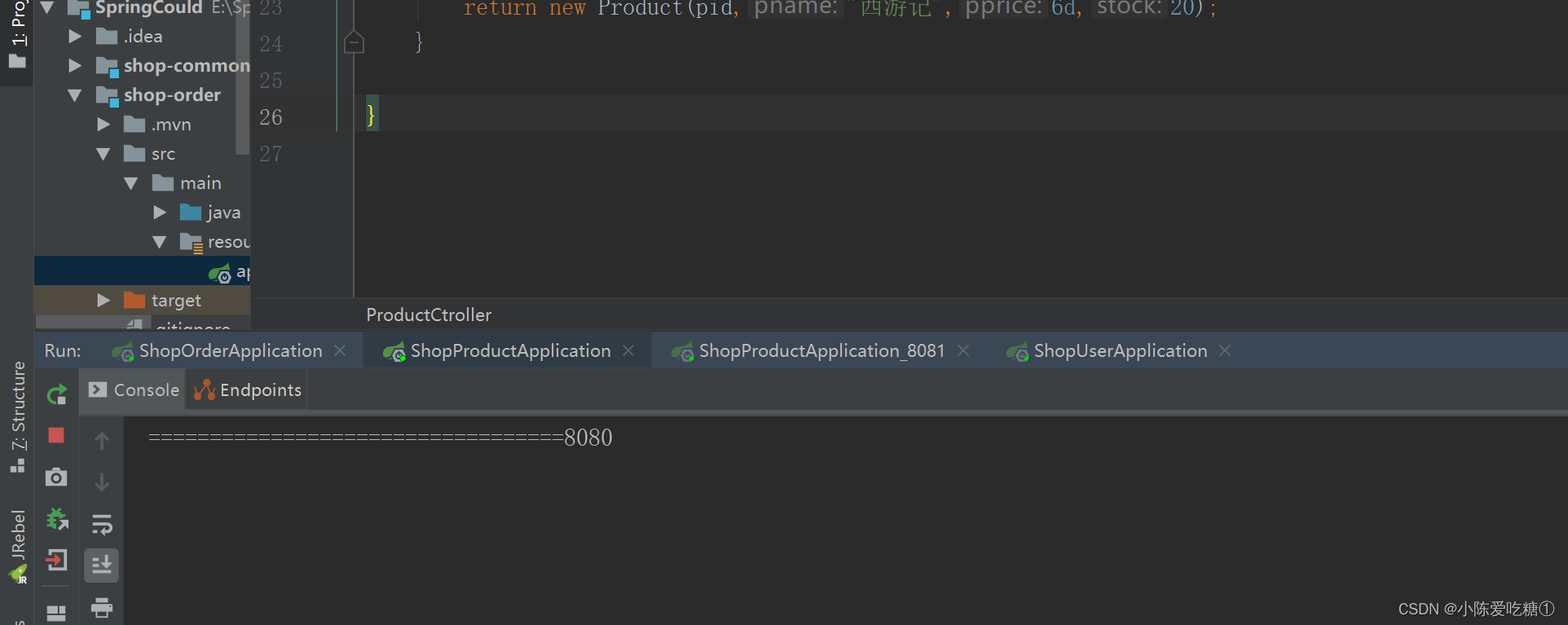
OrderCtroller_DiscoveryClient
package com.cdl.shoporder.Controller;import com.cdl.model.Order;
import com.cdl.model.Product;
import com.cdl.model.User;
import org.springframework.beans.factory.annotation.Autowired;
import org.springframework.cloud.client.ServiceInstance;
import org.springframework.cloud.client.discovery.DiscoveryClient;
import org.springframework.http.HttpRequest;
import org.springframework.web.bind.annotation.PathVariable;
import org.springframework.web.bind.annotation.RequestMapping;
import org.springframework.web.bind.annotation.RestController;
import org.springframework.web.client.RestTemplate;import java.util.List;
import java.util.Random;/*** @author cdl* @site www.cdl.com* @create 2022-11-25 15:43*/
@RestController
@RequestMapping("/order")
public class OrderCtroller_DiscoveryClient {@Autowiredprivate RestTemplate restTemplate;@Autowiredprivate DiscoveryClient discoveryClient;@RequestMapping("/get/{uid}/{pid}")public Order get(@PathVariable("uid") Integer uid,@PathVariable("pid") Integer pid){//我们可以通过服务名拿到多个节点的信息List instances = discoveryClient.getInstances("shop-product");
//      随机产生0或者1的整数int index = new Random().nextInt(instances.size());ServiceInstance serviceInstance = instances.get(index);String url = serviceInstance.getHost() + ":" +serviceInstance.getPort();
//通过restTemplate调用商品微服务User user = restTemplate.getForObject("http://localhost:8070/user/get/" + uid, User.class);Product product = restTemplate.getForObject("http://" + url +"/product/get/" + pid, Product.class);Order order = new Order();order.setUsername(user.getUsername());order.setUid(user.getUid());order.setPprice(product.getPprice());order.setPname(product.getPname());order.setPid(product.getPid());order.setOid(System.currentTimeMillis());order.setNumber(product.getStock());return order;}}
第二种:Ribbon
Ribbon是Spring Cloud的一个组件, 它可以让我们使用一个注解就能轻松的搞定负载均衡
在RestTemplate 的生成方法上添加@LoadBalanced注解
ShopOrderApplication
package com.cdl.shoporder;import org.springframework.boot.SpringApplication;
import org.springframework.boot.autoconfigure.SpringBootApplication;
import org.springframework.cloud.client.discovery.EnableDiscoveryClient;
import org.springframework.cloud.client.loadbalancer.LoadBalanced;
import org.springframework.context.annotation.Bean;
import org.springframework.web.client.RestTemplate;@EnableDiscoveryClient
@SpringBootApplication
public class ShopOrderApplication {public static void main(String[] args) {SpringApplication.run(ShopOrderApplication.class, args);}@LoadBalanced //ribbon负载均衡添加@Beanpublic RestTemplate restTemplate(){return  new RestTemplate();}}
OrderCtroller_Ribbon
package com.cdl.shoporder.Controller;import com.cdl.model.Order;
import com.cdl.model.Product;
import com.cdl.model.User;
import org.springframework.beans.factory.annotation.Autowired;
import org.springframework.web.bind.annotation.PathVariable;
import org.springframework.web.bind.annotation.RequestMapping;
import org.springframework.web.bind.annotation.RestController;
import org.springframework.web.client.RestTemplate;/*** @author cdl* @site www.cdl.com* @create 2022-11-25 15:43*/
@RestController
@RequestMapping("/order")
public class OrderCtroller_Ribbon {@Autowiredprivate RestTemplate restTemplate;@RequestMapping("/get/{uid}/{pid}")public Order get(@PathVariable("uid") Integer uid,@PathVariable("pid") Integer pid){//要在订单微服务中调用 用户微服务、商品微服务 跨项目调用
//       当采用http:/shop-user/user/get/访问第三方服务,那么http://localhost:8070/user/get/就用不了了User user = restTemplate.getForObject("http://shop-user/user/get/" + uid, User.class);Product product = restTemplate.getForObject("http://shop-product/product/get/" + pid, Product.class);Order order = new Order();order.setUsername(user.getUsername());order.setUid(user.getUid());order.setPprice(product.getPprice());order.setPname(product.getPname());order.setPid(product.getPid());order.setOid(System.currentTimeMillis());order.setNumber(product.getStock());return order;}}
启动项目

页面访问 也能访问到
第三种:Feign
什么是Feign
Feign是Spring Cloud提供的一个声明式的伪Http客户端, 它使得调用远程服务就像调用本地服务 一样简单, 只需要创建一个接口并添加一个注解即可。 Nacos很好的兼容了Feign, Feign默认集成了 Ribbon, 所以在Nacos下使用Fegin默认就实现了负 载均衡的效果。
①加入Fegin的依赖
org.springframework.cloud
spring-cloud-starter-openfeign
shop-common的pom
spcloud-shop com.cdl 1.0-SNAPSHOT 4.0.0 shop-common
org.projectlombok lombok com.alibaba fastjson 1.2.56 mysql mysql-connector-java 5.1.44 com.alibaba.cloud spring-cloud-starter-alibaba-nacos-discovery org.springframework.cloud spring-cloud-starter-openfeign ②在主类上添加Fegin的注解
@SpringBootApplication
@EnableDiscoveryClient
@EnableFeignClients//开启Fegin
public class OrderApplication {}
ShopOrderApplication
package com.cdl.shoporder;import org.springframework.boot.SpringApplication;
import org.springframework.boot.autoconfigure.SpringBootApplication;
import org.springframework.cloud.client.discovery.EnableDiscoveryClient;
import org.springframework.cloud.client.loadbalancer.LoadBalanced;
import org.springframework.cloud.openfeign.EnableFeignClients;
import org.springframework.context.annotation.Bean;
import org.springframework.web.client.RestTemplate;@EnableFeignClients//开启Fegin
@EnableDiscoveryClient
@SpringBootApplication
public class ShopOrderApplication {public static void main(String[] args) {SpringApplication.run(ShopOrderApplication.class, args);}@LoadBalanced //ribbon负载均衡添加@Beanpublic RestTemplate restTemplate(){return  new RestTemplate();}}
③创建一个service, 并使用Fegin实现微服务调用
ProductService
package com.cdl.shoporder.service;import com.cdl.model.Product;
import org.springframework.cloud.openfeign.FeignClient;
import org.springframework.web.bind.annotation.GetMapping;
import org.springframework.web.bind.annotation.PathVariable;
import org.springframework.web.bind.annotation.RequestMapping;import javax.servlet.http.HttpServletRequest;/*** @author cdl* @site www.cdl.com* @create 2022-11-28 12:14** 帮助消费者 shop-order 调用生产者 shop-product*/
@FeignClient("shop-product")//声明调用的提供者的name
public interface ProductService {//接口定义:完全遵守restful接口规范 controller怎么写 这里就怎么写
//    注意:记得加上载化路径@RequestMapping("/product/get/{pid}")public Product get(@PathVariable("pid") Integer pid);
}
OrderCtroller_Fegin
package com.cdl.shoporder.Controller;import com.cdl.model.Order;
import com.cdl.model.Product;
import com.cdl.model.User;
import com.cdl.shoporder.service.ProductService;
import org.springframework.beans.factory.annotation.Autowired;
import org.springframework.web.bind.annotation.PathVariable;
import org.springframework.web.bind.annotation.RequestMapping;
import org.springframework.web.bind.annotation.RestController;
import org.springframework.web.client.RestTemplate;/*** @author cdl* @site www.cdl.com* @create 2022-11-25 15:43*/
@RestController
@RequestMapping("/order")
public class OrderCtroller_Fegin {@Autowiredprivate ProductService productService;@Autowiredprivate RestTemplate restTemplate;@RequestMapping("/get/{uid}/{pid}")public Order get(@PathVariable("uid") Integer uid,@PathVariable("pid") Integer pid){User user = restTemplate.getForObject("http://shop-user/user/get/" + uid, User.class);Product product = productService.get(pid);Order order = new Order();order.setUsername(user.getUsername());order.setUid(user.getUid());order.setPprice(product.getPprice());order.setPname(product.getPname());order.setPid(product.getPid());order.setOid(System.currentTimeMillis());order.setNumber(product.getStock());return order;}}
启动项目

四、Feign传参
FeignServerController
package com.cdl.shopproduct.Controller;import com.cdl.model.Product;
import lombok.extern.slf4j.Slf4j;
import org.springframework.web.bind.annotation.PathVariable;
import org.springframework.web.bind.annotation.RequestBody;
import org.springframework.web.bind.annotation.RequestMapping;
import org.springframework.web.bind.annotation.RequestParam;
import org.springframework.web.bind.annotation.RestController;@Slf4j
@RestController
@RequestMapping("/feignServer")
public class FeignServerController {@RequestMapping("/findByParameter")public String findByParameter(String name,Double price){log.info("服务提供者日志:{}",name);return "hello:"+name;}@RequestMapping("/findByParameter2")public String findByParameter2(@RequestParam("name") String name,@RequestParam("price") Double price){log.info("服务提供者日志:{},{}",name,price);return "hello:"+name+price;}@RequestMapping("/findByPathVariable/{name}")public String findByPathVariable(@PathVariable("name") String name){log.info("服务提供者日志:{}",name);return "hello:"+name;}@RequestMapping("/findByRequestBody")public Product findByRequestBody(@RequestBody Product product){log.info("服务提供者日志:{}",product.getPname());return product;}
}
ProductService
package com.cdl.shoporder.service;import com.cdl.model.Product;
import org.springframework.cloud.openfeign.FeignClient;
import org.springframework.web.bind.annotation.GetMapping;
import org.springframework.web.bind.annotation.PathVariable;
import org.springframework.web.bind.annotation.RequestBody;
import org.springframework.web.bind.annotation.RequestMapping;
import org.springframework.web.bind.annotation.RequestParam;import javax.servlet.http.HttpServletRequest;/*** @author cdl* @site www.cdl.com* @create 2022-11-28 12:14** 帮助消费者 shop-order 调用生产者 shop-product*/
@FeignClient("shop-product")//声明调用的提供者的name
public interface ProductService {//接口定义:完全遵守restful接口规范 controller怎么写 这里就怎么写
//    注意:记得加上载化路径@RequestMapping("/product/get/{pid}")public Product get(@PathVariable("pid") Integer pid);@RequestMapping("/feignServer/findByParameter")public String findByParameter( @RequestParam("name") String name,@RequestParam("price") Double price);@RequestMapping("/feignServer/findByParameter2")public String findByParameter2(@RequestParam("name") String name,@RequestParam("price") Double price);@RequestMapping("/feignServer/findByPathVariable/{name}")public String findByPathVariable(@PathVariable("name") String name);@RequestMapping("/feignServer/findByRequestBody")public Product findByRequestBody(@RequestBody Product product);}
FeignClintController
package com.cdl.shoporder.Controller;import com.cdl.model.Product;
import com.cdl.shoporder.service.ProductService;
import lombok.extern.slf4j.Slf4j;
import org.checkerframework.checker.units.qual.A;
import org.springframework.beans.factory.annotation.Autowired;
import org.springframework.web.bind.annotation.PathVariable;
import org.springframework.web.bind.annotation.RequestBody;
import org.springframework.web.bind.annotation.RequestMapping;
import org.springframework.web.bind.annotation.RequestParam;
import org.springframework.web.bind.annotation.RestController;@Slf4j
@RestController
@RequestMapping("/feignClint")
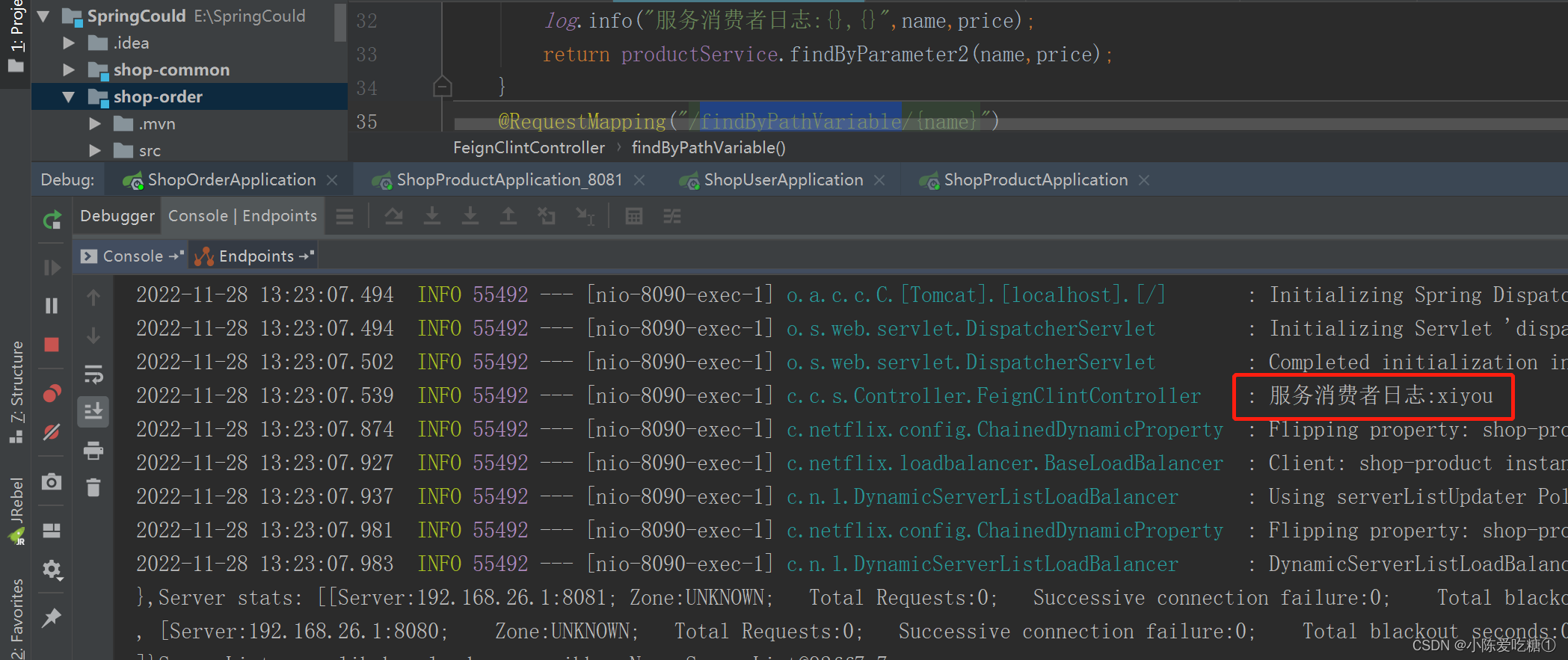
public class FeignClintController {@Autowiredprivate ProductService productService;@RequestMapping("/findByParameter")public String findByParameter(@RequestParam("name")String name,@RequestParam("price") Double price){log.info("服务消费者日志:{}",name);return productService.findByParameter(name,price);}@RequestMapping("/findByParameter2")public String findByParameter2(@RequestParam("name") String name,@RequestParam("price") Double price){log.info("服务消费者日志:{},{}",name,price);return productService.findByParameter2(name,price);}@RequestMapping("/findByPathVariable/{name}")public String findByPathVariable(@PathVariable("name") String name){log.info("服务消费者日志:{}",name);return productService.findByPathVariable(name);}@RequestMapping("/findByRequestBody")public Product findByRequestBody(@RequestBody Product product){log.info("服务消费者日志:{}",product.getPname());return product;}
}
上一篇:名言警句能激励同学们的
下一篇:17.Http__Linux