

NetSuite Plug-In 101
进入了我的学术休假季,开始做一些自己喜欢的题目。今天就来扒一扒一个NetSuite落满灰尘的功能--Plug-In。
大家可能听到过一个叫做Email Approval的应用场景,可以让用户在不登录NetSuite系统的情况下,跟NetSuite产生交互。例如,通过邮件回复或者“按钮”来审批PO或费用报告。
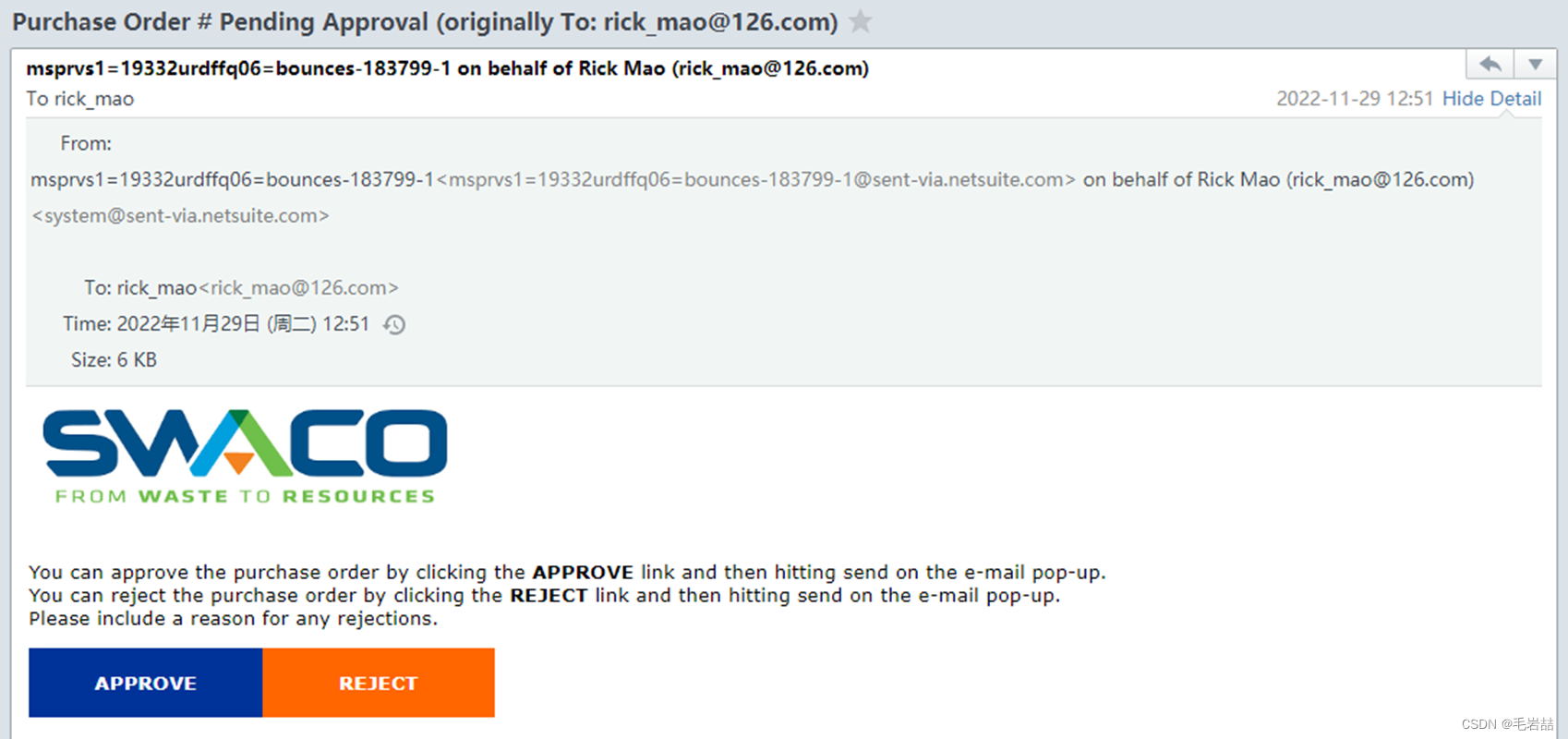
这就是一个典型的Plug-In应用。
什么是NetSuite Plug-In
NetSuite Plug-In的背后是NetSuite架构师的一个想法,就是“面向对象”。这个设计的初衷是,将NetSuite系统中的某些业务逻辑松耦合,让开发者可以对这些业务环节进行修改。例如,我们俗称为“过账引擎” 的Custom GL Plug-In,其基本思路就是让开发者可以干预过账逻辑,从而适应客户业务场景的多变。例如,在销售发票过账环节,系统的标准处理是取Item上的Income科目预设值,以及客户上的AR科目预设值。但是,客户说我能不能在发票上客制一个“收入”字段,让这个发票都计入到这个临时设定的收入,而不是Item上的收入科目。这个需求在不同的财务软件中有不同的名字,在NetSuite中我们是通过Custom GL Plug-In来实现的。
NetSuite Plug-In分为两类,一种叫做Custom Plug-In,另一种叫做Core Plug-In,前者是NetSuite鼓励其他开发商使用的,后者是NetSuite自己用的。
这是一个架构示意图,满满的面向对象的想法。
- -开发商:定义对象
- -实施商:实例化对象
- -用户:选择参数,启用功能
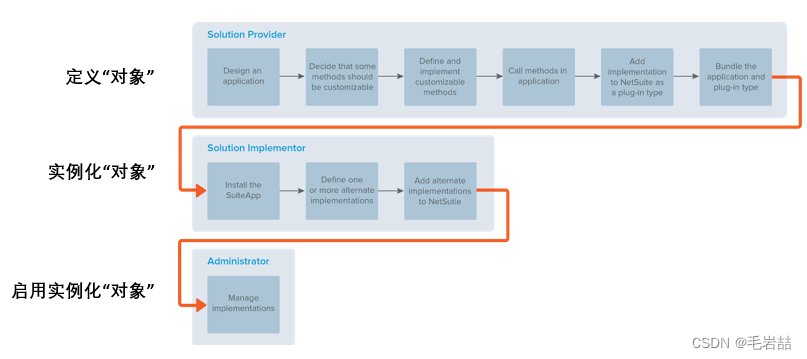
以上面Email Approval的应用场景来举例,实际上是应用了一个叫做Email Capture的NetSuite Core Plug-In类型,做的一个实例化。
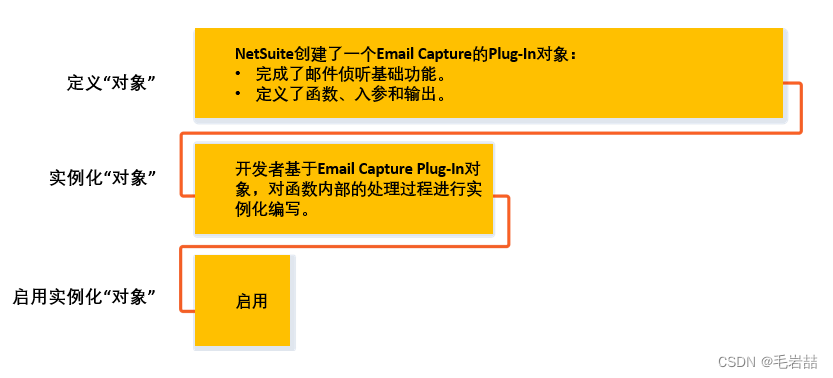
但是,不知为何。NetSuite并没有在更大范围里推广Plug-In。甚至在上面所说的过账引擎中,也是浅尝辄止。
目前NetSuite提供了不多的几个Core Plug-In,见下表:
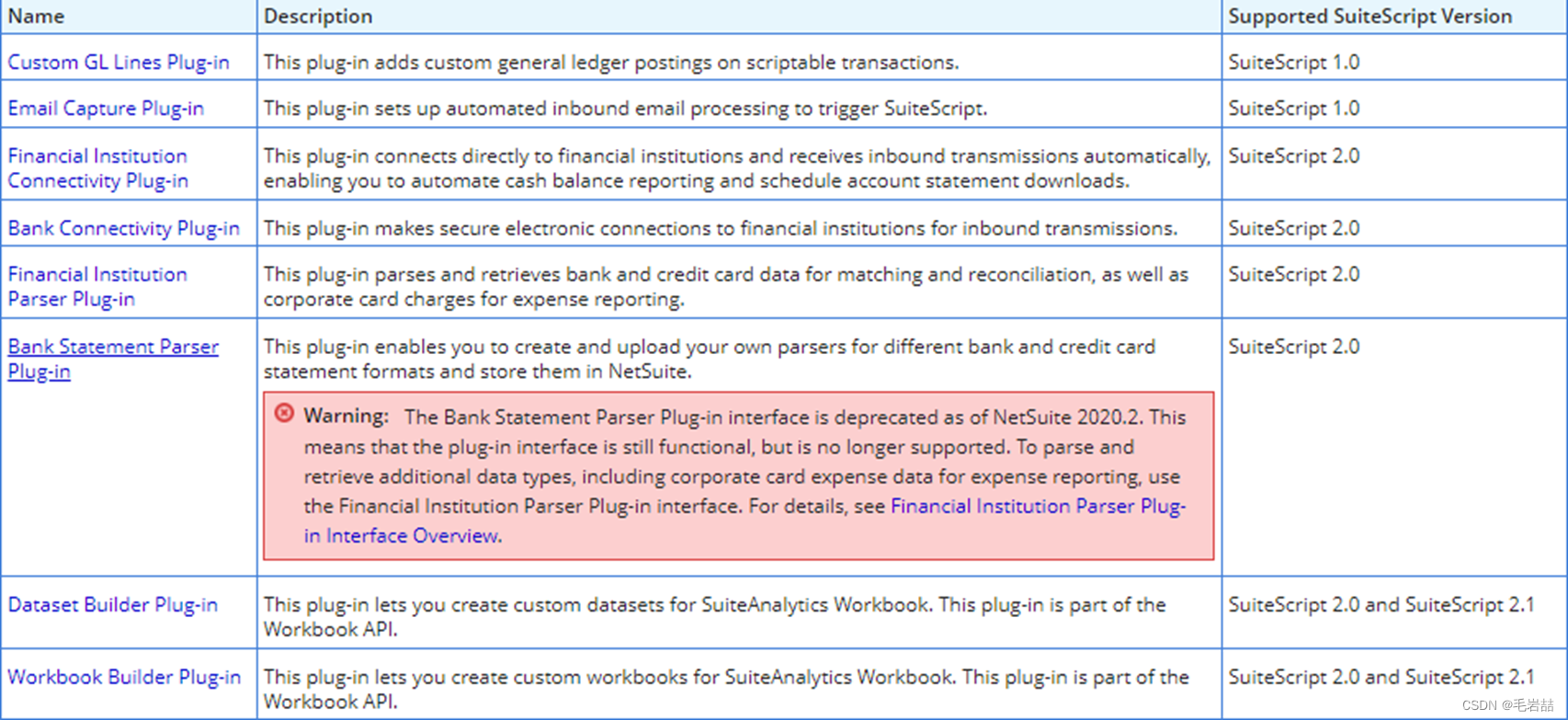
其中好用的还是前两个,一个用于过账引擎,另一个用于Email侦听。
Plug-In结构
如上所述,如果我们作为实施顾问来应用NetSuite Core Plug-In的话,基本上是在既有的框架下,填入自己的处理逻辑来实现的。例如,如果是基于Email Capture Plug-In来写自己的应用到话。就是遵从其Interface Definition就可以了。也有示例代码啥的,把自己的代码抄进去就行了。
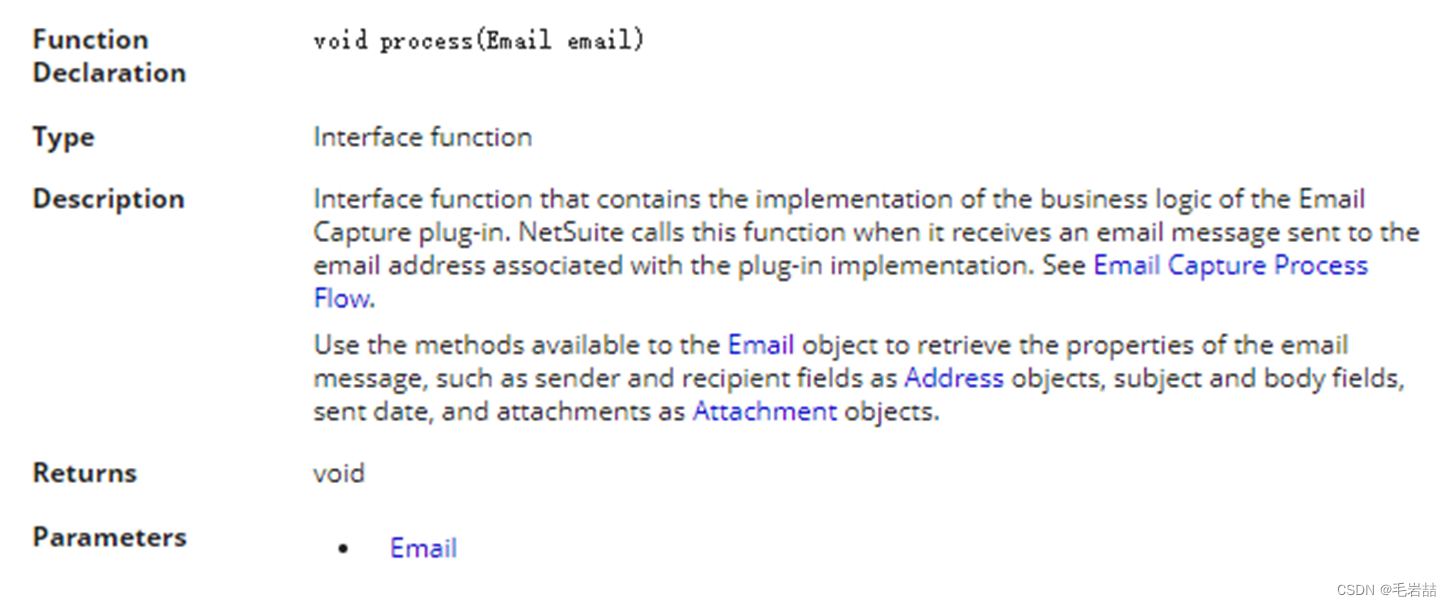
典型应用--邮件侦听
如下是一个典型的邮件侦听应用,用于进行特定邮箱邮件的收集汇总。
转载自网文:
NetSuite Email Capture Example – NetSuite Experiences
function process(email) {const IS_PRODUCTION = true;const valid_types = ['APPCACHE','AUTOCAD','BMPIMAGE','CERTIFICATE','CONFIG','CSV','EXCEL','FLASH','FREEMARKER','GIFIMAGE','GZIP','HTMLDOC','ICON','JAVASCRIPT','JPGIMAGE','JSON','MESSAGERFC','MP3','MPEGMOVIE','MSPROJECT','PDF','PJPGIMAGE','PLAINTEXT','PNGIMAGE','POSTSCRIPT','POWERPOINT','QUICKTIME','RTF','SCSS','SMS','STYLESHEET','SVG','TAR','TIFFIMAGE','VISIO','WEBAPPPAGE','WEBAPPSCRIPT','WORD','XMLDOC','XSD','ZIP',]var fromAddress = email.getFrom();nlapiLogExecution('DEBUG', 'Email - from: ' + fromAddress.getName() + ', ' + fromAddress.getEmail());nlapiLogExecution('DEBUG', 'subject - ' + email.getSubject());var newRec = nlapiCreateRecord('customrecord_xxxxxxxxxxxxxxxxxxxxxxxxxxxx');newRec.setFieldValue('custrecord_xxxxxxxxxx', fromAddress.getName());newRec.setFieldValue('custrecord_xxxxxxxxxx', fromAddress.getEmail());newRec.setFieldValue('custrecord_xxxxxxxxxx', email.getSubject());newRec.setFieldValue('custrecord_xxxxxxxxxx', email.getTextBody());var newRec_id = nlapiSubmitRecord(newRec, true);var attachments = email.getAttachments();// This variable is here in case you wanted to add notes about attachments.// it is currently unused. var processing_notes = '';for (var indexAtt in attachments) {var attachment = attachments[indexAtt];nlapiLogExecution('DEBUG', 'Attachment: ' + attachment.getName() + ', ' + attachment.getType());// If the file name does not have an extension, skip itvar fileName = attachment.getName();if (fileName.indexOf('.') <= 0) continue;// add a unique suffix to the file name, but leave the extension as-isvar fileArray = fileName.split('.');var newName = '';for (var i = 0; i < fileArray.length; i++) {if (i == fileArray.length - 1) {newName += ('_' + (new Date().valueOf()).toString());}newName += ('.' + fileArray[i]);}// Lookup the file type to see if it is supported, else save as PLAINTEXT// This really won't affect being able to open and download the file.// It only affects filtering files by type.var file_type = attachment.getType().toUpperCase();if (valid_types.filter(function (p) { return p == file_type }).length == 0) {file_type = 'PLAINTEXT';  // Import nonrecognized file types as Other Binary File}var file = nlapiCreateFile(newName, file_type, attachment.getValue());// Save the file under a selected folder in the file cabinetfile.setFolder(1111111111); //Internal ID of folder to hold imported attachmentsvar file_id = nlapiSubmitFile(file);// Attach the file to a custom record typenlapiAttachRecord('file', file_id, 'customrecord_xxxxxxxxxxxxxxxxxxxxxxxxxxxx', newRec_id);}// here is where you'd include notes about attachments, perhaps those that were erroniously// saved under the PLAINTEXT type.nlapiSubmitField('customrecord_xxxxxxxxxxxxxxxxxxxxxxxxxxxx', newRec_id, 'custrecord_xxxxxxxxxx', processing_notes);
}
举一反三,大家应该可以用这个作为例子,写一下你自己的邮件侦听应用了。邮件审批、邮件新建拜访日志、邮件触发工作流等等。
以上是对NetSuite Plug-In的概述,Show me the code. Have fun!