

p1.第一章 基础入门 -- Python开发环境安装 (一)
1.基础入门
1.1 环境安装
1.1.1 windows环境安装
Python下载地址:https://www.python.org/downloads/
1.1.1.1 python多版本安装
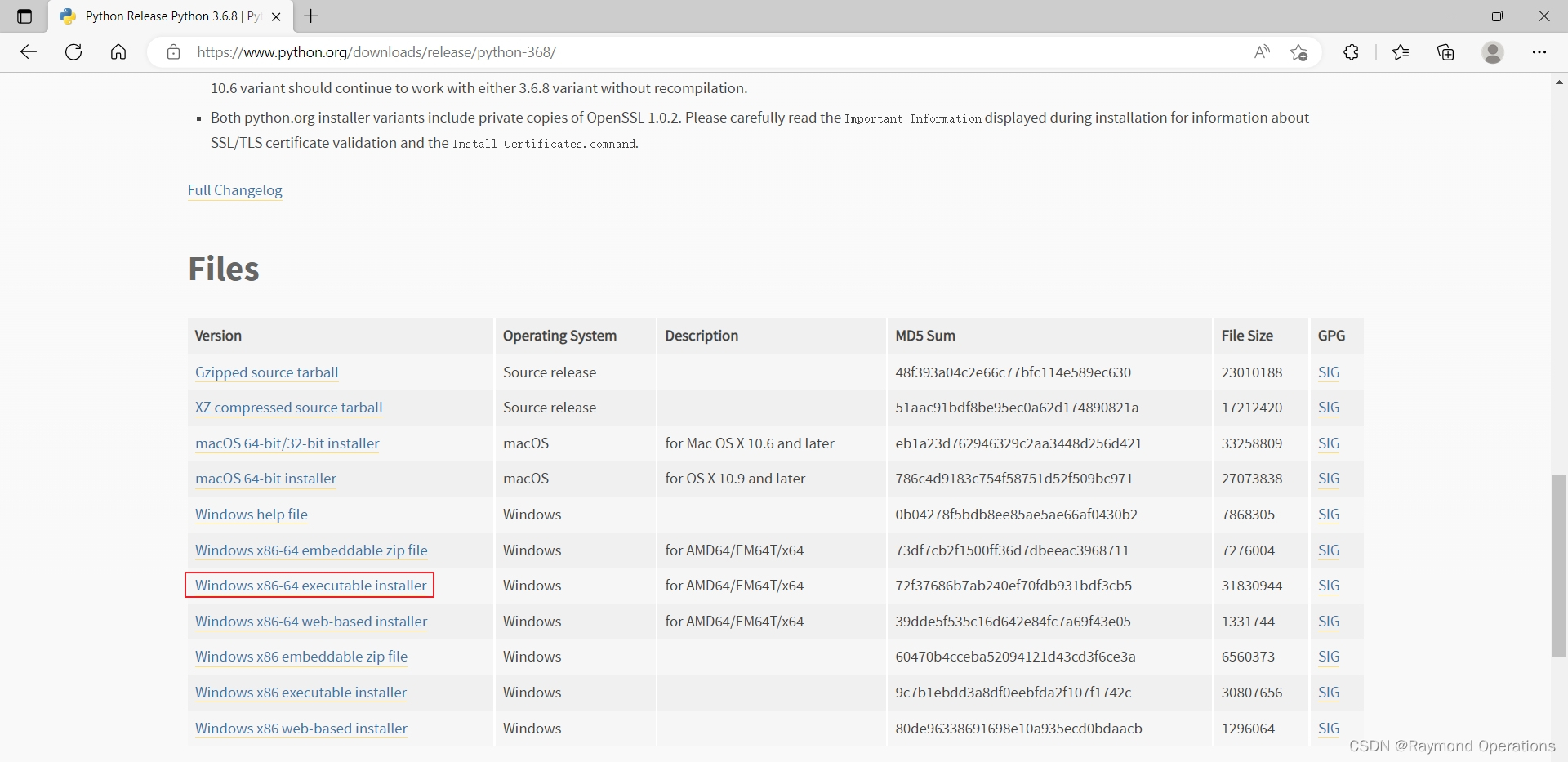
下载并安装3.6.8
下载Windows x86-64 executable installer,python 3.6.8下载地址:https://www.python.org/ftp/python/3.6.8/python-3.6.8-amd64.exe
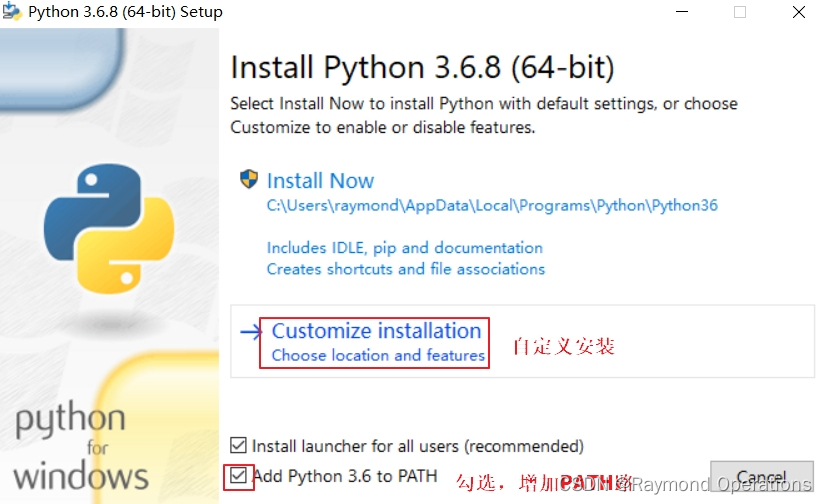
开始安装
注意,勾选增加PATH路径。
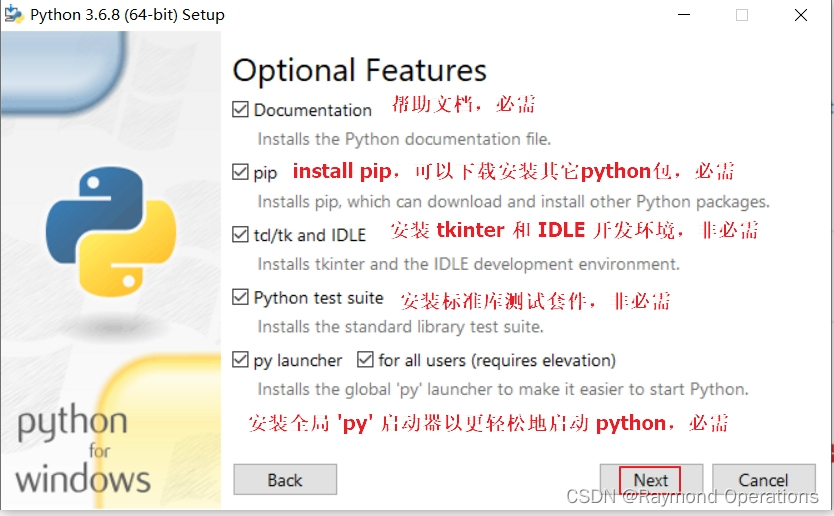
选项特性
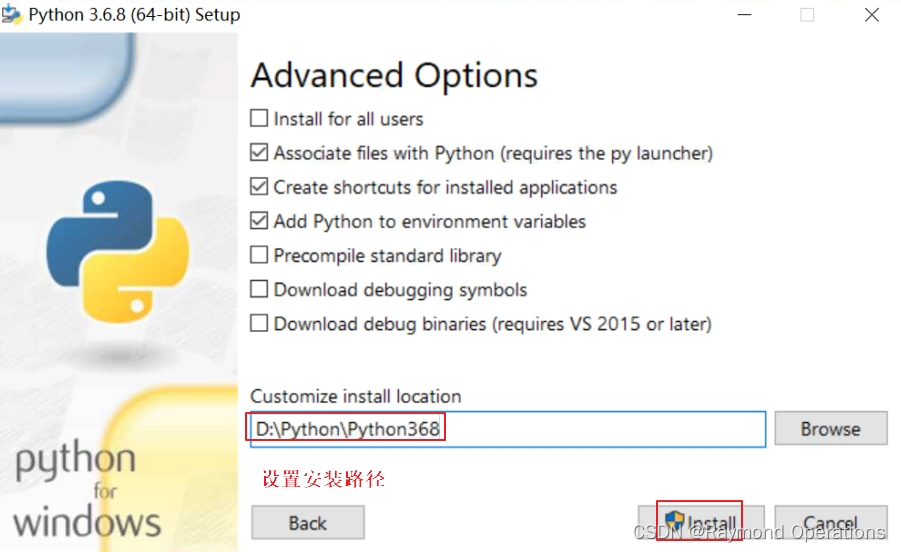
高级选项
安装过程
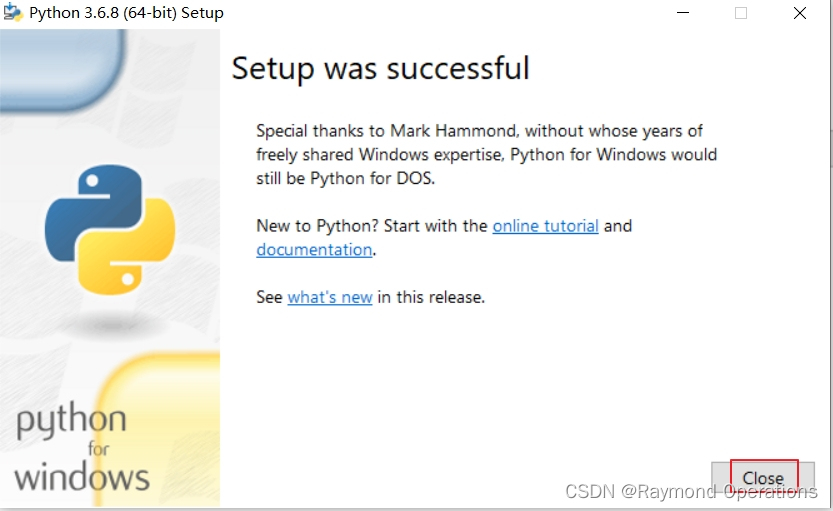
安装完成
打开Windows命令行
C:\Users\raymond>python -V
Python 3.6.8C:\Users\raymond>pip -V
pip 18.1 from d:\python\python368\lib\site-packages\pip (python 3.6)
pip是Python包管理器,以后安装Python第三方包都需要它,它从3.x开始就集成在Python安装包里面了。
下载并安装3.7.6
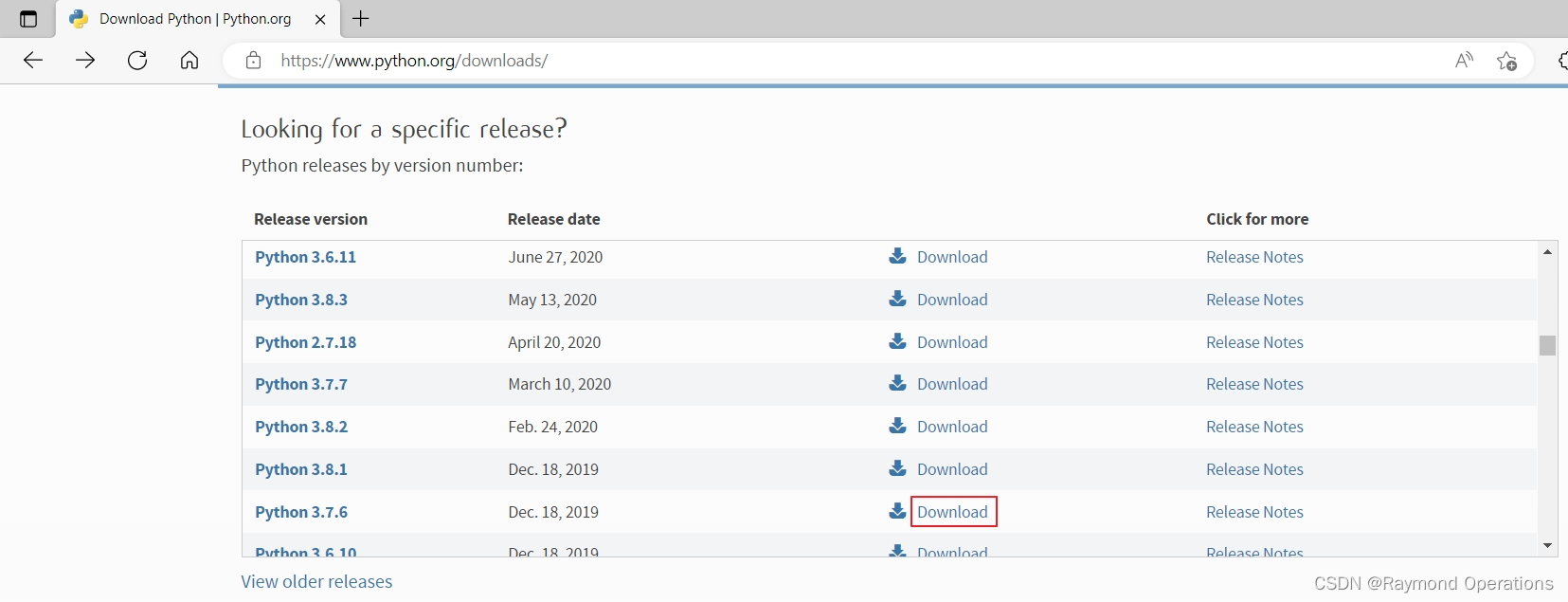
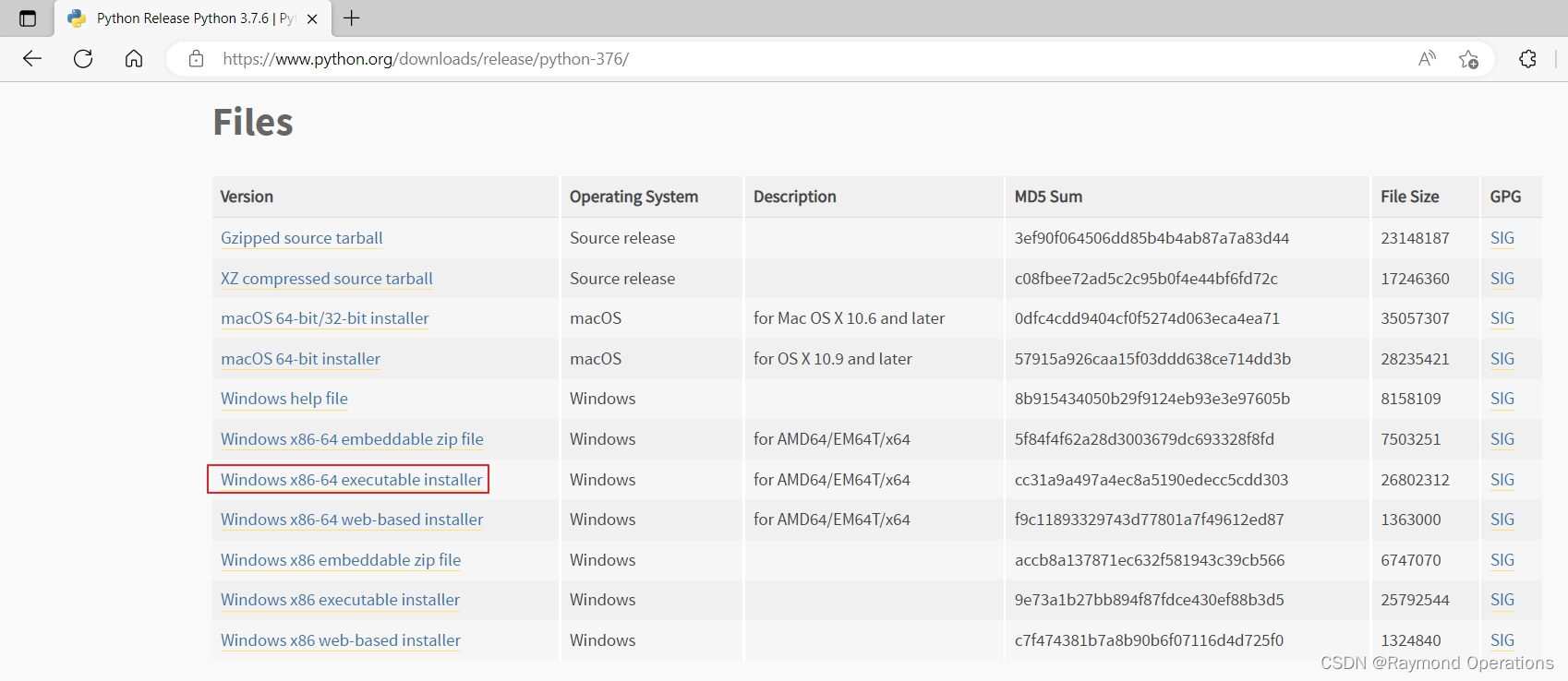
下载Windows x86-64 executable installer,python 3.7.6下载地址:https://www.python.org/ftp/python/3.7.6/python-3.7.6-amd64.exe
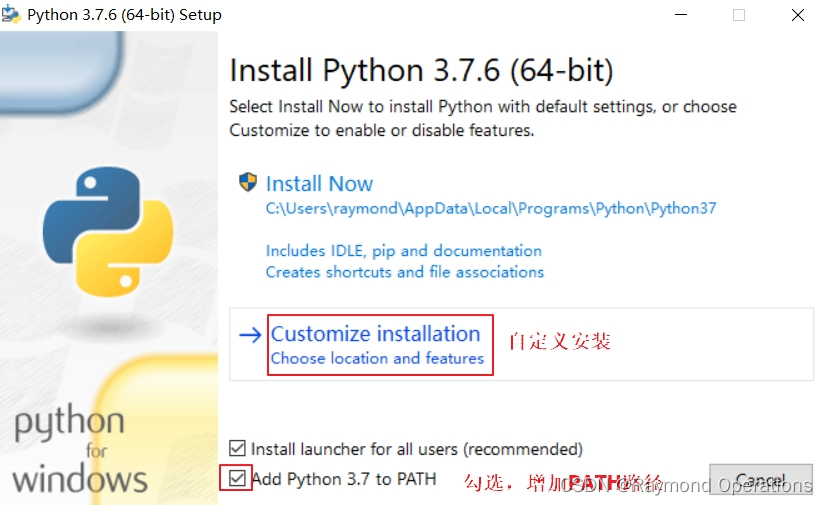
开始安装
注意,勾选增加PATH路径。
选项特性
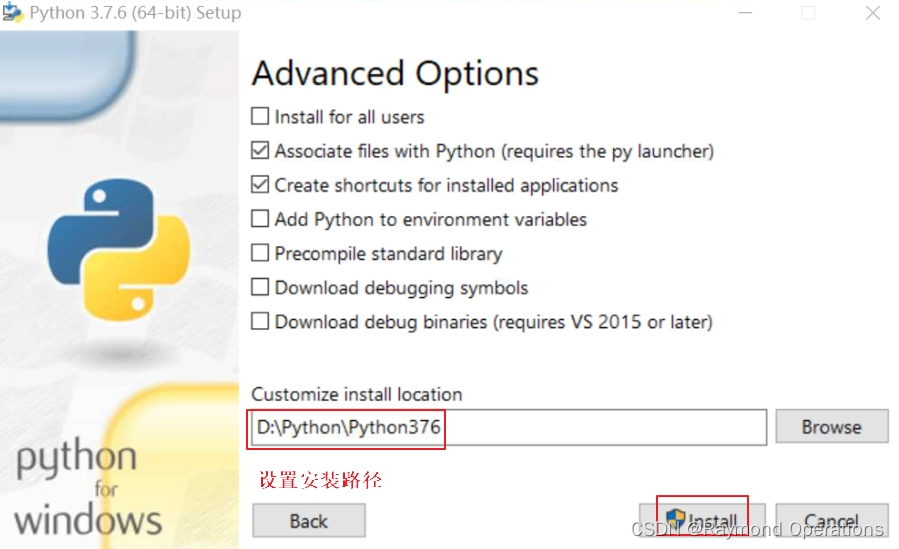
高级选项
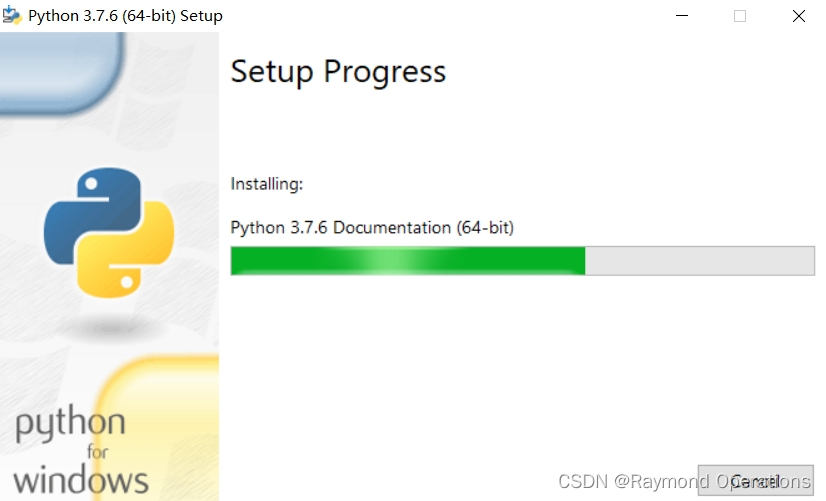
安装过程
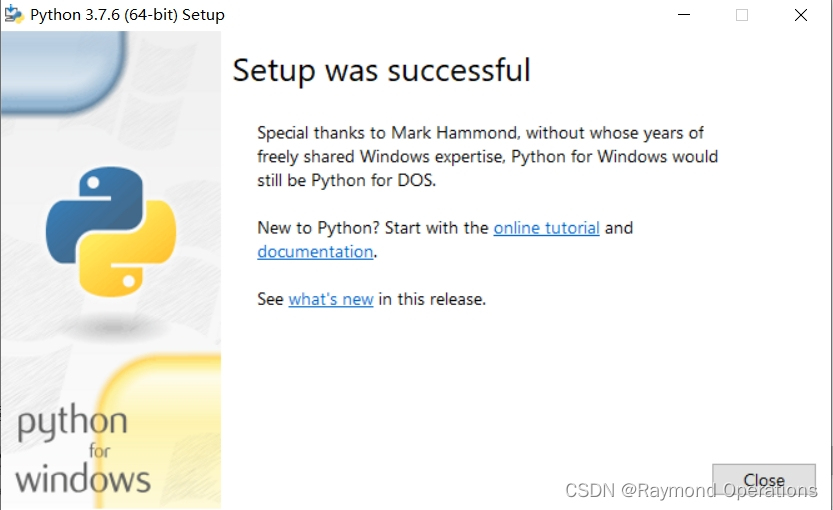
安装完成
打开Windows命令行
C:\Users\raymond>python -V
Python 3.7.6C:\Users\raymond>pip -V
pip 19.2.3 from d:\python\python376\lib\site-packages\pip (python 3.7)
pip是Python包管理器,以后安装Python第三方包都需要它,它从3.x开始就集成在Python安装包里面了。
下载并安装3.8.2
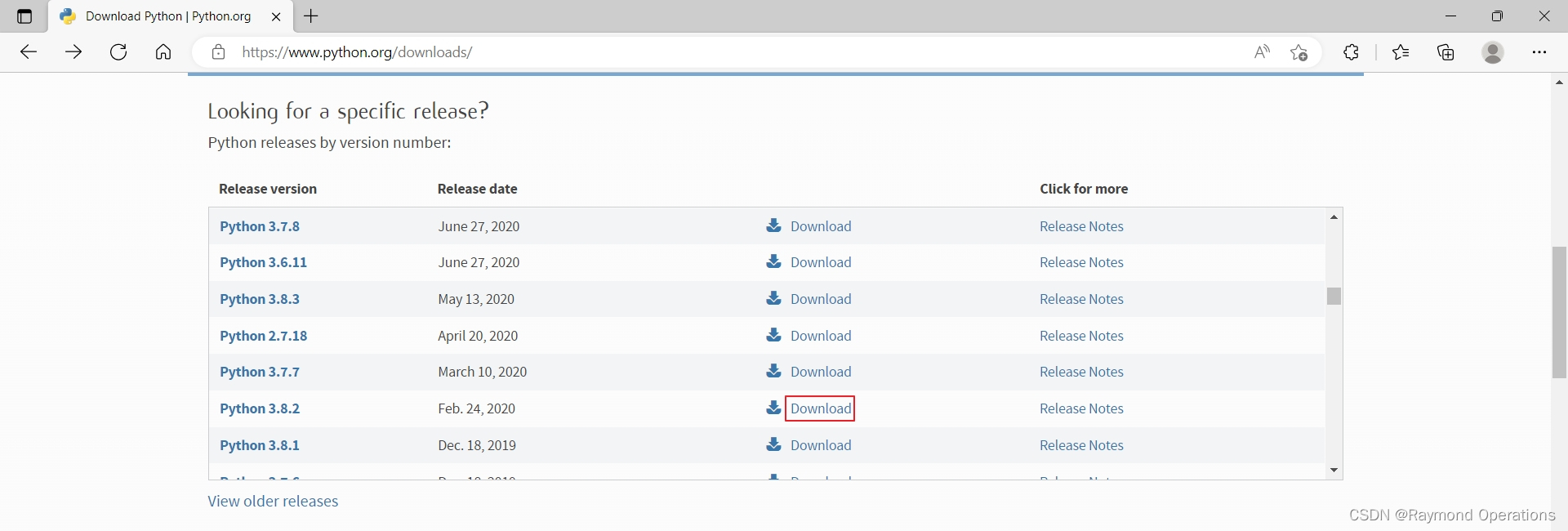
下载Windows x86-64 executable installer,python 3.8.2下载地址:https://www.python.org/ftp/python/3.8.2/python-3.8.2-amd64.exe
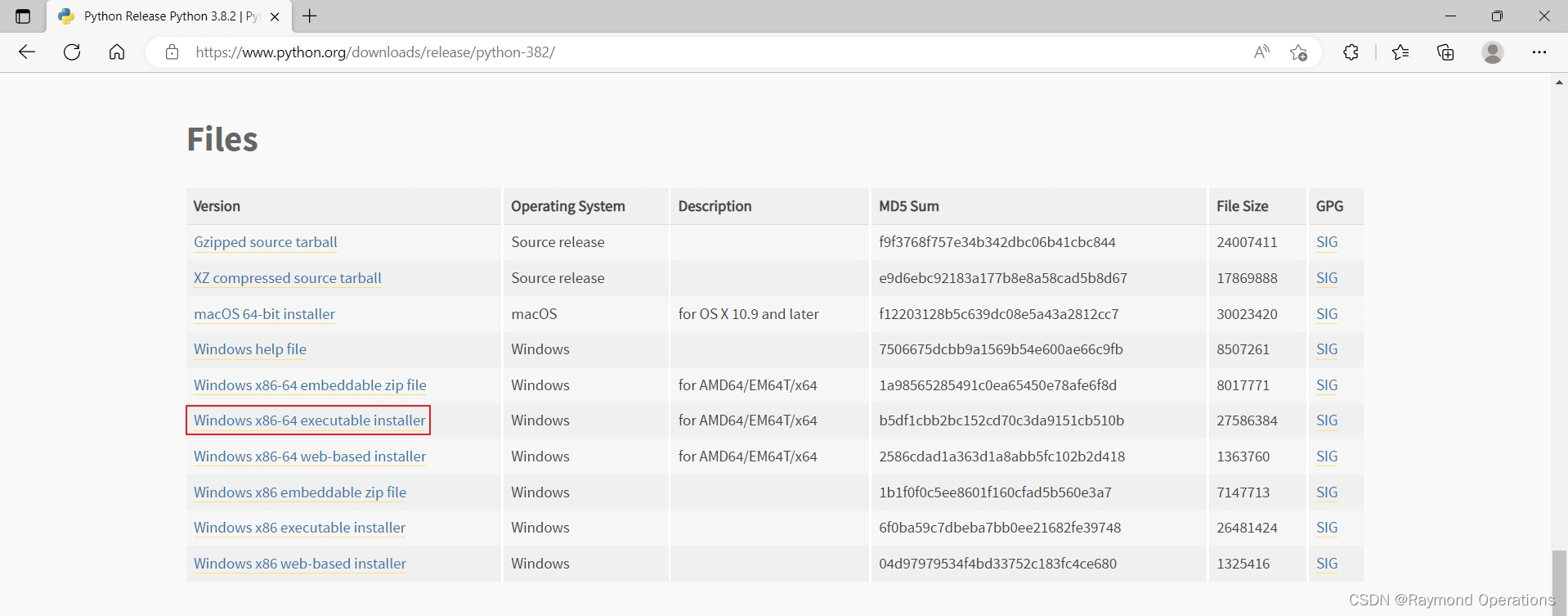
开始安装
注意,勾选增加PATH路径。
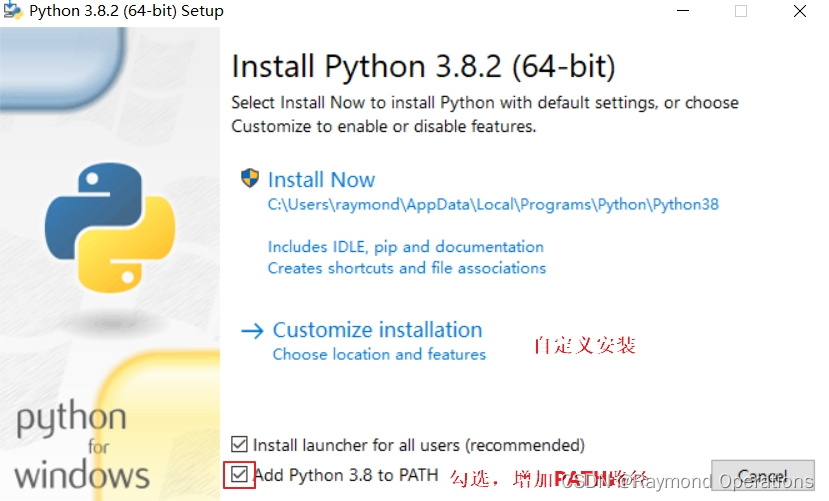
选项特性
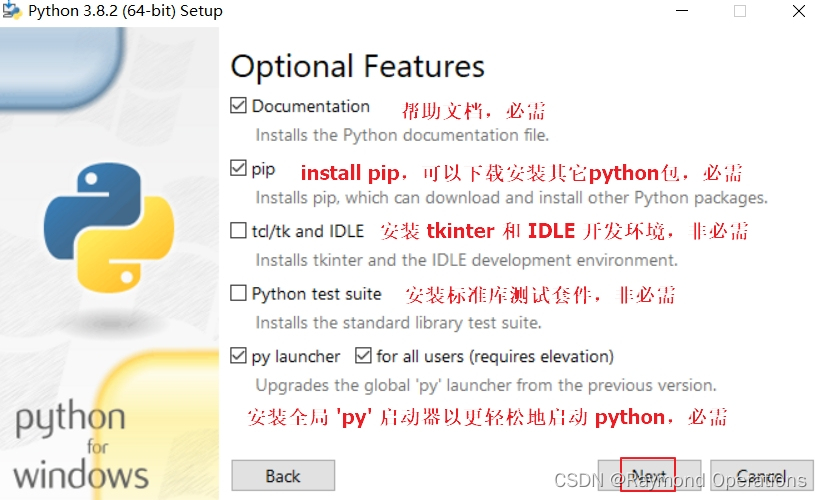
高级选项
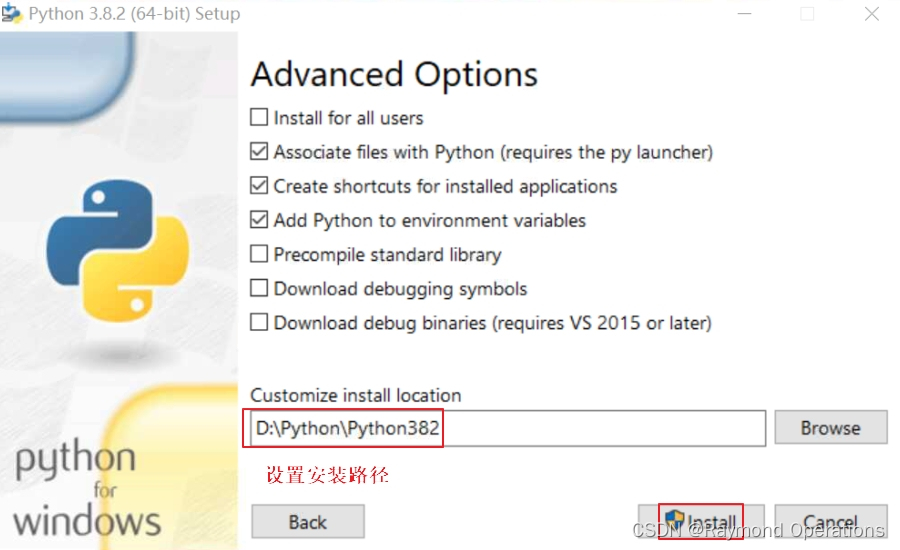
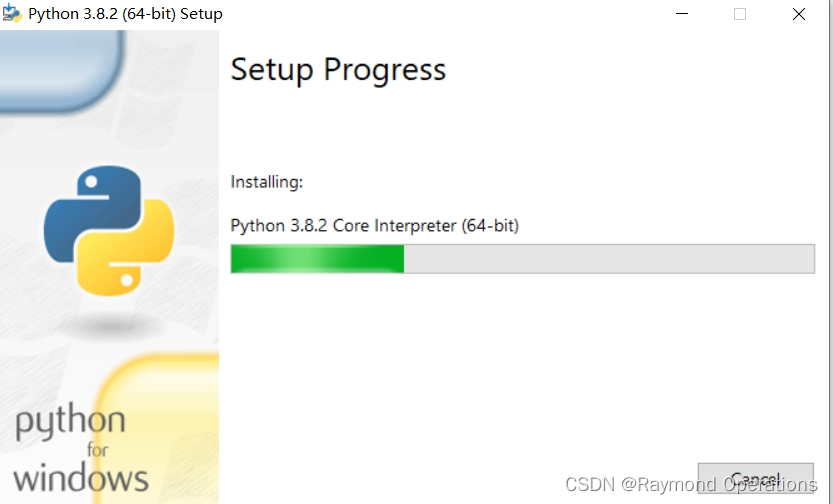
安装过程
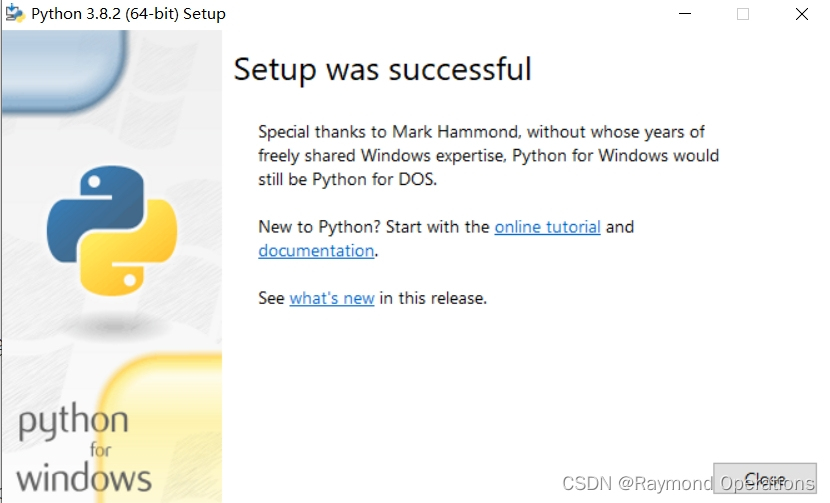
安装完成
打开Windows命令行
C:\Users\raymond>python -V
Python 3.8.2C:\Users\raymond>PIP -V
pip 19.2.3 from d:\python\python382\lib\site-packages\pip (python 3.8)
pip是Python包管理器,以后安装Python第三方包都需要它,它从3.x开始就集成在Python安装包里面了。
windows环境变量
选桌面“此电脑”,右键属性
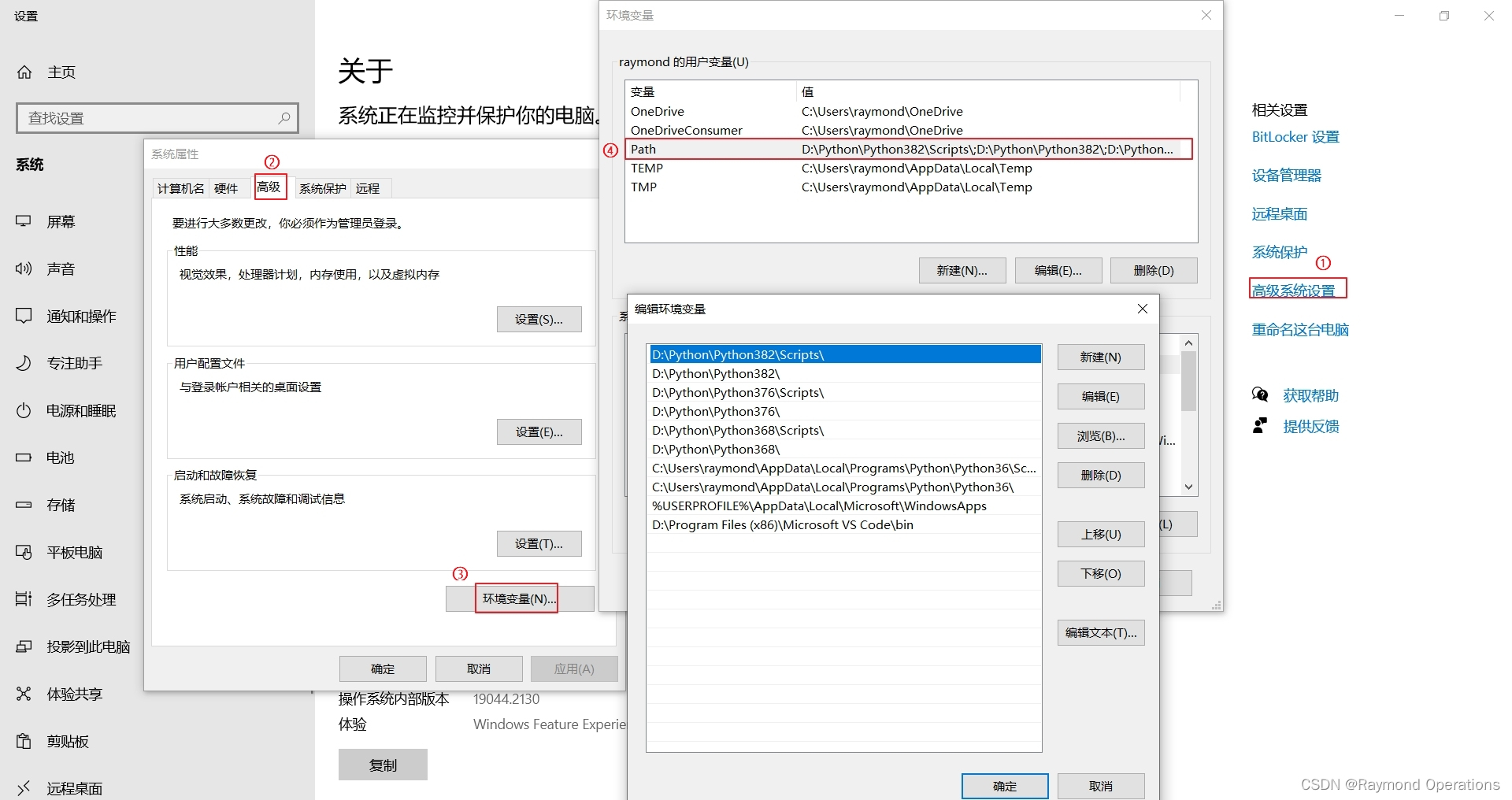
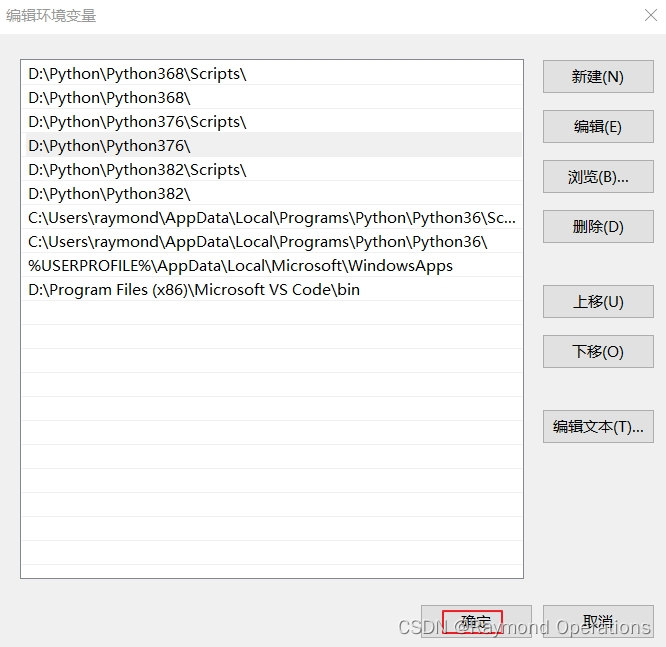
windows是根据path路径里的上下位置,来确定版本优先,如果要切换默认版本,只需把相应版本移到最前面就好,下面主要在python 3.6.8进行开发,所以把3.6.8设置为默认环境
1.1.1.2 pip通用配置
windows配置文件: ~/pip/pip.ini 。windows家目录,在“运行”中键入"."。
新建pip目录
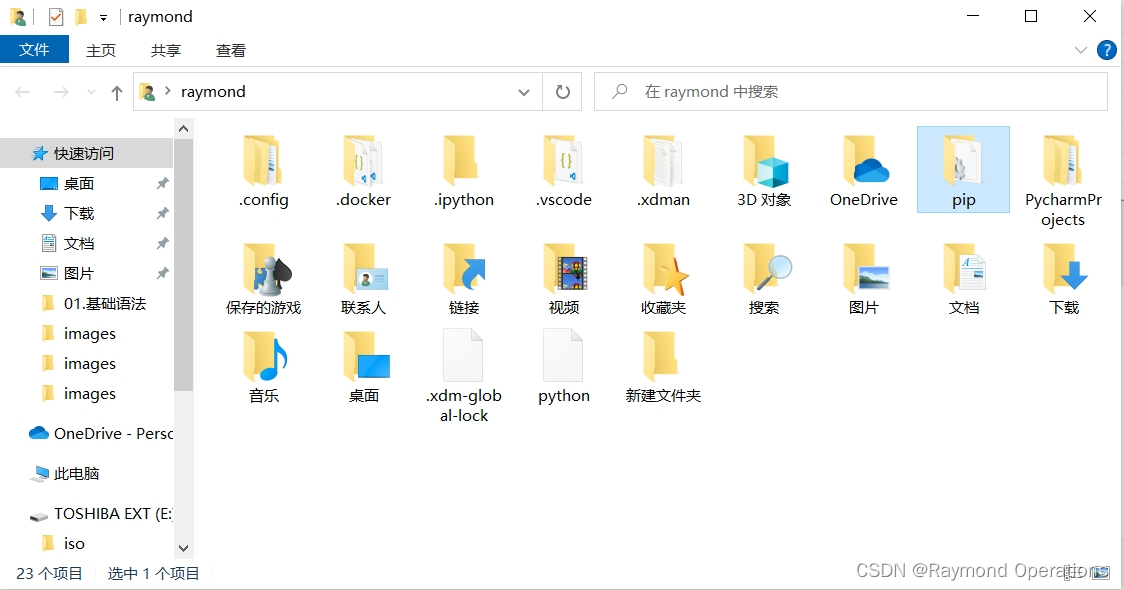
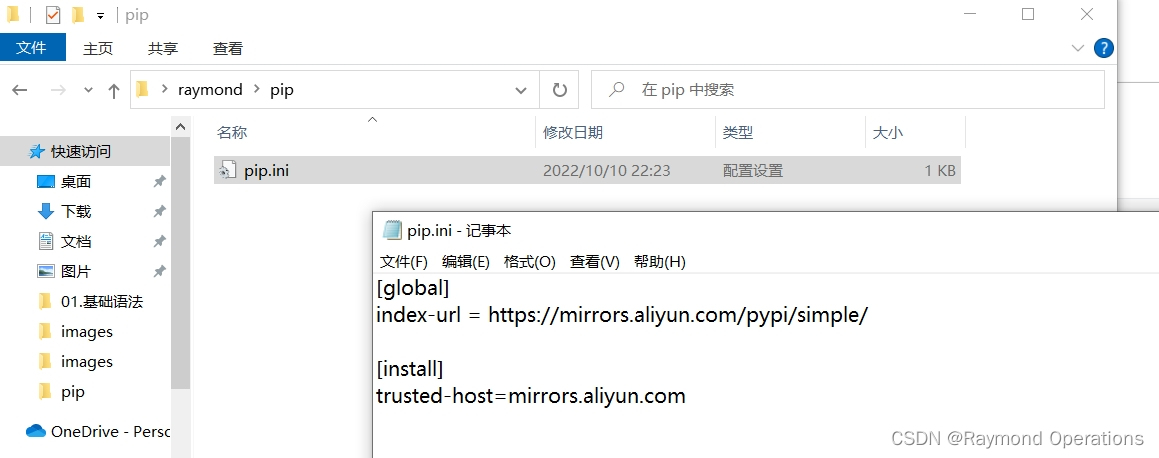
进入pip目录,新建pip.ini文件,并添加下面内容
内容,可参照 http://mirrors.aliyun.com的pypi帮助
[global]
index-url = https://mirrors.aliyun.com/pypi/simple/[install]
trusted-host=mirrors.aliyun.com
Linux配置文件: ~/.pip/pip.conf
内容,可参照 http://mirrors.aliyun.com的pypi帮助
$ mkdir ~/.pip$ cat > ~/.pip/pip.conf <pip install pkgname 命令,是安装python包的命令
1.1.1.3 安装ipython
1.1.1.3.1 ipython
是增强的交互式Python命令行工具
C:\Users\raymond>python -V
Python 3.6.8C:\Users\raymond>pip list
Package    Version
---------- -------
pip        18.1
setuptools 40.6.2
You are using pip version 18.1, however version 21.3.1 is available.
You should consider upgrading via the 'python -m pip install --upgrade pip' command.C:\Users\raymond>pip install ipythonC:\Users\raymond>ipython
Python 3.6.8 (tags/v3.6.8:3c6b436a57, Dec 24 2018, 00:16:47) [MSC v.1916 64 bit (AMD64)]
Type 'copyright', 'credits' or 'license' for more information
IPython 7.16.3 -- An enhanced Interactive Python. Type '?' for help.In [1]: exit()C:\Users\raymond>pip list
Package          Version
---------------- -------
backcall         0.2.0
colorama         0.4.5
decorator        5.1.1
ipython          7.16.3
ipython-genutils 0.2.0
jedi             0.17.2
parso            0.7.1
pickleshare      0.7.5
pip              18.1
prompt-toolkit   3.0.31
Pygments         2.13.0
setuptools       40.6.2
six              1.16.0
traitlets        4.3.3
wcwidth          0.2.5
You are using pip version 18.1, however version 21.3.1 is available.
You should consider upgrading via the 'python -m pip install --upgrade pip' command.
1.1.1.3.2 Jupyter
是基于WEB的交互式笔记本,其中可以非常方便的使用Python。
安装Jupyter,也会依赖安装ipython的
C:\Users\raymond>pip install jupyter
...
Collecting MarkupSafe>=2.0 (from jinja2->notebook->jupyter)Downloading https://mirrors.aliyun.com/pypi/packages/73/60/296031f365b3ae96732225203d864fac7b83a185ed1820c1c87b78e154bc/MarkupSafe-2.0.1-cp36-cp36m-win_amd64.whl
Collecting pywinpty>=1.1.0; os_name == "nt" (from terminado>=0.8.3->notebook->jupyter)Downloading https://mirrors.aliyun.com/pypi/packages/c3/61/bda90dba80bc6cb905acebd0bf0710777ab04feb29d0f438202da0e82d72/pywinpty-2.0.3.tar.gzInstalling build dependencies ... doneComplete output from command python setup.py egg_info:Traceback (most recent call last):File "", line 1, in File "d:\python\python368\lib\tokenize.py", line 452, in openbuffer = _builtin_open(filename, 'rb')FileNotFoundError: [Errno 2] No such file or directory: 'C:\\Users\\raymond\\AppData\\Local\\Temp\\pip-install-bxmt5yy5\\pywinpty\\setup.py'----------------------------------------
Command "python setup.py egg_info" failed with error code 1 in C:\Users\raymond\AppData\Local\Temp\pip-install-bxmt5yy5\pywinpty\
You are using pip version 18.1, however version 21.3.1 is available.
You should consider upgrading via the 'python -m pip install --upgrade pip' command.
#如果出现如上报错“Command "python setup.py egg_info" failed with error code 1 in C:\Users\raymond\AppData\Local\Temp\pip-install-bxmt5yy5\pywinpty\”#执行下面命令,升级setuptools和pip
C:\Users\raymond>pip install --upgrade setuptoolsC:\Users\raymond>python -m pip install --upgrade pip#然后继续安装
C:\Users\raymond>pip install jupyter
Looking in indexes: https://mirrors.aliyun.com/pypi/simple/
WARNING: Retrying (Retry(total=4, connect=None, read=None, redirect=None, status=None)) after connection broken by 'SSLError(SSLEOFError(8, 'EOF occurred in violation of protocol (_ssl.c:852)'),)': /pypi/simple/jupyter/
WARNING: Retrying (Retry(total=3, connect=None, read=None, redirect=None, status=None)) after connection broken by 'SSLError(SSLEOFError(8, 'EOF occurred in violation of protocol (_ssl.c:852)'),)': /pypi/simple/jupyter/
WARNING: Retrying (Retry(total=2, connect=None, read=None, redirect=None, status=None)) after connection broken by 'SSLError(SSLEOFError(8, 'EOF occurred in violation of protocol (_ssl.c:852)'),)': /pypi/simple/jupyter/
WARNING: Retrying (Retry(total=1, connect=None, read=None, redirect=None, status=None)) after connection broken by 'SSLError(SSLEOFError(8, 'EOF occurred in violation of protocol (_ssl.c:852)'),)': /pypi/simple/jupyter/
WARNING: Retrying (Retry(total=0, connect=None, read=None, redirect=None, status=None)) after connection broken by 'SSLError(SSLEOFError(8, 'EOF occurred in violation of protocol (_ssl.c:852)'),)': /pypi/simple/jupyter/
Could not fetch URL https://mirrors.aliyun.com/pypi/simple/jupyter/: There was a problem confirming the ssl certificate: HTTPSConnectionPool(host='mirrors.aliyun.com', port=443): Max retries exceeded with url: /pypi/simple/jupyter/ (Caused by SSLError(SSLEOFError(8, 'EOF occurred in violation of protocol (_ssl.c:852)'),)) - skipping
ERROR: Could not find a version that satisfies the requirement jupyter (from versions: none)
ERROR: No matching distribution found for jupyter
#会报错#执行下面命令就可以正常安装jupyter
C:\Users\raymond>pip install jupyter -i http://pypi.douban.com/simple --trusted-host pypi.douban.com
...
nstalling collected packages: zipp, typing-extensions, pywin32, pyrsistent, importlib-metadata, attrs, tornado, pyzmq, python-dateutil, pyparsing, pycparser, nest-asyncio, jupyter-core, jsonschema, entrypoints, webencodings, packaging, nbformat, MarkupSafe, jupyter-client, cffi, async-generator, testpath, pywinpty, pandocfilters, nbclient, mistune, jupyterlab-pygments, jinja2, defusedxml, dataclasses, bleach, argon2-cffi-bindings, terminado, Send2Trash, prometheus-client, nbconvert, ipykernel, argon2-cffi, notebook, widgetsnbextension, qtpy, jupyterlab-widgets, qtconsole, jupyter-console, ipywidgets, jupyter
Successfully installed MarkupSafe-2.0.1 Send2Trash-1.8.0 argon2-cffi-21.3.0 argon2-cffi-bindings-21.2.0 async-generator-1.10 attrs-22.1.0 bleach-4.1.0 cffi-1.15.1 dataclasses-0.8 defusedxml-0.7.1 entrypoints-0.4 importlib-metadata-4.8.3 ipykernel-5.5.6 ipywidgets-7.7.2 jinja2-3.0.3 jsonschema-3.2.0 jupyter-1.0.0 jupyter-client-7.1.2 jupyter-console-6.4.3 jupyter-core-4.9.2 jupyterlab-pygments-0.1.2 jupyterlab-widgets-1.1.1 mistune-0.8.4 nbclient-0.5.9 nbconvert-6.0.7 nbformat-5.1.3 nest-asyncio-1.5.6 notebook-6.4.10 packaging-21.3 pandocfilters-1.5.0 prometheus-client-0.14.1 pycparser-2.21 pyparsing-3.0.9 pyrsistent-0.18.0 python-dateutil-2.8.2 pywin32-304 pywinpty-1.1.6 pyzmq-24.0.1 qtconsole-5.2.2 qtpy-2.0.1 terminado-0.12.1 testpath-0.6.0 tornado-6.1 typing-extensions-4.1.1 webencodings-0.5.1 widgetsnbextension-3.6.1 zipp-3.6.0C:\Users\raymond>pip list
Package              Version
-------------------- -------
argon2-cffi          21.3.0
argon2-cffi-bindings 21.2.0
async-generator      1.10
attrs                22.1.0
backcall             0.2.0
bleach               4.1.0
cffi                 1.15.1
colorama             0.4.5
dataclasses          0.8
decorator            5.1.1
defusedxml           0.7.1
entrypoints          0.4
importlib-metadata   4.8.3
ipykernel            5.5.6
ipython              7.16.3
ipython-genutils     0.2.0
ipywidgets           7.7.2
jedi                 0.17.2
Jinja2               3.0.3
jsonschema           3.2.0
jupyter              1.0.0
jupyter-client       7.1.2
jupyter-console      6.4.3
jupyter-core         4.9.2
jupyterlab-pygments  0.1.2
jupyterlab-widgets   1.1.1
MarkupSafe           2.0.1
mistune              0.8.4
nbclient             0.5.9
nbconvert            6.0.7
nbformat             5.1.3
nest-asyncio         1.5.6
notebook             6.4.10
packaging            21.3
pandocfilters        1.5.0
parso                0.7.1
pickleshare          0.7.5
pip                  21.3.1
prometheus-client    0.14.1
prompt-toolkit       3.0.31
pycparser            2.21
Pygments             2.13.0
pyparsing            3.0.9
pyrsistent           0.18.0
python-dateutil      2.8.2
pywin32              304
pywinpty             1.1.6
pyzmq                24.0.1
qtconsole            5.2.2
QtPy                 2.0.1
Send2Trash           1.8.0
setuptools           59.6.0
six                  1.16.0
terminado            0.12.1
testpath             0.6.0
tornado              6.1
traitlets            4.3.3
typing_extensions    4.1.1
wcwidth              0.2.5
webencodings         0.5.1
widgetsnbextension   3.6.1
zipp                 3.6.0C:\Users\raymond>jupyter --help
usage: jupyter [-h] [--version] [--config-dir] [--data-dir] [--runtime-dir][--paths] [--json] [--debug][subcommand]Jupyter: Interactive Computingpositional arguments:subcommand     the subcommand to launchoptional arguments:-h, --help     show this help message and exit--version      show the versions of core jupyter packages and exit--config-dir   show Jupyter config dir--data-dir     show Jupyter data dir--runtime-dir  show Jupyter runtime dir--paths        show all Jupyter paths. Add --json for machine-readableformat.--json         output paths as machine-readable json--debug        output debug information about pathsAvailable subcommands: bundlerextension console execute kernel kernelspec
migrate nbconvert nbextension notebook qtconsole run serverextension
troubleshoot trustC:\Users\raymond>jupyter notebook --help
The Jupyter HTML Notebook.This launches a Tornado based HTML Notebook Server that serves up an
HTML5/Javascript Notebook client.Subcommands
-----------Subcommands are launched as `jupyter-notebook cmd [args]`. For information on
using subcommand 'cmd', do: `jupyter-notebook cmd -h`.listList currently running notebook servers.
stopStop currently running notebook server.
passwordSet a password for the notebook server.Options
-------Arguments that take values are actually convenience aliases to full
Configurables, whose aliases are listed on the help line. For more information
on full configurables, see '--help-all'.--debugset log level to logging.DEBUG (maximize logging output)
--generate-configgenerate default config file
-yAnswer yes to any questions instead of prompting.
--no-browserDon't open the notebook in a browser after startup.
--pylabDISABLED: use %pylab or %matplotlib in the notebook to enable matplotlib.
--no-mathjaxDisable MathJaxMathJax is the javascript library Jupyter uses to render math/LaTeX. It isvery large, so you may want to disable it if you have a slow internetconnection, or for offline use of the notebook.When disabled, equations etc. will appear as their untransformed TeX source.
--allow-rootAllow the notebook to be run from root user.
--autoreloadAutoreload the webappEnable reloading of the tornado webapp and all imported Python packageswhen any changes are made to any Python src files in Notebook orextensions.
--scriptDEPRECATED, IGNORED
--no-scriptDEPRECATED, IGNORED
--log-level= (Application.log_level)Default: 30Choices: (0, 10, 20, 30, 40, 50, 'DEBUG', 'INFO', 'WARN', 'ERROR', 'CRITICAL')Set the log level by value or name.
--config= (JupyterApp.config_file)Default: ''Full path of a config file.
--ip= (NotebookApp.ip)Default: 'localhost'The IP address the notebook server will listen on.
--port= (NotebookApp.port)Default: 8888The port the notebook server will listen on (env: JUPYTER_PORT).
--port-retries= (NotebookApp.port_retries)Default: 50The number of additional ports to try if the specified port is not available(env: JUPYTER_PORT_RETRIES).
--sock= (NotebookApp.sock)Default: ''The UNIX socket the notebook server will listen on.
--sock-mode= (NotebookApp.sock_mode)Default: '0600'The permissions mode for UNIX socket creation (default: 0600).
--transport= (KernelManager.transport)Default: 'tcp'Choices: ['tcp', 'ipc']
--keyfile= (NotebookApp.keyfile)Default: ''The full path to a private key file for usage with SSL/TLS.
--certfile= (NotebookApp.certfile)Default: ''The full path to an SSL/TLS certificate file.
--client-ca= (NotebookApp.client_ca)Default: ''The full path to a certificate authority certificate for SSL/TLS clientauthentication.
--notebook-dir= (NotebookApp.notebook_dir)Default: ''The directory to use for notebooks and kernels.
--browser= (NotebookApp.browser)Default: ''Specify what command to use to invoke a web browser when opening thenotebook. If not specified, the default browser will be determined by the`webbrowser` standard library module, which allows setting of the BROWSERenvironment variable to override it.
--pylab= (NotebookApp.pylab)Default: 'disabled'DISABLED: use %pylab or %matplotlib in the notebook to enable matplotlib.
--gateway-url= (GatewayClient.url)Default: NoneThe url of the Kernel or Enterprise Gateway server where kernelspecifications are defined and kernel management takes place. If defined,this Notebook server acts as a proxy for all kernel management and kernelspecification retrieval.  (JUPYTER_GATEWAY_URL env var)To see all available configurables, use `--help-all`Examples
--------jupyter notebook                       # start the notebookjupyter notebook --certfile=mycert.pem # use SSL/TLS certificatejupyter notebook password              # enter a password to protect the serverC:\Users\raymond>jupyter notebook
[I 19:30:12.669 NotebookApp] Serving notebooks from local directory: C:\Users\raymond
[I 19:30:12.669 NotebookApp] Jupyter Notebook 6.4.10 is running at:
[I 19:30:12.669 NotebookApp] http://localhost:8888/?token=d384f2aafe3c1182edac9a9eb4615078f35570c4f3d52f1e
[I 19:30:12.669 NotebookApp]  or http://127.0.0.1:8888/?token=d384f2aafe3c1182edac9a9eb4615078f35570c4f3d52f1e
[I 19:30:12.669 NotebookApp] Use Control-C to stop this server and shut down all kernels (twice to skip confirmation).
[C 19:30:12.669 NotebookApp]To access the notebook, open this file in a browser:file:///C:/Users/raymond/AppData/Roaming/jupyter/runtime/nbserver-9564-open.htmlOr copy and paste one of these URLs:http://localhost:8888/?token=d384f2aafe3c1182edac9a9eb4615078f35570c4f3d52f1eor http://127.0.0.1:8888/?token=d384f2aafe3c1182edac9a9eb4615078f35570c4f3d52f1e
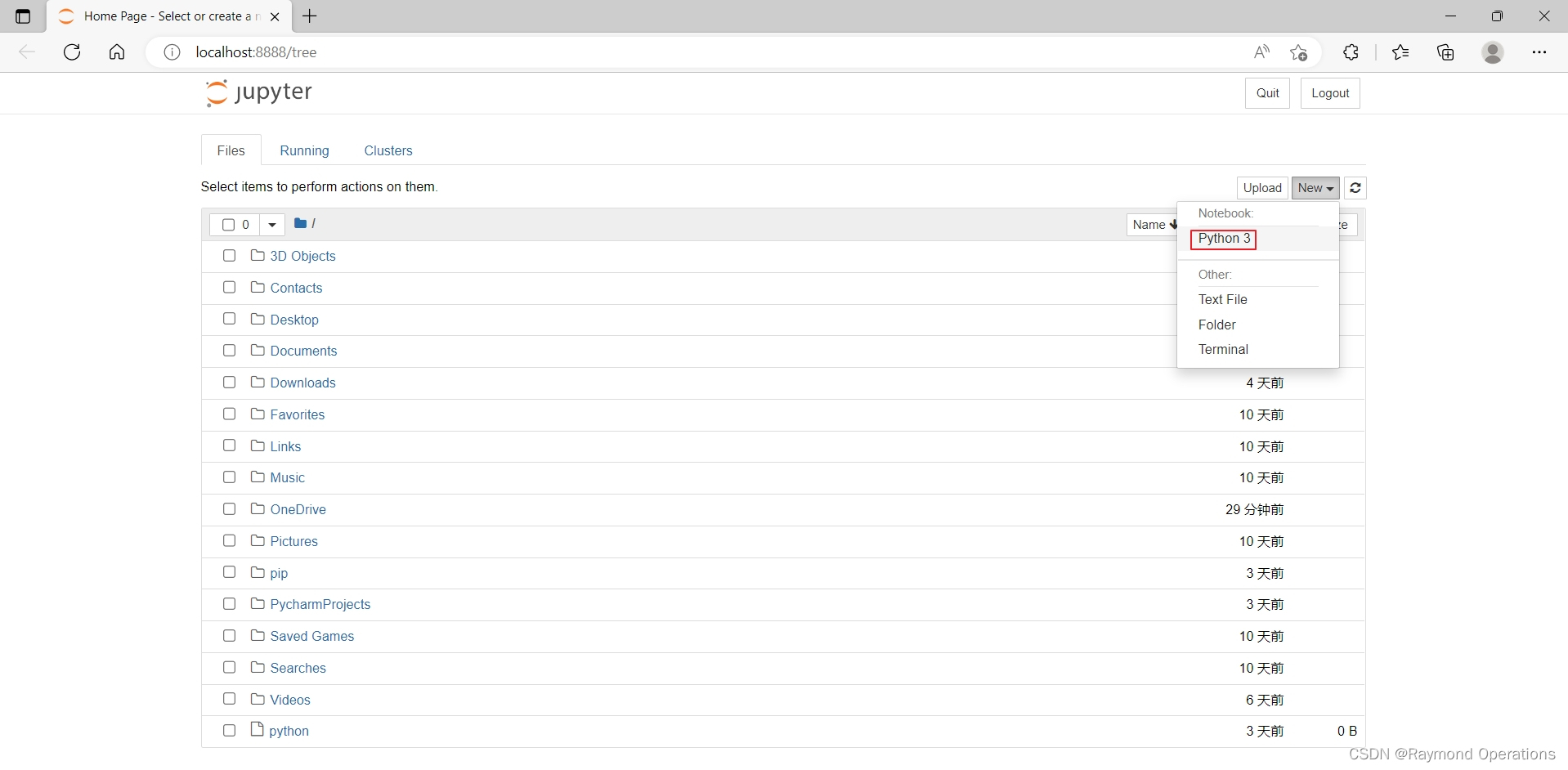
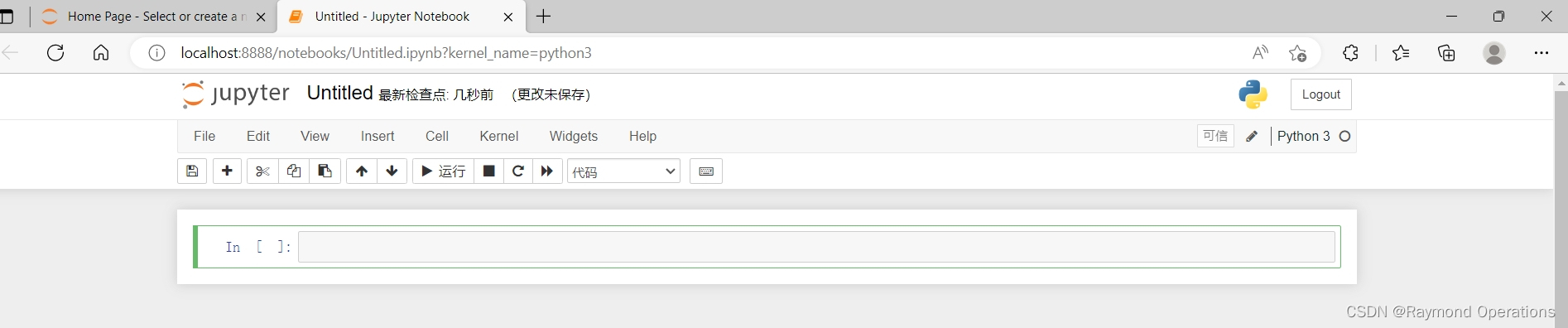
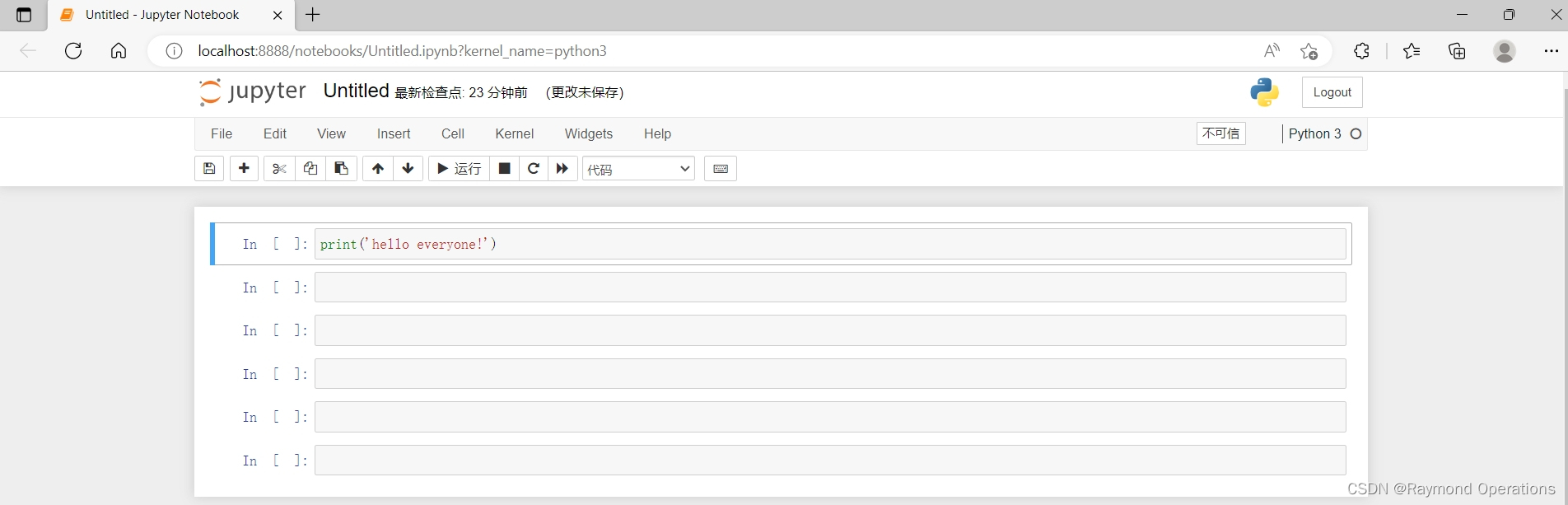
会自动弹出web界面,新建项目
常用快捷键
-
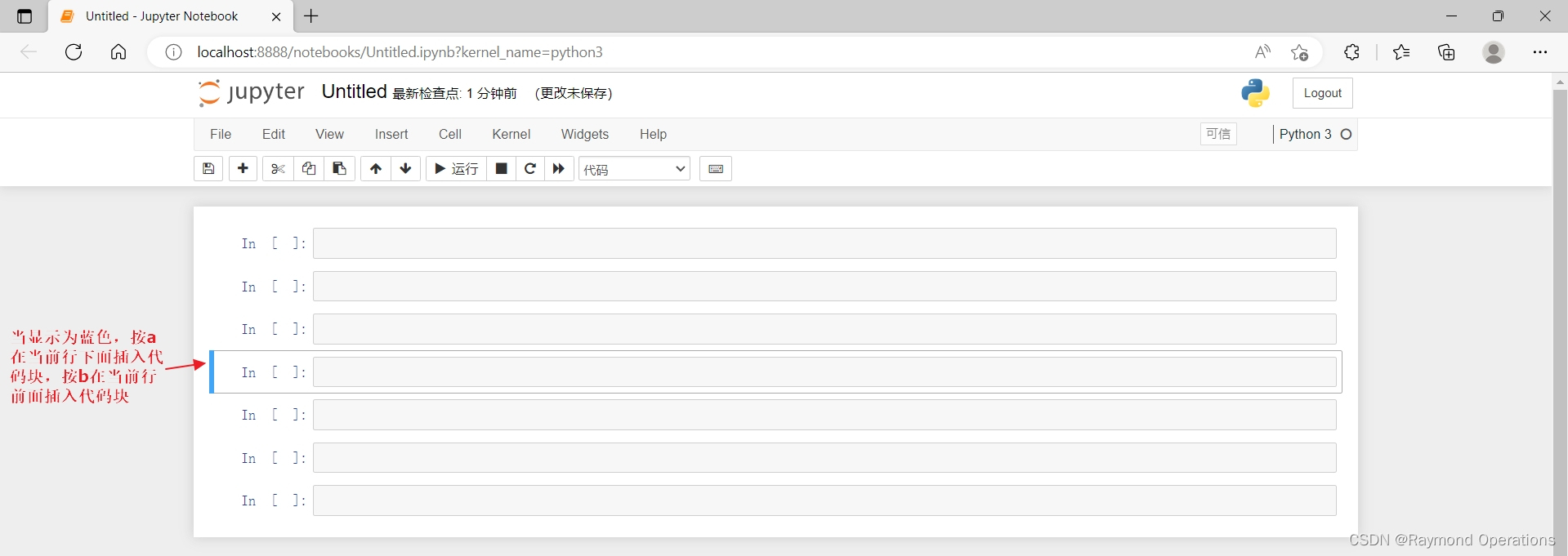
a之前插入代码块、b之后插入代码块
-
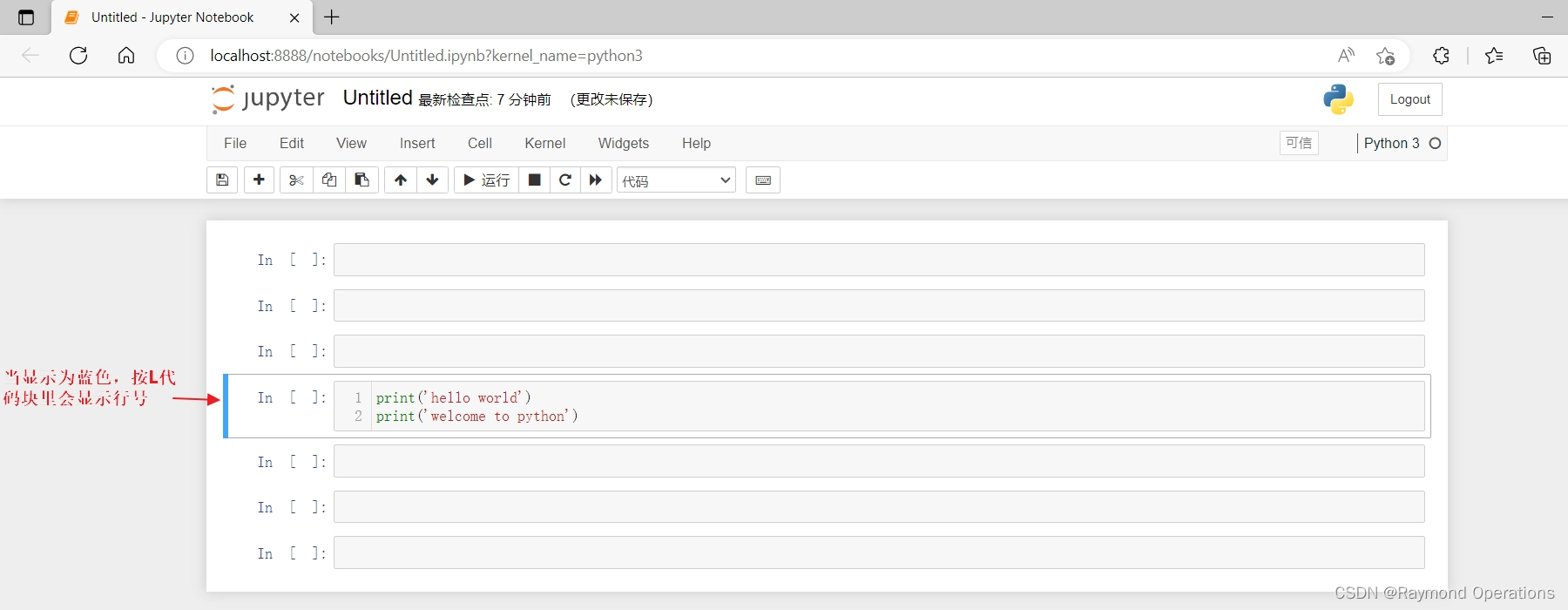
L 增加行号
-
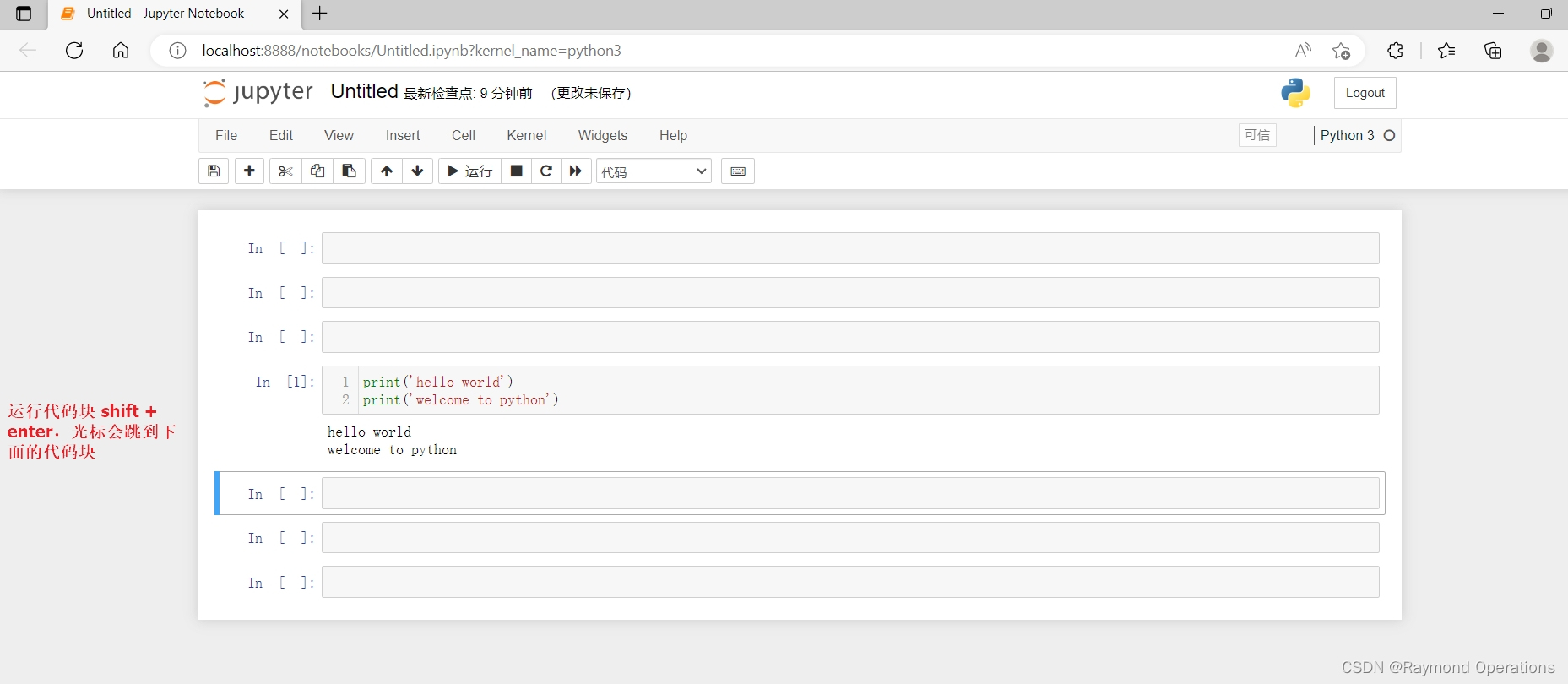
运行代码块 shift + enter,选择下面的代码块
-
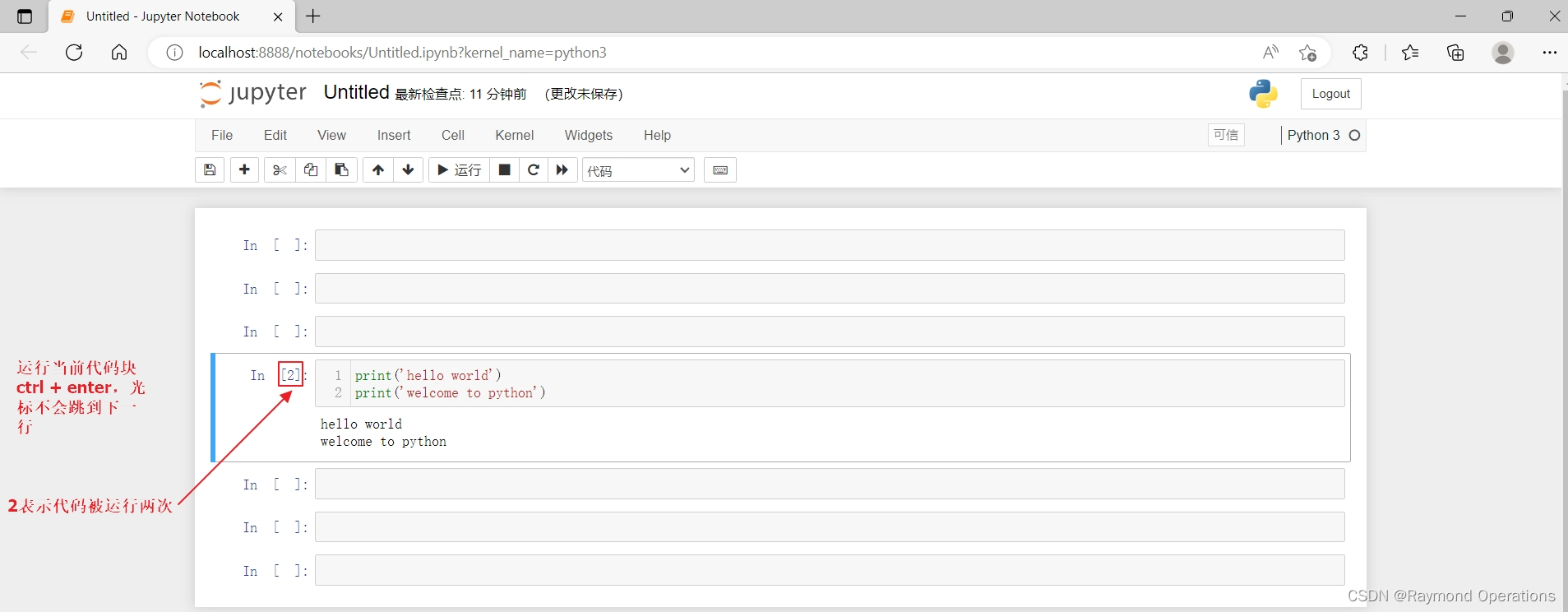
运行当前代码块 ctrl + enter
-
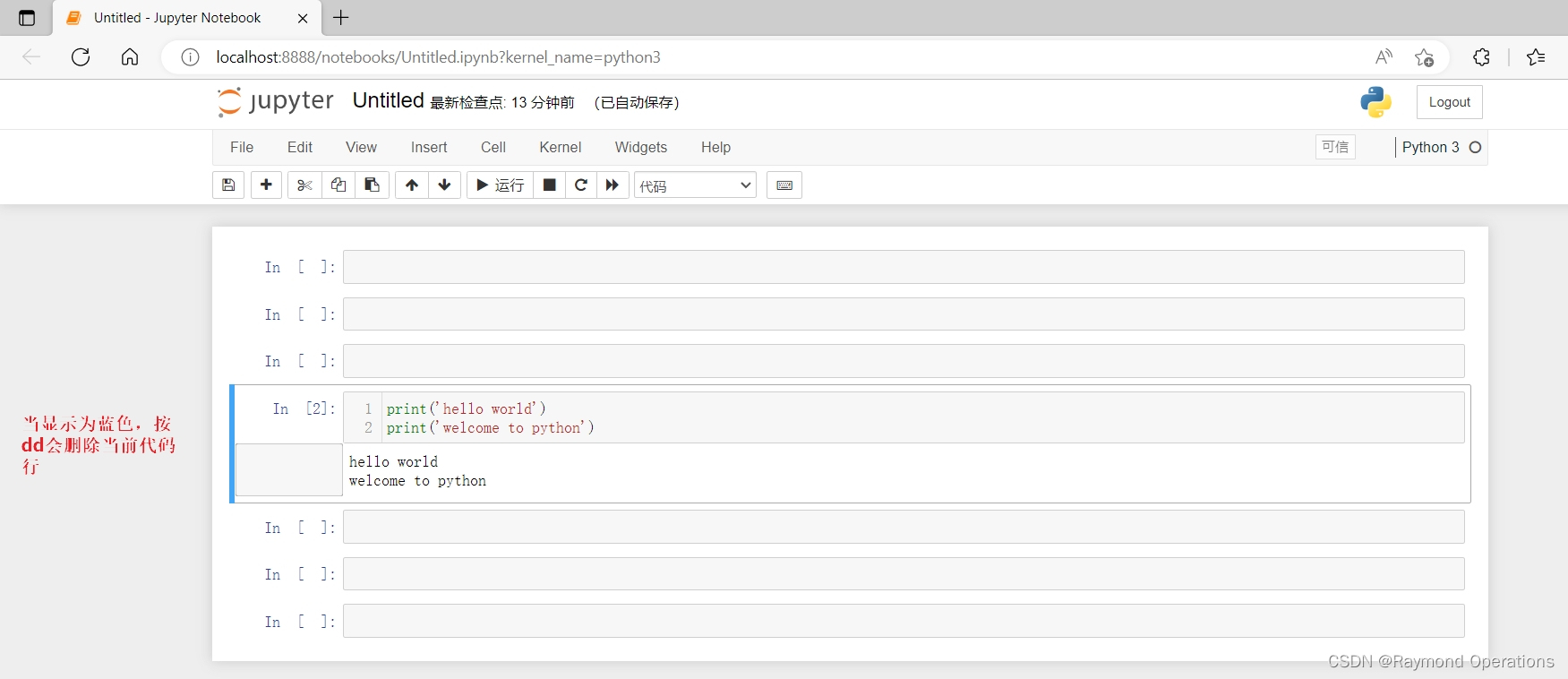
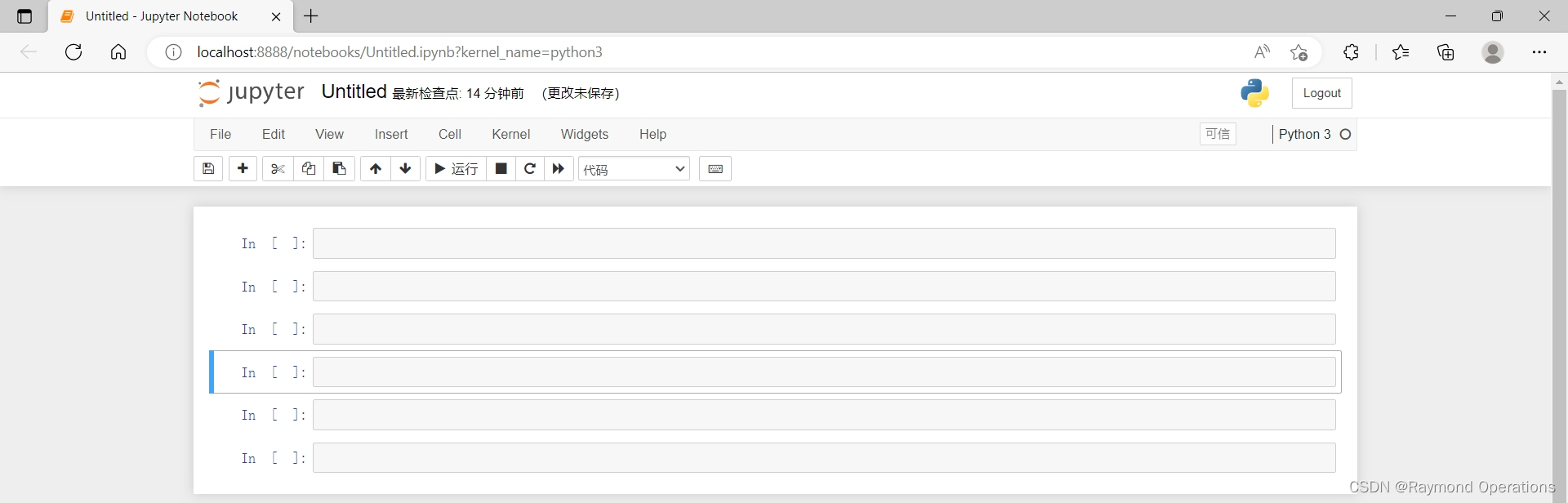
dd删除代码块
-
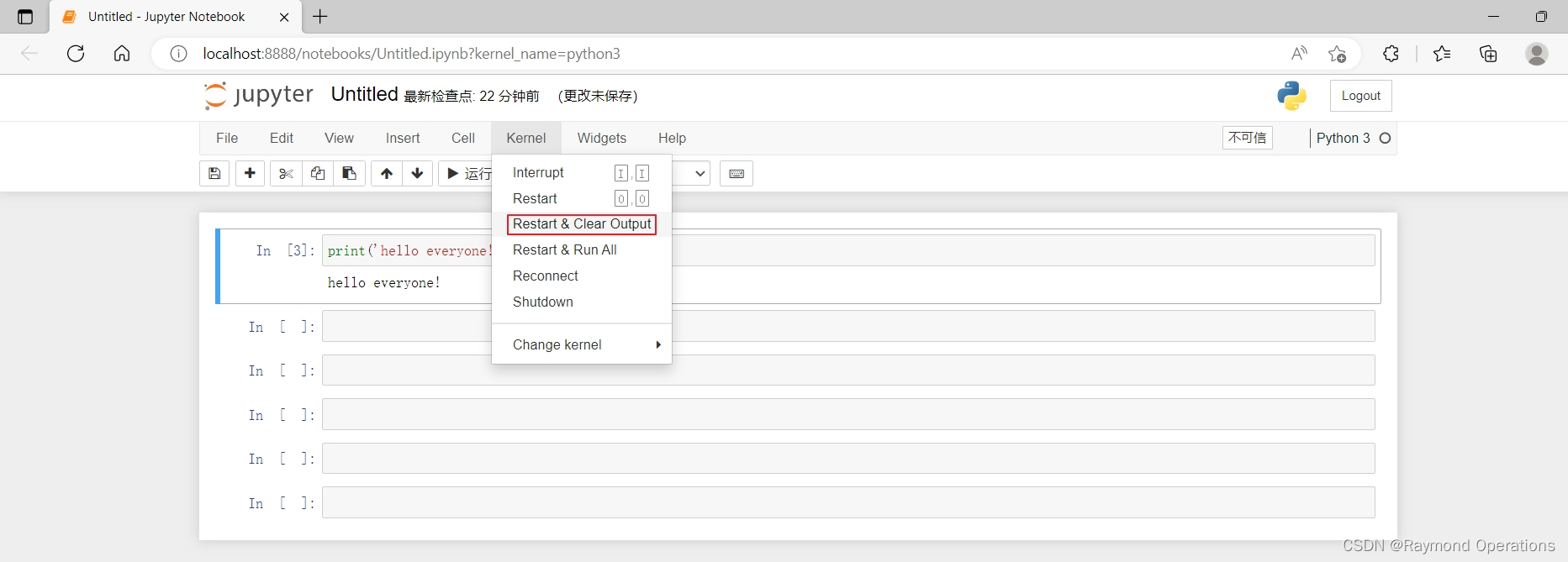
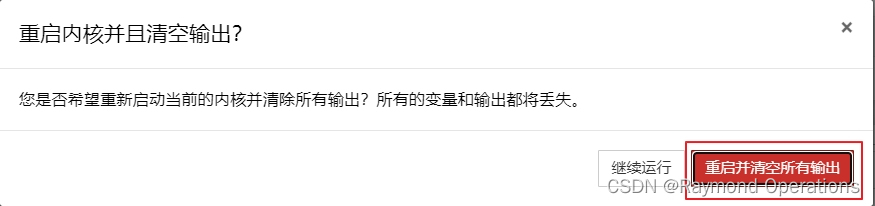
死循环或卡死处理
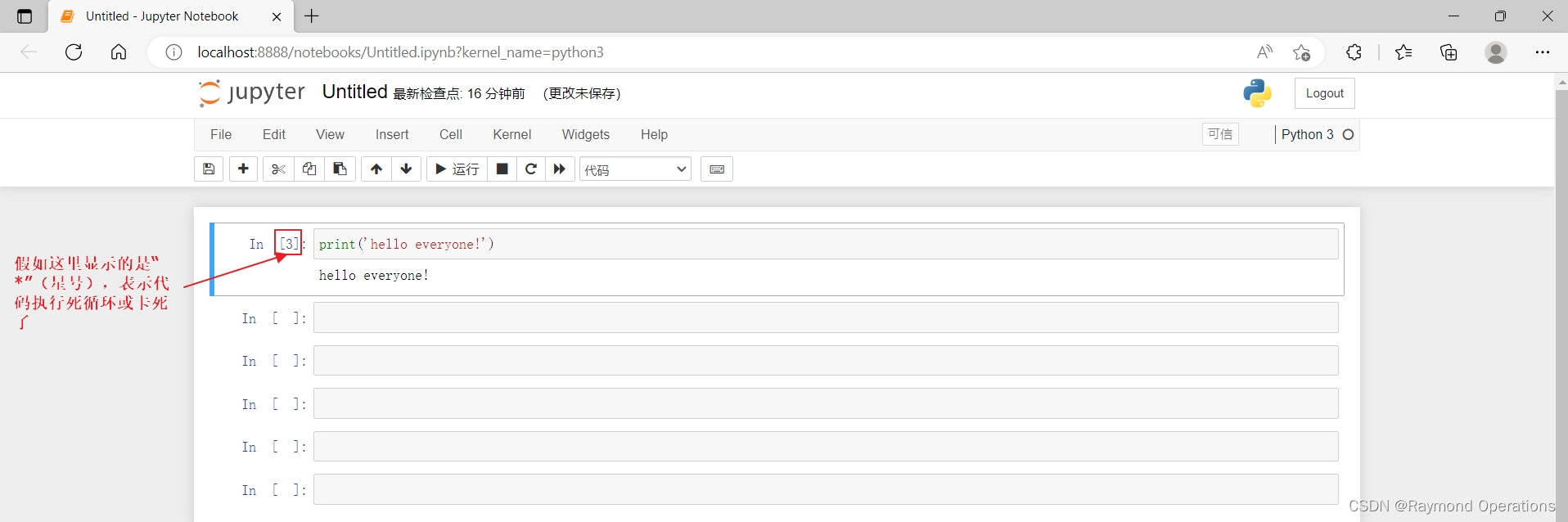
需要重启jupyter
1.1.1.4 Pycharm安装
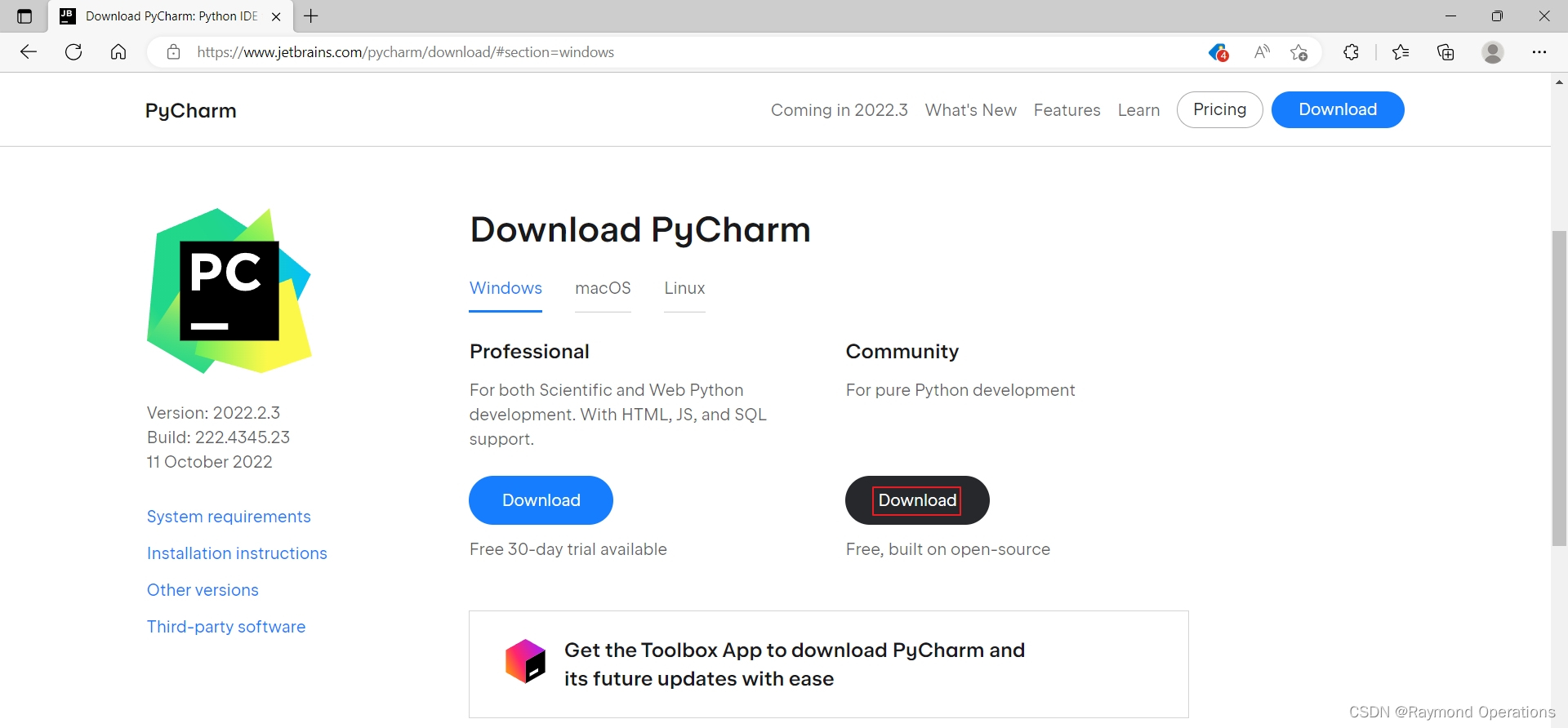
官网下载Pycharm社区版,足够开发项目使用了。
下载地址:https://www.jetbrains.com/pycharm/download/#section=windows
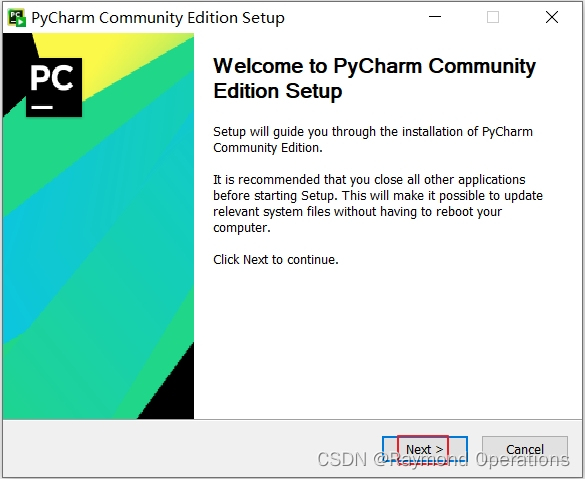
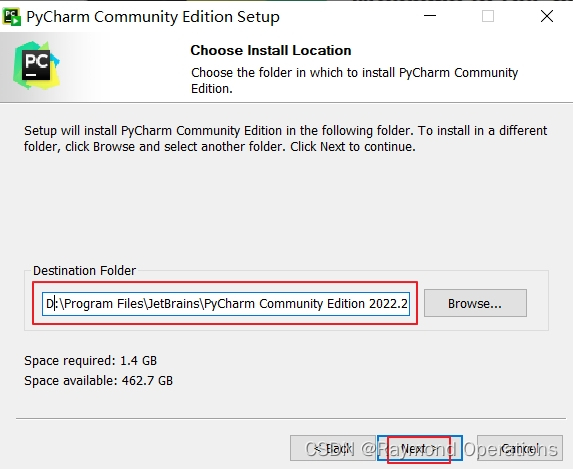
安装Pycharm
设置安装路径
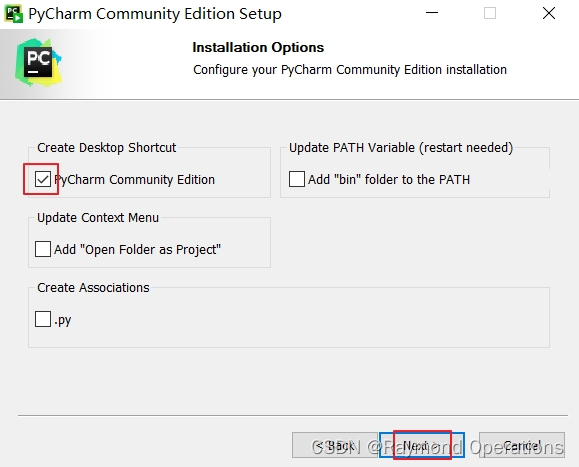
安装选项
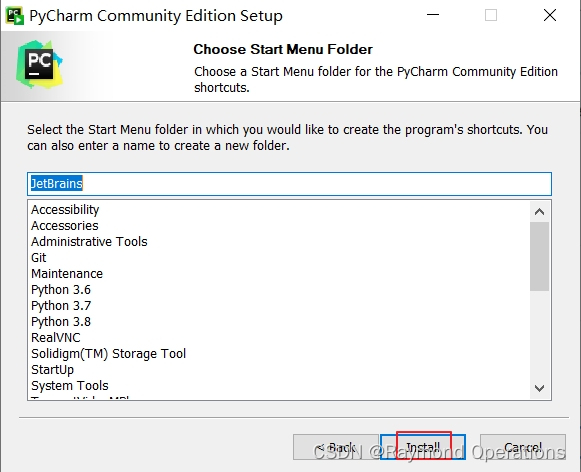
选择开始菜单文件夹
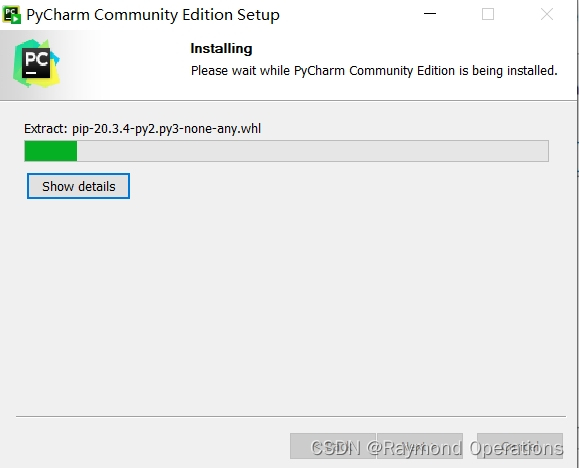
安装过程
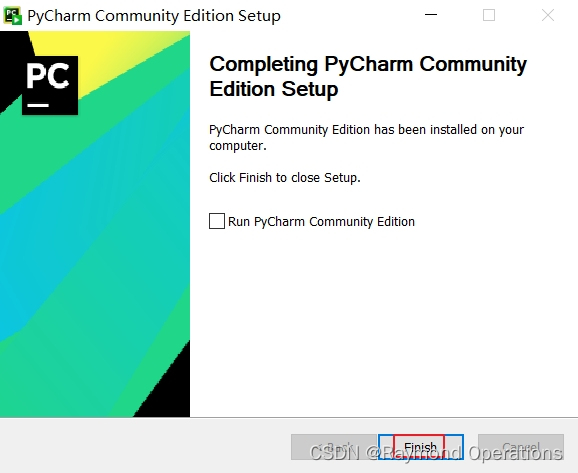
安装完成
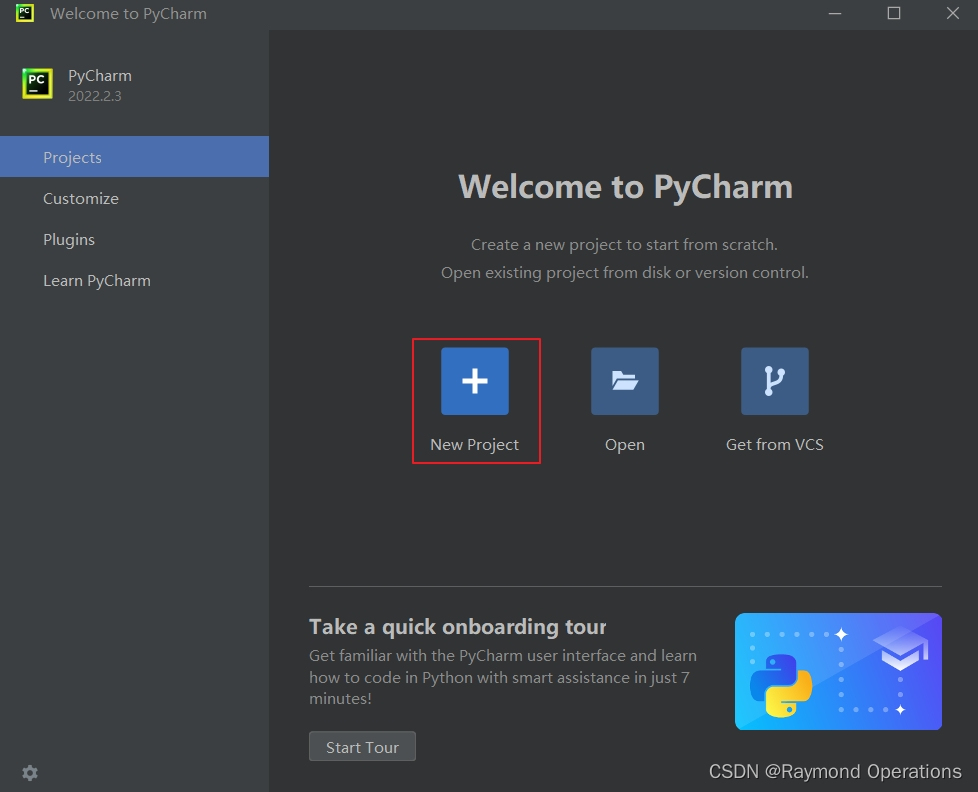
新建项目
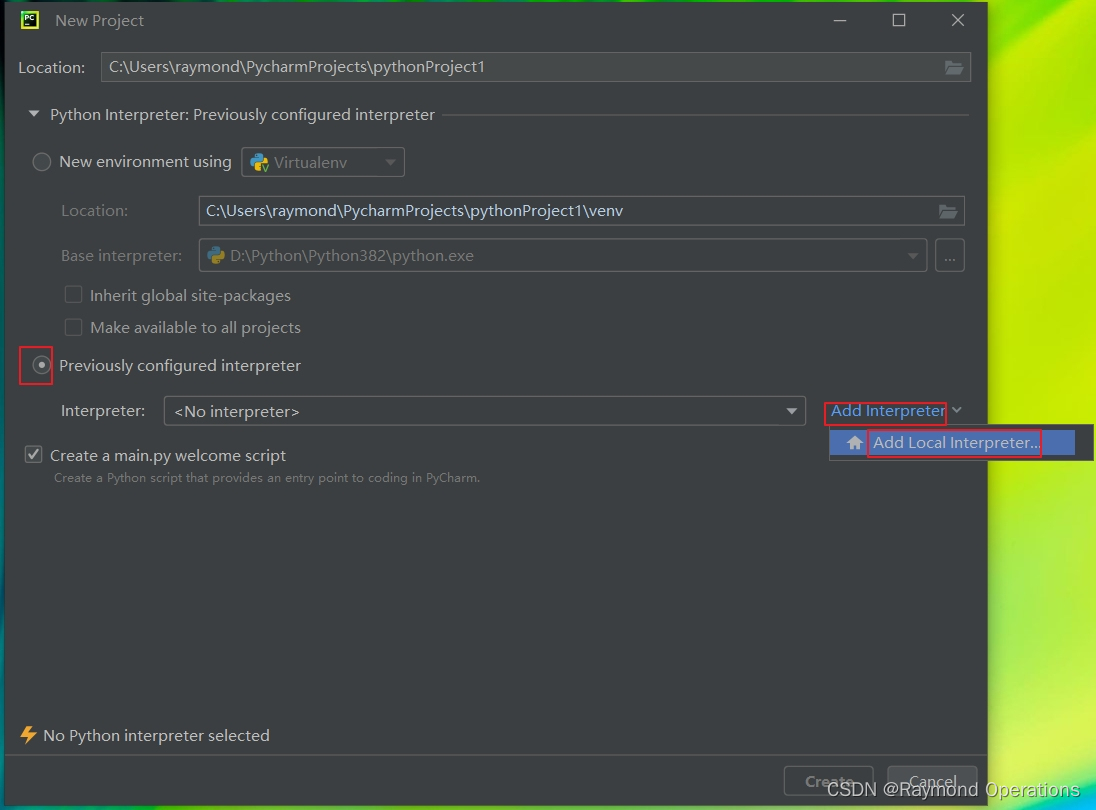
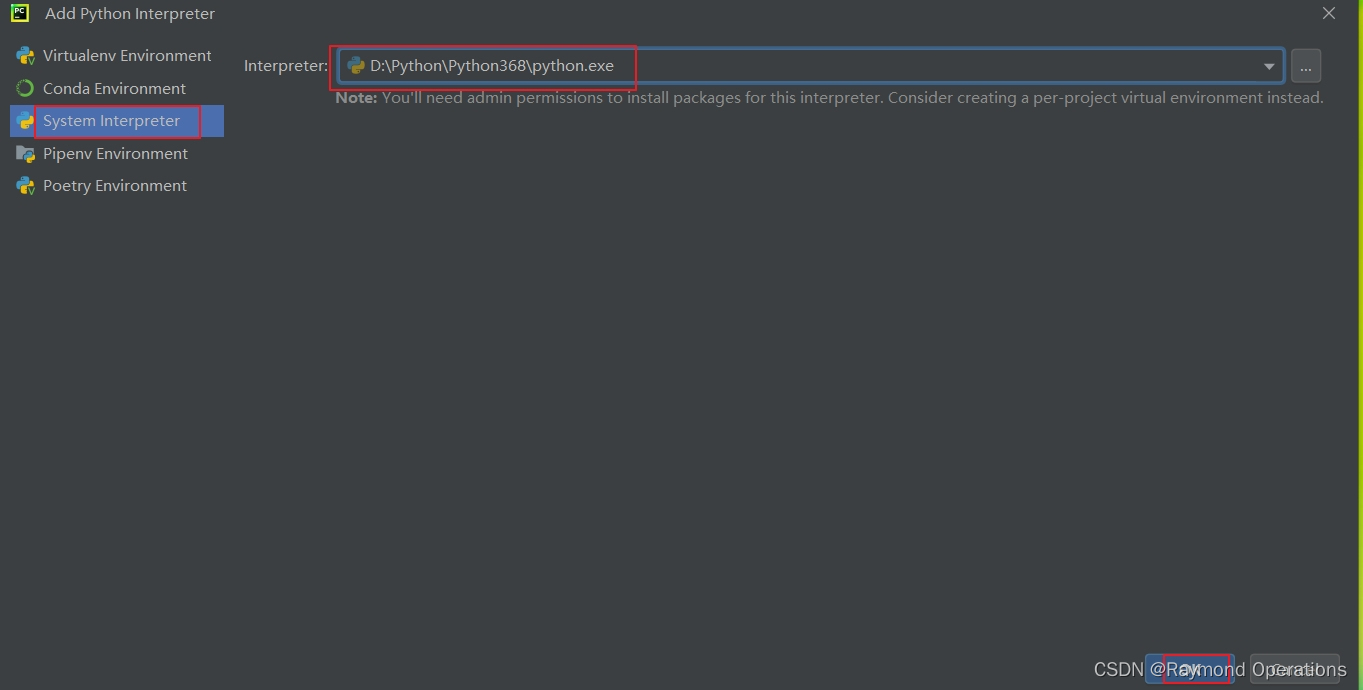
配置全局环境
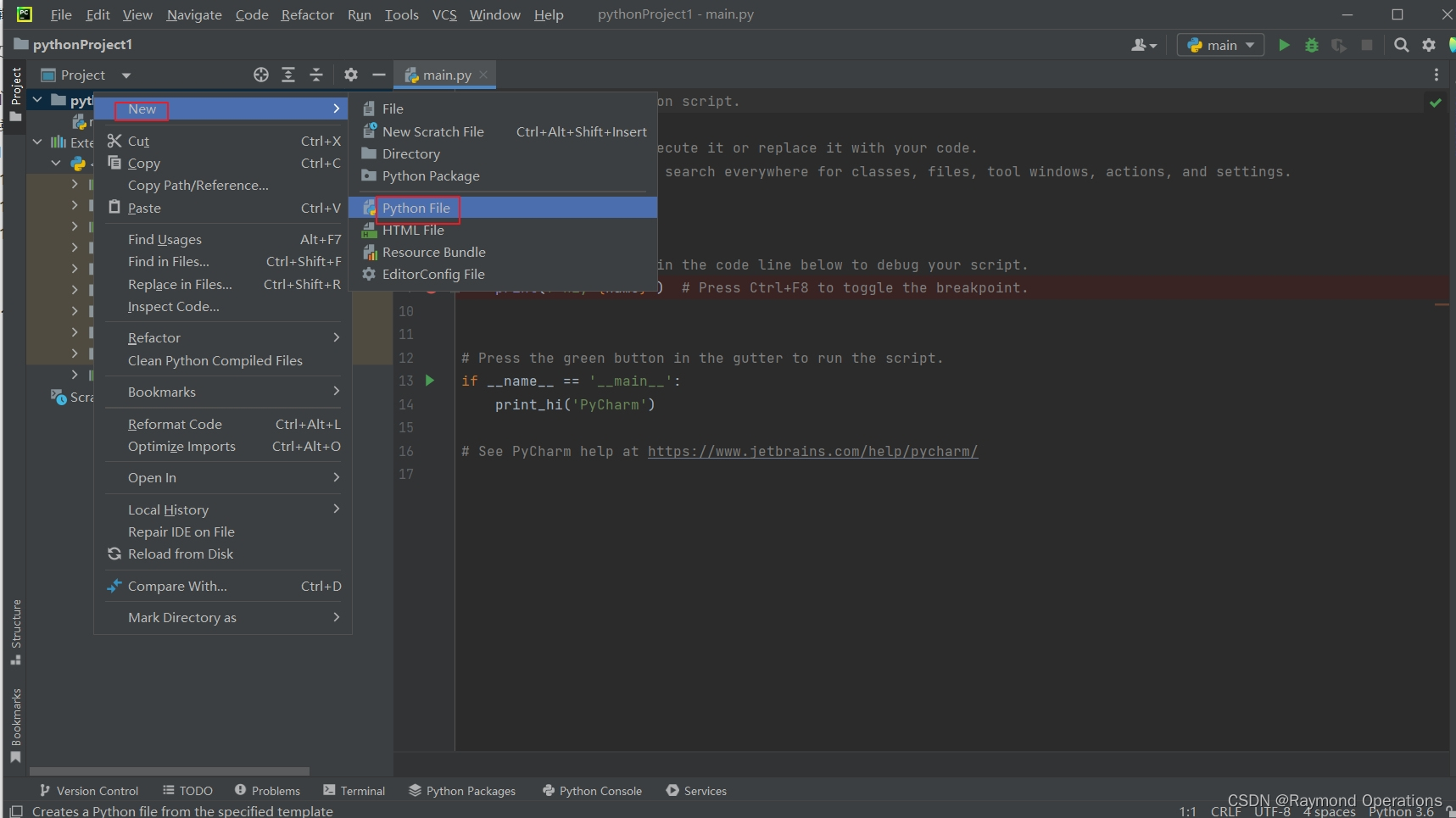
新建文件
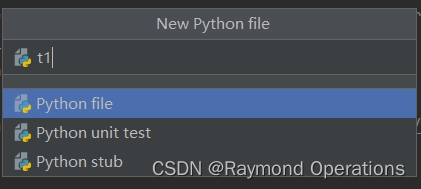
输入文件名
注意,文件名不要用“abc、sys、os”等之类的名字会跟标准库会冲突,建议文件名写成“t1、t2、t3…”等以数字结尾的文件名
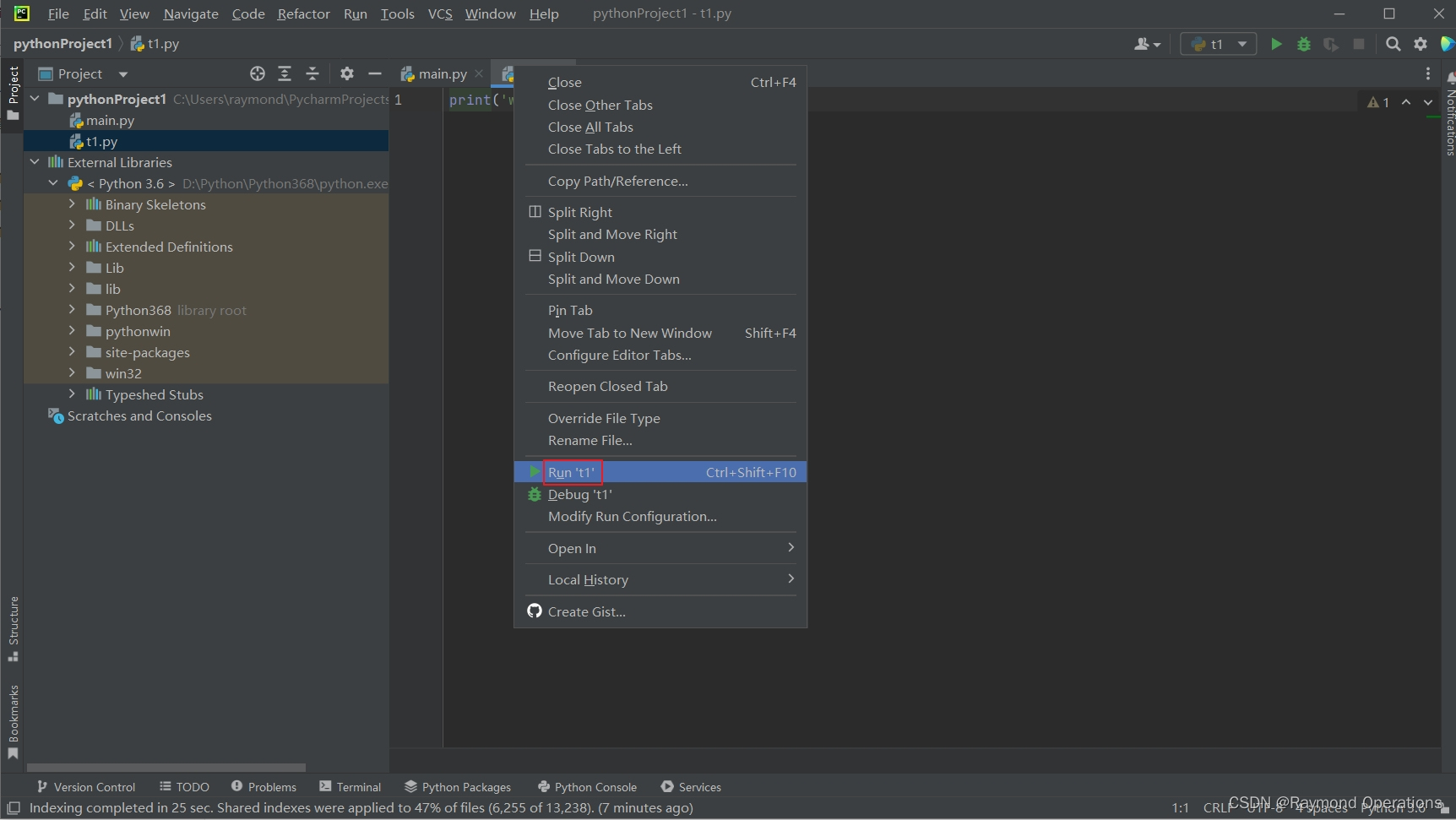
print('welcome to python')
运行项目
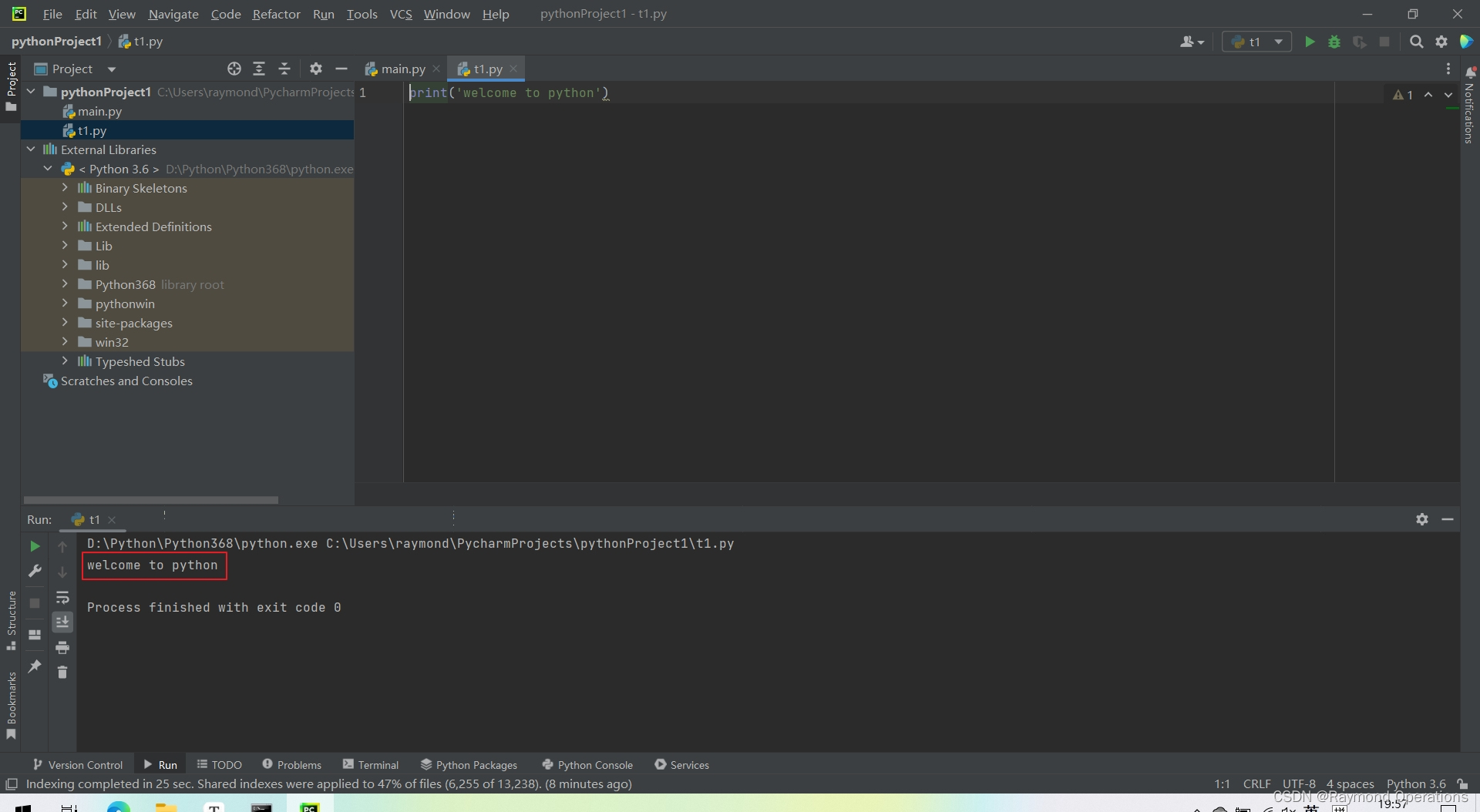
运行结果
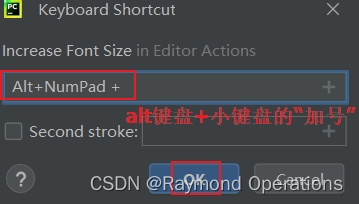
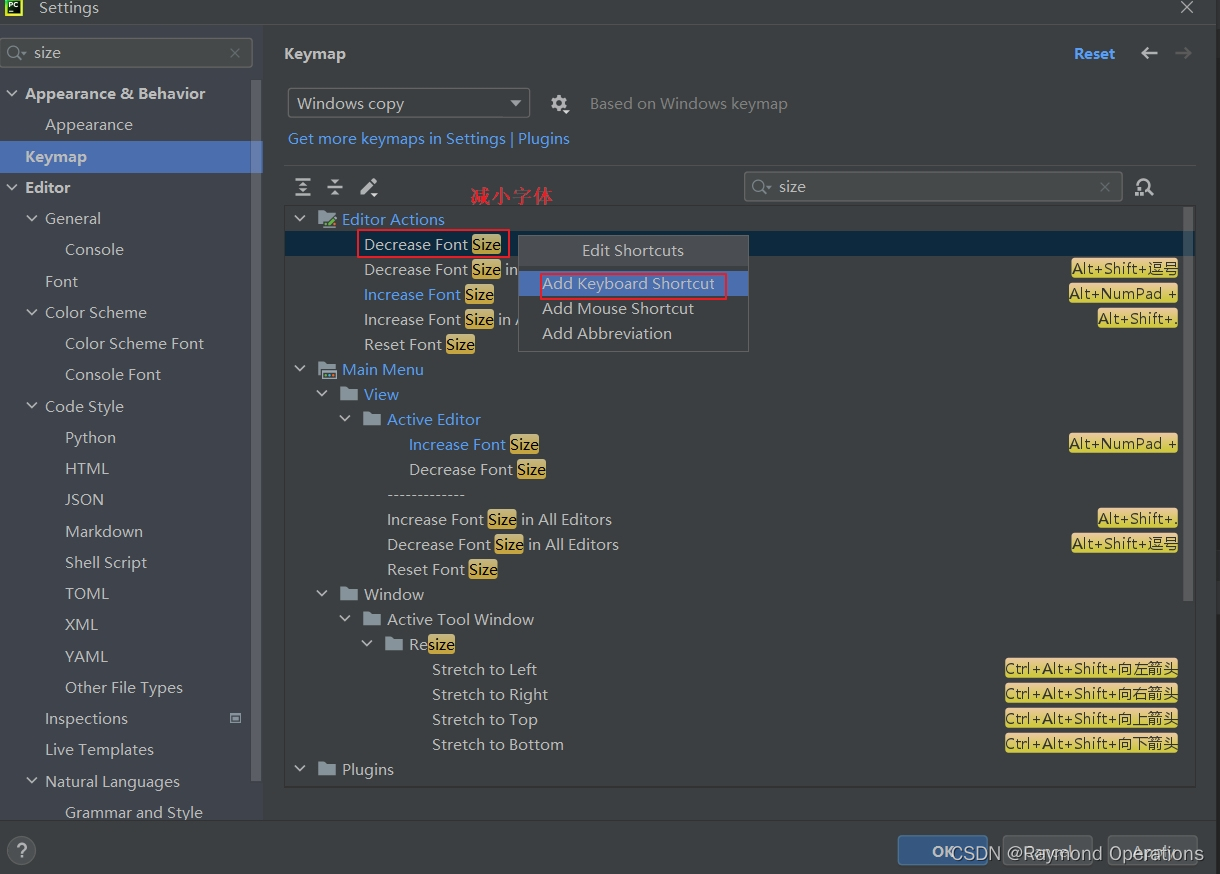
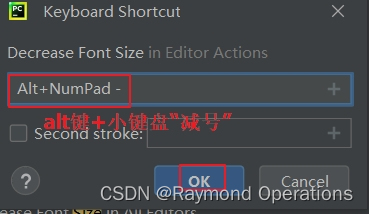
更改字体大小
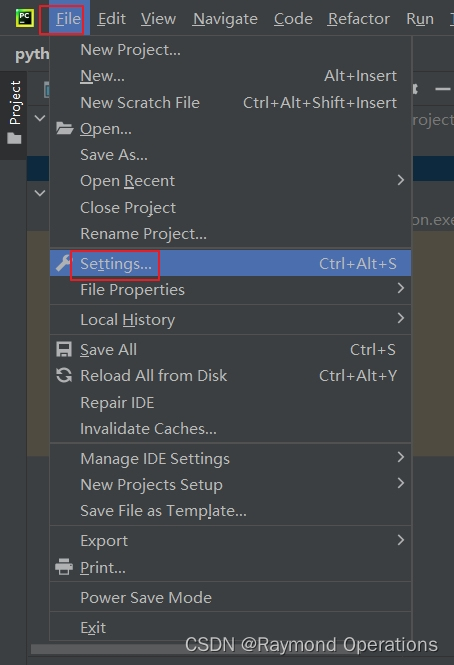
添加快捷键
1.1.2 查阅帮助
- 在线帮助,html
- 下载并打开官方文档,chm
- 第一手好的资料应该是帮助文档
- https://www.python.org/downloads/windows/
- IPython中
- 使用help(keyword),keyword可以是变量、对象、类、函数等
- keyword?
- keyword??
# In:
print('hello everyone!')
# 打印结果:
welcome to python#查看帮助
# In:
print?
Docstring:
print(value, ..., sep=' ', end='\n', file=sys.stdout, flush=False)Prints the values to a stream, or to sys.stdout by default.
Optional keyword arguments:
file:  a file-like object (stream); defaults to the current sys.stdout.
sep:   string inserted between values, default a space.
end:   string appended after the last value, default a newline.
flush: whether to forcibly flush the stream.
Type:      builtin_function_or_method#查看更详细的帮助
# In:
print??# In:
help(print)
Docstring:
print(value, ..., sep=' ', end='\n', file=sys.stdout, flush=False)Prints the values to a stream, or to sys.stdout by default.
Optional keyword arguments:
file:  a file-like object (stream); defaults to the current sys.stdout.
sep:   string inserted between values, default a space.
end:   string appended after the last value, default a newline.
flush: whether to forcibly flush the stream.
Type:      builtin_function_or_method