

Hive 存储与压缩
文章目录
- 存储格式
- 行存储与列存储
- 存储格式解析
- TextFile 格式
- ORC 格式
- Parquet 格式
- 存储效率对比
- TextFile 格式
- ORC 格式(推荐)
- Parquet 格式
- 对比
- 压缩
- ORC —— ZLIB 压缩
- ORC —— SNAPPY 压缩
- Parquet —— GZIP 压缩
- Parquet —— SNAPPY 压缩
- 总结
本文中用到的数据源下载:log.data
存储格式
Hive 支持多种存储格式,常用的有三种:TEXTFILE、ORC、PARQUET。其中 TEXTFILE 为 Hive 的默认存储格式,即:普通文本格式。
行存储与列存储
1. 行存储
查询满足条件的一整行数据的时候,列存储则需要去每个聚集的字段找到对应的每个列的值,行存储只需要找到其中一个值,其余的值都在相邻地方,所以此时行存储查询的速度更快。
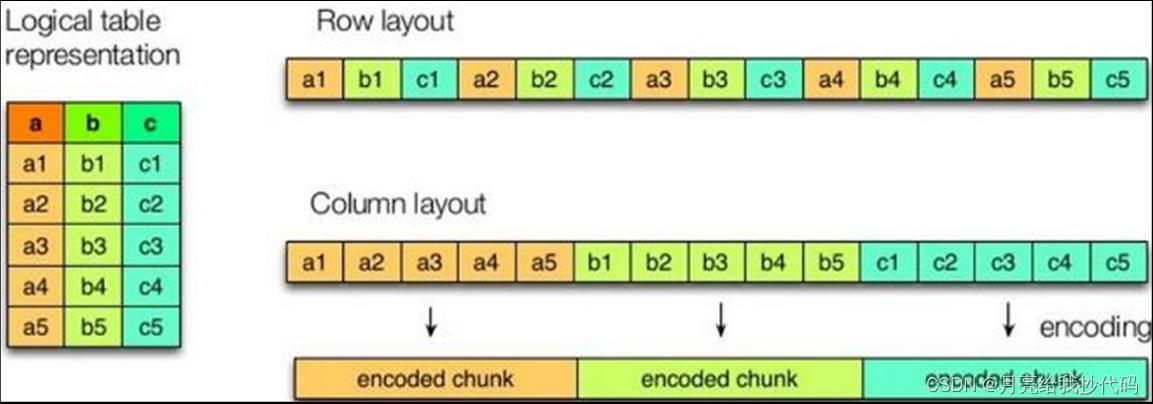
2.列存储的特点
因为每个字段的数据聚集存储,在查询只需要少数几个字段的时候,能大大减少读取的数据量;每个字段的数据类型一定是相同的,列式存储可以针对性的设计更好的设计压缩算法。
TEXTFILE 的存储格式都是基于行存储的;
ORC 和 PARQUET 是基于列式存储的。
存储格式解析
TextFile 格式
默认格式,数据不做压缩,磁盘开销大,数据解析开销大。
ORC 格式
ORC 是一种列式存储的格式,默认采用 ZLIB 进行压缩。每个 ORC 文件由 1 个或多个 Stripe 组成,每个 Stripe 一般为 HDFS 的块大小,每一个 stripe 包含多条记录,这些记录按照列进行独立存储。每个 Stripe 里有三部分组成,分别是 Index Data,Row Data,Stripe Footer。如下图所示:
解析:
-
index Data:记录当前 Stripe 的索引。
-
Row Data:存储数据。
-
Stripe Footer:记录每个 Stripe 的相关信息,如:长度、大小等等。
-
File Footer:记录每一个列所有 Stripe 的相关信息,如:行数,数据类型信息等等。
-
Postscript:记录 File Footer 的长度信息与整个文件的压缩类型等等。
读取顺序: Postscript ——> File Footer ——> Stripe
Parquet 格式
Parquet 文件是以二进制列式存储的格式,所以是不可以直接读取的,文件中包括该文件的数据和元数据,因此 Parquet 格式文件是自解析的。
存储效率对比
TextFile 格式
创建 TextFile 格式表:
create table test_textfile( track_time string,url string,session_id string,referer string,ip string, end_user_id string,city_id string)
row format delimited fields terminated by '\t'
-- 指定存储格式
stored as textfile; -- 加载测试数据
load data local inpath '/opt/module/data/log.data' into table test_textfile;
查看存储大小:
进入 HDFS 的 web 界面查看存储大小:
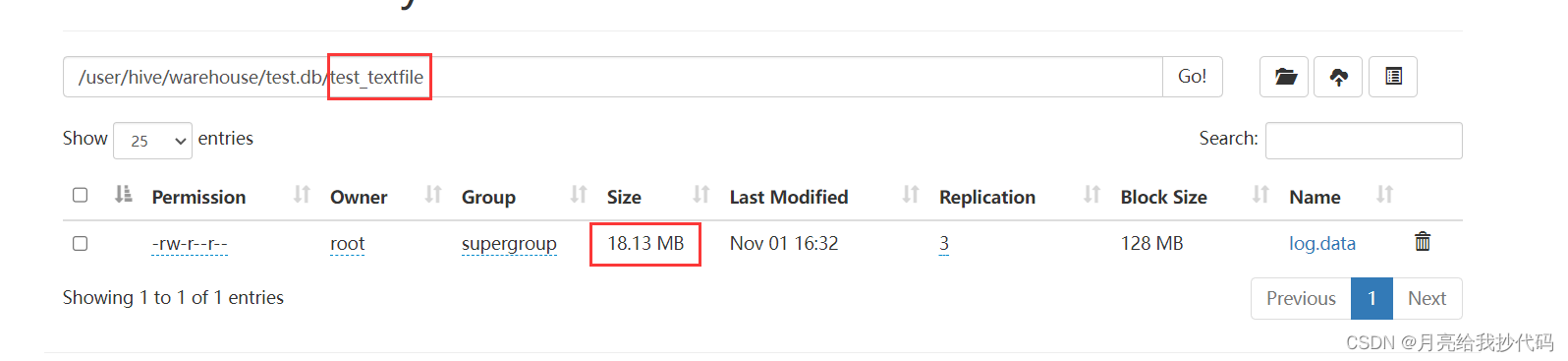
可以看到以 TextFile 存储该数据文件的大小为 18.13 MB。
我们也可以使用命令行的方式来查看文件存储大小:
hdfs dfs -du /user/hive/warehouse/test.db/test_textfile
输出结果如下:
文件的大小   备份数大小(我的备份数是 3)       文件
18.1 M                54.4 M            /user/hive/warehouse/test.db/test_textfile/log.data
ORC 格式(推荐)
创建 ORC 格式表:
create table test_orc( track_time string,url string,session_id string,referer string,ip string, end_user_id string,city_id string)
row format delimited fields terminated by '\t'
-- 指定存储格式
stored as orc
-- 设置 orc 存储不使用压缩
tblproperties("orc.compress"="NONE"); -- 加载测试数据
insert into table test_orc select * from test_textfile;
花费时间:17.605 秒
查看存储大小:
进入 HDFS 的 web 界面查看存储大小:
可以看到以 ORC 存储该数据文件的大小为 7.69 MB,花费 17.605秒。
Parquet 格式
创建 Parquet 格式表:
create table test_parquet( track_time string,url string,session_id string,referer string,ip string, end_user_id string,city_id string)
row format delimited fields terminated by '\t'
-- 指定存储格式
stored as parquet; -- 加载测试数据
insert into table test_parquet select * from test_textfile;
花费时间:19.403 秒
查看存储大小:
进入 HDFS 的 web 界面查看存储大小:
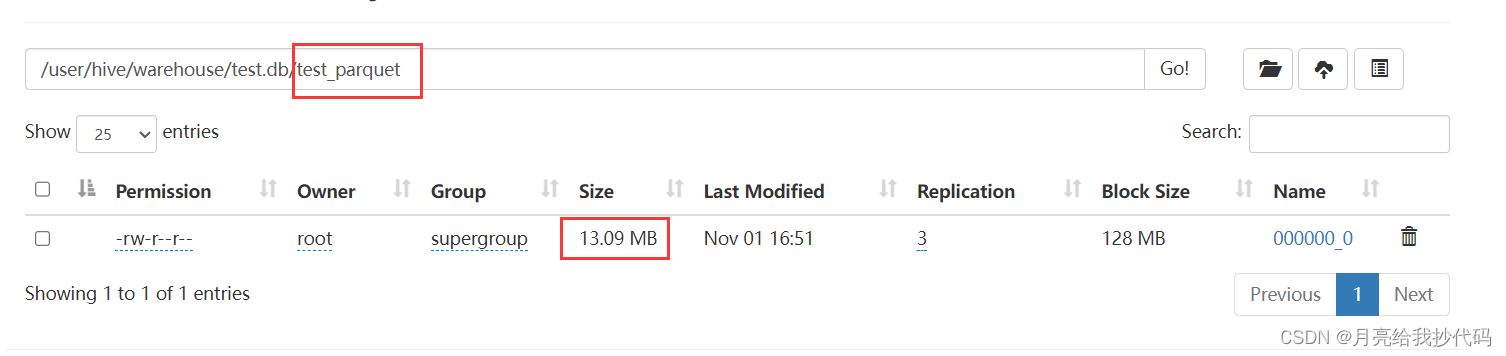
可以看到以 Parquet 存储该数据文件的大小为 13.09 MB,花费 19.403 秒。
对比
通过同一数据源的存储对比,综合时间效率,最终得出结论: ORC > Parquet > TextFile
压缩
为了控制变量,我们使用与 存储效率对比 中一样的数据源。
ORC —— ZLIB 压缩
在 ORC 中,可以指定三种压缩策略,分别是:ZLIB,NONE,SNAPPY。其中 ZLIB 压缩算法是 ORC 的默认压缩策略,所以创建表时无需指定。
创建使用 ZLIB 进行压缩后的 ORC 格式表:
create table test_orc_zlib( track_time string,url string,session_id string,referer string,ip string, end_user_id string,city_id string)
row format delimited fields terminated by '\t'
-- 指定存储格式
stored as orc;-- 加载测试数据
insert into table test_orc_zlib select * from test_textfile;
花费时间:21.348 秒
查看存储大小:
进入 HDFS 的 web 界面查看存储大小:
未进行压缩:
使用 ZLIB 进行压缩:
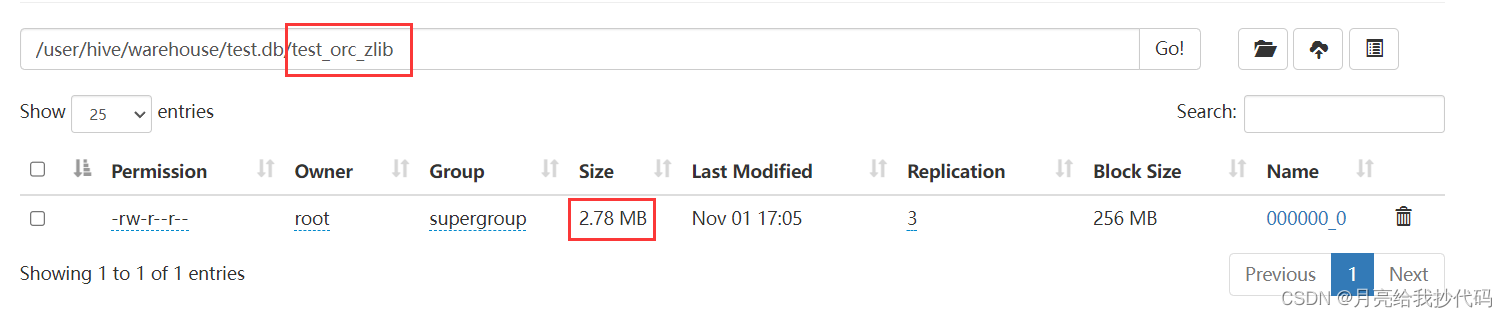
可以看到以 ORC 存储该数据文件未进行压缩前的大小为 7.69 MB,花费 17.605 秒,而使用 ZLIB 进行压缩后的大小为 2.78 MB,花费 21.348 秒。
ORC —— SNAPPY 压缩
创建使用 SNAPPY 进行压缩后的 ORC 格式表:
create table test_orc_snappy( track_time string,url string,session_id string,referer string,ip string, end_user_id string,city_id string)
row format delimited fields terminated by '\t'
-- 指定存储格式
stored as orc
-- 指定压缩策略
tblproperties("orc.compress"="SNAPPY");-- 加载测试数据
insert into table test_orc_snappy select * from test_textfile;
花费时间:18.474 秒
查看存储大小:
进入 HDFS 的 web 界面查看存储大小:
未进行压缩:
使用 ZLIB 进行压缩:
使用 SNAPPY 进行压缩:
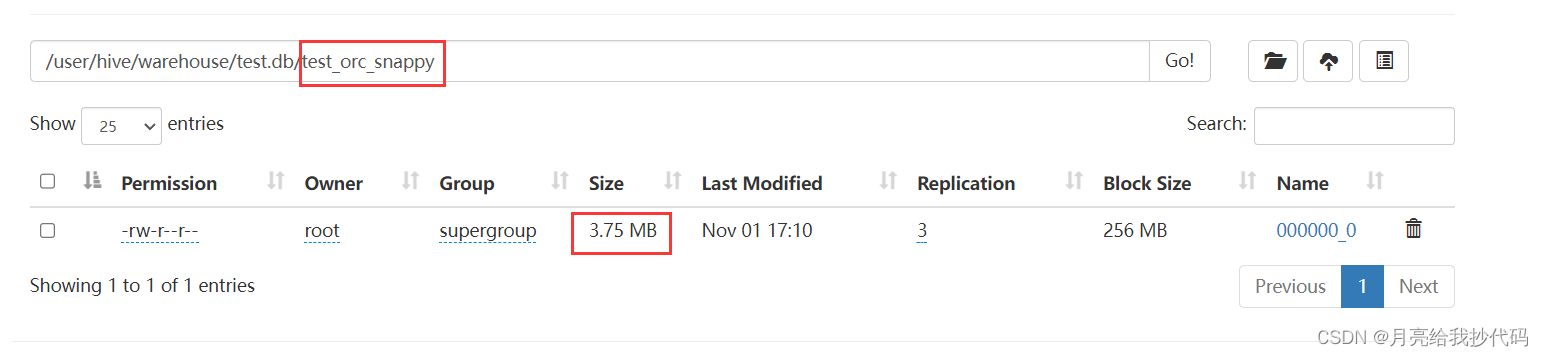
可以看到以 ORC 存储该数据文件未进行压缩前的大小为 7.69 MB,花费 17.605 秒,而使用 ZLIB 进行压缩后的大小为 2.78 MB,花费 21.348 秒,使用 SNAPPY 进行压缩后的大小为 3.75 MB,花费 18.474 秒。
可以看到 ZLIB 比 SNAPPY 压缩的还小。原因是 ZLIB 采用的是 deflate 压缩算法,比 SNAPPY 压缩的压缩率更高。
Parquet —— GZIP 压缩
Parquet 中的 GZIP 压缩方式同 ORC 中的 ZLIB 压缩方式一致。
创建使用 GZIP 进行压缩后的 Parquet 格式表:
create table test_parquet_gzip( track_time string,url string,session_id string,referer string,ip string, end_user_id string,city_id string)
row format delimited fields terminated by '\t'
-- 指定存储格式
stored as parquet
-- 指定压缩策略,注意关键词的区别 parquet.compression
tblproperties("parquet.compression"="GZIP");-- 加载测试数据
insert into table test_parquet_gzip select * from test_textfile;
花费时间: 20.402 秒。
查看存储大小:
进入 HDFS 的 web 界面查看存储大小:
未进行压缩:
使用 GZIP 进行压缩:
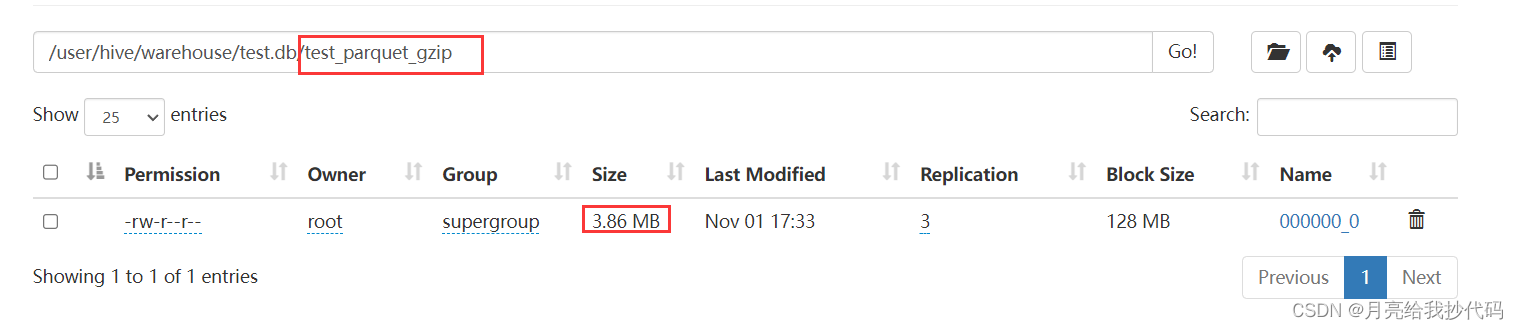
可以看到以 Parquet 未进行压缩前存储该数据文件的大小为 13.09 MB,花费 19.403 秒,而使用 GZIP 进行压缩后的大小为 3.86 MB,花费 20.402 秒。
Parquet —— SNAPPY 压缩
创建使用 SNAPPY 进行压缩后的 Parquet 格式表:
create table test_parquet_snappy( track_time string,url string,session_id string,referer string,ip string, end_user_id string,city_id string)
row format delimited fields terminated by '\t'
-- 指定存储格式
stored as parquet
-- 指定压缩策略,注意关键词的区别 parquet.compression
tblproperties("parquet.compression"="SNAPPY");-- 加载测试数据
insert into table test_parquet_snappy select * from test_textfile;
花费时间: 18.414 秒。
查看存储大小:
进入 HDFS 的 web 界面查看存储大小:
未进行压缩:
使用 GZIP 进行压缩:
使用 SNAPPY 进行压缩:
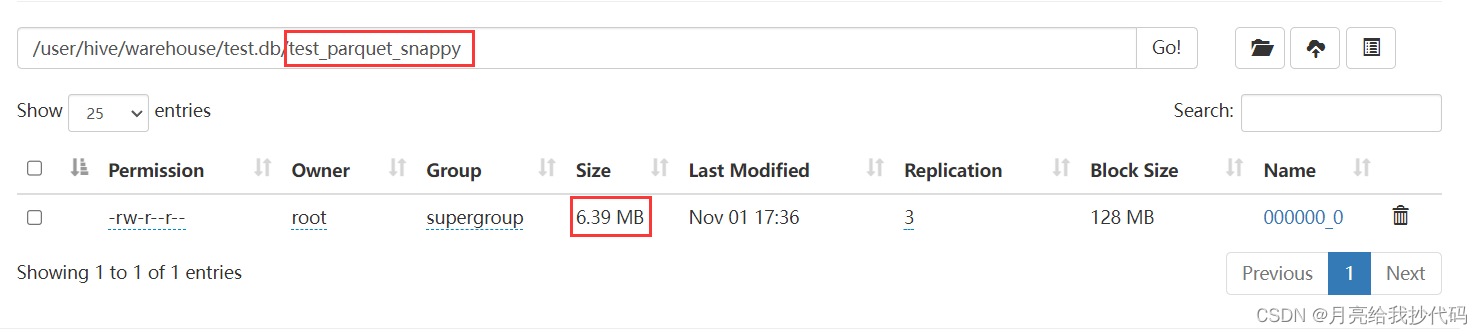
可以看到以 Parquet 格式存储该数据文件未压缩前的大小为 13.09 MB,花费 花费 19.403 秒,而使用 GZIP 进行压缩后的大小为 3.86 MB,花费 20.402 秒,使用 SNAPPY 进行压缩后的大小为 6.39 MB,花费 18.414 秒。
总结
通过对存储效率与压缩效率,综合时间效率,在实际生产过程中,我们一般使用 ORC 或 Parquet 作为 Hive 表的数据存储格式,而压缩方式则推荐使用 SNAPPY 作为压缩策略。