

SpringBoot集成腾讯云存储COS服务
前言
该文章会先简单的介绍一下阿里云的OSS存储,然后演示如何在SpringBoot项目中集成OSS,每一步都有记录,保证初学者也能看懂。
文章目录
- 前言
- 1、腾讯云对象存储介绍
- 1.1、开通“对象存储COS”服务
- 1.2、创建API秘钥
- 2、SpringBoot集成腾讯云COS
- 总结
1、腾讯云对象存储介绍
1.1、开通“对象存储COS”服务
(1)申请腾讯云账号:https://cloud.tencent.com/
(2)实名认证
(3)开通“对象存储COS”服务
(4)进入管理控制台
输入桶名称(这里的桶类似于阿里云OSS存储的Bucket),选择:公有读取,其他默认
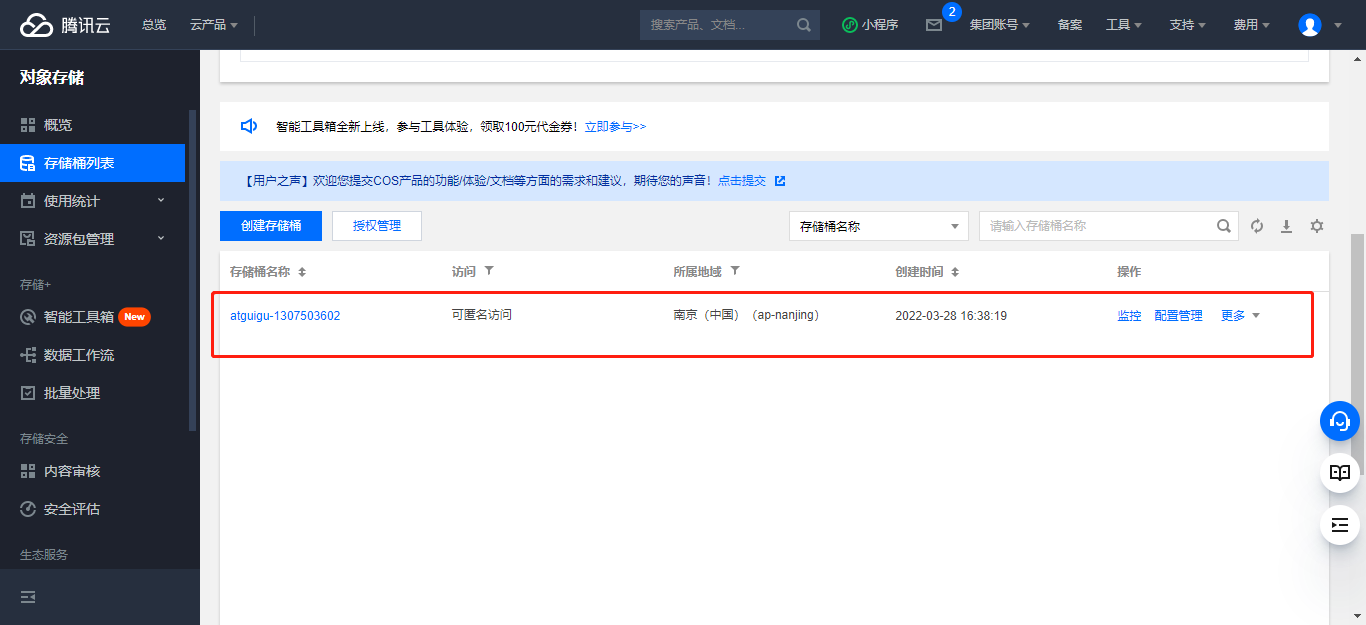
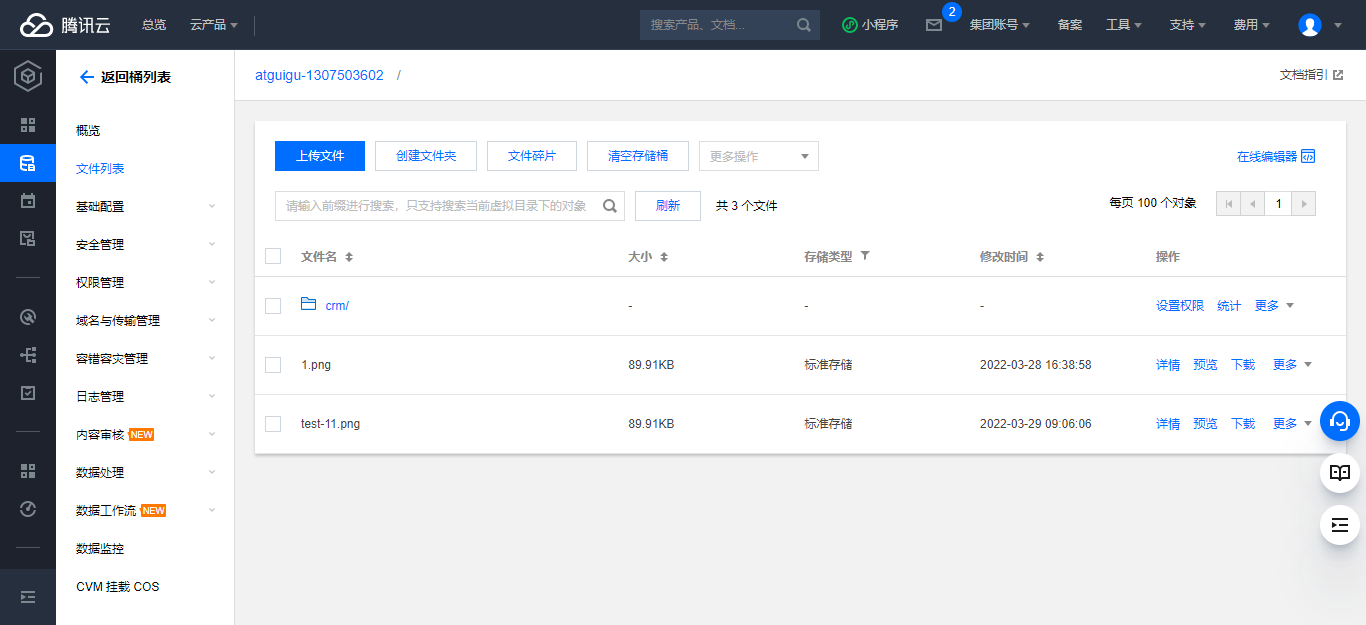
点击 桶名称,进入详情页,可测试上传文件
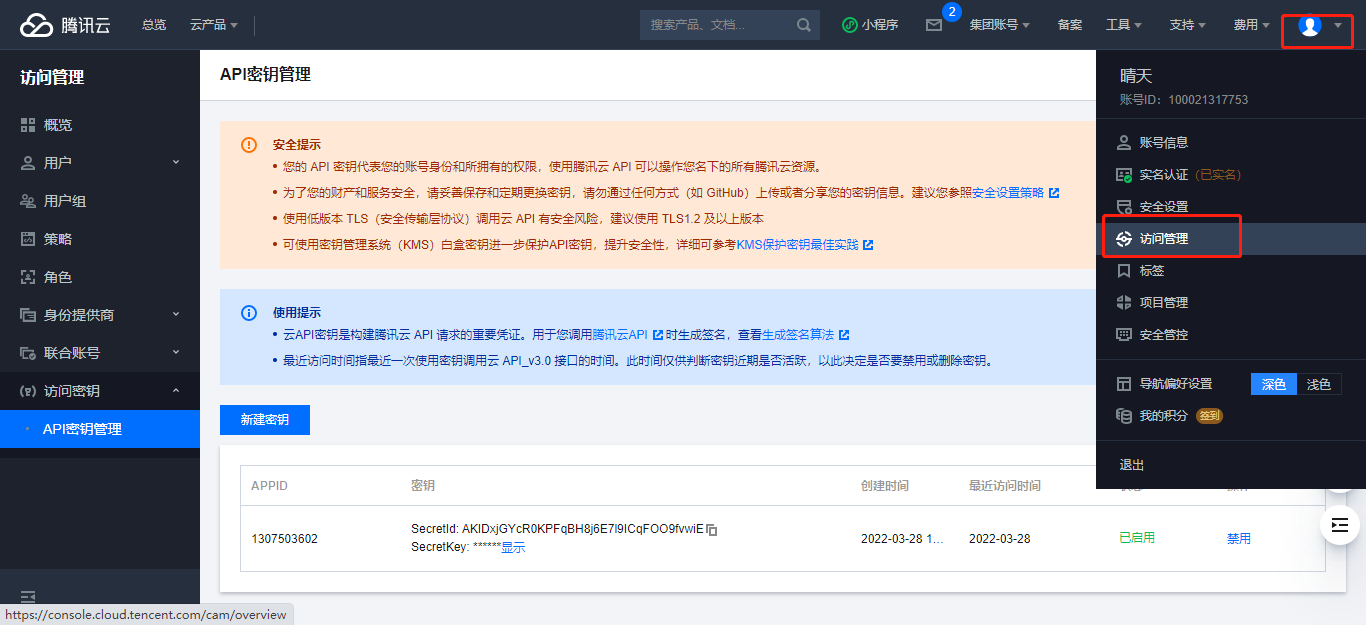
1.2、创建API秘钥
1、进入API秘钥管理
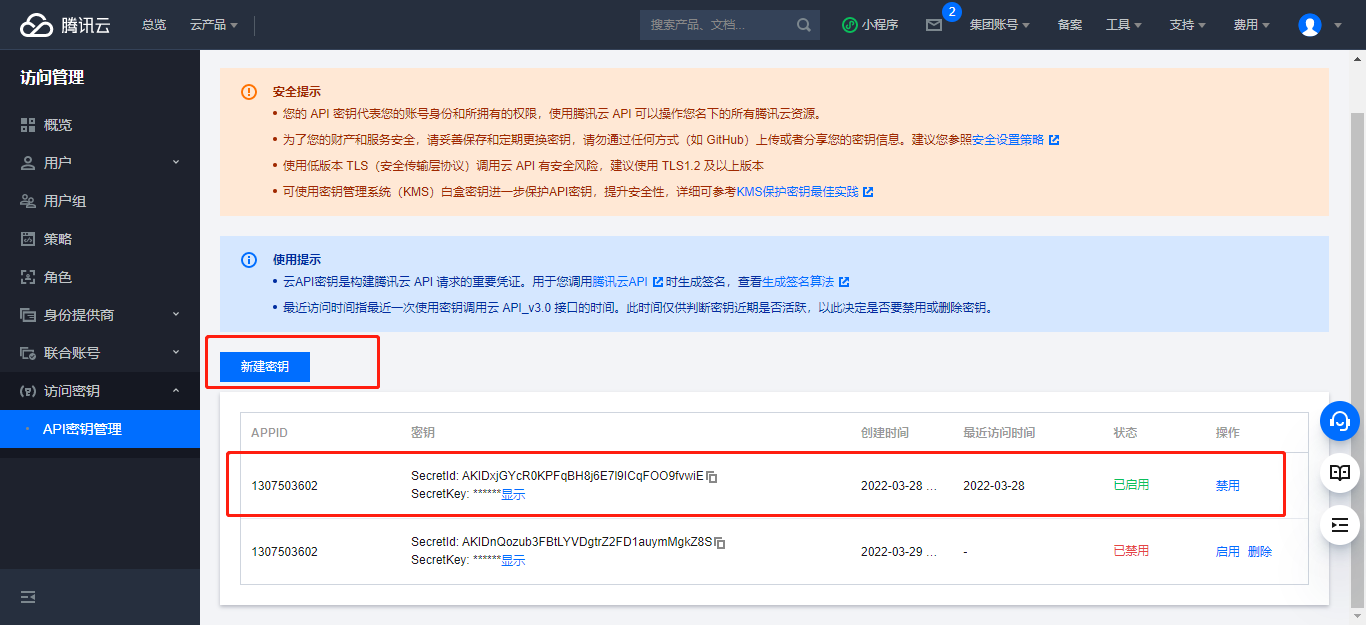
2、点击新建秘钥
2、SpringBoot集成腾讯云COS
1、引入依赖
com.qcloud cos_api 5.6.54
2、测试上传
import com.alibaba.fastjson.JSON;
import com.qcloud.cos.COSClient;
import com.qcloud.cos.ClientConfig;
import com.qcloud.cos.auth.BasicCOSCredentials;
import com.qcloud.cos.auth.COSCredentials;
import com.qcloud.cos.exception.CosClientException;
import com.qcloud.cos.exception.CosServiceException;
import com.qcloud.cos.http.HttpProtocol;
import com.qcloud.cos.model.*;
import com.qcloud.cos.region.Region;import java.io.File;public class FileTest {public static void main(String[] args) {// 1 初始化用户身份信息(secretId, secretKey)。// SECRETID和SECRETKEY请登录访问管理控制台 https://console.cloud.tencent.com/cam/capi 进行查看和管理String secretId = "你的secretId";String secretKey = "你的secretKey";COSCredentials cred = new BasicCOSCredentials(secretId, secretKey);// 2 设置 bucket 的地域, COS 地域的简称请参照 https://cloud.tencent.com/document/product/436/6224// clientConfig 中包含了设置 region, https(默认 http), 超时, 代理等 set 方法, 使用可参见源码或者常见问题 Java SDK 部分。Region region = new Region("ap-nanjing");ClientConfig clientConfig = new ClientConfig(region);// 这里建议设置使用 https 协议// 从 5.6.54 版本开始,默认使用了 httpsclientConfig.setHttpProtocol(HttpProtocol.https);// 3 生成 cos 客户端。COSClient cosClient = new COSClient(cred, clientConfig);try{// 指定要上传的文件File localFile = new File("D:\\glkt_work\\glkt\\11.png");// 指定文件将要存放的存储桶String bucketName = "你的bucketName";// 指定文件上传到 COS 上的路径,即对象键。例如对象键为folder/picture.jpg,则表示将文件 picture.jpg 上传到 folder 路径下String key = "test-11.png";PutObjectRequest putObjectRequest = new PutObjectRequest(bucketName, key, localFile);PutObjectResult putObjectResult = cosClient.putObject(putObjectRequest);System.out.println(JSON.toJSONString(putObjectResult));} catch (Exception clientException) {clientException.printStackTrace();}}
}
总结
到这里就完了, 怎么样,是不是特别简单。
扩展:
SpringBoot集成 腾讯云云点播服务 /视频上传:https://blog.csdn.net/weixin_47316183/article/details/127739422?spm=1001.2014.3001.5502
SpringBoot集成 腾讯云存储COS 服务:https://blog.csdn.net/weixin_47316183/article/details/127739385?spm=1001.2014.3001.5502
SpringBoot集成 阿里云视频播服务 /视频上传:https://blog.csdn.net/weixin_47316183/article/details/124768041
SpringBoot集成 阿里云存储OSS 服务:https://blog.csdn.net/weixin_47316183/article/details/124512424
上一篇:【SpringBoot笔记22】SpringBoot框架集成Redis数据库
下一篇:QT Android环境搭建 及 解决“Platfrom tools installed”等系列配置问题( 附QT、JDK、SDK、NDK网盘链接 )