

微信小程序 | 一比一复刻世界杯点球大战
📌个人主页:个人主页
🧀 推荐专栏:小程序开发成神之路 --【这是一个为想要入门和进阶小程序开发专门开启的精品专栏!从个人到商业的全套开发教程,实打实的干货分享,确定不来看看? 😻😻】
一、引言
2022卡塔尔世界杯,正是由于这可能是梅西、C罗、内马尔等一系列球星的最后一届世界杯之旅。大家都将其称为诸神黄昏
一手梦幻开局,以及到各路黑马争相亮相。从阿根廷爆冷,再到巴西跟阿根廷的点球大战,过程是艰辛的,结局也是悲惨的,内马尔、C罗止步于八强。一开始还幻想着梅西C罗到决赛相遇,青春就无悔了!
现实总是残酷的,既然没有改写历史的本领,至少我有创造新故事的画笔。为完成这已经破灭的幻想,那就拿起手中的键盘,现实没有踢成,那就在我的代码世界踢吧!
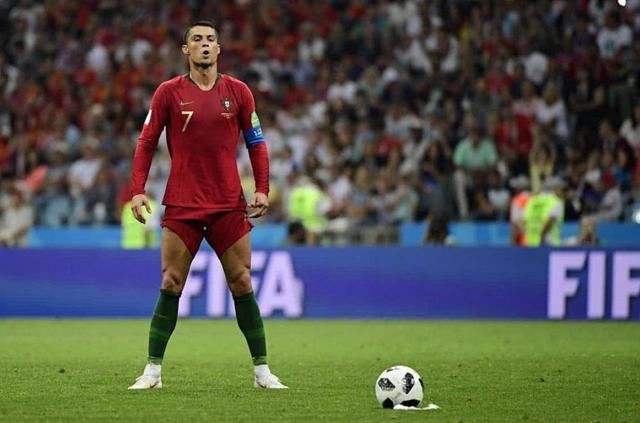
以此小游戏纪念2022疯狂的12月,纪念诸神黄昏的卡塔尔世界杯!
二、效果及规则
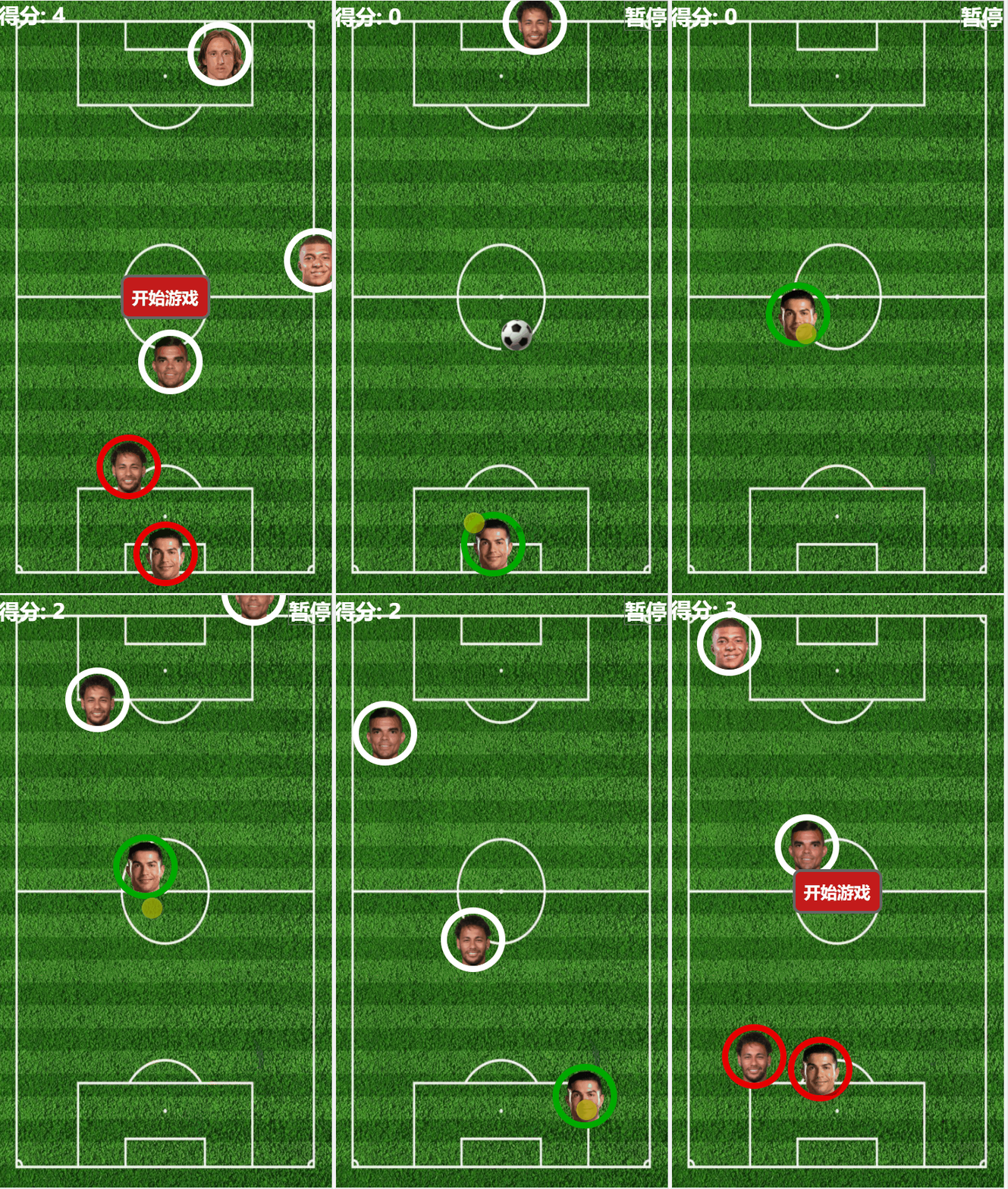
这是一个完美配置移动端的小游戏,旨在还原世界杯赛场上精彩激烈的攻防大战:
- 用户通过鼠标点击控制我方球员的位置
- 找准时机将我方的足球射进到对方的球门
- 要注意,当我方的足球触碰到对方球员,足球会被拦截且失效。
- 当我方球员碰到对方球员表示红牌罚下,并导致游戏直接结束并失败。
三、制作思路及方案
3.1 素材准备
首先要体现这是一个足球类型的游戏,三个关键点,缺一都不可!
(1)疯狂滚动的足球
对于小程序端这样的应用来说,它是一个只能让我们以平面的角度去体验UI效果的平台,所以,要是实现一个在平面上能疯狂滚动的足球,只是有简单的足球图片是完全不够的,如果只是用简单饿足球图片来实现简单的位移,就可就是太目不忍视了!
所以我觉得:高低都得让足球动起来,而且是很疯狂的那种动起来!更重要的是还要给我带点三维的效果!要实现那种从空中俯视真个球场的真实感!
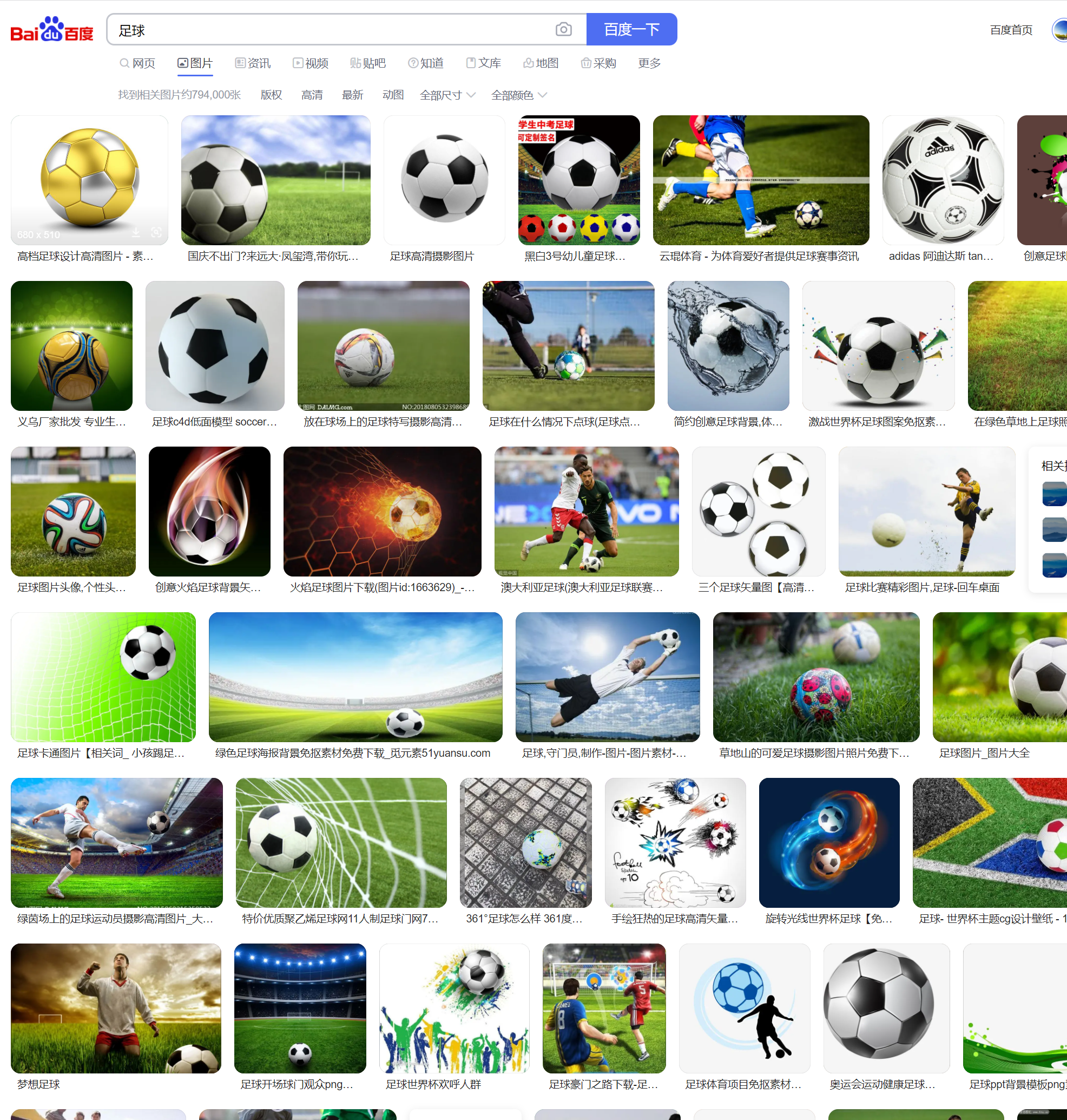
- 于是我先百度一手足球图片,然后找了一张最为高清的!
- 然后就是让他动起来了,忽然想起来
AE可以实现这个魔法,然后毫不犹豫,直接打开魔法,导入照片,K上关键帧…不,还是用表达式吧,快准狠!
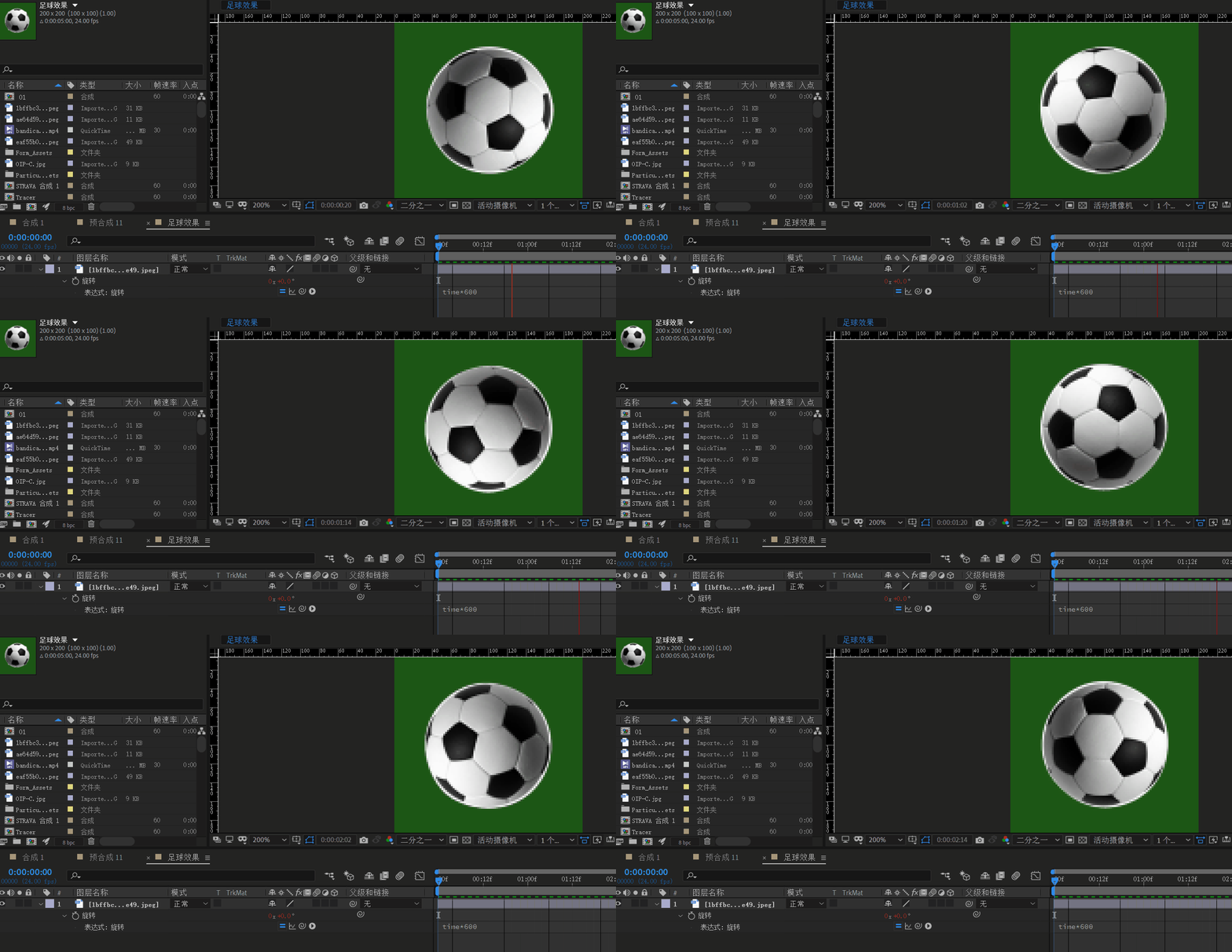 - 最后,我们就可以得到如下效果:

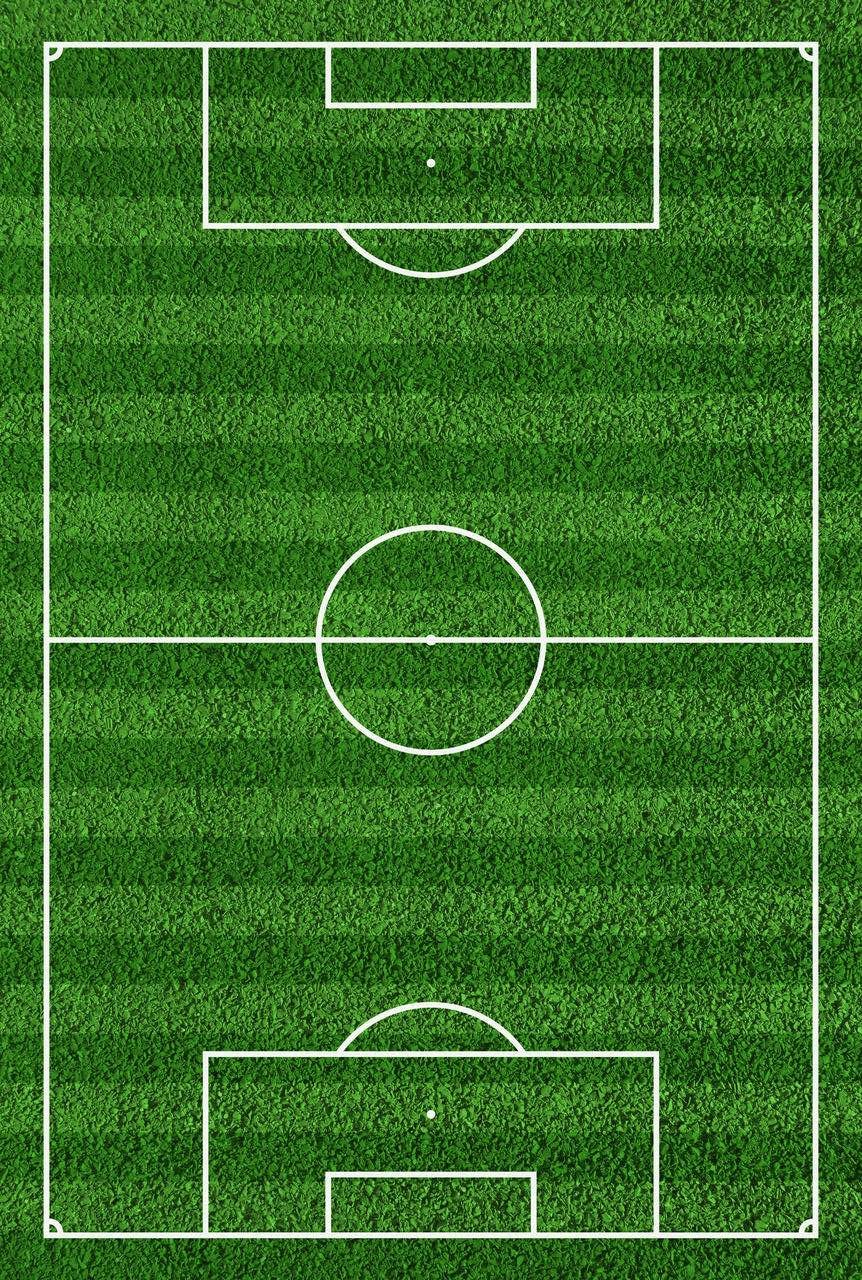
(2) 广阔且完整的绿茵场
老规矩,发现网上竖版绿茵场的素材真的是少的可怜,就更别提这种色调柔和,切合实际的效果素材了。
- 兜兜转转,终于找到一个横板的绿茵场,但是不能为我所用啊!我们的手机是竖着看的不是横着的呀!
- 所以,我又要借助
PS魔法,直接导入,互换宽高即可!
(3) 帅气且清晰的球员卡
球员信息,这个也是最好弄的了,直接百度,看到这个球星排行榜,这上面的照片都是一打一的帅气。
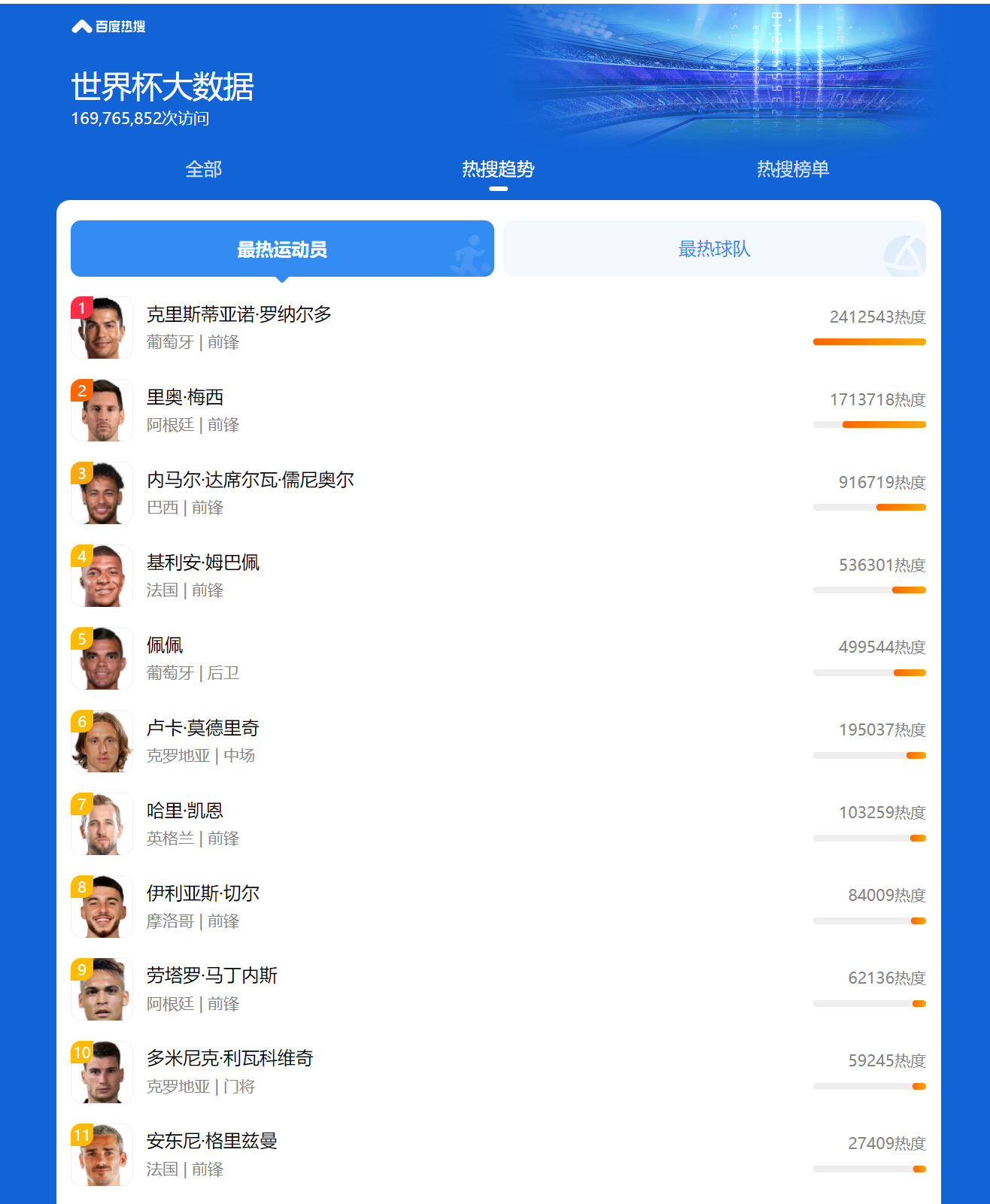
2022世界杯受欢迎球员排名(百度指数)
毫不犹豫地打开网址,然后直接F12,挨个球员检查水表!
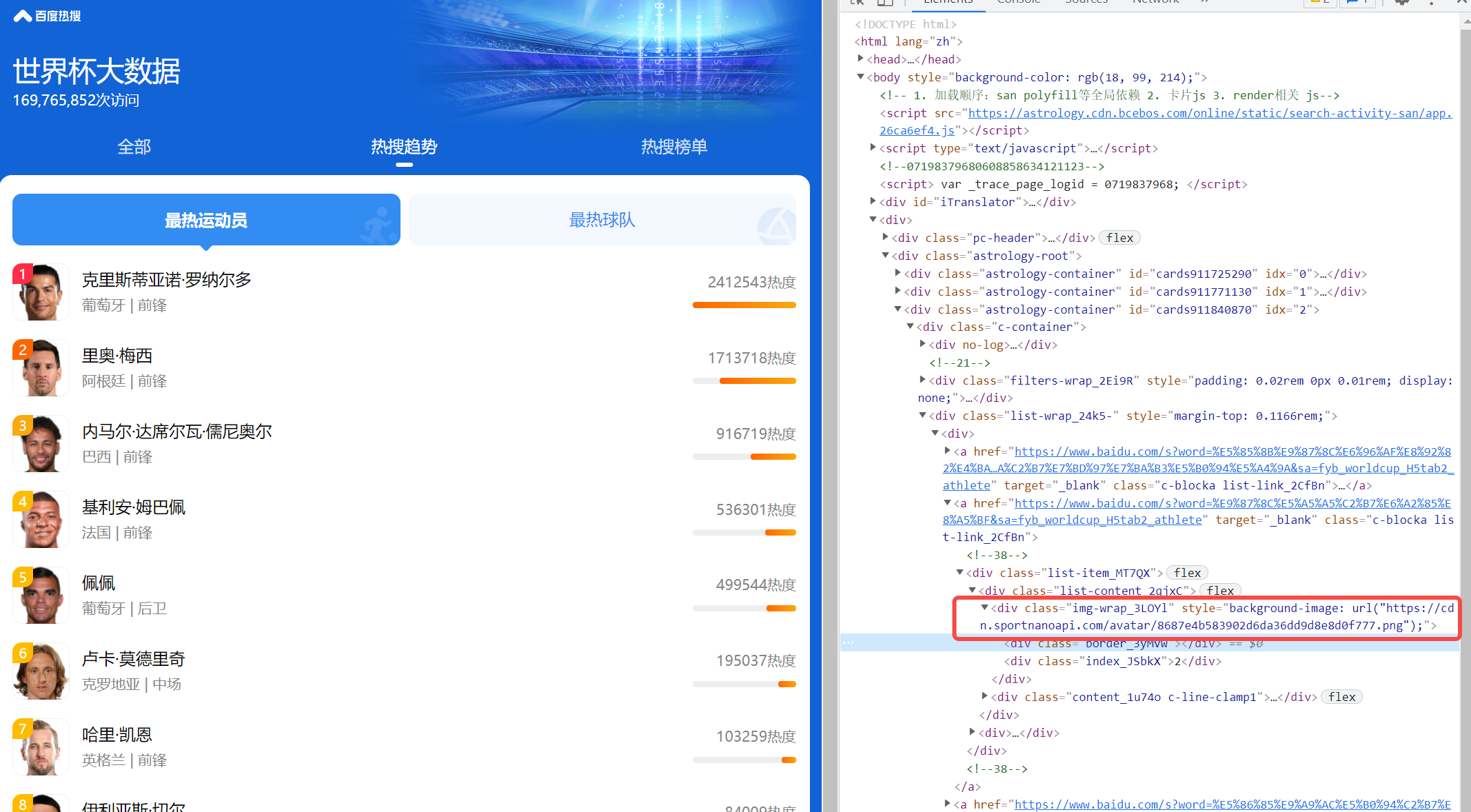
最终,你就会收获到一个大礼包的帅哥。
3.2 技术交互逻辑设计
(1) 球的发射
绿茵场本质就是一个坐标轴,我们的球要发射,以及球员要移动,都是依靠改变元素的(x,y)坐标值来实现的,重要的是我们要实现元素的持续移动,这个时候我们需要借助setInterval这个定时器来定时改变球的坐标,并根据球与球员之间的坐标关系来判断球的展示和路劲移动。
this.bulletMoveTime = setInterval(function() {that.bulletMove();}, 10)
(2) 对方球员的拦截
球员的拦截功能主要分为两个部分:一方面是控制球员的坐标不能超出绿茵场,与此同时,要判断球员的坐标和球的坐标是否有交集。
peerMove() {var height = uni.getSystemInfoSync().windowHeight;var width = uni.getSystemInfoSync().windowWidth;this.peerList.forEach(function(item, index) {if(item.direction == 'right'){if(width - item.x >=0 && width - item.x <=10){item.x -= Math.floor(Math.random() * uni.getSystemInfoSync().windowWidth)item.direction = 'left'// item.y -= Math.floor(Math.random() * uni.getSystemInfoSync().windowHeight)}else{item.x += 1item.y += 1; //位移距离}}else{if(item.x <=0 && item.x <=width){item.x += Math.floor(Math.random() * uni.getSystemInfoSync().windowWidth)item.direction = 'right'// item.y -= Math.floor(Math.random() * uni.getSystemInfoSync().windowHeight)}else{item.x -= 1item.y += 1; //位移距离}}if ( height - item.y <= 20) {item.y -= Math.floor(Math.random() * uni.getSystemInfoSync().windowHeight)}})},
四、部署教程
(1) 需准备的软件
项目是基于vue 2.0语法+uni-app框架所实现,不是微信原生语法,同样是简单易上手,只会vue或者只会微信原生开发都可以轻易上手!
使用vue语法并并且结合uni-app框架的好处在于:通过这一套代码,我们可以实现多端运行,除了 微信小程序,各类小程序同样支持!
运行项目我们需要准备:
HBuilderX开发工具
微信开发者工具
(2) 项目准备
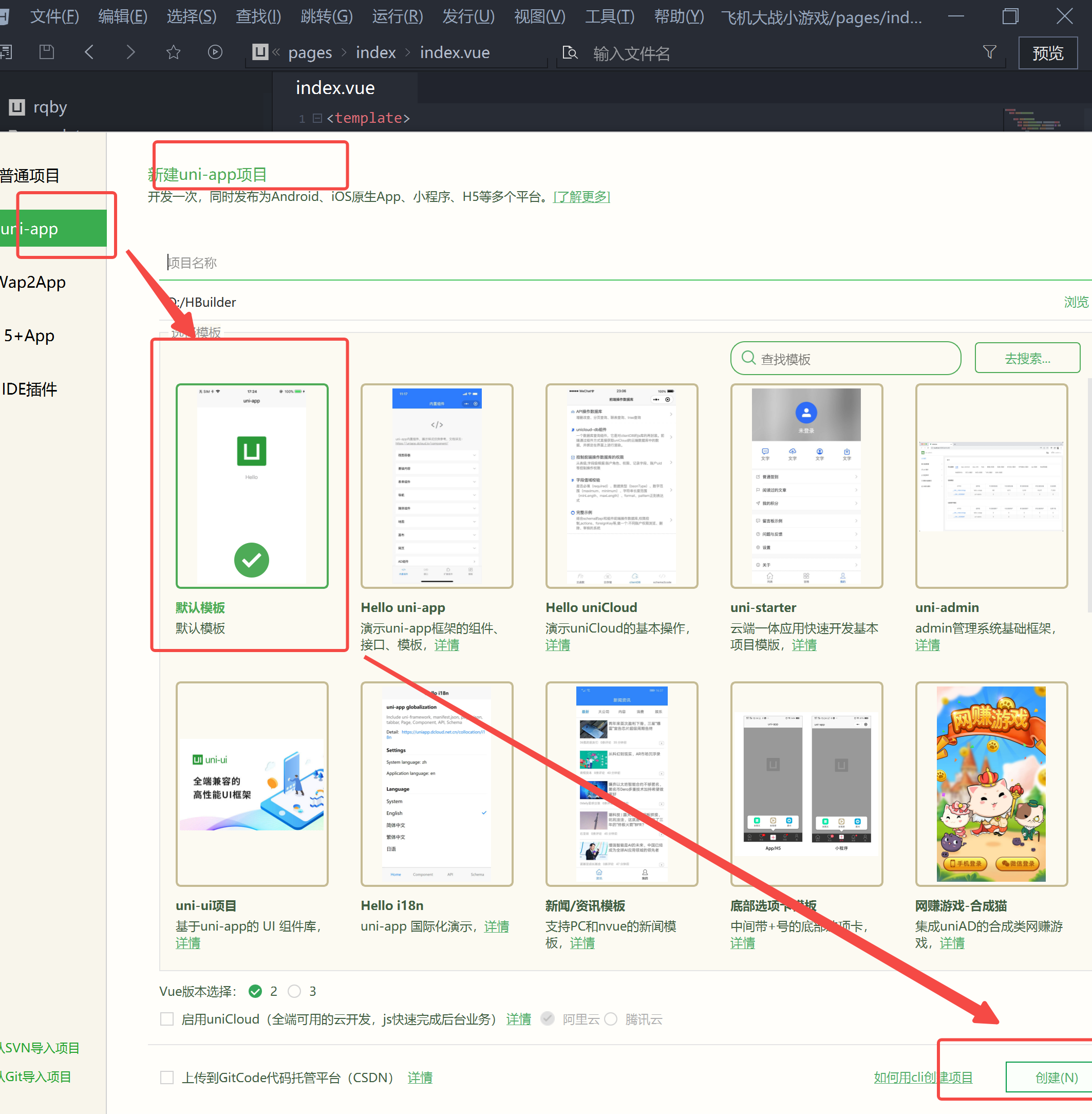
- 打开Hbuilder X软件,然后随手新建一个uniapp项目
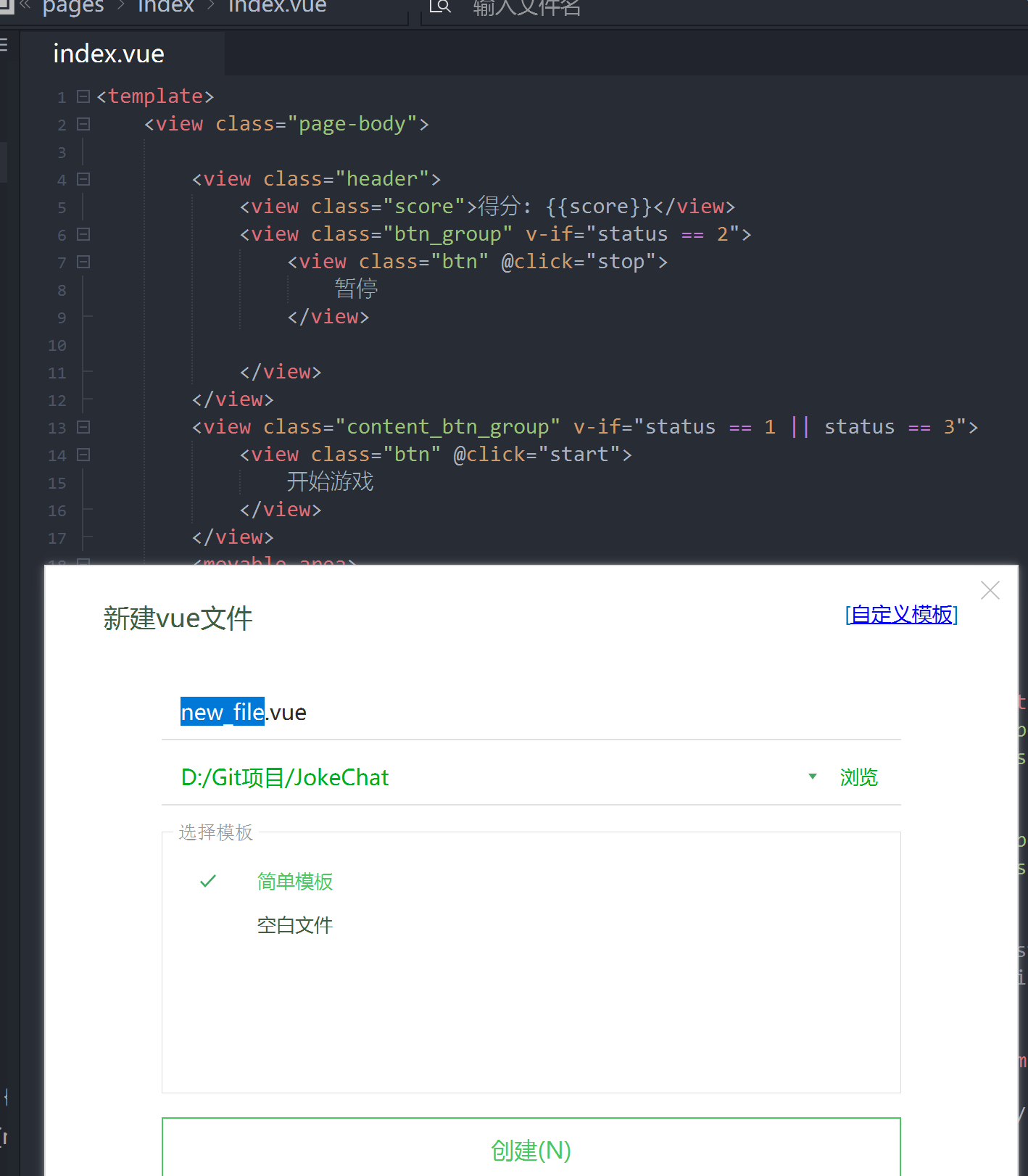
- 在
page目录下新建一个vue文件
- 在新建完成文件之后,再将本文第五章的源码部分复制到vue文件中
(1)将html页面元素放入到标签中
(2)将js逻辑代码放入到’
(3) 运行调试
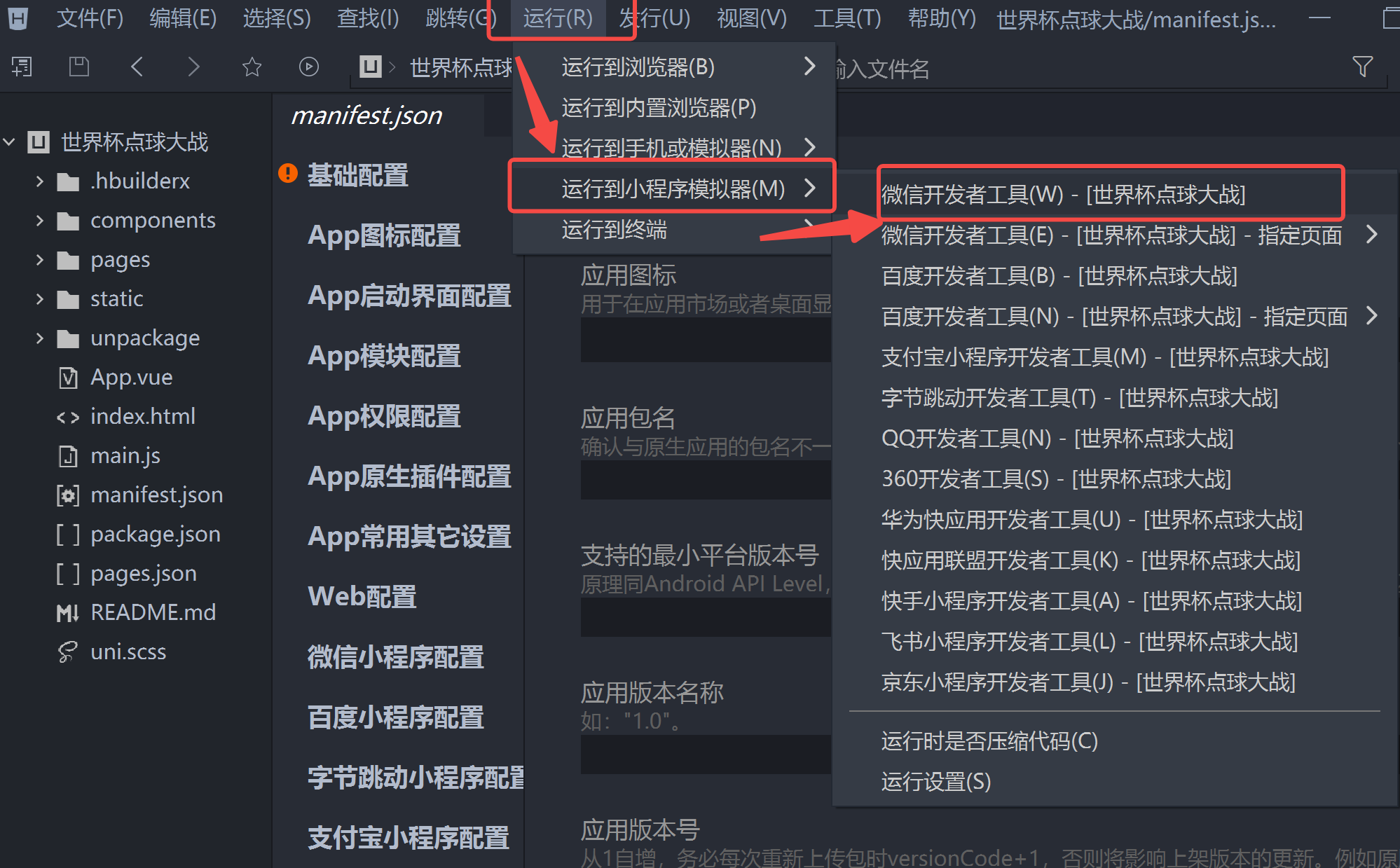
- 在建好项目以及导入相应代码的基础上,我们可以进行微信小程序的打包运行,点击:运行—运行到小程序 — 微信开发者工具
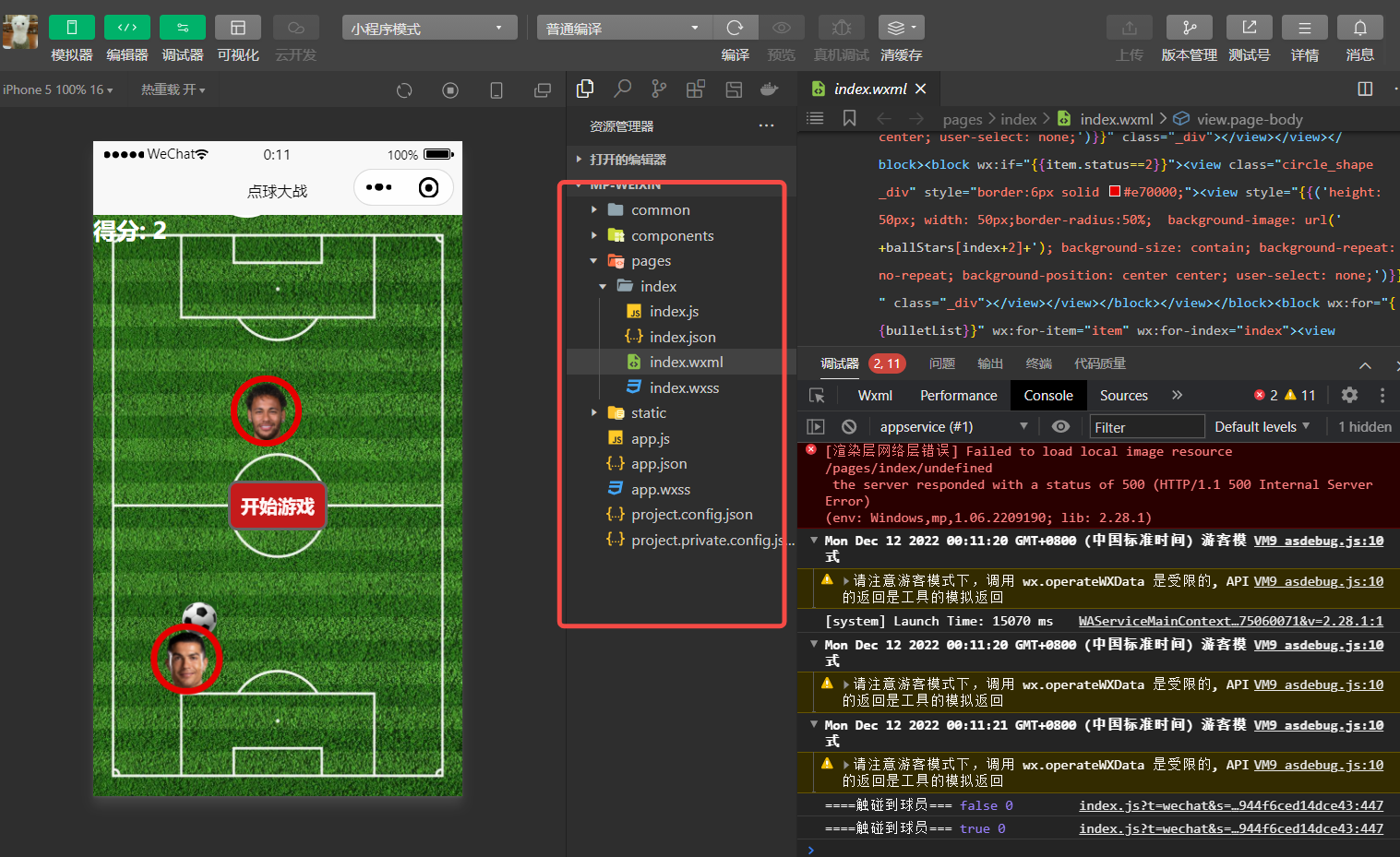
- 在等待了一段时间之后,我们可以看到随即弹出来的微信开发者工具中已经运行了我们想要的界面效果!从运行的效果我们可以看到,Hbuilder工具已经将vue代码编译成了基于微信原生语法的代码!just enjoy it!
五、完整源码
(1) html页面
得分: {{score}} 暂停 开始游戏 (2) JS逻辑
export default {data() {return {ballStars: ['https://t12.baidu.com/it/u=1496496940,2858936912&fm=58&app=10&f=PNG?w=212&h=212&s=69449B43E4721D9C80A264B903008012','https://cdn.sportnanoapi.com/avatar/8687e4b583902d6da36dd9d8e8d0f777.png','https://t10.baidu.com/it/u=9724388,2885969720&fm=58&app=10&f=PNG?w=385&h=385&s=2D40824ECE00155D71AC94A903007013','https://t12.baidu.com/it/u=4063279562,3370087019&fm=58&app=10&f=PNG?w=233&h=233&s=2B40824EAE70141549A624B803005012','https://cdn.sportnanoapi.com/avatar/2ae0fc16a4687f34661c67ef0cf0e75b.png','https://t12.baidu.com/it/u=2232546932,2415444849&fm=58&app=10&f=PNG?w=272&h=272&s=25409247E81270DC52A69CB80300C018','https://t12.baidu.com/it/u=3150718717,611569900&fm=58&app=10&f=PNG?w=250&h=250&s=6F3883478CF1849C529FE6E803003015','https://t12.baidu.com/it/u=1684632513,3221284296&fm=58&app=10&f=PNG?w=197&h=238&s=0FE8FB058E301094623428F903005012','https://t11.baidu.com/it/u=519696360,2662745190&fm=58&app=10&f=PNG?w=209&h=206&s=49609B46CEB00494612030B903005012','https://t11.baidu.com/it/u=3134663692,1275699976&fm=58&app=10&f=PNG?w=248&h=248&s=4F008A47CCB3109C69A66CFA03005012','https://t11.baidu.com/it/u=4248653832,2699703545&fm=58&app=10&f=PNG?w=300&h=300&s=4F608B47ACB3249C0A2424F90300C012','https://t11.baidu.com/it/u=2641986858,3263864555&fm=58&app=10&f=PNG?w=244&h=244&s=61609A478EA2109CE1A464B90300C012','https://t10.baidu.com/it/u=435635230,1762007242&fm=58&app=10&f=PNG?w=111&h=111&s=2D508B4E2D0911740E6064390300C092','https://t12.baidu.com/it/u=3006589968,1974216666&fm=58&app=10&f=PNG?w=242&h=242&s=6F009347863001949B8A94AB0300A011'],score: 0,bulletList: [],peerList: [], //对方主机x: 0,y: 0,scale: 2,old: {x: 0,y: 0,scale: 2},createBulletTime: {},bulletMoveTime: {},peerMoveTime: {},createPeerTime: {},claerPeerTime: {},plane: {width: this.rpxToPx(150),height: this.rpxToPx(180)},status: 1, //1 游戏未开始 2.已开始 3.已撞击}},watch: {peerList: {deep: true,handler(newVal, oldVal) {this.checkCrashPeer();}},},onLoad() {let that = this;that.init();// this.createBullet();},methods: {/*** 对方战机移动*/peerMove() {var height = uni.getSystemInfoSync().windowHeight;var width = uni.getSystemInfoSync().windowWidth;this.peerList.forEach(function(item, index) {if (item.direction == 'right') {if (width - item.x >= 0 && width - item.x <= 10) {item.x -= Math.floor(Math.random() * uni.getSystemInfoSync().windowWidth)item.direction = 'left'// item.y -= Math.floor(Math.random() * uni.getSystemInfoSync().windowHeight)} else {item.x += 1item.y += 1; //位移距离}} else {if (item.x <= 0 && item.x <= width) {item.x += Math.floor(Math.random() * uni.getSystemInfoSync().windowWidth)item.direction = 'right'// item.y -= Math.floor(Math.random() * uni.getSystemInfoSync().windowHeight)} else {item.x -= 1item.y += 1; //位移距离}}if (height - item.y <= 20) {item.y -= Math.floor(Math.random() * uni.getSystemInfoSync().windowHeight)}})},claerPeer() {let that = this;this.peerList.forEach(function(item, index) {if (item.status == 3) {that.peerList.splice(index, 1);}});},/*** 判断是否撞机*/checkCrashPeer() {let that = this;var x = this.old.x;var y = this.old.y;var width = this.plane.width;var height = this.plane.height;this.peerList.forEach(function(item, index) {if (item.status == 1) {if (x >= item.x - width && x <= item.x + width) {if (y >= item.y - height * 2 && y <= item.y + height) {that.status = 3;item.status = 2;that.stop();//根据gif动画时长来设置}}}});},/*** 创建战机*/createPeer() {var direction = ['left', 'right']var width = this.plane.width;var height = this.plane.height;var peer = {x: Math.floor(Math.random() * uni.getSystemInfoSync().windowWidth),y: -height,status: 1, //1.正常 2.爆炸中 3.阵亡direction: direction[Math.floor(Math.random() * 1)]}if (this.peerList.length == 5) {return}this.peerList.push(peer);},/*** 开始游戏*/start() {if (this.status == 3) {this.init();}if (this.status == 2) {uni.showToast({title: "游戏已开始",icon: "none"})return;}this.status = 2;let that = this;this.createBulletTime = setInterval(function() {that.createBullet();}, 1000)this.bulletMoveTime = setInterval(function() {that.bulletMove();}, 10)this.createPeerTime = setInterval(function() {//重新创建战机that.createPeer();}, 1000)this.peerMoveTime = setInterval(function() {that.peerMove();}, 10)this.claerPeerTime = setInterval(function() {that.claerPeer();}, 100)},/*** 暂停游戏*/stop() {if (this.status != 3) {this.status = 1;}clearInterval(this.createBulletTime);clearInterval(this.bulletMoveTime);clearInterval(this.peerMoveTime);clearInterval(this.createPeerTime);clearInterval(this.claerPeerTime);},/*** 判断子弹是否打中对方* @param {Object} x 子弹x坐标* @param {Object} y 子弹y坐标*/checkBulletPeer(x, y) {var flag = falselet that = this;//飞机的宽度var width = this.plane.width;var height = this.plane.height;this.peerList.forEach(function(item, index) {//飞机的高度if (item.status == 1) {if (x >= item.x && x <= item.x + width) {if (y >= item.y && y <= item.y + height) {item.status = 2;// that.score++;setTimeout(function() {item.status = 3;}, 100);//根据gif动画时长来设置flag = true}}}})return flag},/*** 重新初始化*/init() {this.old.x = uni.getSystemInfoSync().windowWidth / 2 - this.rpxToPx(150 / 2)this.old.y = uni.getSystemInfoSync().windowHeight;this.bulletList = [];this.peerList = [];this.score = 0;},tap: function() {// 解决view层不同步的问题// this.x = this.old.x// this.y = this.old.y},/*** 子弹移动*/bulletMove() {let that = this;this.bulletList.forEach(function(item, index) {item.y -= 5; //子弹每次移动距离// item.x -= 5;let flag = that.checkBulletPeer(item.x, item.y);if (item.y <= 0) {that.score++}if (item.y < 0 || flag) {console.log('====触碰到球员===', flag, index)that.bulletList.splice(index, 1);}});},rpxToPx(rpx) {return Math.floor(uni.upx2px(rpx));},//创建子弹createBullet() {var width = this.plane.width;var height = this.plane.height;let that = this;let removeIndex = [];this.bulletList.forEach(function(item, index) {let flag = that.checkBulletPeer(item.x, item.y);if (item.y < 0 || flag) {that.bulletList.splice(index, 1);}});removeIndex.forEach(function(item, index) {that.bulletList.splice(item, 1);});this.bulletList.push({x: this.old.x + width / 2,y: this.old.y - height / 2})},/*** 我方战机移动* @param {Object} e 战机移动坐标*/onChange: function(e) {this.old.x = e.detail.xthis.old.y = e.detail.y// this.tap();// this.checkCrashPeer();// this.x = e.detail.x// this.y = e.detail.y}}}
(3) css样式
.page-body {}.content_btn_group {position: fixed;top: 0;right: 0;left: 0;display: flex;flex-direction: column;align-items: center;justify-content: center;bottom: 0;z-index: 1;.btn {background-color: #c41b1b;border: 3px solid #666;color: #fff7f7;margin: 8px;padding: 8px;font-weight: bold;border-radius: 8px;}.btn:hover {background-color: #006200;border: 3px solid #666;color: #ff007f;margin: 8px;padding: 8px;font-weight: bold;border-radius: 8px;}}.header {position: absolute;top: 0;left: 0;right: 0;z-index: 1;display: flex;flex-direction: row;align-items: center;justify-content: space-between;}.score {color: #fff;font-size: 20px;text-align: center;font-weight: bolder;}.btn_group {display: flex;flex-direction: row;.btn {border: 1px solid #666;color: #fff;font-size: 20px;text-align: center;font-weight: bolder;}}movable-view {display: flex;align-items: center;justify-content: center;height: 180rpx;width: 150rpx;color: #fff;position: absolute;bottom: 0;}.main {width: 100%;height: 100%;position: relative;}.bullet {position: absolute;width: 30px;border-radius: 50%;image {width: 30px;border-radius: 50%;}}.peer {height: 180rpx;width: 150rpx;border-radius: 50%;image {height: 180rpx;width: 150rpx;}}movable-area {background: url('/uploadfile/202404/c157047c259a362.jpeg');background-size: 100% 100%;background-repeat: no-repeat;position: fixed;height: 750rpx;top: 0;left: 0;right: 0;width: 100%;bottom: 0;height: 100%;/* background-color: #D8D8D8; */overflow: hidden;}.circle_shape {width: 50px;height: 50px;border-radius: 50%;}