

Java实现Google第三方登录
文章目录
- 前言
- 一、了解OAuth2.0
- 二、注册开发者账号
- 1.登录开发者平台
- 2.创建应用
- 三、代码实现
- 1.实现流程
- 1.点击登录
- 2.接受回调中的code获取accessToken
- 3.获取用户信息
- 2.注意事项
前言
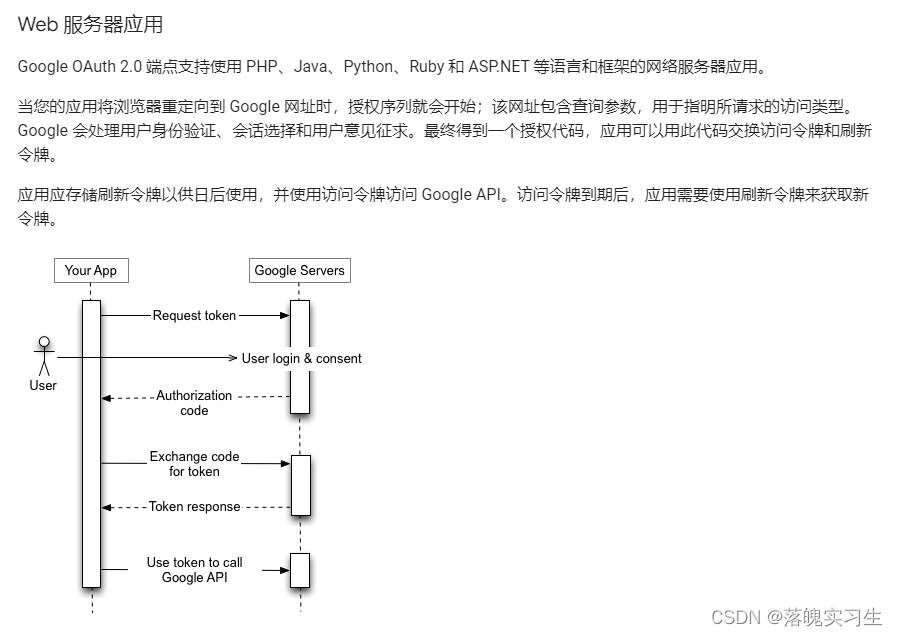
Google API 使用 OAuth 2.0 协议进行身份验证和授权。Google 支持常见的 OAuth 2.0 场景,例如网络服务器、客户端、已安装的应用和输入有限的设备应用。
首先,从 Google API Console 获取 OAuth 2.0 客户端凭据。然后,您的客户端应用会从 Google 授权服务器请求访问令牌,从响应中提取令牌,然后将该令牌发送到您要访问的 Google API。
国内访问google需要架梯子。请自行准备好,不然会出现api超时的情况
一、了解OAuth2.0
官方文档:https://developers.google.com/identity/protocols/oauth2
二、注册开发者账号
1.登录开发者平台
登录Google的开发者平台,创建账号 https://developers.google.com/
2.创建应用
官方地址:https://console.developers.google.com/apis/credentials
- 创建凭据
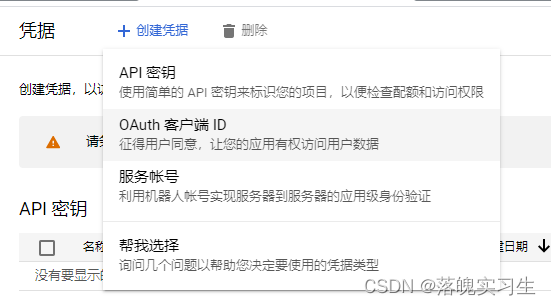
选择OAuth客户端ID,创建完成后会看到客户端id和客户端秘钥(妥善保存,代码中要用)
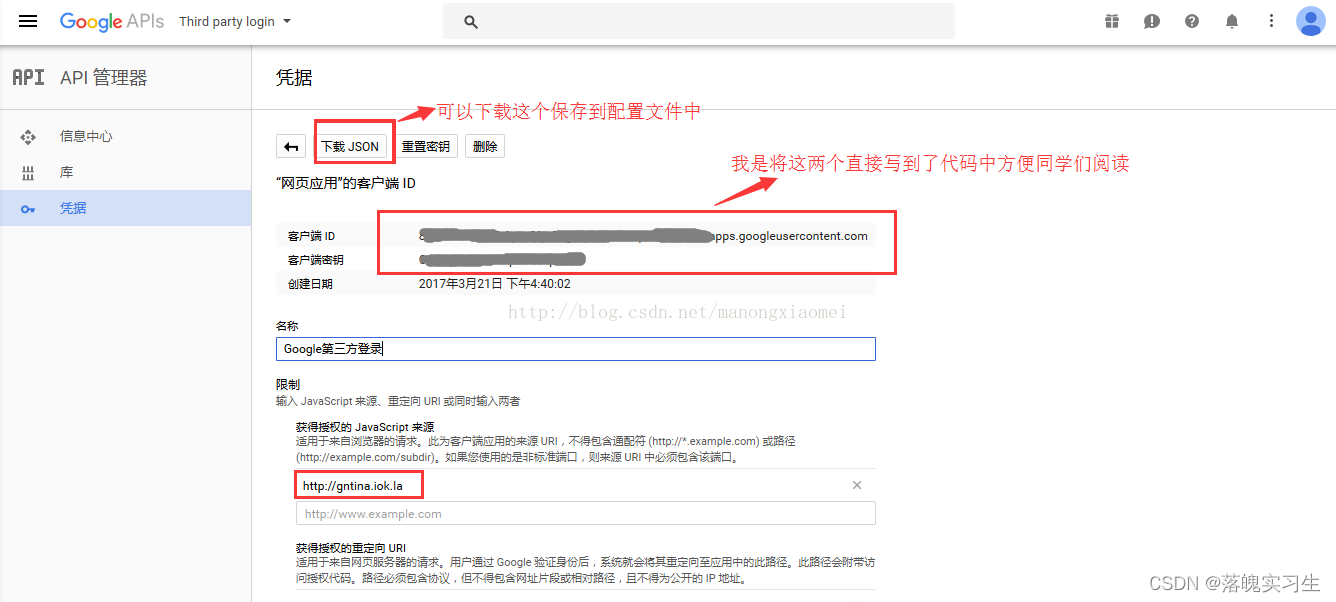
如果那个重定向的地址没看懂的话往后看代码就理解了,然后定义同意屏幕,是用户授权登录时看到的页面
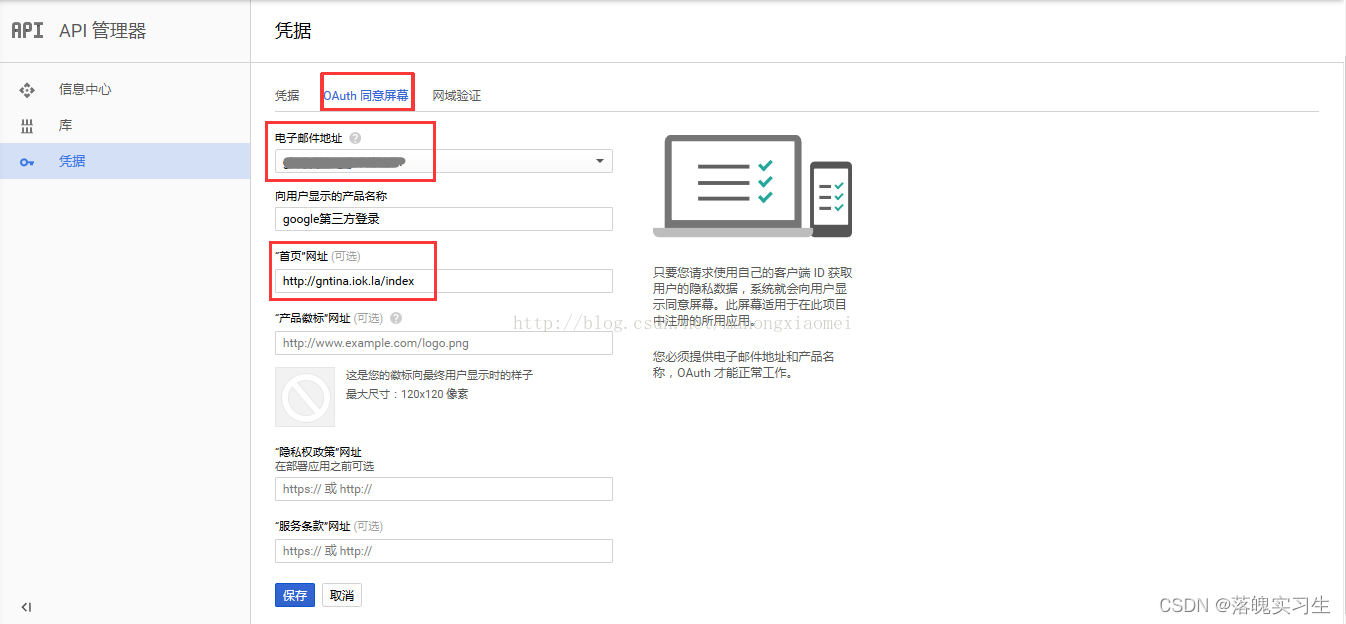
到此,应用就创建完成了
三、代码实现
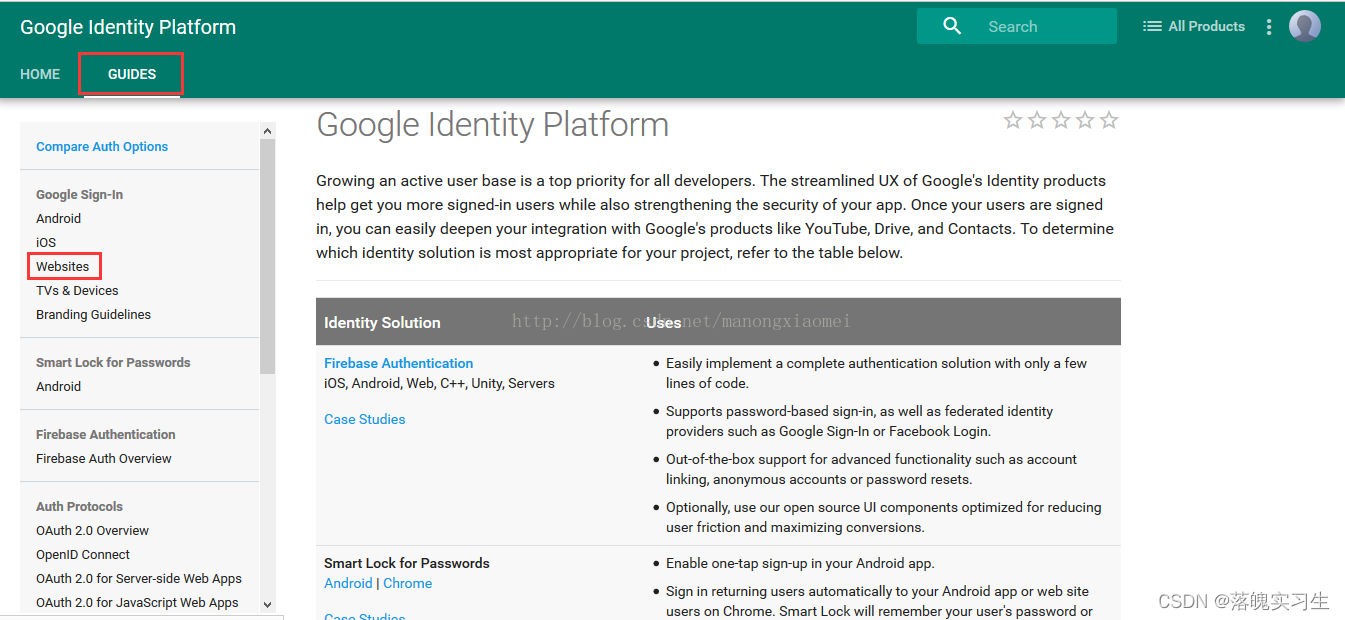
登录开发者平台 https://developers.google.com/ 然后跟着截图一步一步往下走
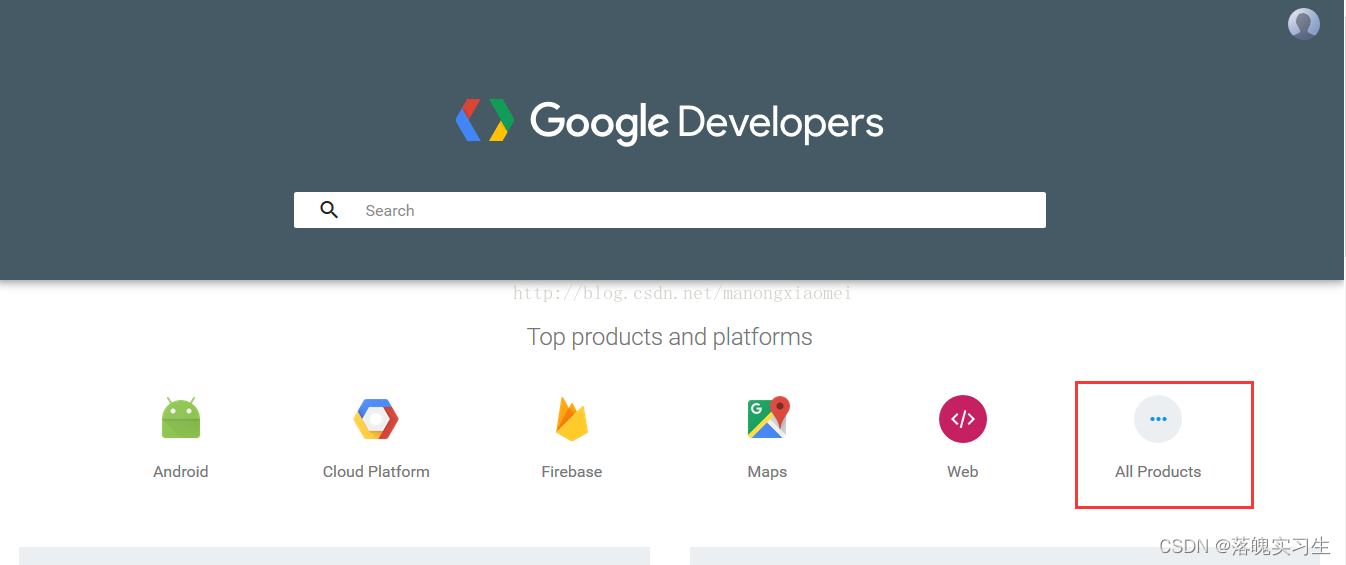
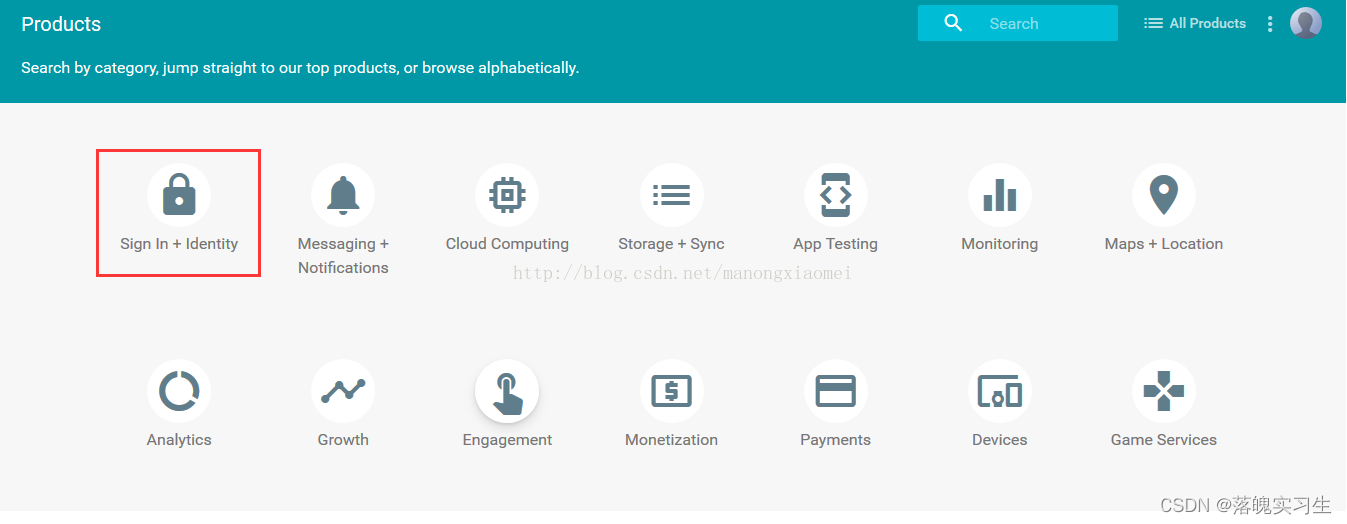
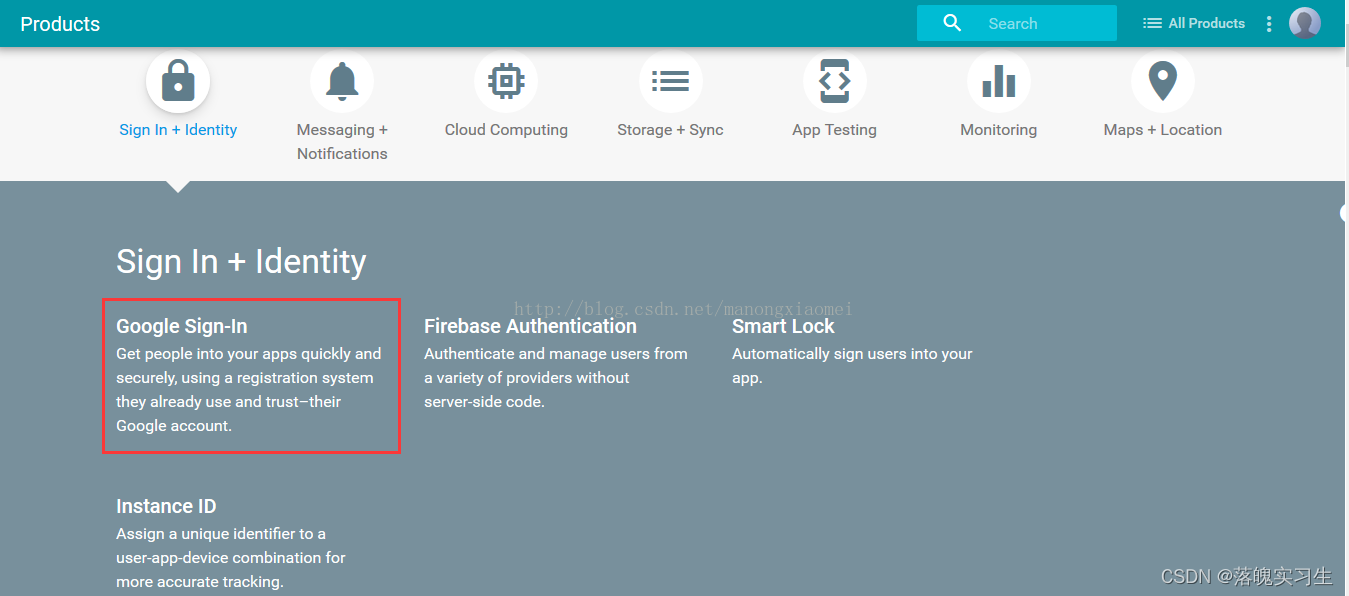
https://developers.google.com/identity/choose-auth
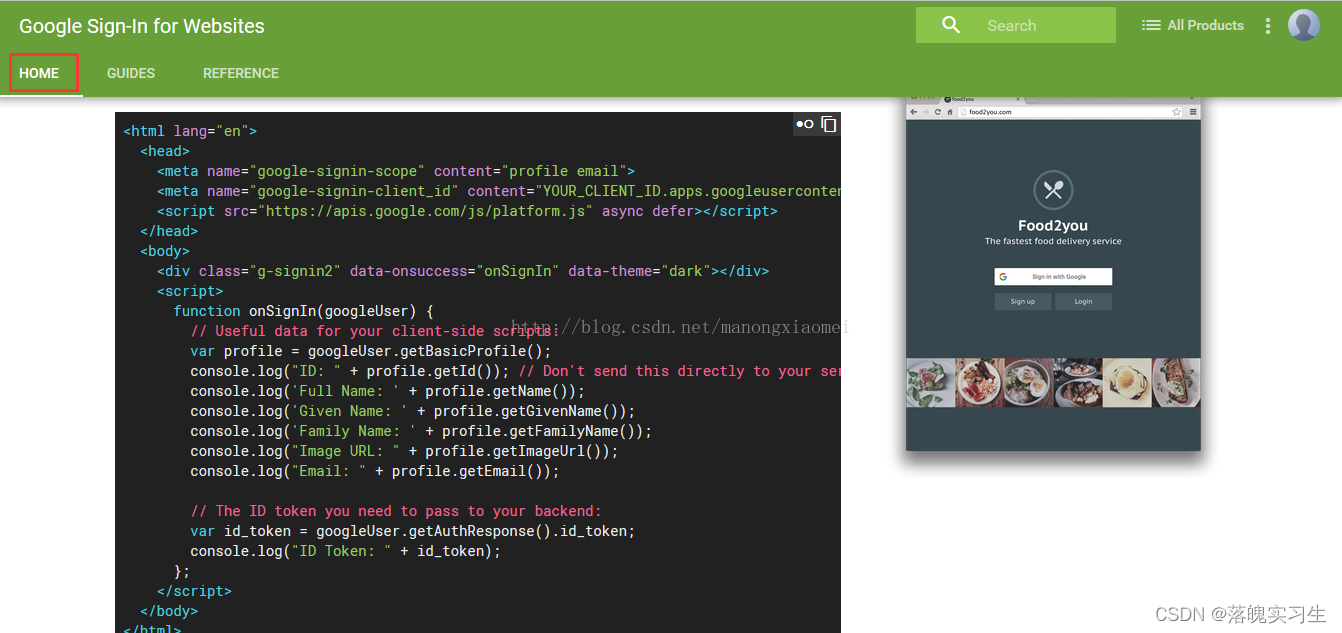
先照着官网写个页面体验一下,直接复制粘贴就可以https://developers.google.com/identity/sign-in/web/
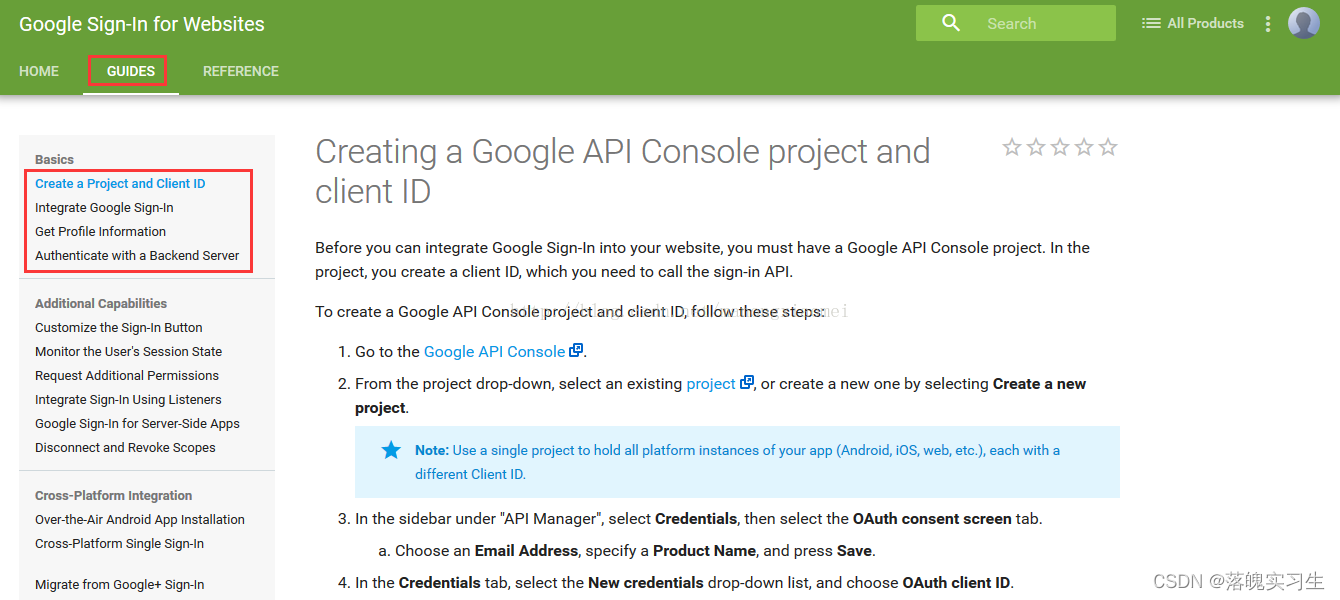
体验完之后到guides页面,将基本的四部参照文档完成https://developers.google.com/identity/sign-in/web/devconsole-project
上面的四步是web页面,下面做后台验证https://developers.google.com/identity/choose-auth
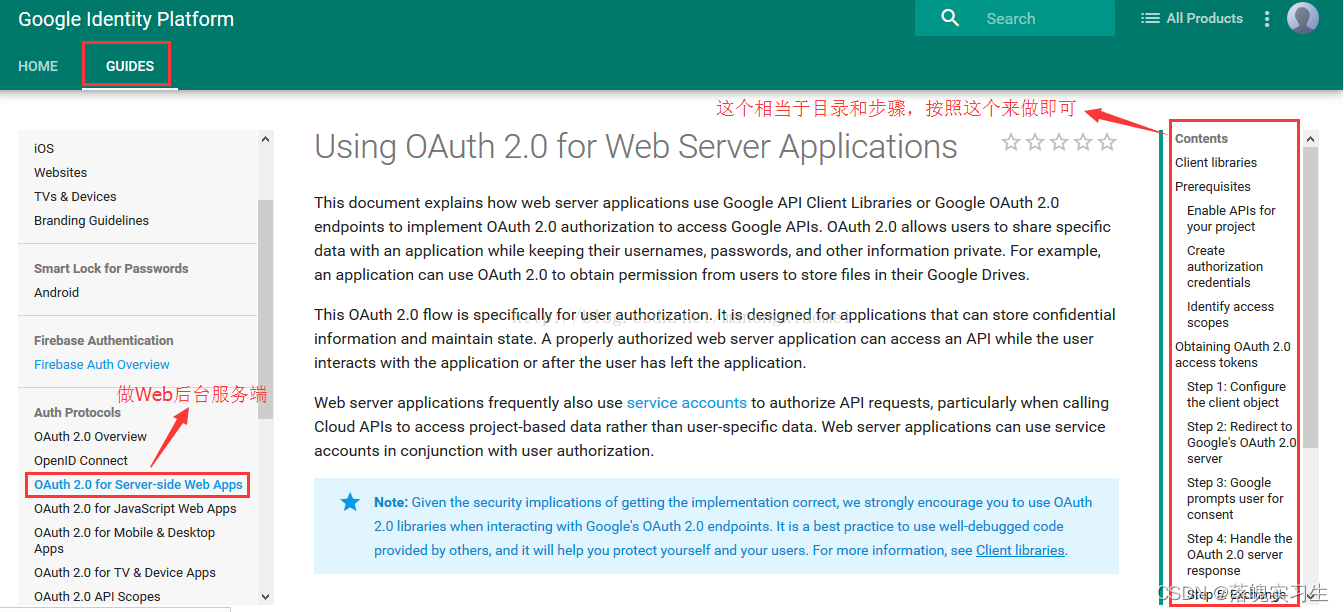
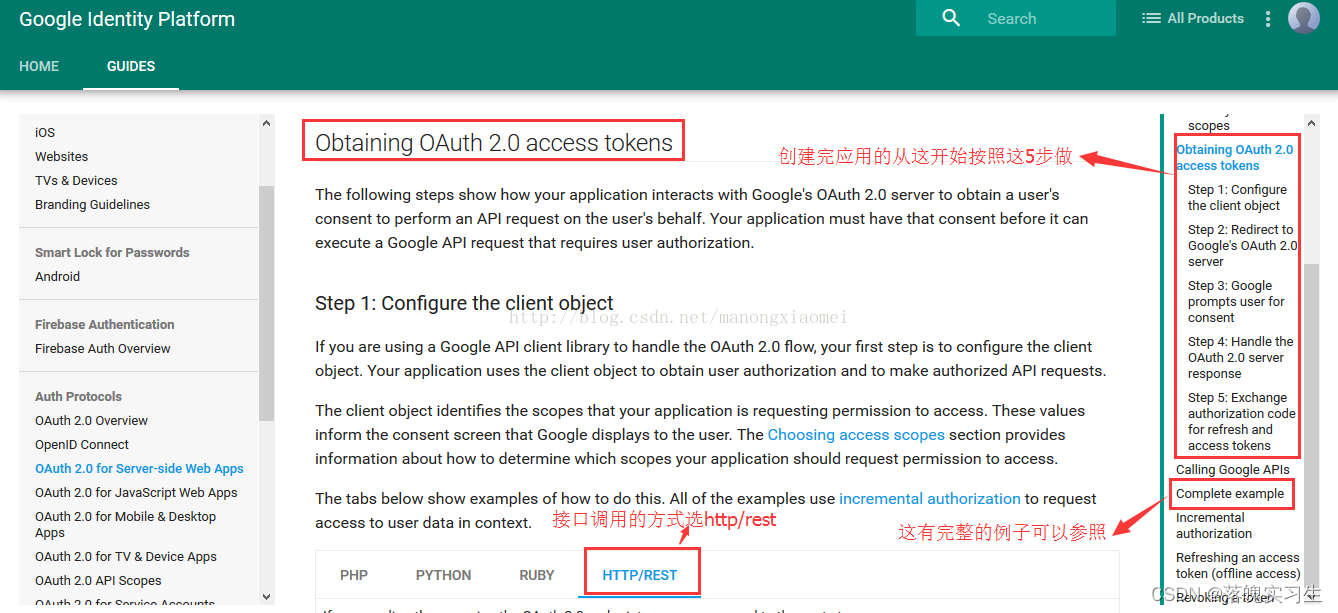
上面的5步做完之后来这找获取用户信息的API(我做的时候这个接口找的很费劲)
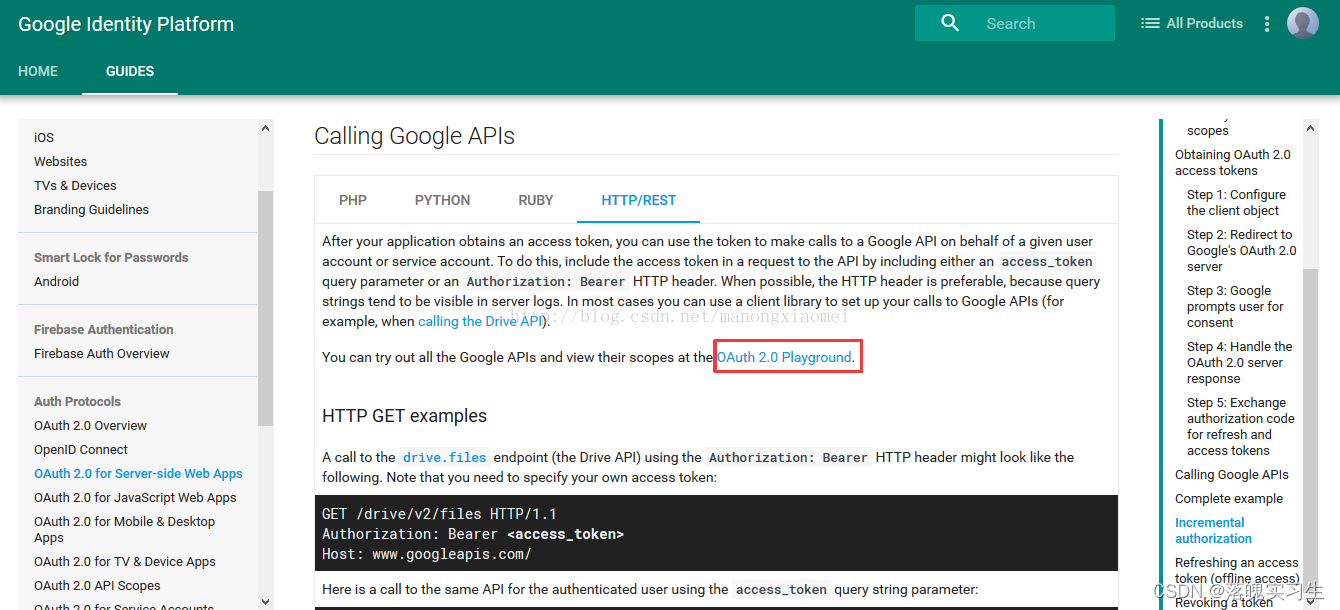
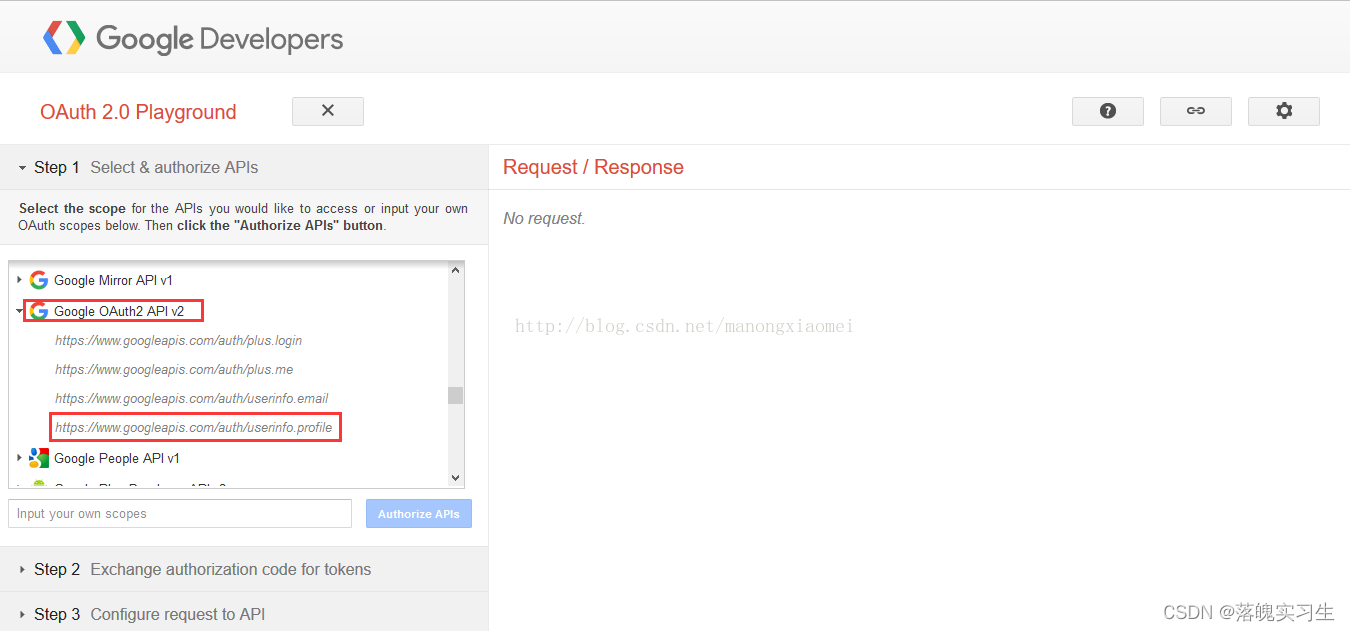
获取用户信息选这个
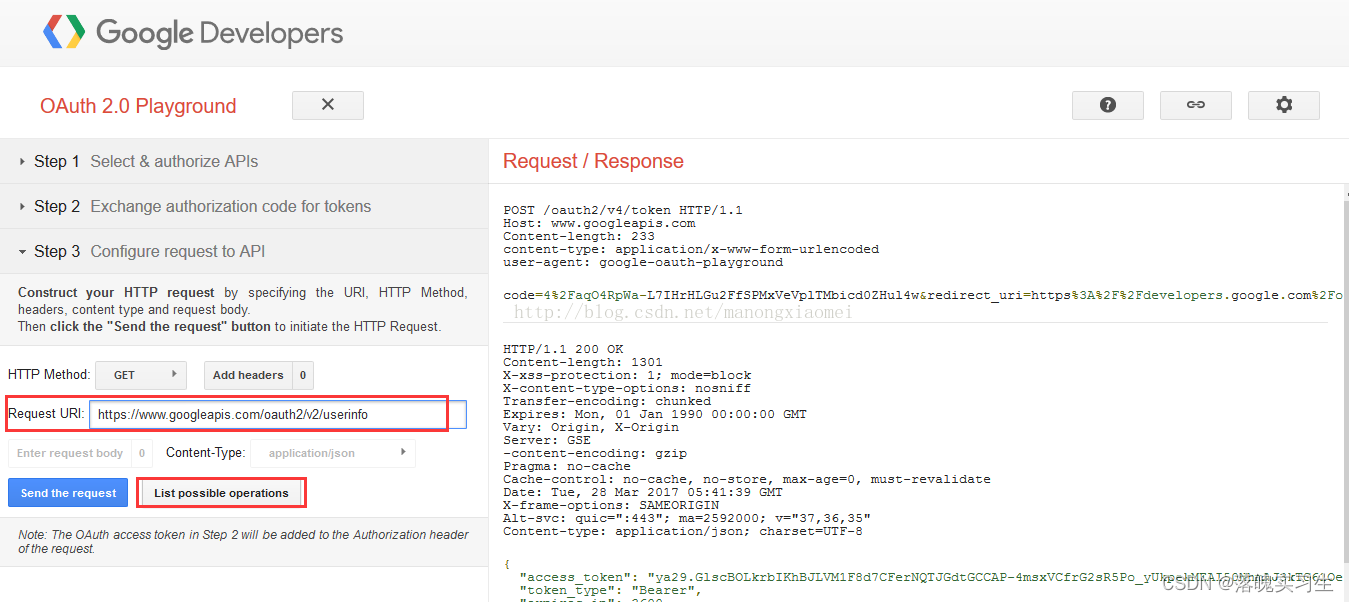
想查询请求url点第二个红框,requestUrl会自动填充(这一步就是想找到获取用户信息的Url,获取到url就可以在后台调用接口了)
1.实现流程
- 用户点击google登录跳转到google登录页面
- google回调地址会给我们一个code我们取到code获取accessToken
- 根据accessToken再去调用userInfoApi获取用户信息。并根据googleId和自己的业务关联
- 最后返回登录状态给前端
1.点击登录
点击google登录触发
此处就是拼接一个google登录地址也可以用后端实现
const handleClickGoogle=()=>{const url="https://accounts.google.com/o/oauth2/v2/auth?" +"scope=https%3A//www.googleapis.com/auth/userinfo.email%20https://www.googleapis.com/auth/userinfo.profile%20openid&" +"access_type=offline&" +"include_granted_scopes=true&" +"response_type=code&" +"redirect_uri=回调地址"+"client_id=谷歌clientId &" +"state=可以添加参数用于回调接受"window.location.href=url
}
之后会跳转google登录
2.接受回调中的code获取accessToken
public void getGoogleAccessToken(String code) {MultiValueMap params = new LinkedMultiValueMap<>();params.add("client_id", clientId);params.add("redirect_uri", redirectUrl);params.add("client_secret", clientSecret);params.add("grant_type", "authorization_code");params.add("code", form.getCode());WebClient client=WebClient.create();client = getWebClient(client, isProxy, proxyHost, proxyPort);//获取google access_tokenMono googleTokenDtoMono = client.post().uri(googleTokenUrl).contentType(MediaType.APPLICATION_FORM_URLENCODED).body(BodyInserters.fromFormData(params)).retrieve().bodyToMono(GoogleTokenDto.class);System.out.println(googleTokenDtoMono.block());} 3.获取用户信息
public static voidgetUserInfo(String accessToken) {String url = "https://oauth2.googleapis.com/tokeninfo?id_token="+accessToken;WebClient client=WebClient.create();Mono stringMono = client.get().uri(url).retrieve().bodyToMono(String.class);
}
2.注意事项
我这里使用的是WebClient调用的接口
org.springframework.boot spring-boot-starter-webflux 实体对象
GoogleTokenDto
import com.fasterxml.jackson.annotation.JsonProperty;
import lombok.Data;@Data
public class GoogleTokenDto {@JsonProperty("access_token")private String accessToken;@JsonProperty("expires_in")private long expiresIn;private String scope;@JsonProperty("token_type")private String tokenType;@JsonProperty("id_token")private String idToken;
}
GoogleDto
import com.fasterxml.jackson.annotation.JsonIgnoreProperties;
import com.fasterxml.jackson.annotation.JsonProperty;
import lombok.Data;@Data
@JsonIgnoreProperties(ignoreUnknown = true)
public class GoogleDto {private String error;@JsonProperty("error_description")private String errorDescription;/*** token签发者,值为https://accounts.google.com或者accounts.google.com*/private String iss;private String nbf;/*** client_id*/private String aud;/*** 用户在该Google应用中的唯一标识,类似于微信的OpenID*/private String sub;/*** 用户邮箱*/private String email;/*** 邮箱是否已验证*/@JsonProperty("email_verified")private String emailVerified;private String azp;/*** 用户名*/private String name;/*** 用户头像*/private String picture;/*** 名*/@JsonProperty("given_name")private String givenName;/*** 姓*/@JsonProperty("family_name")private String familyName;/*** 签发时间*/private String iat;/*** 过期时间*/private String exp;private String jti;private String alg;private String kid;private String type;
}
如果出现了访问超时。需要架梯子。
webclient需要配置代理。具体就要根据自己的梯子配置
public static WebClient getWebClient(WebClient client, int isProxy, String proxyHost, int proxyPort) {if(isProxy ==0){HttpClient httpClient = HttpClient.create().tcpConfiguration(tcpClient ->tcpClient.proxy(proxy -> proxy.type(ProxyProvider.Proxy.HTTP).host(proxyHost).port(proxyPort)));ReactorClientHttpConnector connector = new ReactorClientHttpConnector(httpClient);client = WebClient.builder().clientConnector(connector).build();}return client;}
本文参考https://blog.csdn.net/manongxiaomei/article/details/67633655