

利用 Algolia 为静态博客搭建实现内容搜索
现在静态博客的标配之一就是博客搜索🔍,我也是通过搭建博客发现了它,这篇主要记录一下怎么使用 algolia 完成博客搜索,自己的博客搭建使用的是 docusaurus 。
注册账号
首先需要去 algolia 官网注册自己的账号,可以直接使用 Github 注册登陆即可。
注册完后,创建数据源 DB:
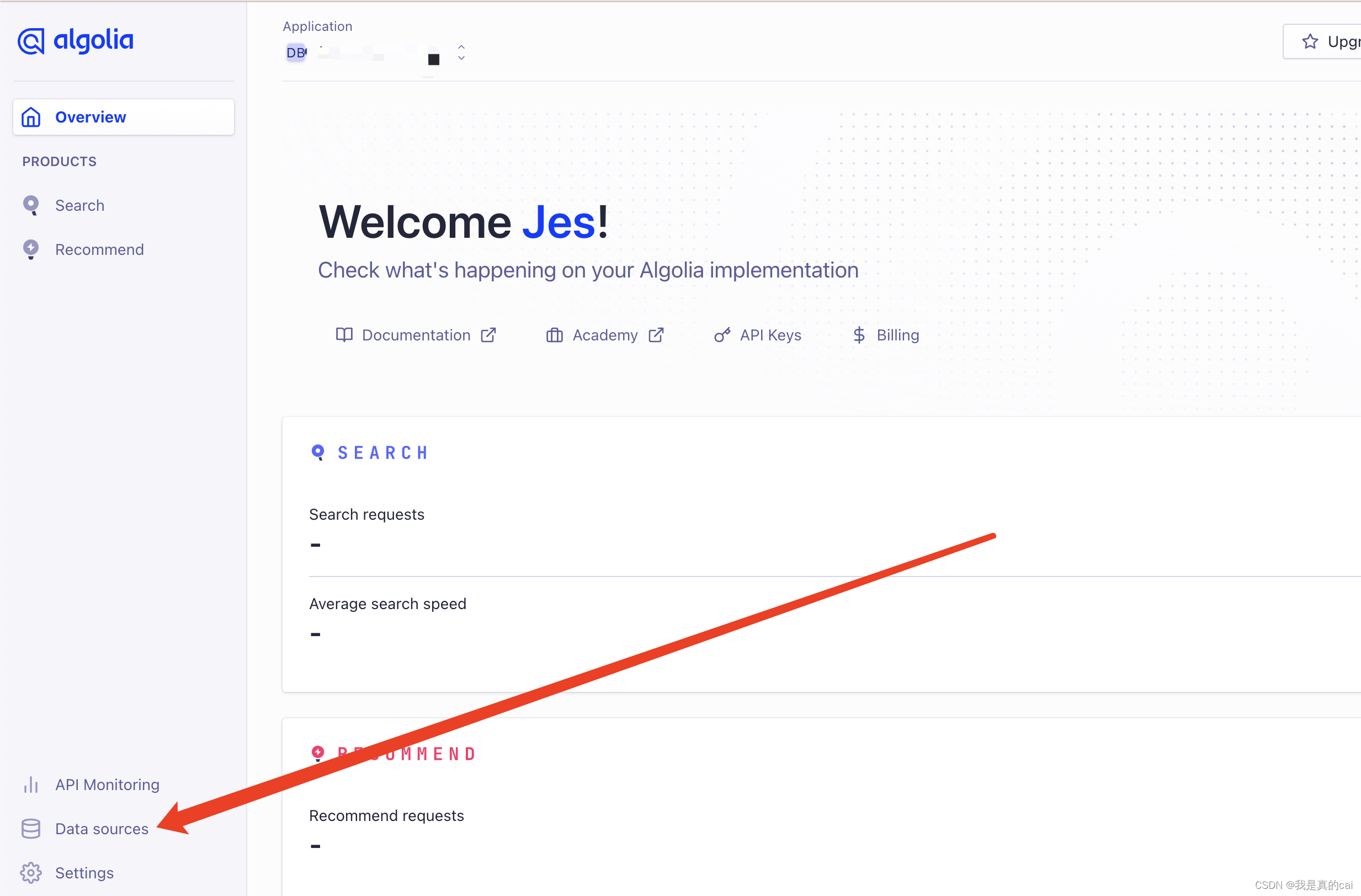
创建 Application
然后就是创建了你自己的应用了:
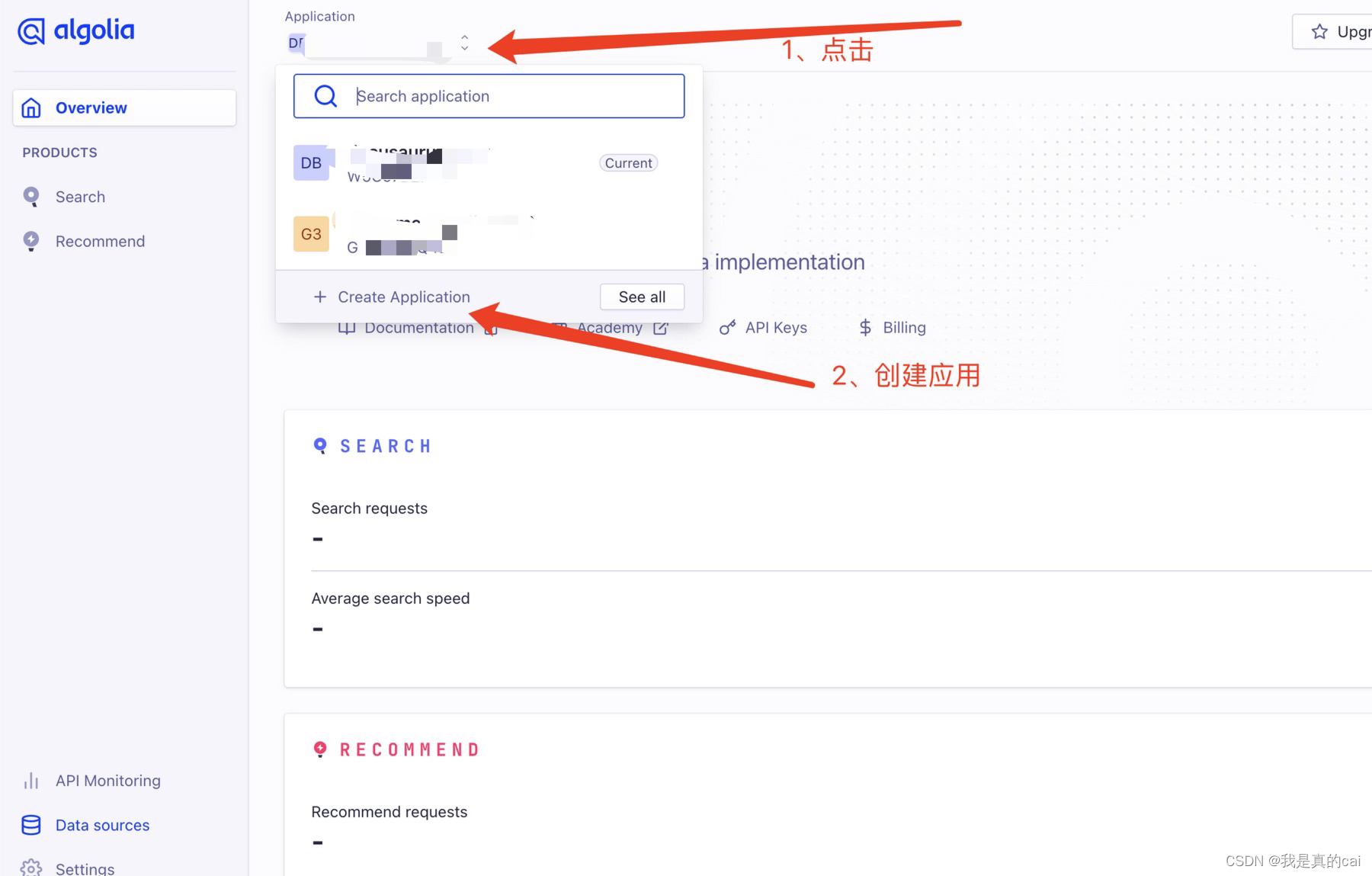
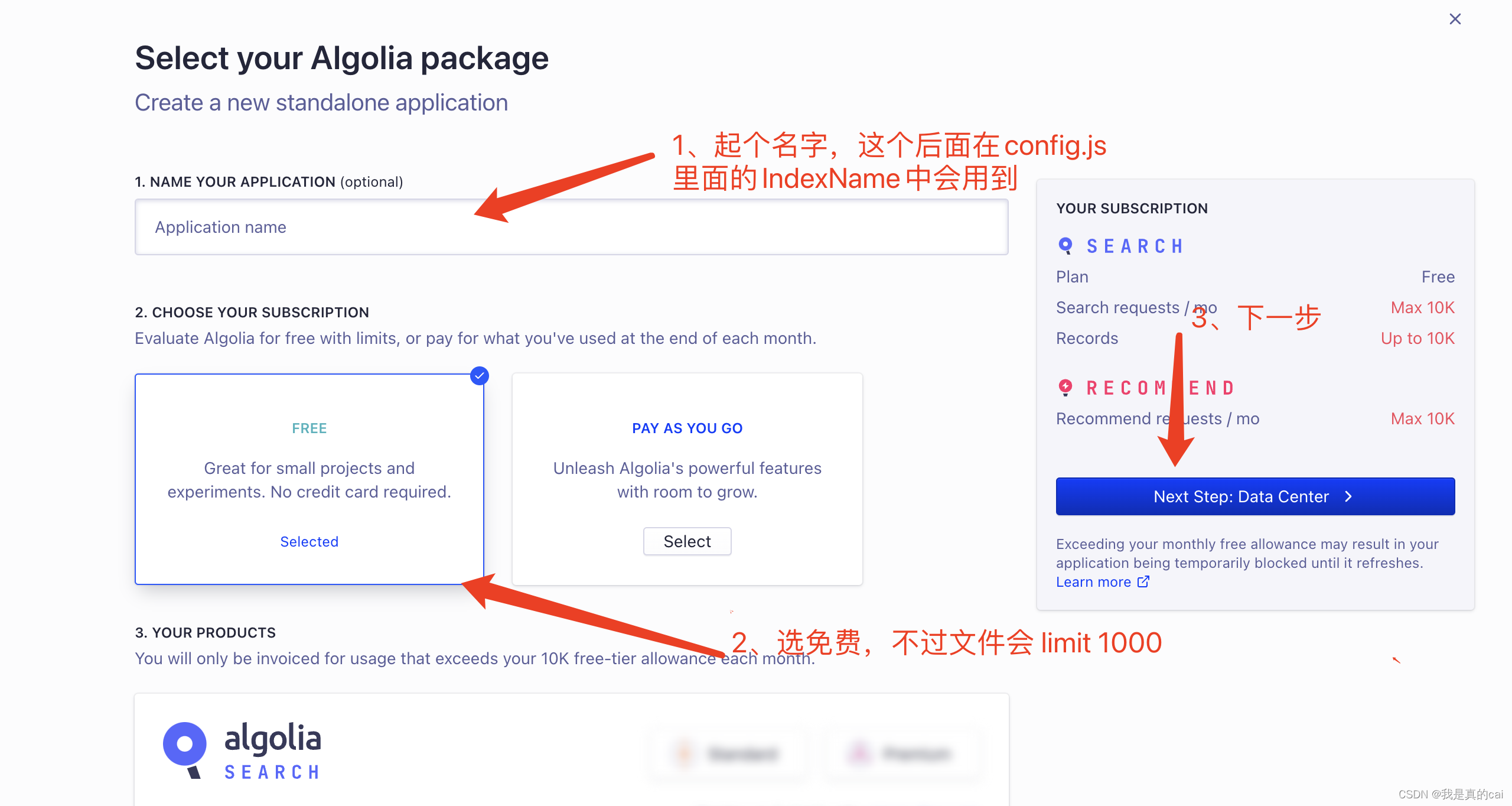
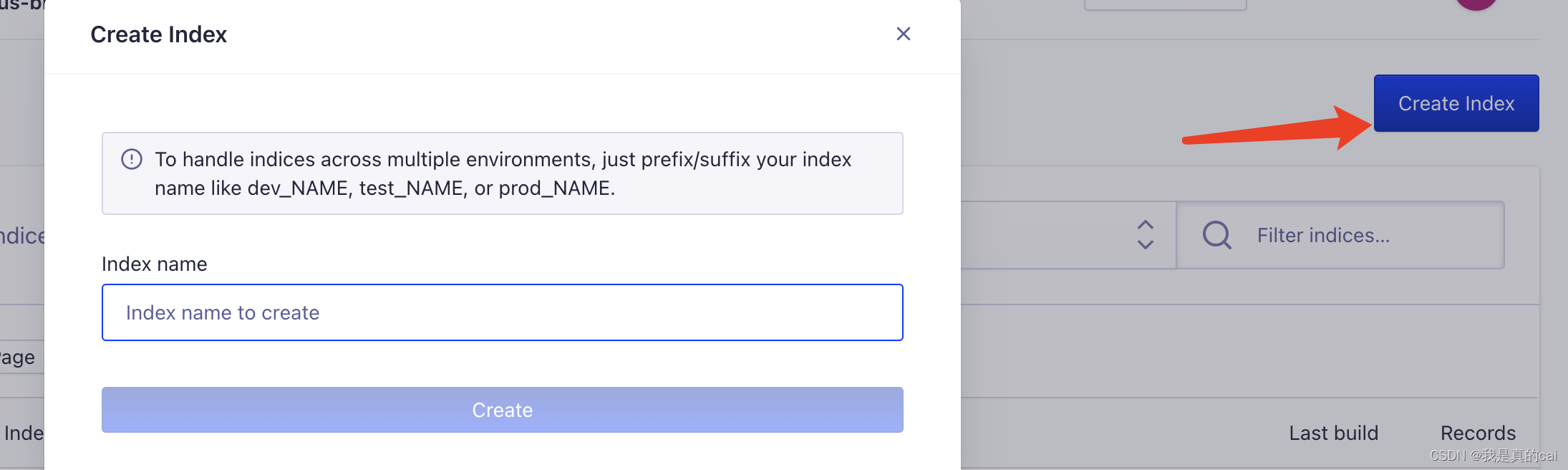
创建完之后,需要创建关键的 index 索引了,它用来存放爬取到的内容数据。点击 Indices
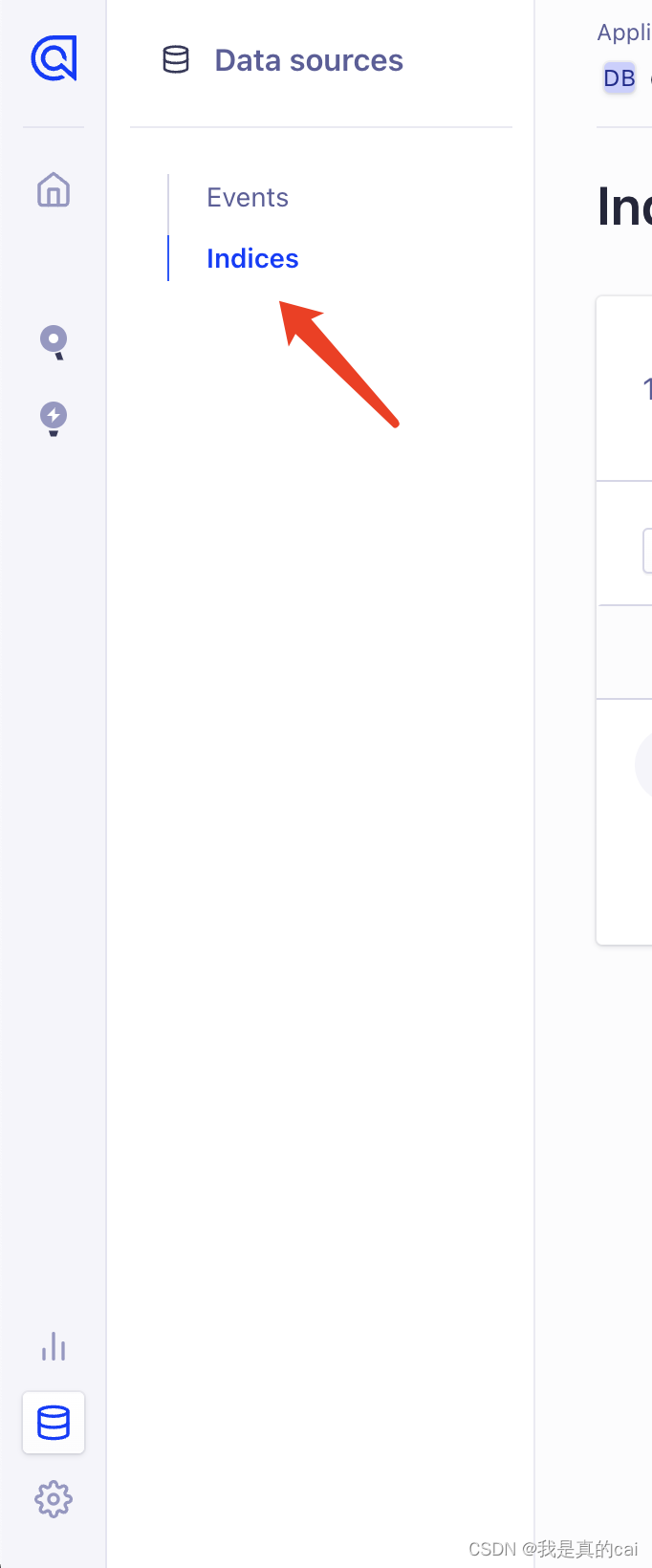
再给索引起个名字:这个名字后面会用到!
Docusaurus 项目中配置 algolia
Docusaurus 官方已经支持了 algolia 搜索,直接去 docusaurus.config.js 文件配置即可:
themeConfig: {// ...algolia: {apiKey: "Search-Only API Key",indexName: "刚才创建索引的 name,不是数据源的 name",appId: "Application ID",},
}
如果是用其他搭建的比如 Hexo,VuePress/ VitePres,也类似,在对应在 config 文件配置就好。
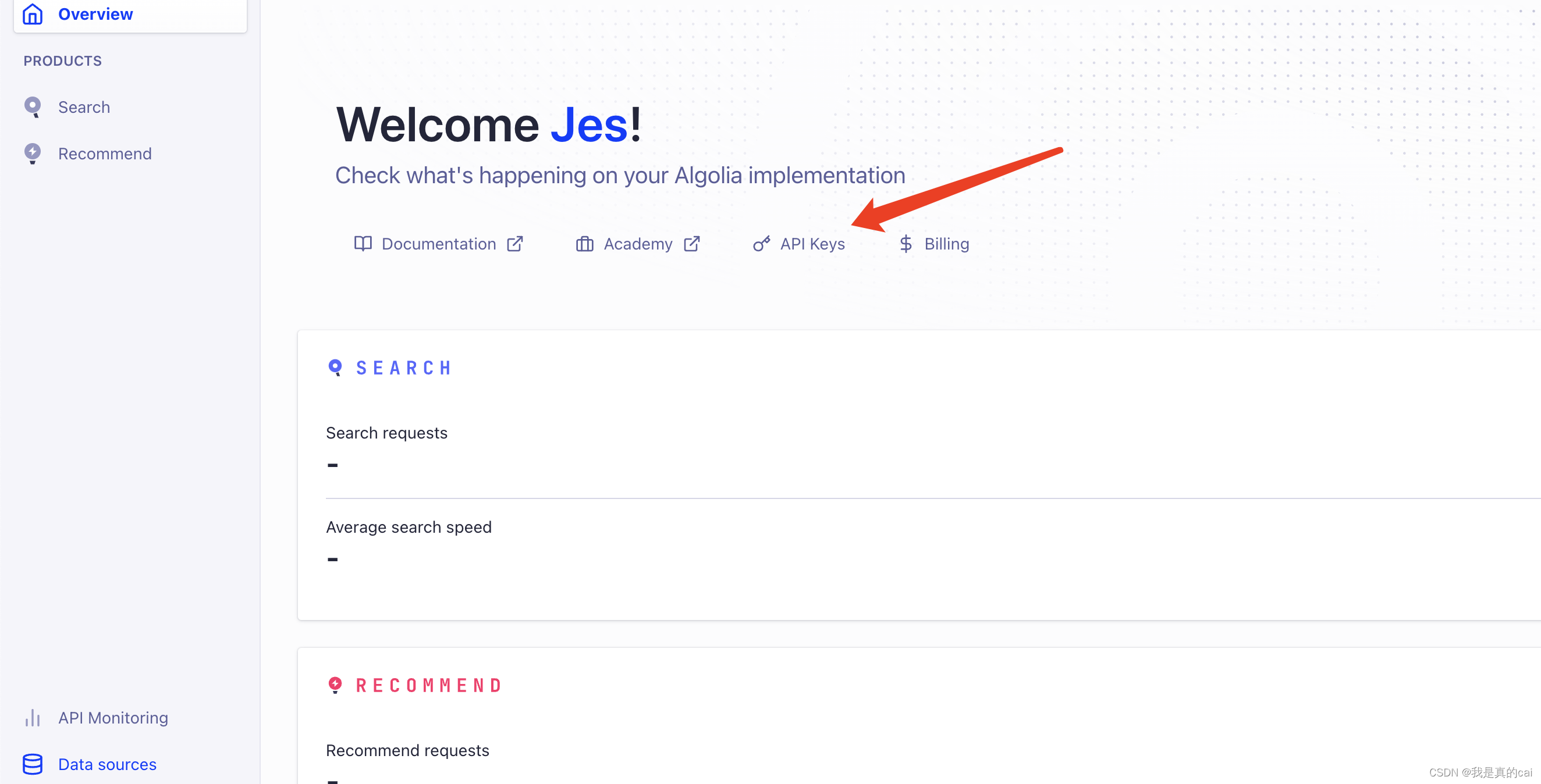
上面 apiKey、appId 可以在 API Keys 里面查看:
运行项目,就可以看到出现搜索功能,这时候还不能用,因为 algolia 还没有爬取自己网站的内容。
Docker 爬取本地内容推送到 Algolia
由于 Algolia 限制开源项目才可以免费试用爬虫,所以我们要自己推送数据。需要如下环境:
- Docker(我的是mac ,下载安装即可)
- jq(
brew install jq)—— 解析 json 文件用
爬取环境创建后,完成以下步骤
1、 创建 .env 文件存放环境变量
ALGOLIA_APP_ID=xxx
ALGOLIA_API_KEY=xxx
2、创建一个docsearch.json文件
{// 修改部分"index_name": "对应上config文件里面的indexName,也是创建的索引名","start_urls": ["https://www.website.com/"], // 自己的域名网站地址// 更换自己的域名地址,Docusaurus 官方会有配置生成 sitemap.xml 的方式"sitemap_urls": ["https://www.website.com/sitemap.xml"], // end"stop_urls": ["/search"], // 排除不需要爬取页面的路由地址"selectors": {"lvl0": {"selector": "(//ul[contains(@class,'menu__list')]//a[contains(@class, 'menu__link menu__link--sublist menu__link--active')]/text() | //nav[contains(@class, 'navbar')]//a[contains(@class, 'navbar__link--active')]/text())[last()]","type": "xpath","global": true,"default_value": "Documentation"},"lvl1": "header h1, article h1","lvl2": "article h2","lvl3": "article h3","lvl4": "article h4","lvl5": "article h5, article td:first-child","lvl6": "article h6","text": "article p, article li, article td:last-child"},"custom_settings": {"attributesForFaceting": ["type","lang","language","version","docusaurus_tag"],"attributesToRetrieve": ["hierarchy","content","anchor","url","url_without_anchor","type"],"attributesToHighlight": ["hierarchy", "content"],"attributesToSnippet": ["content:10"],"camelCaseAttributes": ["hierarchy", "content"],"searchableAttributes": ["unordered(hierarchy.lvl0)","unordered(hierarchy.lvl1)","unordered(hierarchy.lvl2)","unordered(hierarchy.lvl3)","unordered(hierarchy.lvl4)","unordered(hierarchy.lvl5)","unordered(hierarchy.lvl6)","content"],"distinct": true,"attributeForDistinct": "url","customRanking": ["desc(weight.pageRank)","desc(weight.level)","asc(weight.position)"],"ranking": ["words","filters","typo","attribute","proximity","exact","custom"],"highlightPreTag": "","highlightPostTag": "","minWordSizefor1Typo": 3,"minWordSizefor2Typos": 7,"allowTyposOnNumericTokens": false,"minProximity": 1,"ignorePlurals": true,"advancedSyntax": true,"attributeCriteriaComputedByMinProximity": true,"removeWordsIfNoResults": "allOptional","separatorsToIndex": "_","synonyms": [["js", "javascript"],["ts", "typescript"]]}
}
控制台执行 docker 爬去推送命令:
docker run -it --env-file=.env -e "CONFIG=$(cat docsearch.json | jq -r tostring)" algolia/docsearch-scraper
需要提前打开下载好的 docker 应用。
接下来就是等待阶段,这里需要点时间download docker 内置的东西。
最后控制台出现:
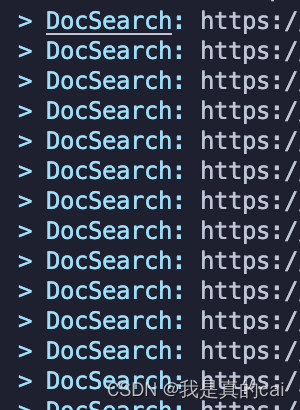
说明就在推送本地爬取的内容到 algolia 了。
利用 Github Action
可以利用 github 的 Action 帮我们跑这个阶段的内容,这个还是比较方便的。
项目根目录创建 .github/workflows/docsearch.yml 文件
内容:
name: docsearchon:push:branches:- master
jobs:algolia:runs-on: ubuntu-lateststeps:- uses: actions/checkout@v2- name: Get the content of docsearch.json as configid: algolia_configrun: echo "::set-output name=config::$(cat docsearch.json | jq -r tostring)"- name: Run algolia/docsearch-scraper imageenv:ALGOLIA_APP_ID: ${{ secrets.ALGOLIA_APP_ID }}ALGOLIA_API_KEY: ${{ secrets.ALGOLIA_API_KEY }}CONFIG: ${{ steps.algolia_config.outputs.config }}run: |docker run \--env APPLICATION_ID=${ALGOLIA_APP_ID} \--env API_KEY=${ALGOLIA_API_KEY} \--env "CONFIG=${CONFIG}" \algolia/docsearch-scraper
这里说一下设置 github action 触发的条件
- 这个是 push 到 master 分支时触发。
on:push:branches:- master
- 发布成功后触发
on: deployment
- 定时触发
on:schedule:# 约每天早上8点触发(UTC时间0点)- cron: '0 0 * * *'
- 手动触发
on:workflow_dispatch:
我用的是第一种,提交代码更新文件就触发。
需要注意的是:免费的创建的 algolia 限制文件 records 1000,如果超过的话,Github Action 会跑失败,所以也就是爬取推送不成功。导致搜索用不了。暂时还不知道怎么解决,所以我都是本地用 docker 的。
用起来了
根据上面步骤就可以完成 algolia 的搜索配置功能。