

MikTex+Texmaker环境LaTeX使用bib文件引用参考文献步骤
一、MikTex+Texmaker环境
MikTex+Texmaker环境是一个LaTeX编辑与编译,以及PDF预览环境。如果还没装好的话,推荐浏览【MiKTeX+Texmaker安装】这篇博客去安装此环境。
二、准备bib文件
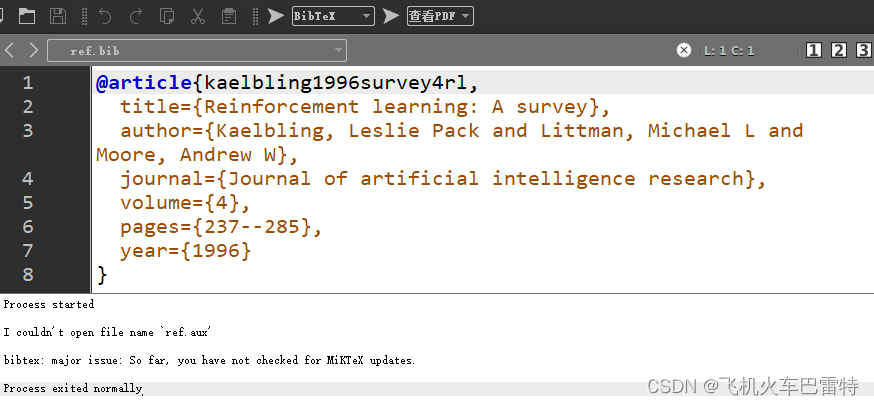
文件名命名为ref.bib,添加如下内容(作为demo)
@article{kaelbling1996survey4rl,title={Reinforcement learning: A survey},author={Kaelbling, Leslie Pack and Littman, Michael L and Moore, Andrew W},journal={Journal of artificial intelligence research},volume={4},pages={237--285},year={1996}
}
三、准备LaTeX项目的main.tex文件并引用参考文献
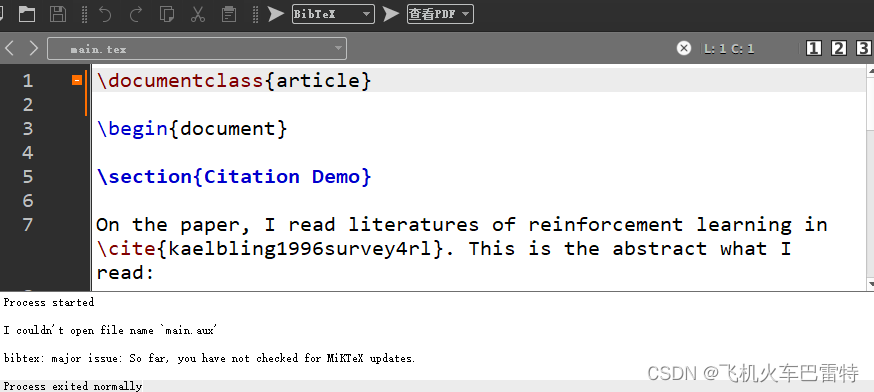
与ref.bib同级目录下,创建main.tex文件,添加以下内容(作为demo)
\documentclass{article}\begin{document}\section{Citation Demo}On the paper, I read literatures of reinforcement learning in \cite{kaelbling1996survey4rl}. This is the abstract what I read:This paper surveys the field of reinforcement learning from a computer-science perspective. It is written to be accessible to researchers familiar with machine learning. Both the historical basis of the field and a broad selection of current work are summarized. Reinforcement learning is the problem faced by an agent that learns behavior through trial-and-error interactions with a dynamic environment. The work described here has a resemblance to work in psychology, but differs considerably in the details and in the use of the word ``reinforcement.'' The paper discusses central issues of reinforcement learning, including trading off exploration and exploitation, establishing the foundations of the field via Markov decision theory, learning from delayed reinforcement, constructing empirical models to accelerate learning, making use of generalization and hierarchy, and coping with hidden state. It concludes with a survey of some implemented systems and an assessment of the practical utility of current methods for reinforcement learning.\bibliography{ref}
\bibliographystyle{ieeetr}\end{document}
四、具体步骤
1、在Texmaker中打开ref.bib文件,使用BibTex编译,如下图
2、在Texmaker中打开main.tex文件,使用BibTex编译,如下图
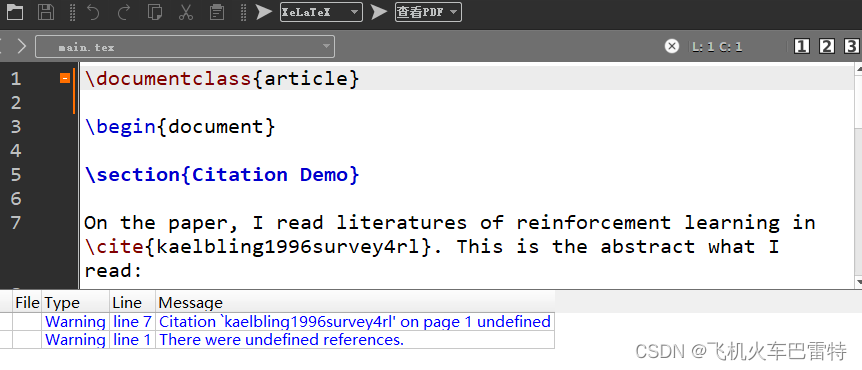
3、针对main.tex文件,使用LaTeX具体编译器编译,比如XeLaTeX,如下图
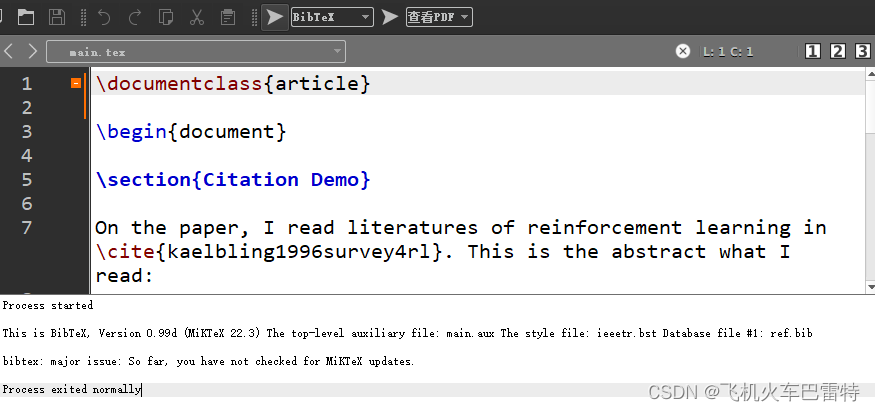
4、针对main.tex文件,再次使用BibTex编译,如下图
5、针对main.tex文件,再次使用XeLaTeX编译,如下图
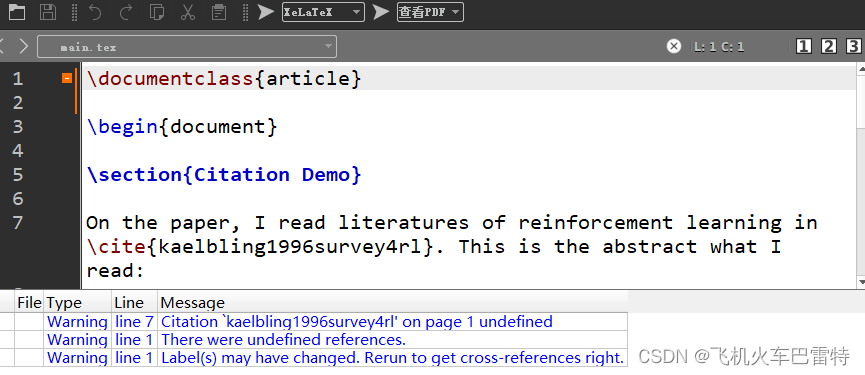
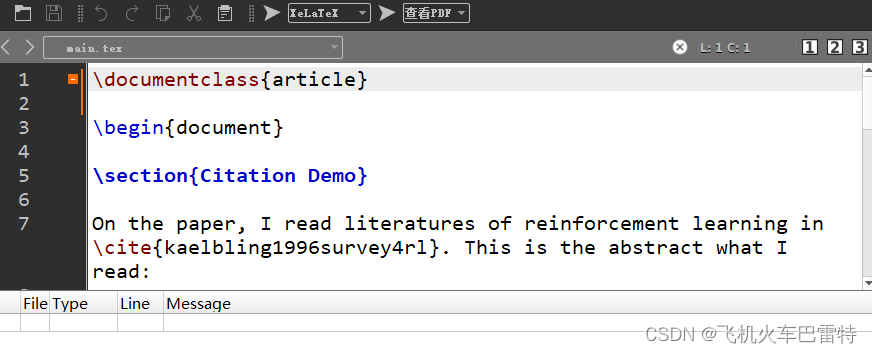
6、针对main.tex文件,再一次使用XeLaTeX编译,终于不报错了,如下图
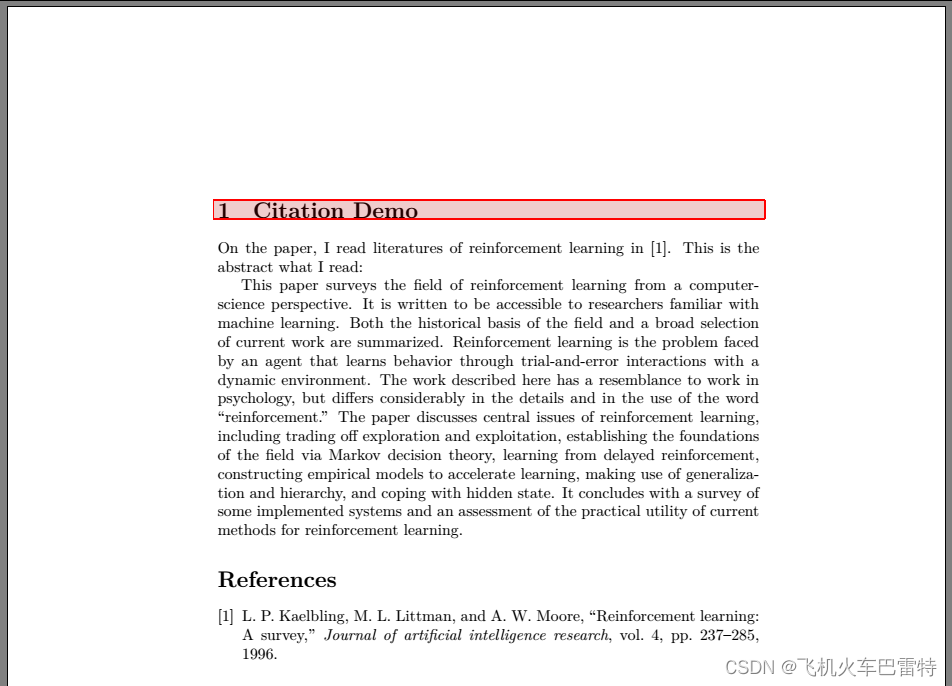
7、此时查看PDF,显示引用和参考文献列表正常。
五、总结语
总的来说,使用MikTex+Texmaker环境这种离线的LaTeX编辑和编译环境在参考文献方面实在是太过玄学。我真的不明白它为什么搞得这么复杂。使用技巧总结如下:
①使用BibTex先后编译bib文件、tex文件;
②分别使用XeLaTex、BibTex对tex文件编译;
③再使用XeLaTex对tex文件进行两次编译。
④查看PDF,应该就可以正常显示引用了。如果还是不行,建议查看一下,main.tex文件目录下有没有生成main.bbl文件。如果有,应该是可以正常显示的。如果没有,再考虑下是不是遇到了其他的问题了。