让ArcMap变得更加强大,用python执行地理处理以及编写自定义脚本工具箱
文章目录
- 一、用python执行地理处理工具
- 1.1 例:乘以0.0001
- 1.2 例:裁剪栅格
- 1.3 哪里查看调用某工具的代码?
- 二、用python批量执行地理处理工具
- 2.1 必需的python语法知识
- for循环语句
- 缩进的使用
- 注释的使用
- 2.2 一个批处理栅格的代码模板
- 三、创建自定义脚本工具箱
- 3.1 自定义工具箱添加脚本工具
- 3.2 python工具箱的创建
- 3.3 中文乱码问题、pycharm调用arcpy
- 推荐阅读
一、用python执行地理处理工具
ArcMap内置了python2的环境,我们可以在ArcMap中通过python脚本来运行地理处理工具
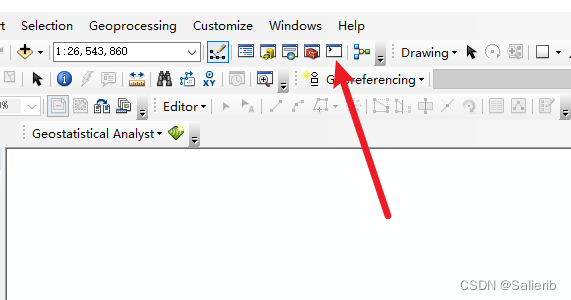
1.1 例:乘以0.0001
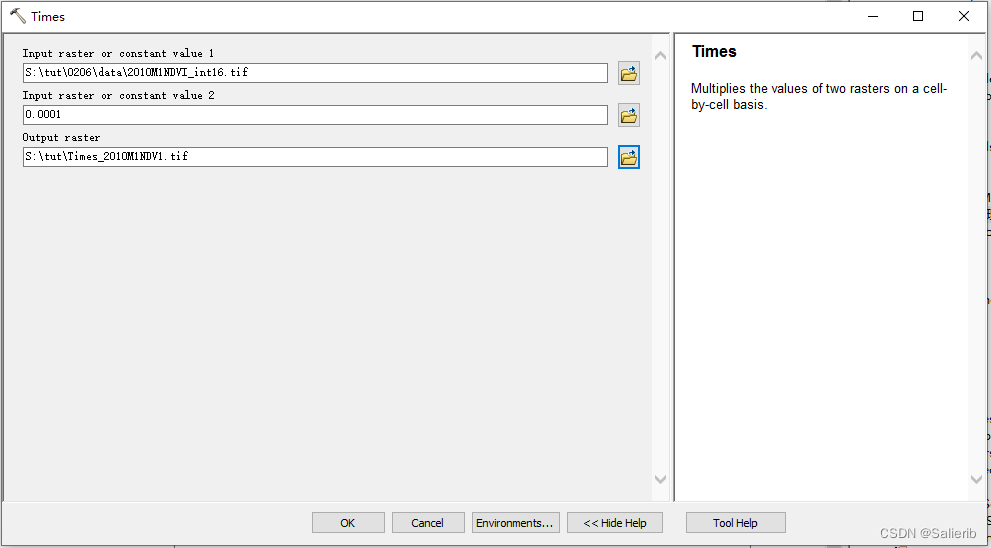
import arcpy
arcpy.gp.Times_sa(r"xxx.tif", 0.0001, r"xxx.tif")
inraster = r"S:\tut\0206\data\2010M1NDVI_int16.tif"
factor = 0.0001
outraster = r"S:\tut\0206\data\2010M1_NDVI_v2.tif"
arcpy.gp.Times_sa(inraster, factor, outraster)
1.2 例:裁剪栅格
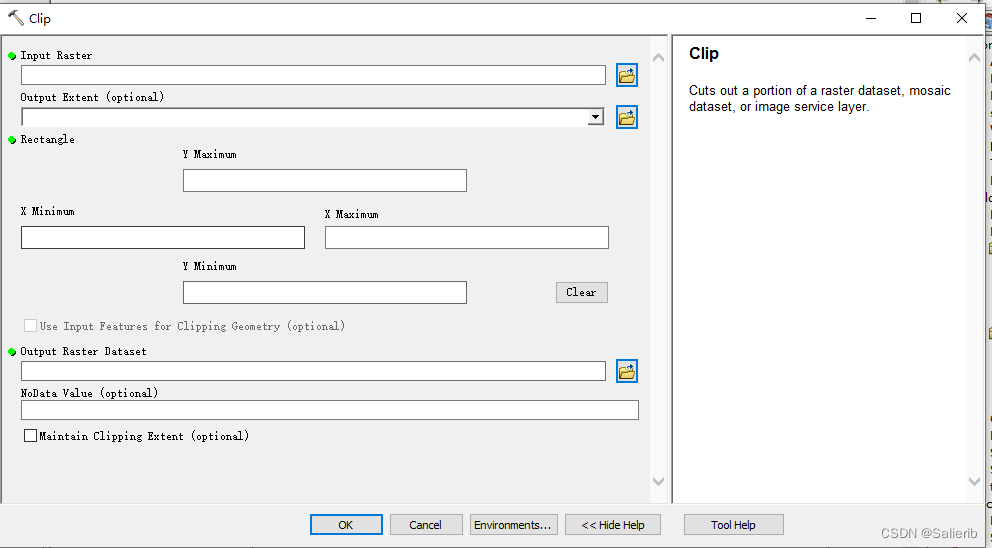
import arcpy
inraster = r"S:\tut\0203\year NDVI\2010.tif"
mask = r"S:\tut\0204\subzone.shp"
outraster = r"S:\tut\0203\year NDVI\clip_2010.tif"
arcpy.Clip_management(inraster, "#", outraster, mask, "#", "ClippingGeometry")
1.3 哪里查看调用某工具的代码?
- 右键某工具查看帮助文档
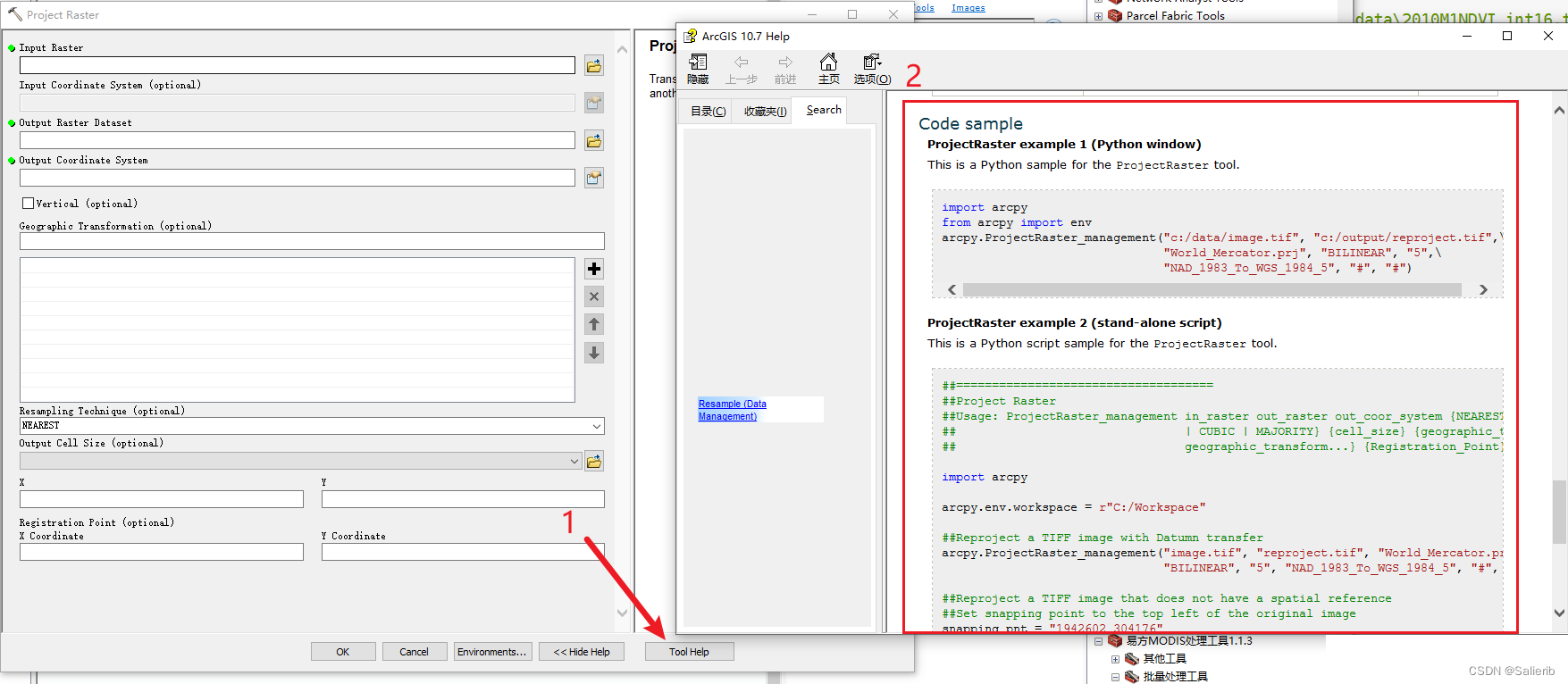
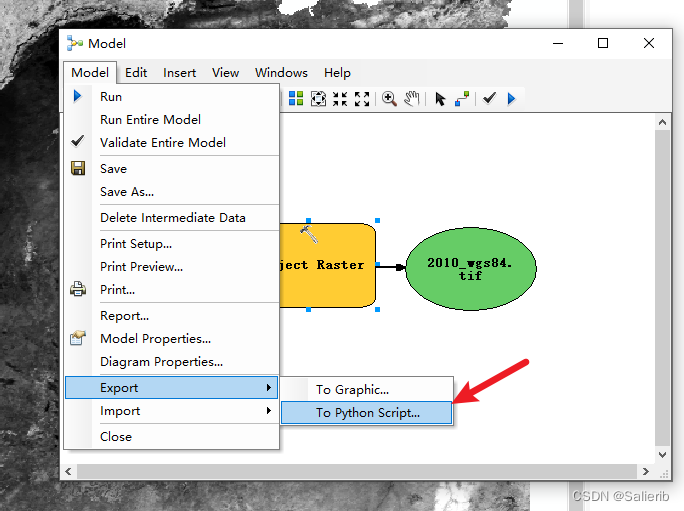
- 模型构筑器中导出代码(*推荐)
将待执行的地理处理工具拖入模型构筑器中,设置好地理处理工具的相关参数后,在模型菜单后导出至python脚本,如下图所示
二、用python批量执行地理处理工具
python基本语法 + arcpy调用地理处理工具 = 批处理代码
2.1 必需的python语法知识
for循环语句
- 依次打印数字1-5
nums = [1,2,3,4,5] # nums = list(range(1,6)
for num in nums:print(num)
- 打印当前文件夹中所有扩展名为.tif的文件名
import os  # 导入os库
in_folder = r"xxx" # 输入:文件夹的路径
for i in os.listdir(in_folder): # 遍历文件夹中的所有文件名if i.endswith(".tif"):     # 如果文件名以tif结尾print(i)                # 打印
- 打印当前文件夹中所有扩展名为.tif的绝对路径
import os  # 导入os库
in_folder = r"xxx" # 输入:文件夹的路径for filename in os.listdir(in_folder):if filename.endswith(".tif"):print(os.path.join(in_folder, filename))
缩进的使用
与其他编程语言不同(代码缩进仅出于可读性的考虑),python中的缩进十分重要,若缩进使用错误,会报语法错误。
- 例:判断整型变量num和20的大小关系
num = 25
if num >= 20:print('这个数字大于等于'+ str(num)+'.')
else num < 20:print('这个数字小于' + str(num) + '.')
注释的使用
C是用 //,而python中用 # 进行单行注释,如
in_folder = r"xxx" # 输入:待处理栅格文件所在的文件夹路径
在ArcMap调用python代码的过程,建议尽量避免在代码中出现中文字符(即使是注释部分)。
2.2 一个批处理栅格的代码模板
# params
in_path = r"xxx" # str
out_path = r"xxx" # str
prefix = "xx" # strrasters = [os.path.join(in_path,i) for i in os.listdir(in_path) if i.endswith(".tif")]
nums = len(rasters)
num = 1
for raster in rasters:raster_name = os.path.split(raster)[1]out_raster = os.path.join(out_path, prefix + raster_name)if not os.path.exists(out_raster):try:# 这里插入要批量执行的地理处理相关的代码arcpy.AddMessage("%d/%d | %s completed" % (num, nums, out_raster))except Exception as err:arcpy.AddMessage("%d/%d | %s errored, %s" % (num, nums, out_raster, err))else:arcpy.AddMessage("%d/%d | %s already exists" % (num, nums, out_raster))num = num + 1
练习:根据通用模板,实现批量乘功能
需要对某个文件夹中的所有栅格执行某个工具,共三步:
-
复制模板
-
修改 输入文件夹、输出文件夹、文件名前缀这三个变量
```python # params in_path = r"xxx" # str out_path = r"xxx" # str prefix = "xx" # str -
添加核心语句(python 调用某个地理处理工具的语句)
# 例如
arcpy.gp.Times_sa(raster, 0.0001, out_raster)
三、创建自定义脚本工具箱
该部分建议配合视频讲解一起看,让ArcMap变得更加强大,用Python编写自定义脚本工具箱
除了上述利用python脚本使用任何可用的工具以外,我们也可以创建自己的自定义工具。这些自定义工具可以用于执行特定的地理处理任务,并且更容易共享(有界面)。
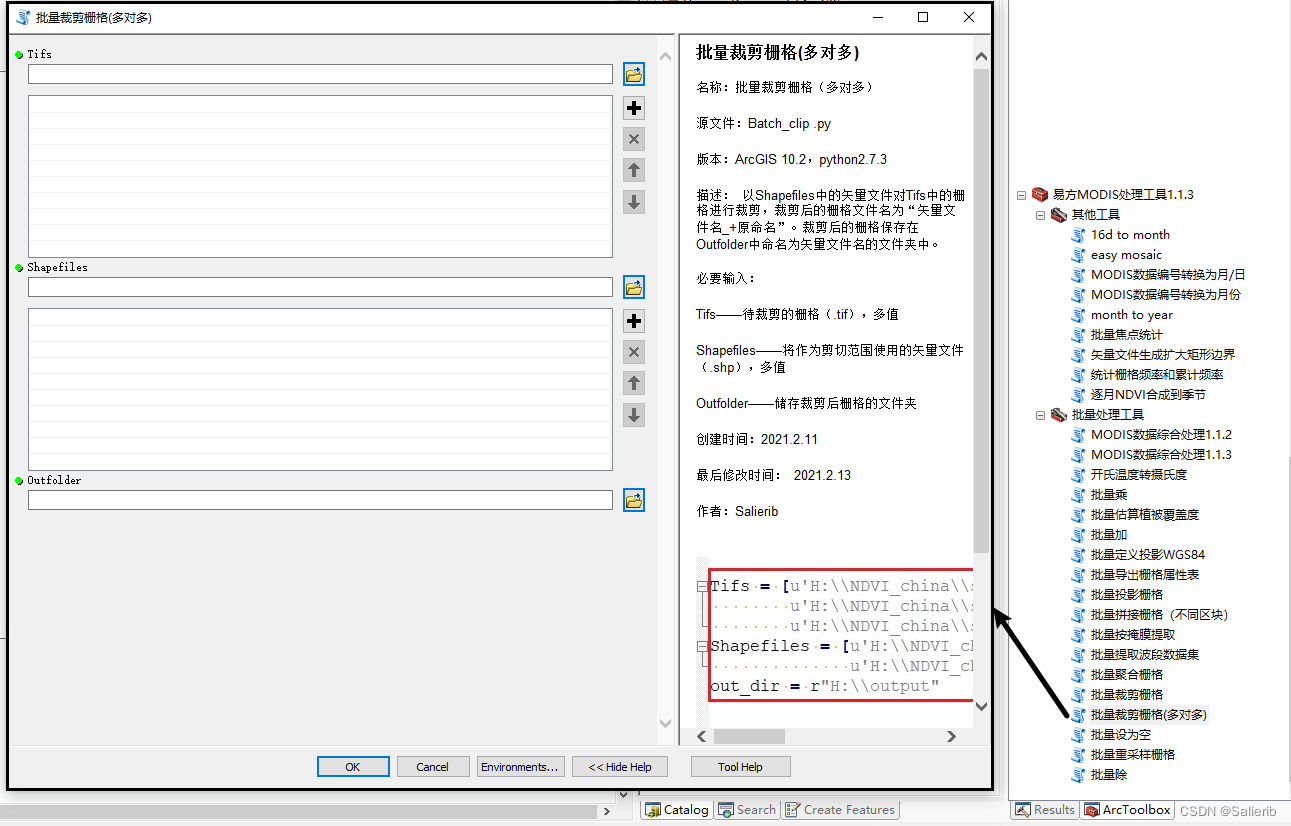
ArcMap中创建工具箱有两种方法,分别为
- 自定义工具箱(.tbx)
- python工具箱(.pyt)
3.1 自定义工具箱添加脚本工具
可以在ArcToolbox的 自定义工具箱(.tbx) 中创建自定义的地理处理脚本工具,步骤主要有:
-
创建自定义工具箱(.tbx)
-
创建python脚本文件(.py)
核心:使用arcpy中的GetParameterAsText()函数来接受用户的动态输入
#!/usr/bin/python
# -*- coding: UTF-8 -*-import arcpy
from arcpy import env
import os
import time
import sys
reload(sys)
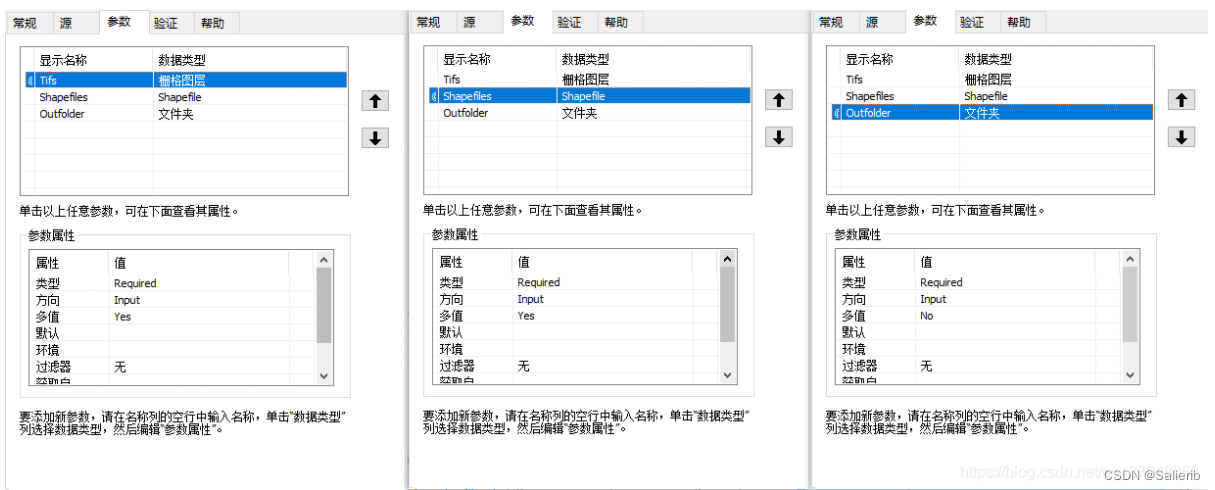
sys.setdefaultencoding('utf8')tifs = arcpy.GetParameterAsText(0)
masks = arcpy.GetParameterAsText(1)
out_dir = arcpy.GetParameterAsText(2)
tifs = tifs.split(";")
masks = masks.split(";")
names = [os.path.splitext(os.path.basename(mask))[0] for mask in masks]size = len(tifs) * len(masks)
num = 1
for i, mask in enumerate(masks):# create a new folder named by mask's namenew_folder = out_dir + os.sep + names[i]if not os.path.exists(new_folder):os.mkdir(new_folder)else:arcpy.AddMessage("Folder {0} already exists. Please check it.".format(new_folder))for tif in tifs:s = time.time()cliped_tif = os.path.join(new_folder, "{0}_{1}".format(names[i],os.path.split(tif)[1]))if not os.path.exists(cliped_tif):arcpy.Clip_management(tif, "#", cliped_tif, mask, "#", "ClippingGeometry")e = time.time()arcpy.AddMessage("{0}/{1} | {2} Completed, time used {3}s".format(num, size, cliped_tif, e - s))else:e = time.time()arcpy.AddMessage("{0}/{1} | {2} already exists.".format(num, size, cliped_tif))num += 1
- 设置工具参数
- 创建工具描述和帮助文档
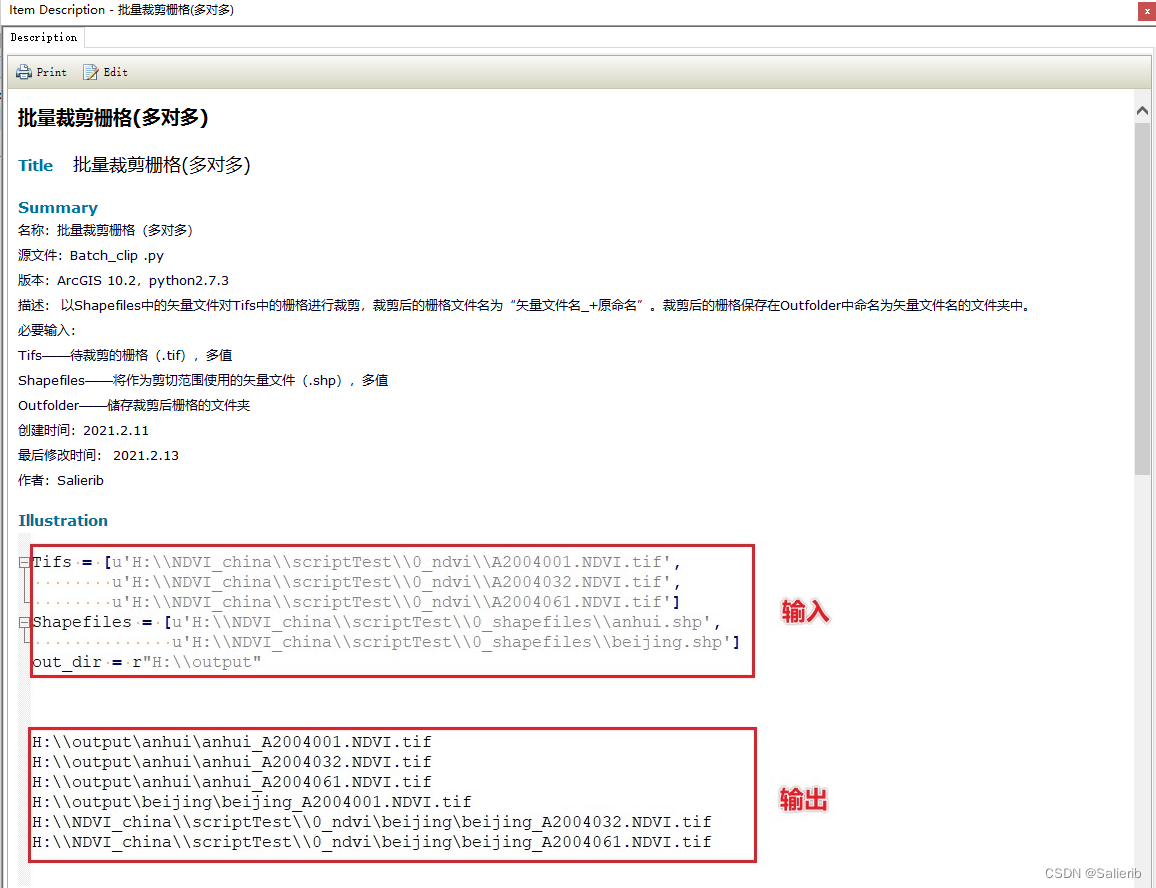
- 导入脚本和保存工具箱
3.2 python工具箱的创建
python工具箱(.pyt)与ArcToolbox中的工具箱(.tbx)类似,但它完全是用python创建的,下面展示了pyt文件的代码模板
import arcpyclass Toolbox(object):def __init__(self):"""Define the toolbox (the name of the toolbox is the name of the.pyt file)."""self.label = "Toolbox"self.alias = ""# List of tool classes associated with this toolboxself.tools = [Tool]class Tool(object):def __init__(self):"""Define the tool (tool name is the name of the class)."""self.label = "Tool"self.description = ""self.canRunInBackground = Falsedef getParameterInfo(self):"""Define parameter definitions"""params = Nonereturn paramsdef isLicensed(self):"""Set whether tool is licensed to execute."""return Truedef updateParameters(self, parameters):"""Modify the values and properties of parameters before internalvalidation is performed. This method is called whenever a parameterhas been changed."""returndef updateMessages(self, parameters):"""Modify the messages created by internal validation for each toolparameter. This method is called after internal validation."""returndef execute(self, parameters, messages):"""The source code of the tool."""returndef postExecute(self, parameters):"""This method takes place after outputs are outputs are processed andadded to the display."""return
python脚本工具箱 (.pyt) 将参数、验证代码以及源代码封装在一起,在代码管理和版本控制方面更友好。
3.3 中文乱码问题、pycharm调用arcpy
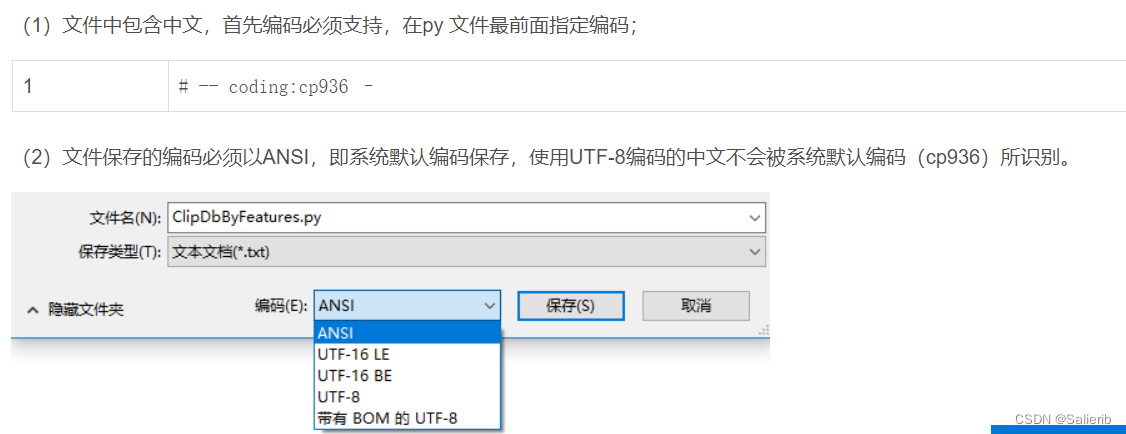
解决ArcPy脚本工具中文乱码问题
如果想在pycharm中调用arcpy中的函数,添加下列代码:
import sys
arcpy_path = [r'C:\Program Files (x86)\ArcGIS\Desktop10.2\arcpy',r'C:\Program Files (x86)\ArcGIS\Desktop10.2\bin',r'C:\Program Files (x86)\ArcGIS\Desktop10.2\ArcToolbox\Scripts']#修改成Arcgis安装对应路径
sys.path.extend(arcpy_path)
推荐阅读
- python 入门

- 面向ArcGIS的Python脚本编程【入门】
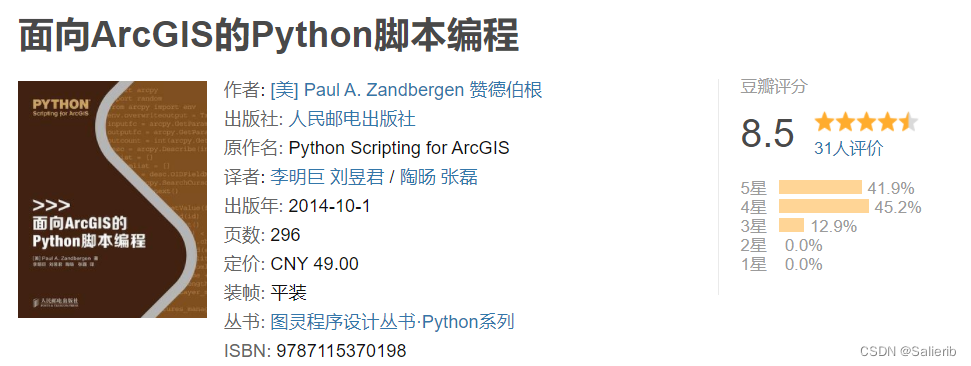
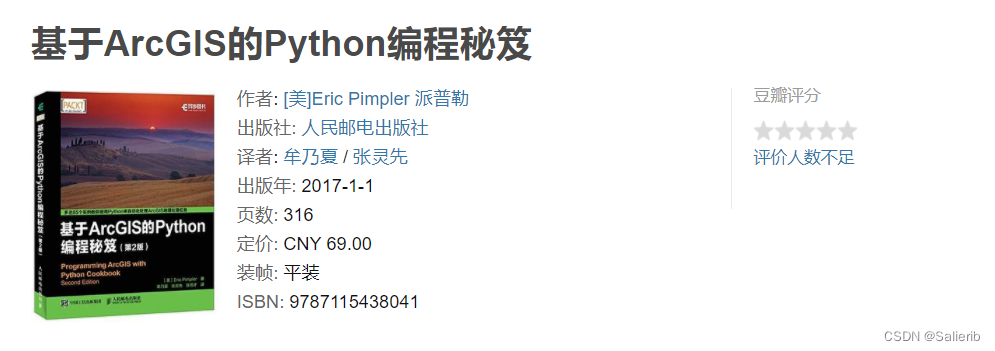
- 基于ArcGIS的Python编程秘笈(第2版)【进阶】
- Python 与开源GIS ——数据处理、空间分析与地图制图
Python与开源GIS:数据处理、空间分析与地图制图 — 首页