Traefik v2.9-IngressRoute
文章目录
- 简介
- 资源交付
- 创建CRD和RBAC
- 创建ConfigMap
- 创建Deployment
- 创建Service
- 创建traefik-dashboard-ingressroute
简介
The Kubernetes Ingress Controller, The Custom Resource Way.
In early versions, Traefik supported Kubernetes only through the Kubernetes Ingress provider, which is a Kubernetes Ingress controller in the strict sense of the term.
However, as the community expressed the need to benefit from Traefik features without resorting to (lots of) annotations, the Traefik engineering team developed a Custom Resource Definition (CRD) for an IngressRoute type, defined below, in order to provide a better way to configure access to a Kubernetes cluster.
资源交付
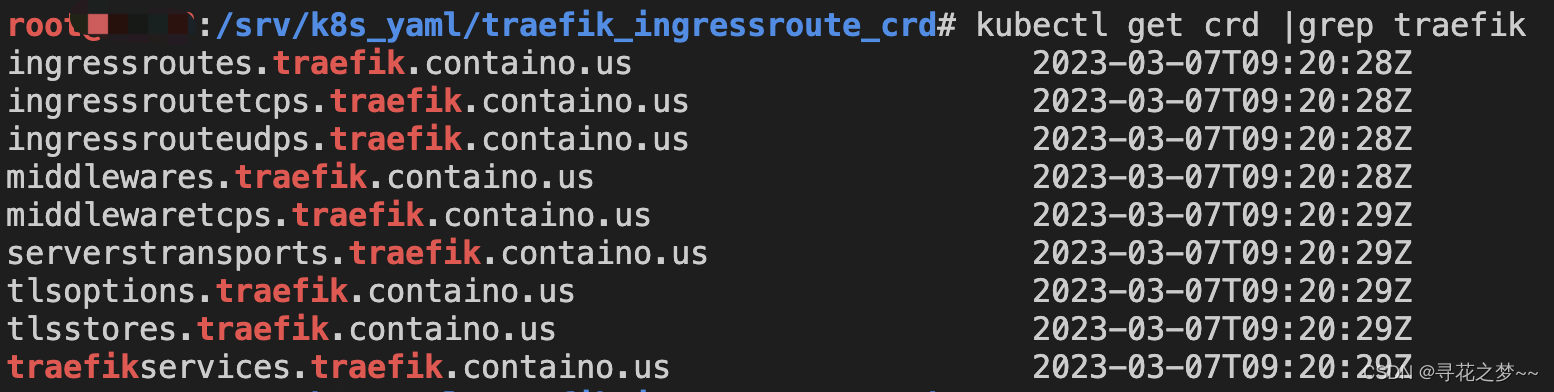
创建CRD和RBAC
https://doc.traefik.io/traefik/providers/kubernetes-crd/
The apiextensions.k8s.io/v1beta1 CustomResourceDefinition is deprecated in Kubernetes v1.16+ and will be removed in v1.22+.For Kubernetes v1.16+, please use the Traefik apiextensions.k8s.io/v1 CRDs instead.
# Install Traefik Resource Definitions:
kubectl apply -f https://raw.githubusercontent.com/traefik/traefik/v2.9/docs/content/reference/dynamic-configuration/kubernetes-crd-definition-v1.yml# Install RBAC for Traefik:
kubectl apply -f https://raw.githubusercontent.com/traefik/traefik/v2.9/docs/content/reference/dynamic-configuration/kubernetes-crd-rbac.yml示例yml:
cat kubernetes-crd-rbac.yml
apiVersion: rbac.authorization.k8s.io/v1
kind: ClusterRole
metadata:name: traefik-ingress-controllerrules:- apiGroups:- ""resources:- services- endpoints- secretsverbs:- get- list- watch- apiGroups:- extensions- networking.k8s.ioresources:- ingresses- ingressclassesverbs:- get- list- watch- apiGroups:- extensions- networking.k8s.ioresources:- ingresses/statusverbs:- update- apiGroups:- traefik.containo.usresources:- middlewares- middlewaretcps- ingressroutes- traefikservices- ingressroutetcps- ingressrouteudps- tlsoptions- tlsstores- serverstransportsverbs:- get- list- watch---
apiVersion: rbac.authorization.k8s.io/v1
kind: ClusterRoleBinding
metadata:name: traefik-ingress-controllerroleRef:apiGroup: rbac.authorization.k8s.iokind: ClusterRolename: traefik-ingress-controller
subjects:- kind: ServiceAccountname: traefik-ingress-controllernamespace: traefik
创建ConfigMap
cat traefik-config.yaml
kind: ConfigMap
apiVersion: v1
metadata:name: traefik-confignamespace: traefik
data:traefik.yaml: |-global:checkNewVersion: false    # 周期性的检查是否有新版本发布sendAnonymousUsage: false # 周期性的匿名发送使用统计信息serversTransport:insecureSkipVerify: true  # Traefik忽略验证代理服务的TLS证书api:insecure: true            # 允许HTTP 方式访问APIdashboard: true           # 启用Dashboarddebug: false              # 启用Debug调试模式metrics:prometheus:               # 配置Prometheus监控指标数据,并使用默认配置addRoutersLabels: true  # 添加routers metricsentryPoint: "metrics"   # 指定metrics监听地址entryPoints:web:address: ":80"          # 配置80端口,并设置入口名称为webforwardedHeaders: insecure: true        # 信任所有的forward headerswebsecure:address: ":443"         # 配置443端口,并设置入口名称为 websecureforwardedHeaders: insecure: truetraefik:address: ":9000"        # 配置9000端口,并设置入口名称为 dashboardmetrics:address: ":9101"        # 配置9100端口,作为metrics收集入口tcpep:address: ":9200"        # 配置9200端口,作为tcp入口udpep:address: ":9300/udp"    # 配置9300端口,作为udp入口providers:kubernetesCRD:            # 启用Kubernetes CRD方式来配置路由规则ingressClass: ""allowCrossNamespace: true   #允许跨namespaceallowEmptyServices: true    #允许空endpoints的servicelog:filePath: "/etc/traefik/logs/traefik.log" # 设置调试日志文件存储路径,如果为空则输出到控制台level: "INFO"             # 设置调试日志级别format: "common"          # 设置调试日志格式accessLog:filePath: "/etc/traefik/logs/access.log" # 设置访问日志文件存储路径,如果为空则输出到控制台format: "common"          # 设置访问调试日志格式bufferingSize: 0          # 设置访问日志缓存行数filters:statusCodes: ["200"]   # 设置只保留指定状态码范围内的访问日志retryAttempts: true     # 设置代理访问重试失败时,保留访问日志minDuration: 20         # 设置保留请求时间超过指定持续时间的访问日志fields:                   # 设置访问日志中的字段是否保留(keep保留、drop不保留)defaultMode: keep       # 设置默认保留访问日志字段names:                  # 针对访问日志特别字段特别配置保留模式ClientUsername: dropStartUTC: drop        # 禁用日志timestamp使用UTCheaders:                # 设置Header中字段是否保留defaultMode: keep     # 设置默认保留Header中字段names:                # 针对Header中特别字段特别配置保留模式#User-Agent: redact # 可以针对指定agentAuthorization: dropContent-Type: keep
创建Deployment
cat traefik-deployment.yaml
apiVersion: v1
kind: ServiceAccount
metadata:namespace: traefikname: traefik-ingress-controller
---
apiVersion: apps/v1
kind: Deployment
metadata:name: traefik-ingress-controllernamespace: traefiklabels:app: traefik
spec:replicas: 1 selector:matchLabels:app: traefiktemplate:metadata:name: traefiklabels:app: traefikspec:serviceAccountName: traefik-ingress-controllerterminationGracePeriodSeconds: 1containers:- name: traefikimage: traefik:v2.9env:- name: KUBERNETES_SERVICE_HOST       # 手动指定k8s api地址,避免网络组件不稳定。value: "x.x.x.x"- name: KUBERNETES_SERVICE_PORT_HTTPS # API server端口value: "6443"- name: KUBERNETES_SERVICE_PORT       # API server端口value: "6443"- name: TZ                            # 指定时区value: "Asia/Shanghai"ports:- name: webcontainerPort: 80hostPort: 80                      # 将容器端口绑定所在服务器的 80 端口- name: websecurecontainerPort: 443hostPort: 443                     # 将容器端口绑定所在服务器的 443 端口- name: admincontainerPort: 9000               # Traefik Dashboard 端口- name: metricscontainerPort: 9101               # metrics端口- name: tcpepcontainerPort: 9200               # tcp端口- name: udpepcontainerPort: 9300               # udp端口securityContext:                      # 只开放网络权限  capabilities:drop:- ALLadd:- NET_BIND_SERVICEargs:- --configfile=/etc/traefik/config/traefik.yamlvolumeMounts:- mountPath: /etc/traefik/configname: config- mountPath: /etc/traefik/logsname: logdir- mountPath: /etc/localtimename: timezonereadOnly: truevolumes:- name: configconfigMap:name: traefik-config - name: logdirhostPath:path: /data/traefik/logstype: "DirectoryOrCreate"- name: timezone                       #挂载时区文件hostPath:path: /etc/localtimetype: Filetolerations:                             # 设置容忍所有污点,防止节点被设置污点- operator: "Exists"hostNetwork: true                        # 开启host网络,提高网络入口的网络性能nodeSelector:                            # 设置node筛选器,在特定label的节点上启动IngressProxy: "true"                   # 调度至IngressProxy: "true"的节点
创建Service
cat traefik-svc.yaml
apiVersion: v1
kind: Service
metadata:name: traefiknamespace: traefik
spec:type: NodePort    # 官网示例为ClusterIP,此处为NodePortselector:app: traefikports:- name: webprotocol: TCPport: 80targetPort: 80- name: websecureprotocol: TCPport: 443targetPort: 443- name: adminprotocol: TCPport: 9000targetPort: 9000- name: metricsprotocol: TCPport: 9101targetPort: 9101- name: tcpepprotocol: TCPport: 9200targetPort: 9200- name: udpepprotocol: UDPport: 9300targetPort: 9300

通过NodePort暴露的端口进行访问即可!
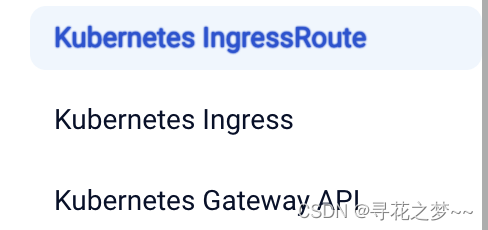
Traefik创建路由规则有以下三种方式,相较于原生Ingress规则,ingressRoute是2.1以后新增功能,简单来说,他们都支持路径(path)路由和域名(host)HTTP路由,以及HTTPS配置,区别在于IngressRoute需要定义CRD扩展,但是它支持了TCP、UDP路由以及中间件等高级特性,强烈推荐使用ingressRoute
创建traefik-dashboard-ingressroute
# cat traefik-dashboard-ingressroute.yaml
apiVersion: traefik.containo.us/v1alpha1
kind: IngressRoute
metadata:name: traefik-dashboard-routenamespace: traefik
spec:entryPoints:- webroutes:- match: Host(`traefik.dashboard.com`)kind: Ruleservices:- name: api@internalkind: TraefikService
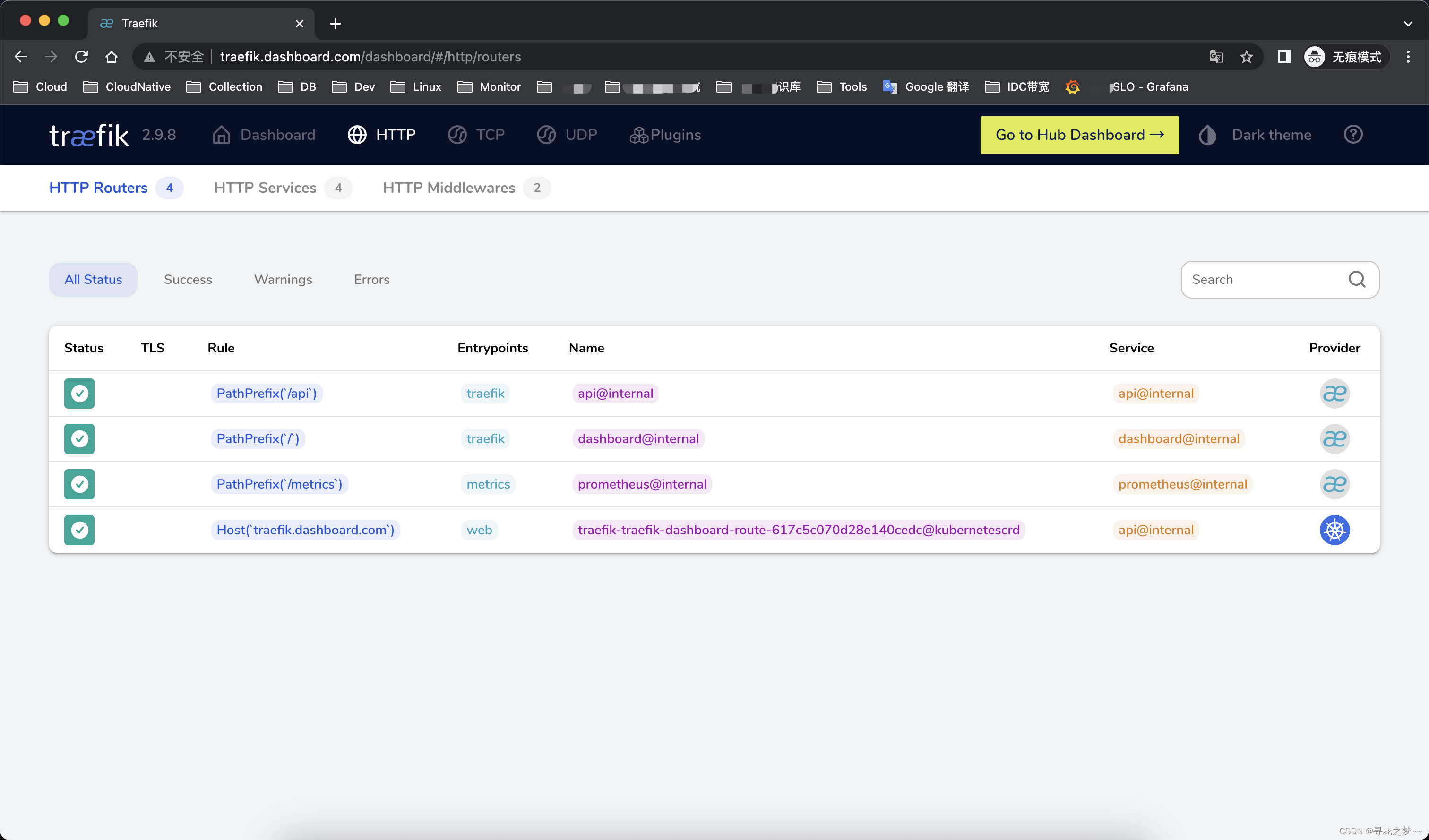
测试通过绑定hosts解析,访问域名即可!