

linux安装部署mysql5.7
环境 centos7 64位
须在root用户下进行
安装
1.配置yum仓库
1.更新密钥
rpm --import https://repo.mysql.com/RPM-GPG-KEY-mysql-2022
2.安装mysql yum仓库
rpm -Uvh http://repo.mysql.com//mysql57-community-release-el7-7.noarch.rpm

由于mysql不在centos官方仓库中,所以我们通过上述 rpmmingl:
1.导入mysql仓库密钥
2.配置MySQL的yum仓库
2.yum安装mysql
如果不知道MySQL有哪些版本,可以直接用:
yum search mysql 进行搜索
最后会出现如下:
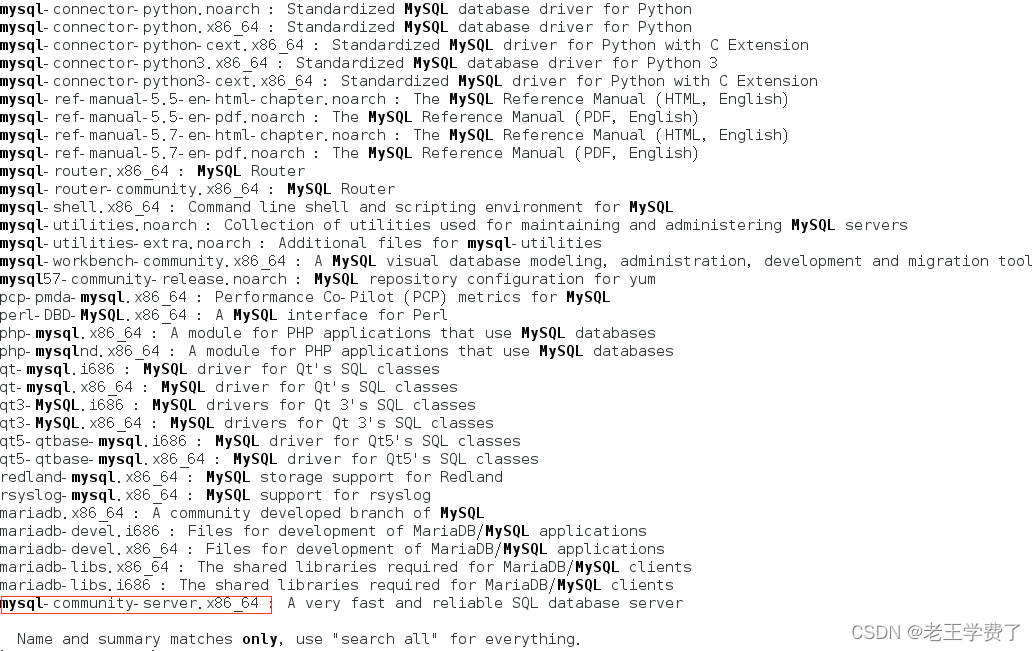
复制上面框框,执行如下命令
yum install mysql-community-server.x86_64
系统会向你确认是否是这个 输入y 等待下载完成
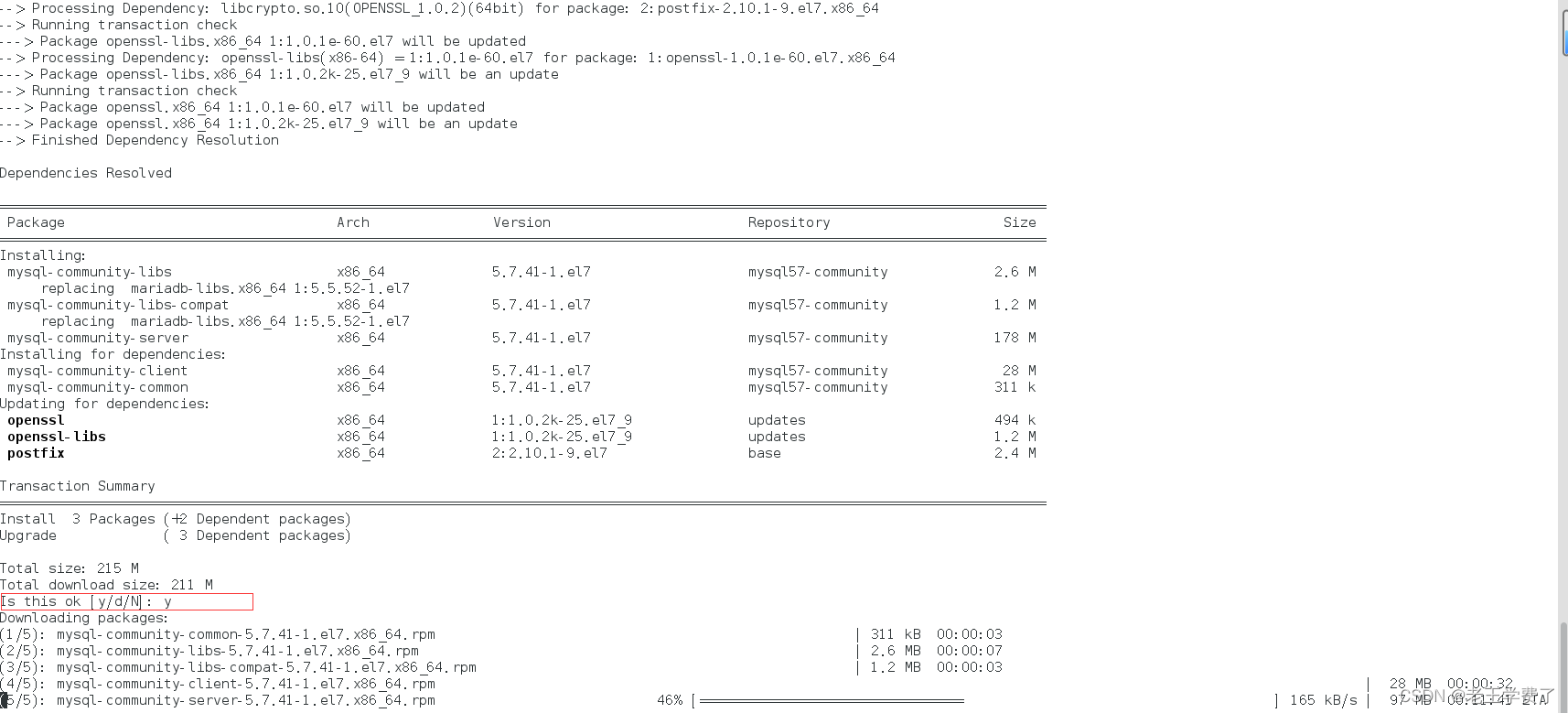
出现如下界面 说明你安装完成

3.设置开机自启
systemctl start mysqld #启动mysql
systemctl enable mysqld # 开机自启 --enable
检查状态
systemctl status mysqld
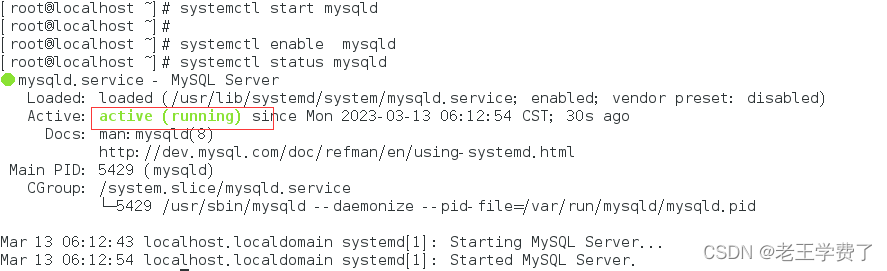
配置
1.获取mysqld的初始密码
# 通过隔热片命令 在/var/log/mysqld.log文件中,通过temporary password关键字得到初始密码
grep "temporary password" /var/log/mysqld.log

2.登陆mysql
# 执行
mysql -uroot -p
#解释
-u是指用户 这里是root用户,mysql的数据库管理员也是root,与Linux一样
-p 是使用密码登陆
初始密码太长 可以使用复制粘贴 不然容易输错
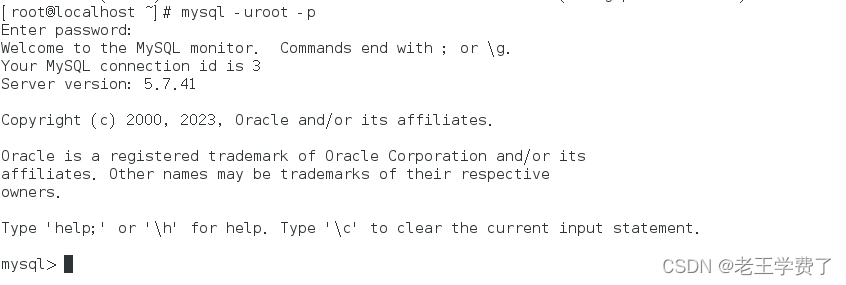
3.修改mysql root用户密码
在mysql控制台内运行
alter user 'root'@'localhost' identified by '你想更改的密码';
如:alter user 'root'@'localhost' identified by 'Acf0124&';
# 密码需要符合 至少八位,有大写字母、特殊符号,不能是简单的语句 如123,abc

4.配置root简单密码--扩展
上面要求是不是太高了,让我们登陆设置密码很难整,那我们可以给他设置密码安全级别为low,长度也可以设置。
!!!但是正式工作中,不建议设置太简单!!!!
命令如下:
1.set global validate_password_policy = low; #密码安全级别低
set global validate_password_policy = low;
Query OK, 0 rows affected (0.00 sec)
2.set global validate_password_length=4; #密码设置四位长度
set global validate_password_length=4;
Query OK, 0 rows affected (0.01 sec)3.接下来你就可以更改简单密码了
alter user 'root'@'localhost' identified by '1234';
alter user 'root'@'localhost' identified by '1234';
Query OK, 0 rows affected (0.00 sec)
5.验证是否成功
mysql> exit #退出mysql或者使用 ctrl+d
Bye
[root@localhost ~]# mysql -uroot -p #使用root用户并进行密码登陆
Enter password: #输入密码
Welcome to the MySQL monitor. Commands end with ; or \g.
Your MySQL connection id is 4
Server version: 5.7.41 MySQL Community Server (GPL)Copyright (c) 2000, 2023, Oracle and/or its affiliates.
Oracle is a registered trademark of Oracle Corporation and/or its
affiliates. Other names may be trademarks of their respective
owners.Type 'help;' or '\h' for help. Type '\c' to clear the current input statement.
mysql> #登陆成功
6.配置root远程登陆---扩展
默认情况下,root用户是不支持远程登陆的,只允许在MySQL所在的linux服务器登陆mysql系统
!!!允许root远程登陆会有风险,一般不建议
#授权root远程登陆
grant all privileges on *.* to root@"IP地址" identified by‘密码' with grant option;
#IP地址是你要在哪台主机远程登陆,就设置哪台。可以设置成%,也就是任意一台都可以
#密码可以设置和本机root用户不一样的密码登陆
#刷新权限生效
flush privileges
展示:
mysql> grant all privileges on *.* to root@"%"identified by‘'0000' with grant option;
ERROR 1064 (42000): You have an error in your SQL syntax; check the manual that corresponds to your MySQL server version for the right syntax to use near 'by‘'0000' with grant option' at line 1
mysql> grant all privileges on *.* to root@"%" identified by '0000' with grant option;
Query OK, 0 rows affected, 1 warning (0.00 sec)mysql> flush privileges;
Query OK, 0 rows affected (0.00 sec)
远程登陆试试
# 远程连接命令
mysql -h 服务器ip地址 -P 3306 -u root -p
[centos@localhost ~]$ mysql -h 192.168.197.138 -P 3306 -u root -p
Enter password:
Welcome to the MySQL monitor. Commands end with ; or \g.
Your MySQL connection id is 8
Server version: 5.7.41 MySQL Community Server (GPL)Copyright (c) 2000, 2023, Oracle and/or its affiliates.
Oracle is a registered trademark of Oracle Corporation and/or its
affiliates. Other names may be trademarks of their respective
owners.Type 'help;' or '\h' for help. Type '\c' to clear the current input statement.
mysql>
7.检查端口
mysql默认端口是3306
使用grep过滤一下
[root@localhost ~]# netstat -anp | grep 3306
tcp6 0 0 :::3306 :::* LISTEN 5429/mysqld