

yolo5 训练无人人机识别系统
环境搭建:
安装驱动
点击鼠标右键,如果出现NVIDIA图标,点开,出现如下图片
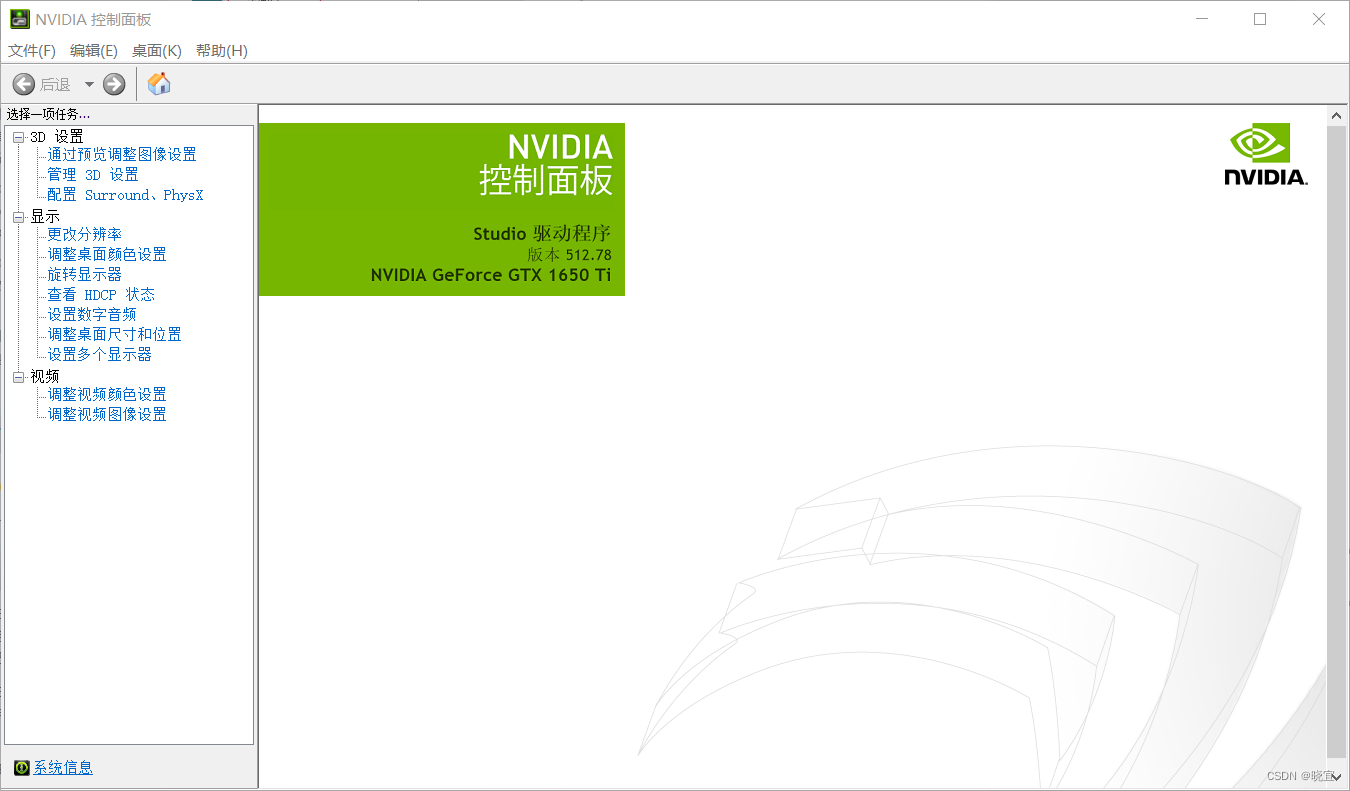
我的显卡是1650,根据显卡的型号去官网找相应的驱动下载就好了。驱动官网
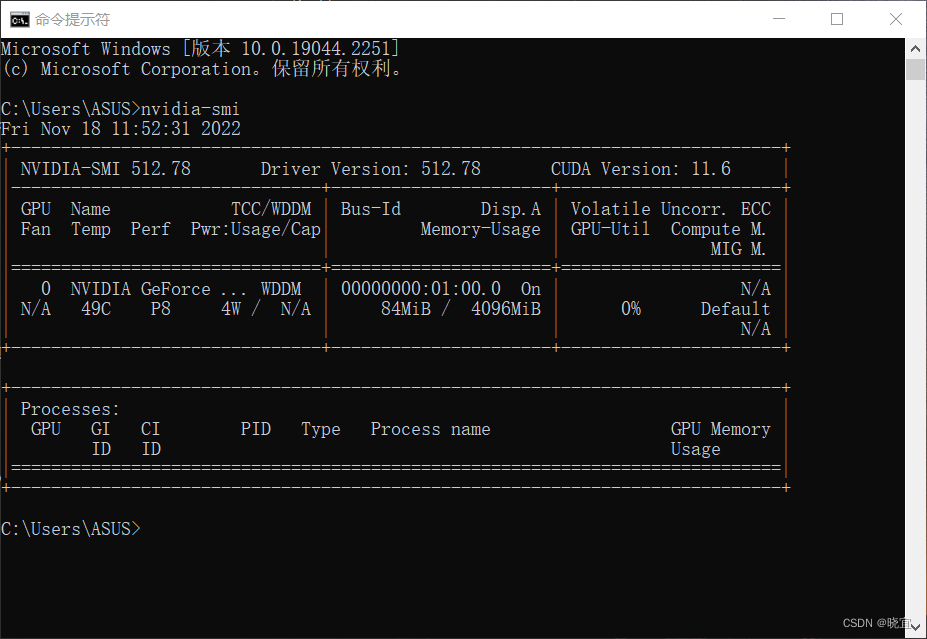
安装好之后,打开命令行cmd,输入如下指令:
nvidia-smi显示出如下数据即为安装成功。
安装anaconda
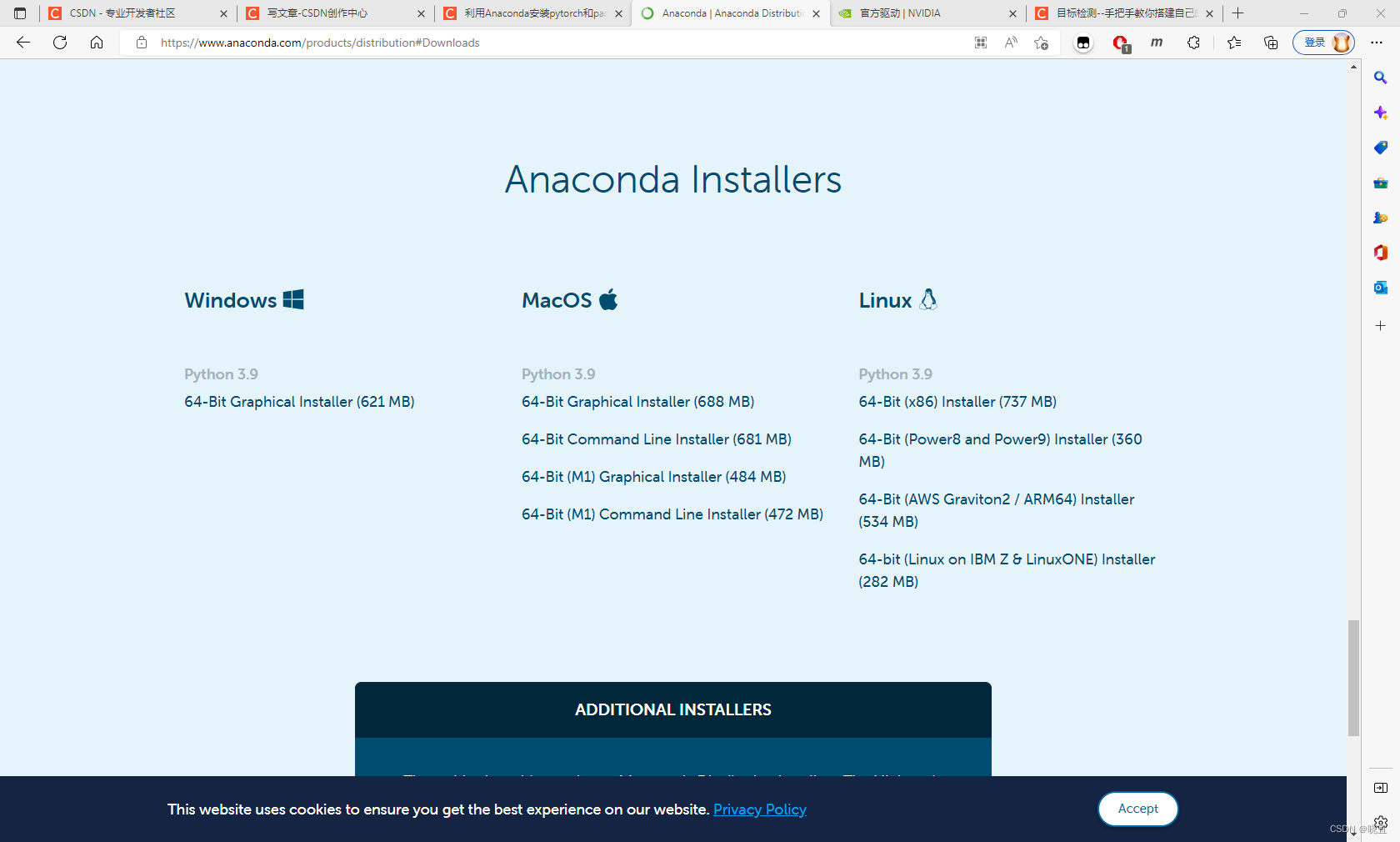
进入官网,下载windows版本,将程序放在c盘以外,防止c盘爆红,接下来傻瓜式点击安装即可。
安装Pytorch
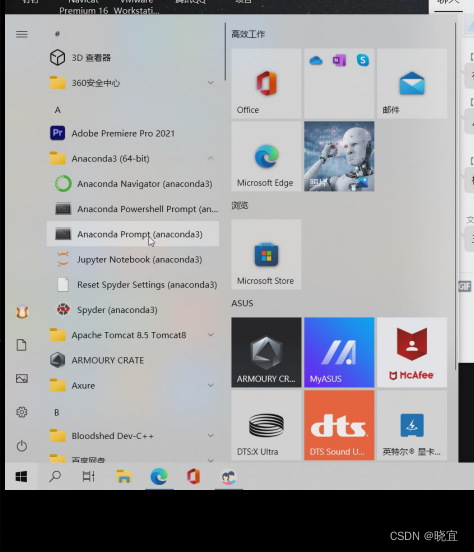
打开侧边栏,找到anaconda文件夹下面的prompt控制台
可以使用如下命令去看系统有哪些环境
conda env list我的环境是这样的
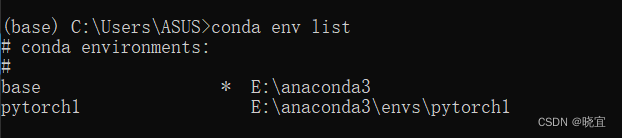
其中pytorch1是我之前安装的环境,这里我们新创建一个环境pytorch,创建过程中一直输入y就好了。
conda create -n pytorch python=3.8激活这个环境:
conda activate pytorch
为了提高安装速度,给环境换源:
conda config --add channels https://mirrors.tuna.tsinghua.edu.cn/anaconda/pkgs/free/
conda config --add channels https://mirrors.tuna.tsinghua.edu.cn/anaconda/pkgs/main/
conda config --add channels https://mirrors.tuna.tsinghua.edu.cn/anaconda/cloud/pytorch/
conda config --set show_channel_urls yes
安装pytorch,我的显卡支持11.6的版本,你们可以查自己的显卡支持的版本
conda install pytorch torchvision torchaudio pytorch-cuda=11.6数据集准备:
使用labelimg标注数据集,将数据集按照这样的目录结构存放
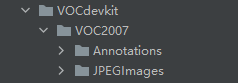
Annotations里面存放着xml格式的标签文件
JPEGImages里面存放着照片数据文件
数据集划分代码如下,放在VOCdevkit同一级目录下就可以运行。
classes = ["plane"]是因为数据集标注时的我打的标签是plane,所以要识别一下。
import xml.etree.ElementTree as ET
import pickle
import os
from os import listdir, getcwd
from os.path import join
import random
from shutil import copyfileclasses = ["plane"]
# classes=["ball"]TRAIN_RATIO = 80def clear_hidden_files(path):dir_list = os.listdir(path)for i in dir_list:abspath = os.path.join(os.path.abspath(path), i)if os.path.isfile(abspath):if i.startswith("._"):os.remove(abspath)else:clear_hidden_files(abspath)def convert(size, box):dw = 1. / size[0]dh = 1. / size[1]x = (box[0] + box[1]) / 2.0y = (box[2] + box[3]) / 2.0w = box[1] - box[0]h = box[3] - box[2]x = x * dww = w * dwy = y * dhh = h * dhreturn (x, y, w, h)def convert_annotation(image_id):in_file = open('VOCdevkit/VOC2007/Annotations/%s.xml' % image_id)out_file = open('VOCdevkit/VOC2007/YOLOLabels/%s.txt' % image_id, 'w')tree = ET.parse(in_file)root = tree.getroot()size = root.find('size')w = int(size.find('width').text)h = int(size.find('height').text)for obj in root.iter('object'):difficult = obj.find('difficult').textcls = obj.find('name').textif cls not in classes or int(difficult) == 1:continuecls_id = classes.index(cls)xmlbox = obj.find('bndbox')b = (float(xmlbox.find('xmin').text), float(xmlbox.find('xmax').text), float(xmlbox.find('ymin').text),float(xmlbox.find('ymax').text))bb = convert((w, h), b)out_file.write(str(cls_id) + " " + " ".join([str(a) for a in bb]) + '\n')in_file.close()out_file.close()wd = os.getcwd()
wd = os.getcwd()
data_base_dir = os.path.join(wd, "VOCdevkit/")
if not os.path.isdir(data_base_dir):os.mkdir(data_base_dir)
work_sapce_dir = os.path.join(data_base_dir, "VOC2007/")
if not os.path.isdir(work_sapce_dir):os.mkdir(work_sapce_dir)
annotation_dir = os.path.join(work_sapce_dir, "Annotations/")
if not os.path.isdir(annotation_dir):os.mkdir(annotation_dir)
clear_hidden_files(annotation_dir)
image_dir = os.path.join(work_sapce_dir, "JPEGImages/")
if not os.path.isdir(image_dir):os.mkdir(image_dir)
clear_hidden_files(image_dir)
yolo_labels_dir = os.path.join(work_sapce_dir, "YOLOLabels/")
if not os.path.isdir(yolo_labels_dir):os.mkdir(yolo_labels_dir)
clear_hidden_files(yolo_labels_dir)
yolov5_images_dir = os.path.join(data_base_dir, "images/")
if not os.path.isdir(yolov5_images_dir):os.mkdir(yolov5_images_dir)
clear_hidden_files(yolov5_images_dir)
yolov5_labels_dir = os.path.join(data_base_dir, "labels/")
if not os.path.isdir(yolov5_labels_dir):os.mkdir(yolov5_labels_dir)
clear_hidden_files(yolov5_labels_dir)
yolov5_images_train_dir = os.path.join(yolov5_images_dir, "train/")
if not os.path.isdir(yolov5_images_train_dir):os.mkdir(yolov5_images_train_dir)
clear_hidden_files(yolov5_images_train_dir)
yolov5_images_test_dir = os.path.join(yolov5_images_dir, "val/")
if not os.path.isdir(yolov5_images_test_dir):os.mkdir(yolov5_images_test_dir)
clear_hidden_files(yolov5_images_test_dir)
yolov5_labels_train_dir = os.path.join(yolov5_labels_dir, "train/")
if not os.path.isdir(yolov5_labels_train_dir):os.mkdir(yolov5_labels_train_dir)
clear_hidden_files(yolov5_labels_train_dir)
yolov5_labels_test_dir = os.path.join(yolov5_labels_dir, "val/")
if not os.path.isdir(yolov5_labels_test_dir):os.mkdir(yolov5_labels_test_dir)
clear_hidden_files(yolov5_labels_test_dir)train_file = open(os.path.join(wd, "yolov5_train.txt"), 'w')
test_file = open(os.path.join(wd, "yolov5_val.txt"), 'w')
train_file.close()
test_file.close()
train_file = open(os.path.join(wd, "yolov5_train.txt"), 'a')
test_file = open(os.path.join(wd, "yolov5_val.txt"), 'a')
list_imgs = os.listdir(image_dir)  # list image files
prob = random.randint(1, 100)
print("Probability: %d" % prob)
for i in range(0, len(list_imgs)):path = os.path.join(image_dir, list_imgs[i])if os.path.isfile(path):image_path = image_dir + list_imgs[i]voc_path = list_imgs[i](nameWithoutExtention, extention) = os.path.splitext(os.path.basename(image_path))(voc_nameWithoutExtention, voc_extention) = os.path.splitext(os.path.basename(voc_path))annotation_name = nameWithoutExtention + '.xml'annotation_path = os.path.join(annotation_dir, annotation_name)label_name = nameWithoutExtention + '.txt'label_path = os.path.join(yolo_labels_dir, label_name)prob = random.randint(1, 100)print("Probability: %d" % prob)if (prob < TRAIN_RATIO):  # train datasetif os.path.exists(annotation_path):train_file.write(image_path + '\n')convert_annotation(nameWithoutExtention)  # convert labelcopyfile(image_path, yolov5_images_train_dir + voc_path)copyfile(label_path, yolov5_labels_train_dir + label_name)else:  # test datasetif os.path.exists(annotation_path):test_file.write(image_path + '\n')convert_annotation(nameWithoutExtention)  # convert labelcopyfile(image_path, yolov5_images_test_dir + voc_path)copyfile(label_path, yolov5_labels_test_dir + label_name)
train_file.close()
test_file.close()
运行后多生成了两个文件夹,如下:
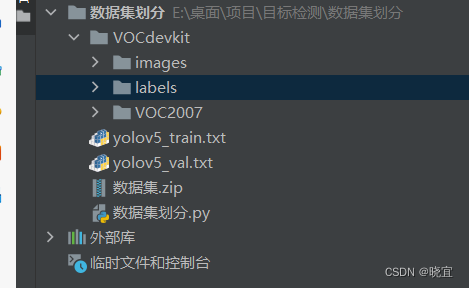
至此,我们就得到了想要的数据集
训练模型
下载yolo5源码:
地址
导入数据
将VOCdevkit文件夹放入目录
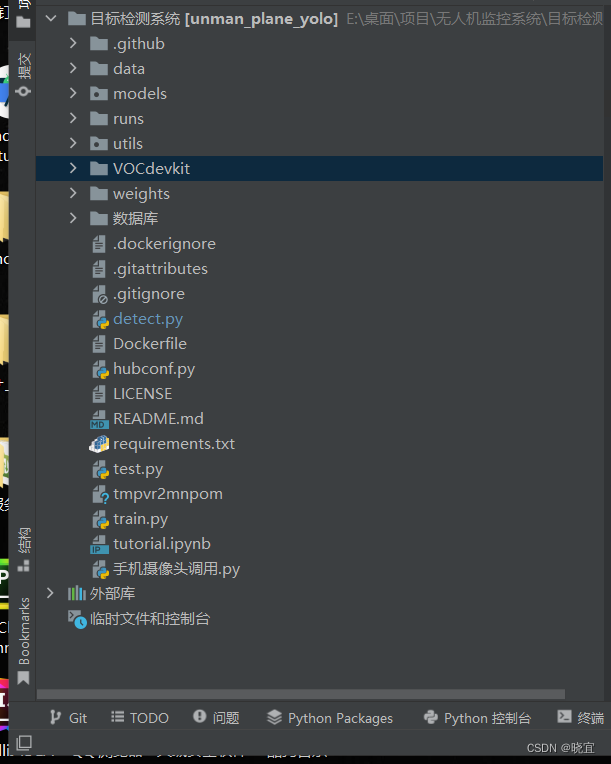
安装环境依赖:
pip install -r requirements.txt确定训练权重
yolov5的5.0版本给我们提供了几个预训练权重,我们可以对应我们不同的需求选择不同的版本的预训练权重。预训练权重可以通过这个网址进行下载,本次训练自己的数据集用的预训练权重为yolov5s.pt。
修改参数
预训练模型和数据集都准备好了,就可以开始训练自己的yolov5目标检测模型了,训练目标检测模型需要修改两个yaml文件中的参数。一个是data目录下的相应的yaml文件,一个是model目录文件下的相应的yaml文件。
一:
修改data目录下的相应的yaml文件。找到目录下的voc.yaml文件,将该文件复制一份,将复制的文件重命名,最好和项目相关。我这里修改为plane.yaml。该项目是对无人机的识别。
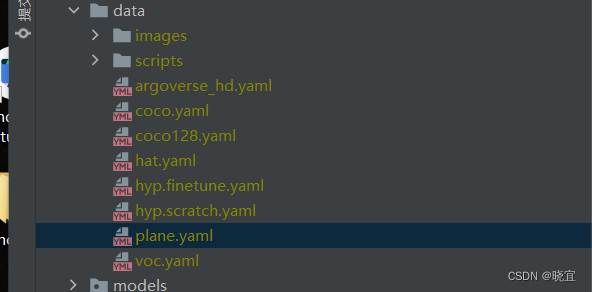
里面的内容改成这样:
# PASCAL VOC dataset http://host.robots.ox.ac.uk/pascal/VOC/
# Train command: python train.py --data voc.yaml
# Default dataset location is next to /yolov5:
#   /parent_folder
#     /VOC
#     /yolov5# download command/URL (optional)
#download: bash data/scripts/get_voc.sh# train and val data as 1) directory: path/images/, 2) file: path/images.txt, or 3) list: [path1/images/, path2/images/]
train: VOCdevkit/images/train  # 16551 images
val: VOCdevkit/images/val  # 4952 images# number of classes
nc: 1# class names
names: [ 'plane']
二:
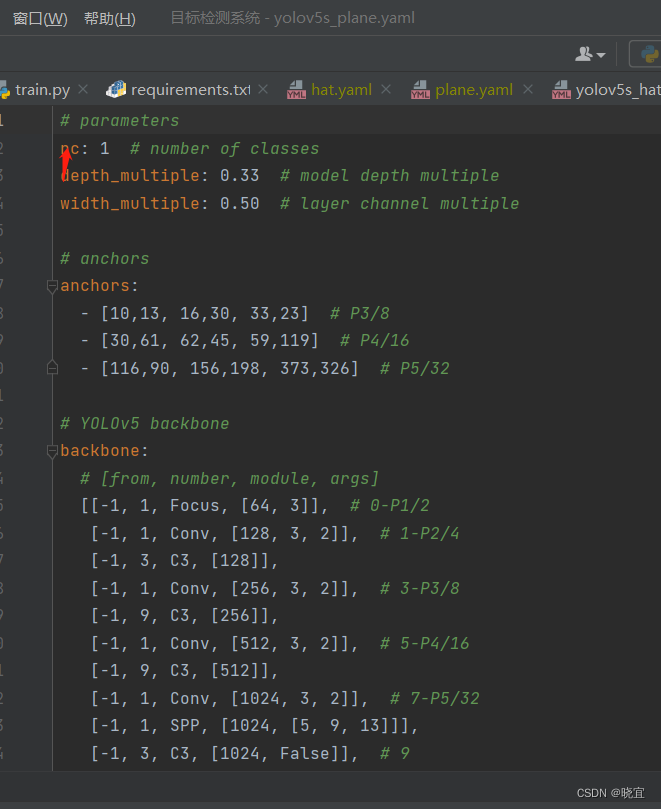
修改models目录下的相应的yaml文件。找到目录下的yolov5s.yaml文件,将该文件复制一份,将复制的文件重命名。我这里修改为yolov5s_plane.yaml。
将这里的识别对象改为1即可:
然后找到train.py文件,改这三个地方,改成我们刚才下载和修改的文件
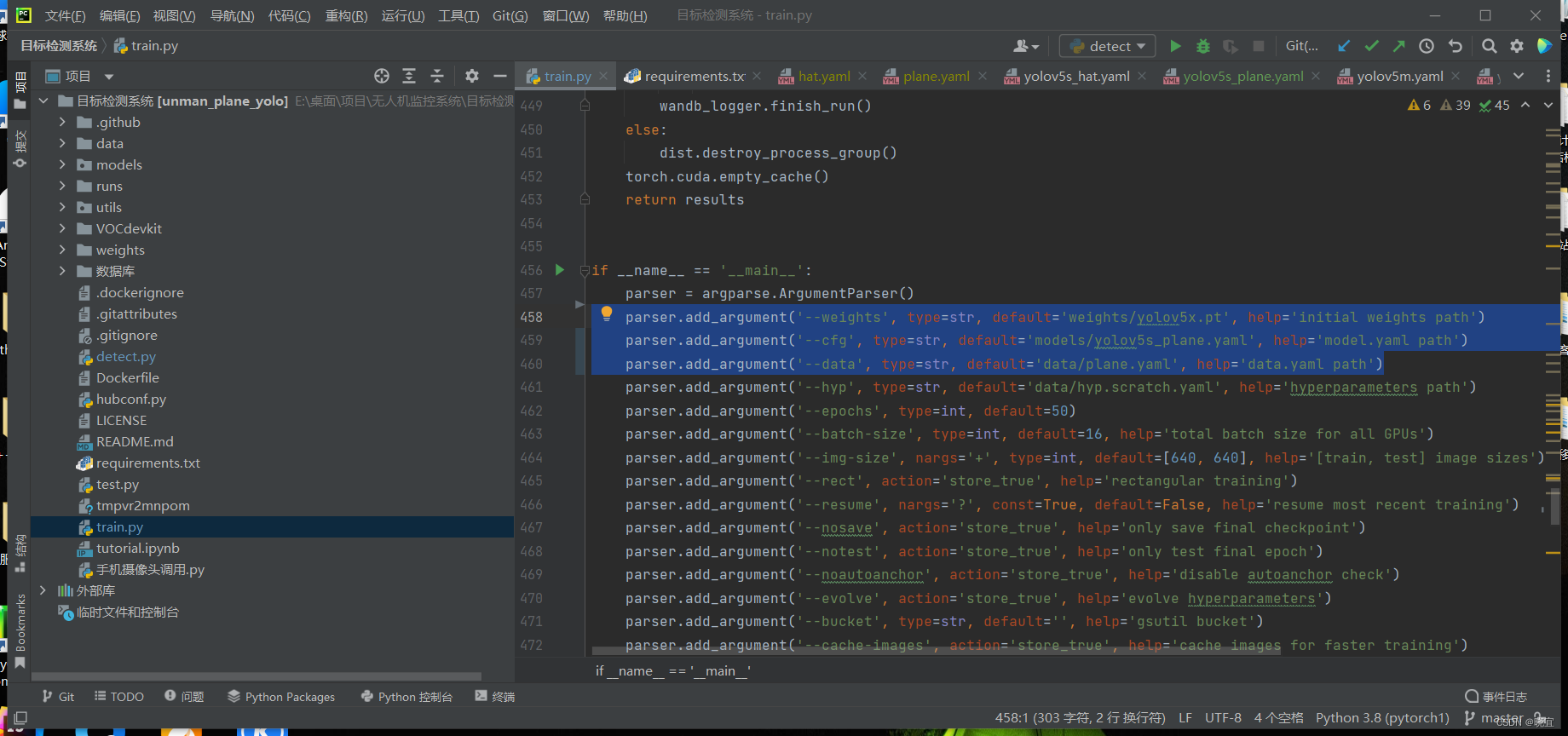
parser.add_argument('--weights', type=str, default='weights/yolov5x.pt', help='initial weights path')parser.add_argument('--cfg', type=str, default='models/yolov5s_plane.yaml', help='model.yaml path')parser.add_argument('--data', type=str, default='data/plane.yaml', help='data.yaml path')以上我们把参数就都配置好了,运行的话可能会提示我们虚拟内存不够,这时我们需要修改这个地方。
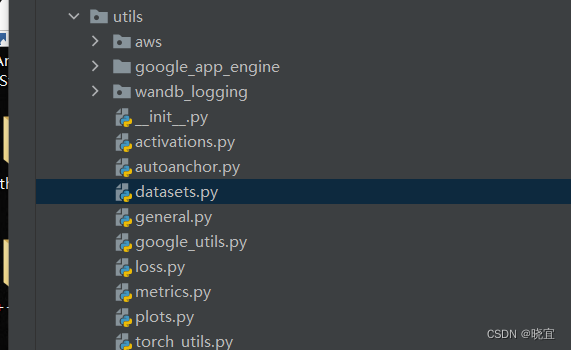
把这个参数改成0
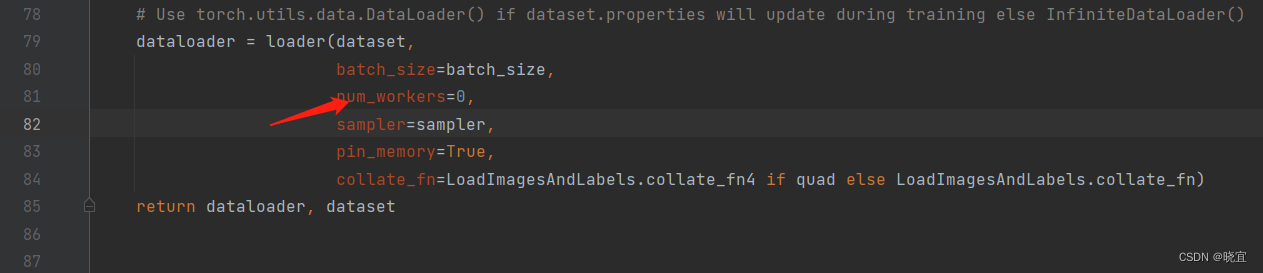
然后就可以开始训练了,训练结束后会生成一个run文件夹
应用模型:
找到run文件夹下面的best.pt文件,他通常在train文件夹下面的最后一个exp下面。
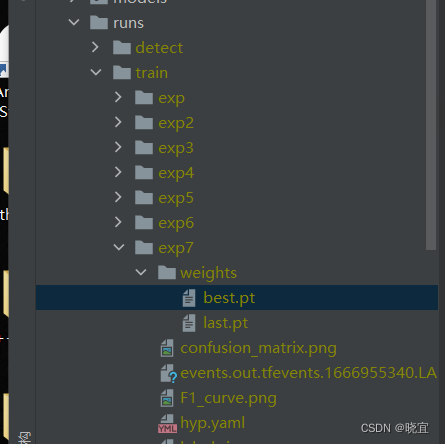
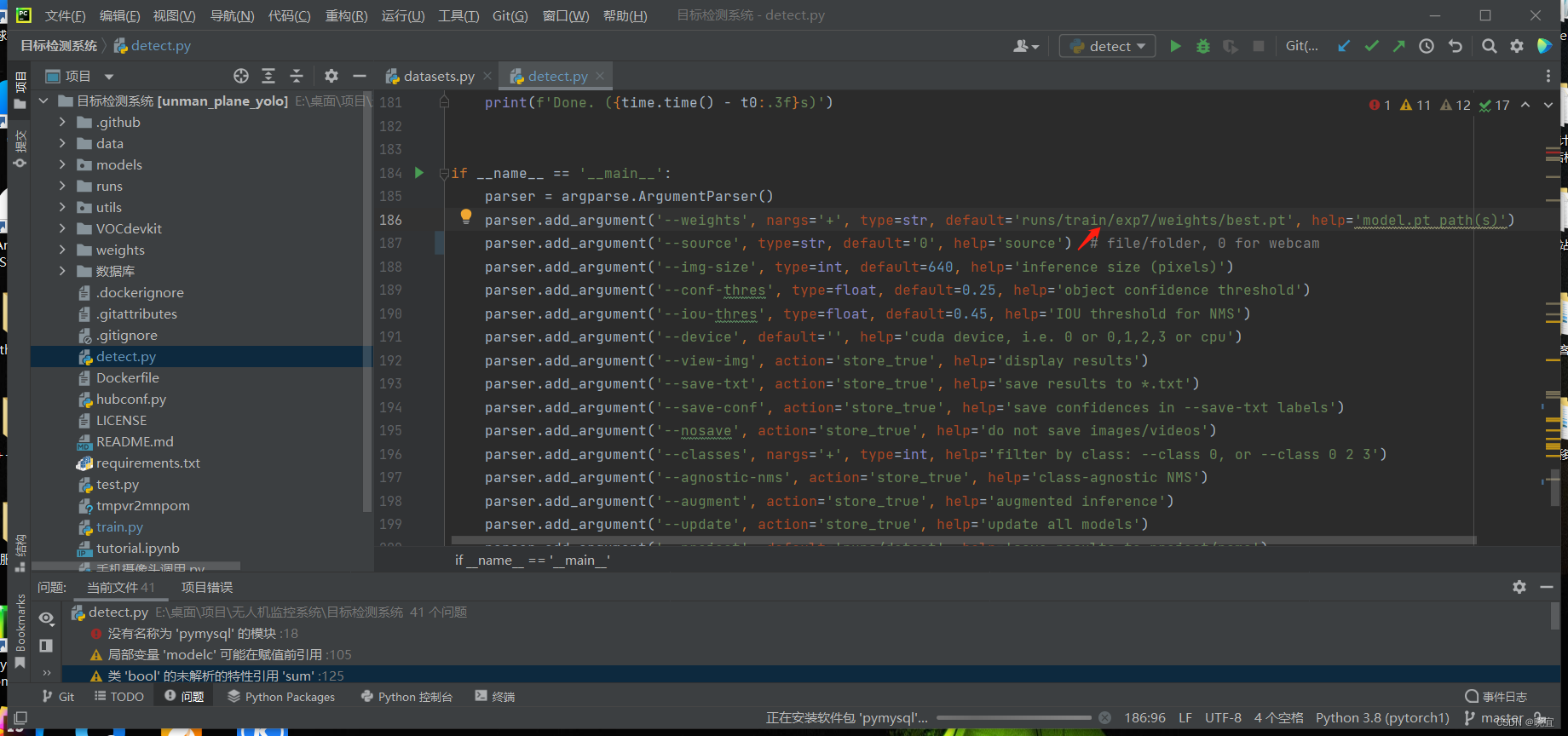
打开detect.py文件,修改这一出为我们训练好的文件
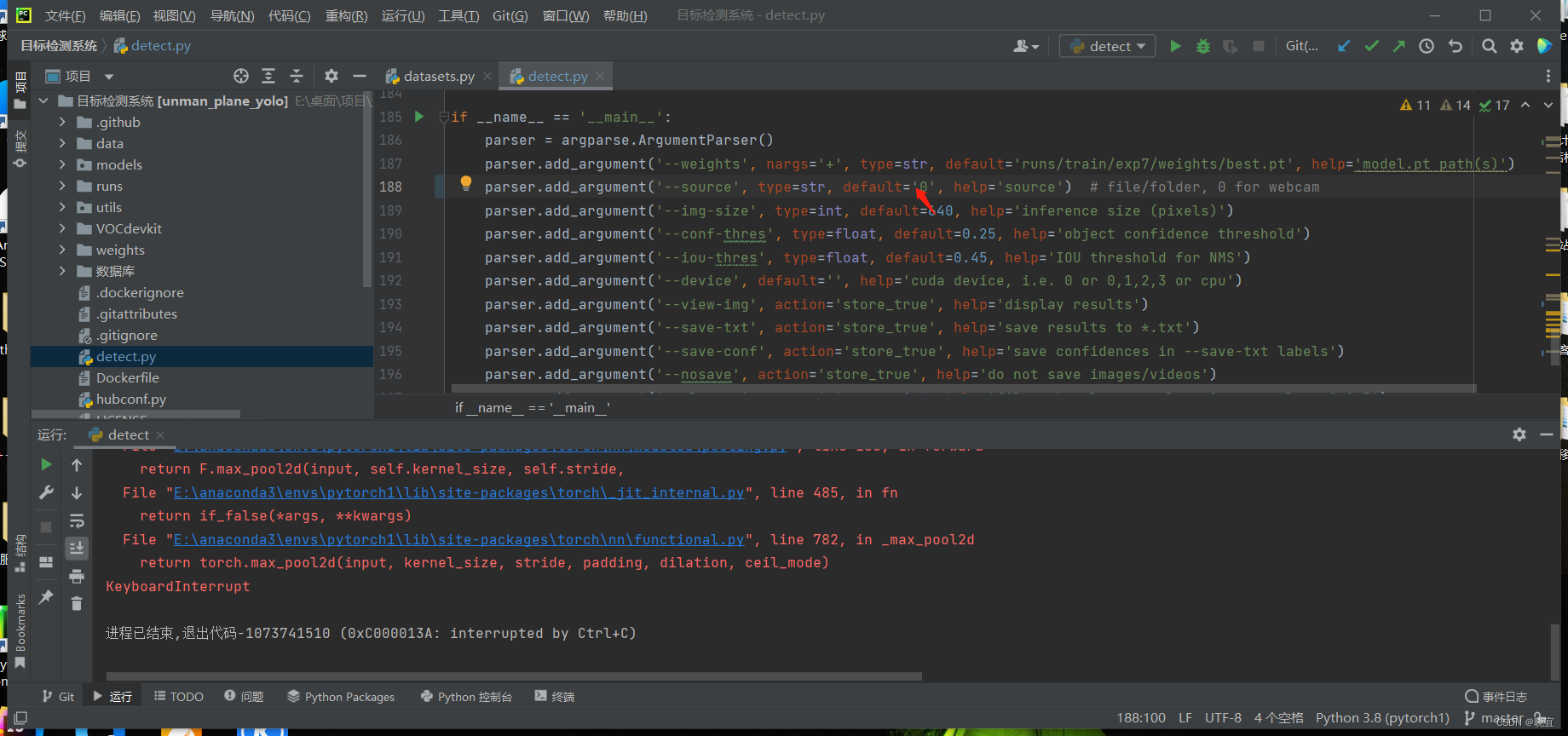
这个地方设置为0,就是调用电脑摄像头
我们这里在手机上下载一款应用,DroidCam,与电脑连接统一局域网,移动端显示如下:
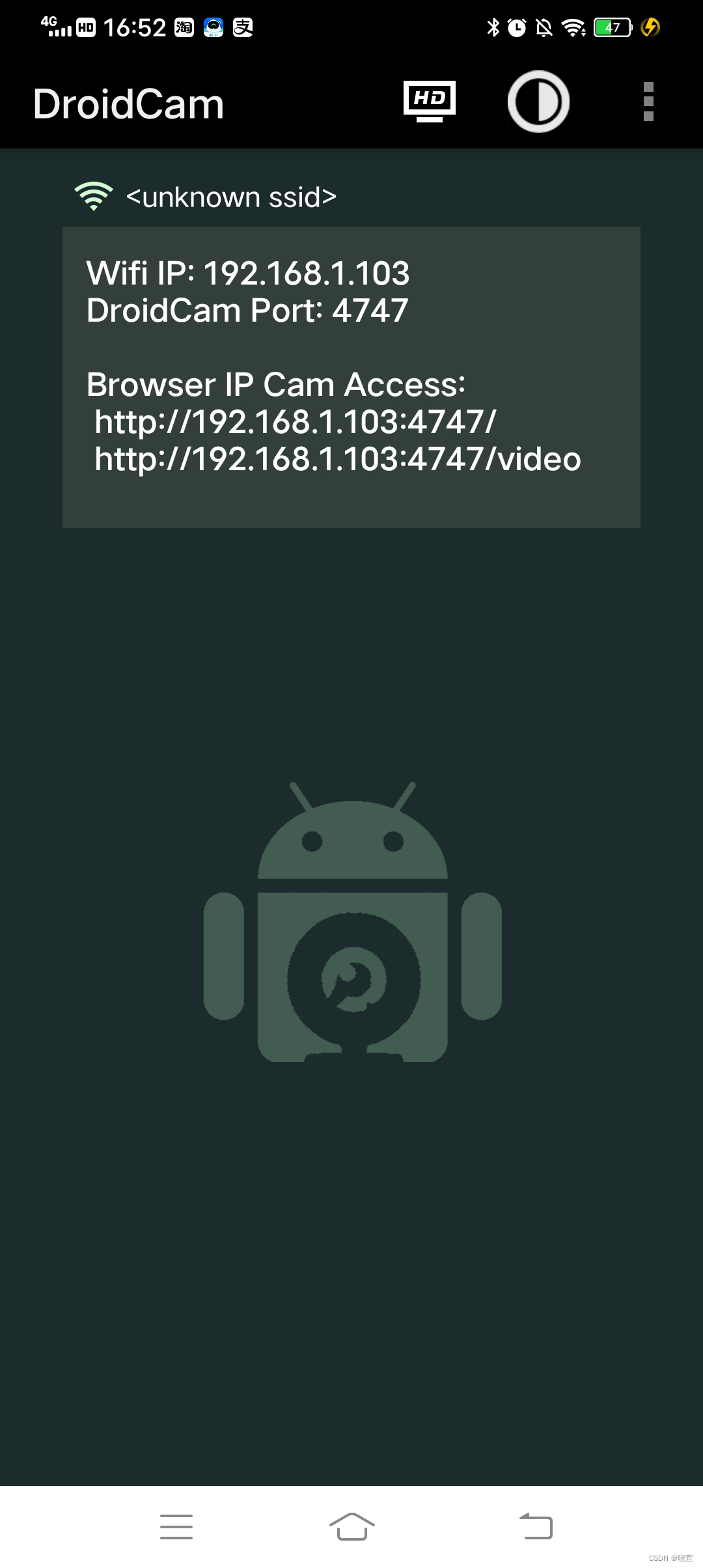
我们修改detect.py中的配置

这样就连上了手机摄像头
连接数据库
我们先引入数据库的用户名,密码等配置
import pymysqlid = 5
def insert_sql():# 建立连接conn = pymysql.connect(host="localhost",# host="192.168.1.112",user="root",  # 用户名passwd="password111",  # 用户密码db="检测小车")  # 数据库名global id# 创建游标,默认是元组型cursor = conn.cursor()# sql = "select * from t_plane"#数据库中表的名sql = '''INSERT INTO t_plane(id,x,y) VALUES(num,7,2);'''  # 数据库中表的名sql = sql.replace("num", str(id))cursor.execute(sql)conn.commit()id += 1cursor.close()conn.close()
id为5,是因为我的数据id设置为自增的,现在有四条,所以id就暂时设置成5。
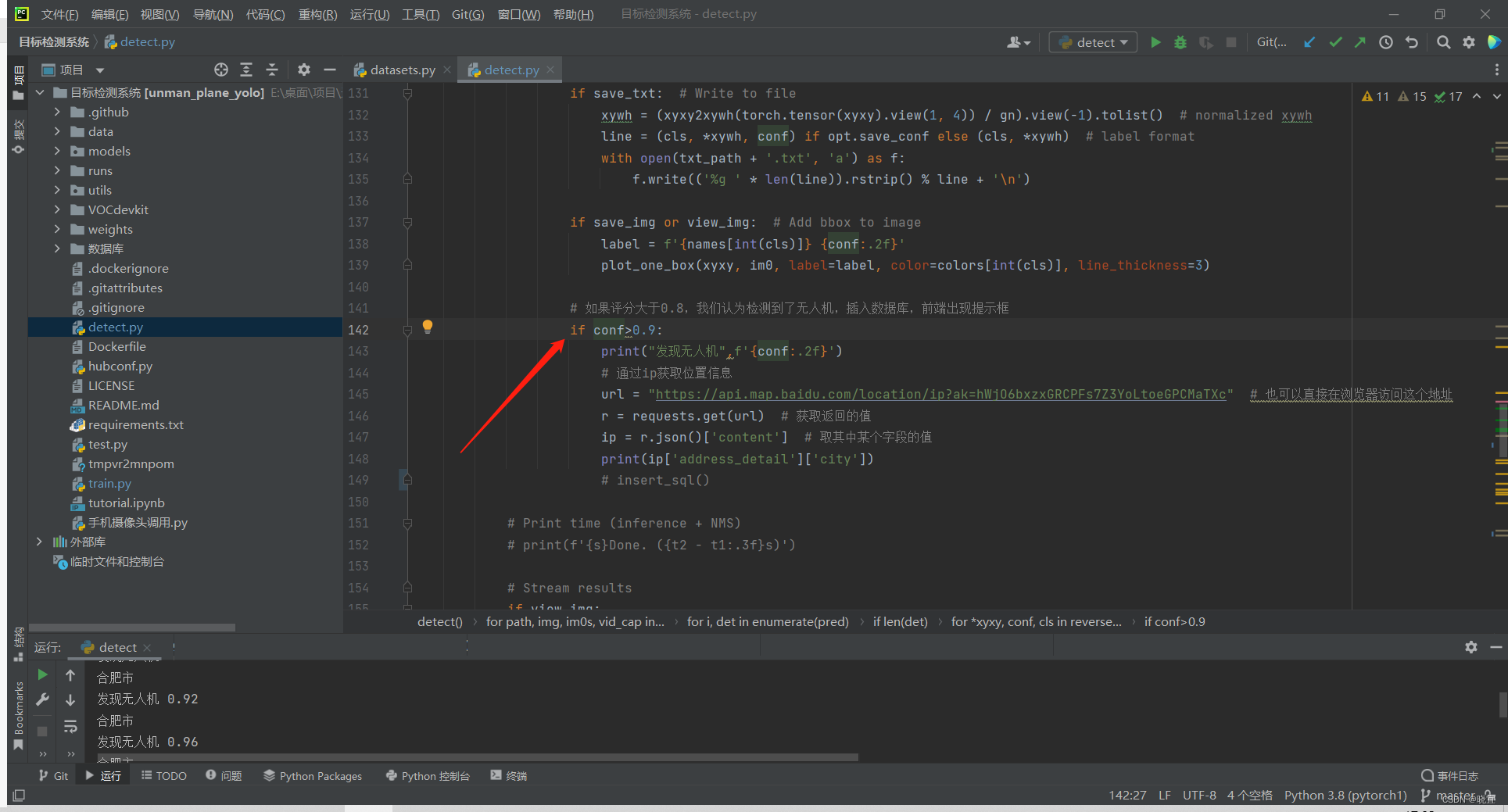
在程序中检测到物品都会给予一个评分,我们设置判断条件,但评分>0.9时,向数据库插入数据,意味着发现了目标
项目地址:
无人机目标检测: 基于yolo的无人机检测系统
相关网站搭建:http://t.csdn.cn/iNBcx