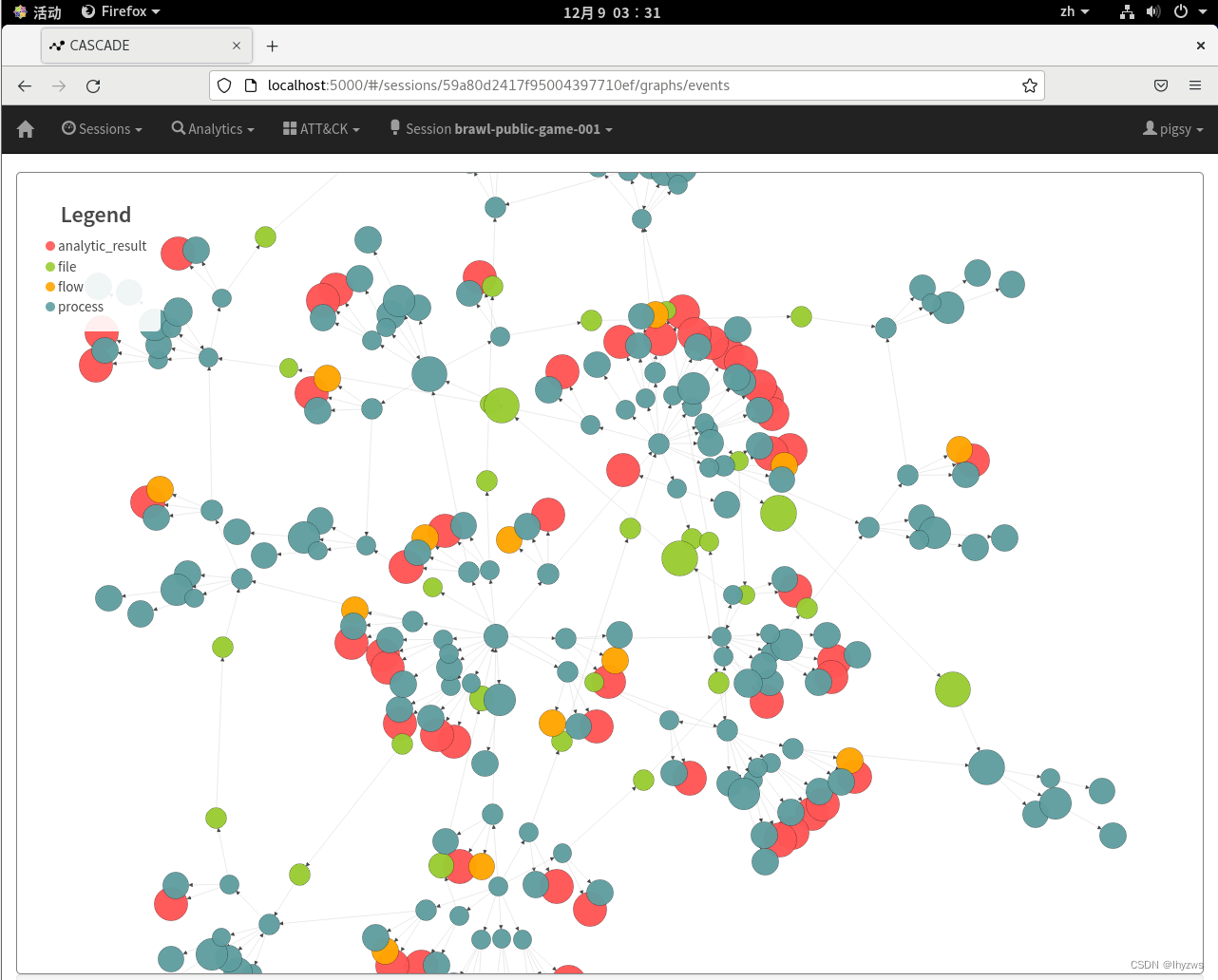
CENTOS上的网络安全工具(十五)cascade的部署
这一篇,我们尝试在CentOS上安装并运用一款“小众”安全工具——Cascade。这个工具给人的感觉只是作为验证ATT&CK理念的一个存在,而且由于其运转还需要依托CAR,所以对数据的处理停留在主机log类的层面,可能暂时还不太受安全公司的待见吧。但是我们还是很关心它验证的那个理念,所以装起来把玩一下。
一、Cascade简介
Cascade是近年来相当火热的MITRE公司的ATT&CK框架的关联产品,在Github上开源。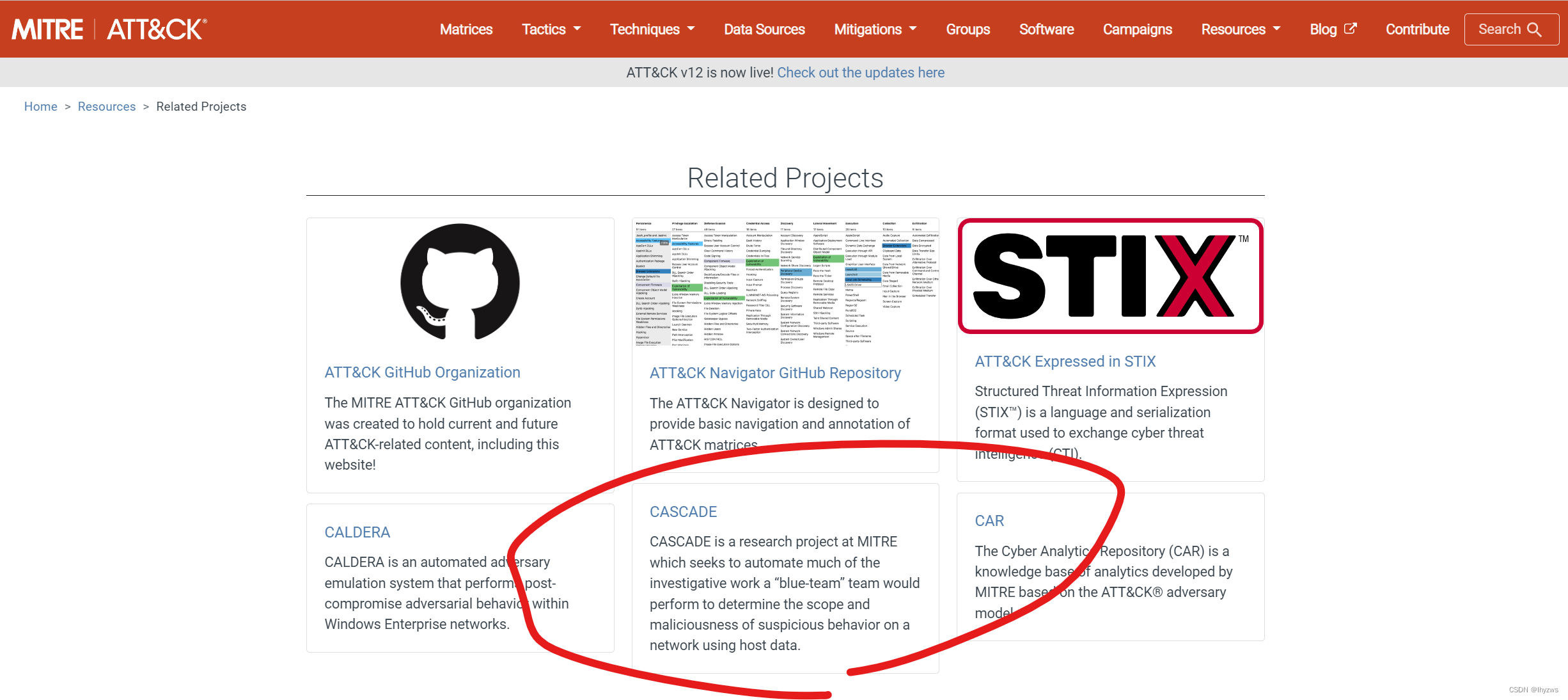
根据官方的介绍,Cascade主要目的是自动化“蓝队”(也就是安全防护一方)的大部分调查工作,以减轻调查人员在面对大量主机log时的晕眩感,帮助调查人员确定使用主机数据的可疑或恶意网络行动的程度。
二、Cascade的安装部署
1. 预备条件
根据官方给出的安装条件: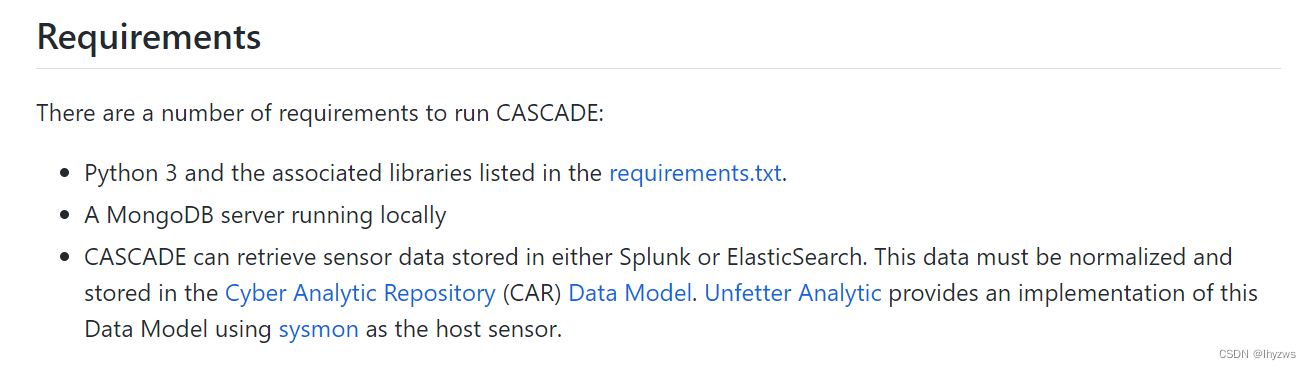
一是需要在部署cascade前,安装Python3。对于Centos-Stream-8来说,这个条件基本是具备的。另外需要在此基础上安装requirements.txt中所列出的所有支持项——只不过对于有多版本python的系统来说,最好是在虚拟环境中去做这件事,否则安装过程中会出现模块匹配方面的错误。
二是需要安装MongoDB服务
三是说Cascade可疑读取Splunk或者ES中的数据,但是这些数据需要整理成CAR中规定的数据模型格式。另外,名为Unfetter Analytic的Github项目提供了一个将主机上通过sysmon获取的进程创建、网络访问等日志信息转储成为数据模型的一个参考实现。但是这一片在我们的测试中暂时还是不需要的。
下面我们挨个安装这些内容。
(1)Centos-Stream-8相关配置
关闭Selinux
Selinux配置文件在/etc/selinux/下,名为config
[root@bogon ~]# vim /etc/selinux/config
修改SELINUX为disabled即可
# This file controls the state of SELinux on the system.
# SELINUX= can take one of these three values:
#     enforcing - SELinux security policy is enforced.
#     permissive - SELinux prints warnings instead of enforcing.
#     disabled - No SELinux policy is loaded.
SELINUX=disabled
# SELINUXTYPE= can take one of these three values:
#     targeted - Targeted processes are protected,
#     minimum - Modification of targeted policy. Only selected processes are protected.
#     mls - Multi Level Security protection.
SELINUXTYPE=targeted
关闭防火墙
[root@bogon ~]# systemctl stop firewalld.service
[root@bogon ~]# systemctl disable firewalld.service
Removed /etc/systemd/system/multi-user.target.wants/firewalld.service.
Removed /etc/systemd/system/dbus-org.fedoraproject.FirewallD1.service.
[root@bogon ~]#
(2)安装MongoDB
由于Cascade的最近更新也在2年前了,所以可支持的MongoDB、ES的版本相应也都挺老的,如果使用较新的软件,Cascade会不支持。
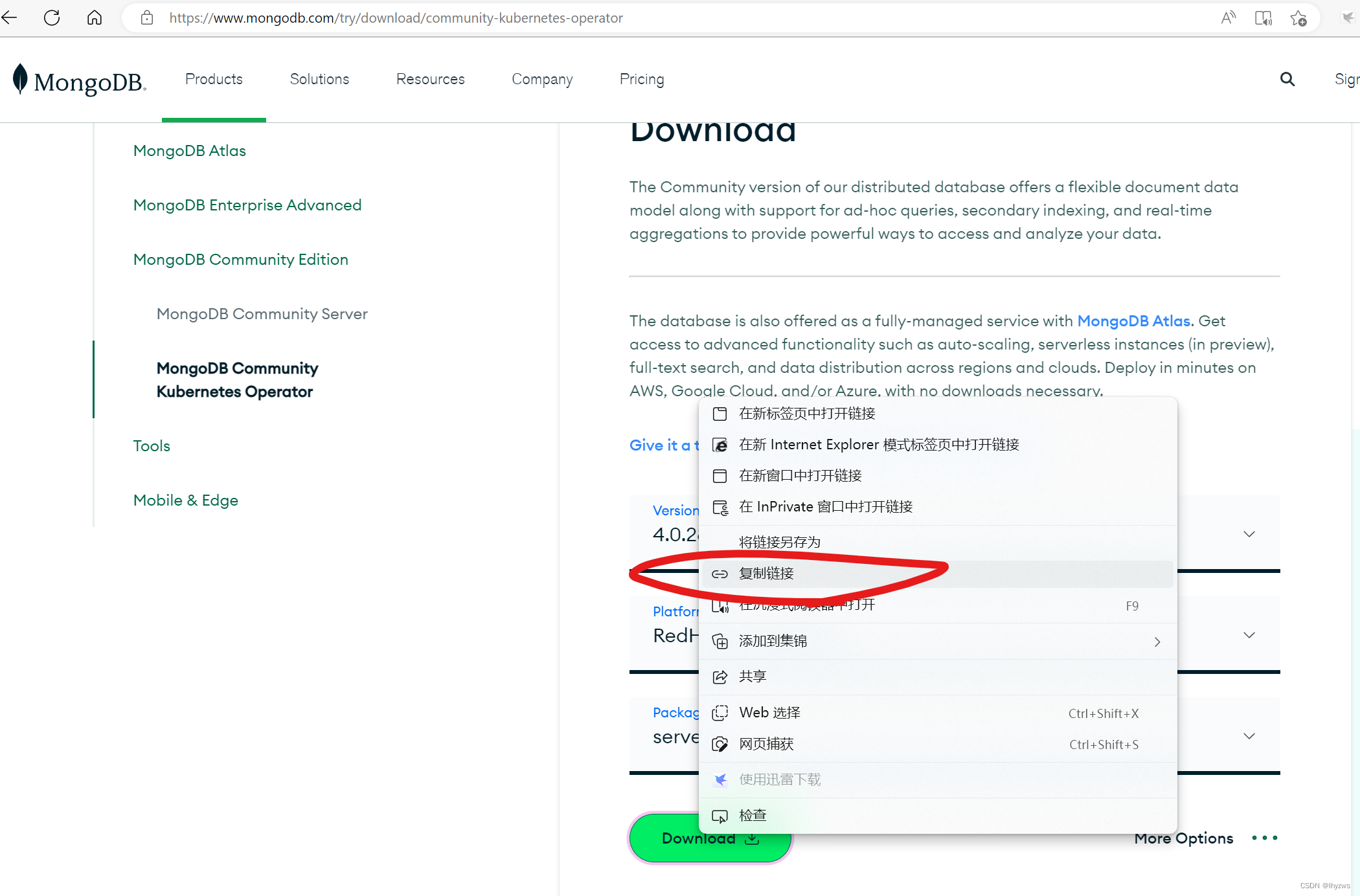
这里我们安装的是MongoDB的4.0.28版本版本,访问MongoDB的官方网站,在下载页面选择RedHat/CentOS 8.0的Server,4.0.28版本,在Download标签上右键鼠标,选择复制链接,可得到下载地址。
下载
在Centos-Stream-8下,使用wget,基于刚获得的链接下载rpm文件
[root@bogon ~]# wget https://repo.mongodb.org/yum/redhat/8/mongodb-org/4.0/x86_64/RPMS/mongodb-org-server-4.0.28-1.el8.x86_64.rpm
--2022-12-07 08:06:18--  https://repo.mongodb.org/yum/redhat/8/mongodb-org/4.0/x86_64/RPMS/mongodb-org-server-4.0.28-1.el8.x86_64.rpm
正在解析主机 repo.mongodb.org (repo.mongodb.org)... 18.65.185.55, 18.65.185.2, 18.65.185.40, ...
正在连接 repo.mongodb.org (repo.mongodb.org)|18.65.185.55|:443... 已连接。
已发出 HTTP 请求,正在等待回应... 200 OK
长度:17833400 (17M)
正在保存至: “mongodb-org-server-4.0.28-1.el8.x86_64.rpm”mongodb-org-server-4.0.28-1.el8.x8 100%[================================================================>]  17.01M  7.06MB/s  用时 2.4s    2022-12-07 08:06:21 (7.06 MB/s) - 已保存 “mongodb-org-server-4.0.28-1.el8.x86_64.rpm” [17833400/17833400])
安装
[root@bogon ~]# ls
公共  模板  视频  图片  文档  下载  音乐  桌面  anaconda-ks.cfg  initial-setup-ks.cfg  mongodb-org-server-4.0.28-1.el8.x86_64.rpm
[root@bogon ~]# rpm -ivh mongodb-org-server-4.0.28-1.el8.x86_64.rpm
警告:mongodb-org-server-4.0.28-1.el8.x86_64.rpm: 头V3 RSA/SHA1 Signature, 密钥 ID e52529d4: NOKEY
Verifying...                          ################################# [100%]
准备中...                          ################################# [100%]
正在升级/安装...1:mongodb-org-server-4.0.28-1.el8  ################################# [100%]
Created symlink /etc/systemd/system/multi-user.target.wants/mongod.service → /usr/lib/systemd/system/mongod.service.
[root@bogon ~]#
启动服务
[root@bogon ~]# systemctl start mongod.service
[root@bogon ~]# systemctl enable mongod
[root@bogon ~]# 查看状态,MongoDB使用的是27017端口
[root@bogon ~]# systemctl status mongod.service
● mongod.service - MongoDB Database ServerLoaded: loaded (/usr/lib/systemd/system/mongod.service; enabled; vendor preset: disabled)Active: active (running) since Wed 2022-12-07 08:09:58 EST; 1min 18s agoDocs: https://docs.mongodb.org/manualMain PID: 40639 (mongod)Memory: 56.3MCGroup: /system.slice/mongod.service└─40639 /usr/bin/mongod -f /etc/mongod.conf12月 07 08:09:58 bogon systemd[1]: Starting MongoDB Database Server...
12月 07 08:09:58 bogon mongod[40637]: about to fork child process, waiting until server is ready for connections.
12月 07 08:09:58 bogon mongod[40638]: forked process: 40639
12月 07 08:09:58 bogon mongod[40637]: child process started successfully, parent exiting
12月 07 08:09:58 bogon systemd[1]: Started MongoDB Database Server.
[root@bogon ~]#
[root@bogon ~]# netstat -ltnp|grep 'mongo'
tcp        0      0 127.0.0.1:27017         0.0.0.0:*               LISTEN      40639/mongod
[root@bogon ~]#
命令与查看版本
[root@bogon ~]# mongod --version
db version v4.0.28
git version: af1a9dc12adcfa83cc19571cb3faba26eeddac92
OpenSSL version: OpenSSL 1.1.1k  FIPS 25 Mar 2021
allocator: tcmalloc
modules: none
build environment:distmod: rhel80distarch: x86_64target_arch: x86_64
[root@bogon ~]#
(3)安装ElasticSearch
虽然cascade不一定需要ES,它只是读取ES的数据。但秉承着既然装了,就都装上的原则(主要还是担心不装也许就在哪掉坑里的恐惧心里),我们还是把它装上的好。
JAVA版本
Java和ElasticSearch这两个家伙是一对儿活宝:java版本众多,版本号蜜汁魔幻,前面我们有掉过这样的坑。
比如,JDK1.8.0 可能也叫JDK8,而JDK1.1并不叫JDK11;我一直在用的版本叫做JDK11,而现在最新的版本似乎已经到了JDK20。从网上扒了一阵扒下来一张表和一张图,大致能够说明这种混乱的历史:
| 版本号 | 别名 | 发布时间 |
| JDK 1.0 | Oak(橡树) | 1996/1/23 |
| JDK 1.1 | 1997/2/19 | |
| JDK 1.1.4 | Sparkler(宝石) | 1997/9/12 |
| JDK 1.1.5 | Pumpkin(南瓜) | 1997/12/13 |
| JDK 1.1.6 | Abigail(阿比盖尔–人名) | 1998/4/24 |
| JDK 1.1.7 | Brutus(布鲁图-人名) | 1998/9/28 |
| JDK 1.1.8 | Chelsea(切尔西–城市名) | 1999/4/8 |
| J2SE 1.2 | Playground(运动场) | 1998/12/4 |
| J2SE 1.2.1 | none(无) | 1999/3/30 |
| J2SE 1.2.2 | Cricket(蟋蟀) | 1999/7/8 |
| J2SE 1.3 | Kestrel(美洲红隼) | 2000/5/8 |
| J2SE 1.3.1 | Ladybird(瓢虫) | 2001/5/17 |
| J2SE 1.4.0 | Merlin(灰背隼) | 2002/2/13 |
| J2SE 1.4.1 | grasshopper(蚱蜢) | 2002/9/16 |
| J2SE 1.4.2 | Mantis(螳螂) | 2003/6/26 |
| Java SE 5.0 (1.5.0) | Tiger(老虎) | 2004/9/30 |
| Java SE 6.0 (1.6.0) | Mustang(野马) | Apr-06 |
| Java SE 7.0 (1.7.0) | Dolphin(海豚) | 2011/7/28 |
| Java SE 8.0 (1.8.0) | Spider(蜘蛛) | 2014/3/18 |
| Java SE 9.0 | 2017/9/21 | |
| Java SE 10.0 | 2018/3/21 | |
| Java SE 11.0 | 2018/9/25 |
这个图更清楚一些,精彩不精彩。
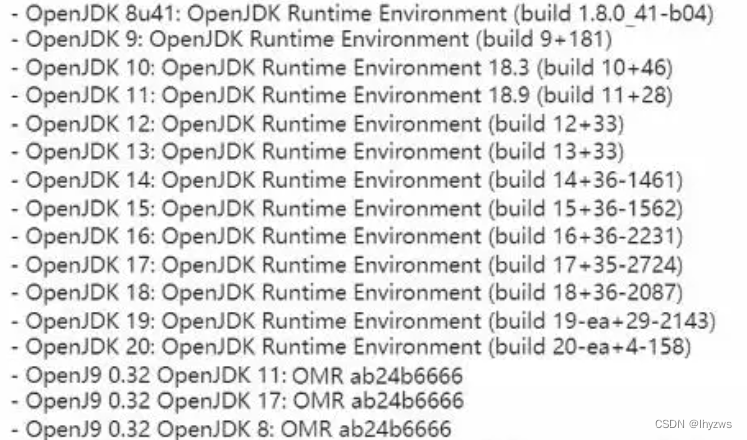
更有甚之,当安装了openjdk 1.8.0,也就是openjdk 8,执行java -version,还能看到另一个版本号——Java虚拟机的版本号:
[root@pig ~]# java -version
openjdk version "1.8.0_322"
OpenJDK Runtime Environment (build 1.8.0_322-b06)
OpenJDK 64-Bit Server VM (build 25.322-b06, mixed mode)
[root@pig ~]#
清理Java环境
安装Java前,还是需要尝试使用一下java指令,并且使用rpm指令确认一下centos有没有好心帮助我们预装我们不需要的版本。
[root@bogon ~]# java -version
bash: java: 未找到命令...
[root@bogon ~]# rpm -qa|grep 'jdk'
[root@bogon ~]# rpm -qa|grep 'java'
[root@bogon ~]#
列出可安装的Jdk
[root@bogon ~]# yum list *jdk*
上次元数据过期检查:1:16:20 前,执行于 2022年12月07日 星期三 08时10分39秒。
可安装的软件包
copy-jdk-configs.noarch                                                     4.0-2.el8                                              appstream
java-1.8.0-openjdk.x86_64                                                   1:1.8.0.322.b06-11.el8                                 appstream
java-1.8.0-openjdk-accessibility.x86_64                                     1:1.8.0.322.b06-11.el8                                 appstream
java-1.8.0-openjdk-demo.x86_64                                              1:1.8.0.322.b06-11.el8                                 appstream
java-1.8.0-openjdk-devel.x86_64                                             1:1.8.0.322.b06-11.el8                                 appstream
java-1.8.0-openjdk-headless.x86_64                                          1:1.8.0.322.b06-11.el8                                 appstream
java-1.8.0-openjdk-headless-slowdebug.x86_64                                1:1.8.0.322.b06-11.el8                                 appstream
java-1.8.0-openjdk-javadoc.noarch                                           1:1.8.0.322.b06-11.el8                                 appstream
java-1.8.0-openjdk-javadoc-zip.noarch                                       1:1.8.0.322.b06-11.el8                                 appstream
java-1.8.0-openjdk-slowdebug.x86_64                                         1:1.8.0.322.b06-11.el8                                 appstream
java-1.8.0-openjdk-src.x86_64                                               1:1.8.0.322.b06-11.el8                                 appstream
java-11-openjdk.x86_64                                                      1:11.0.17.0.8-2.el8                                    appstream
java-11-openjdk-demo.x86_64                                                 1:11.0.17.0.8-2.el8                                    appstream
java-11-openjdk-devel.x86_64                                                1:11.0.17.0.8-2.el8                                    appstream
java-11-openjdk-headless.x86_64                                             1:11.0.17.0.8-2.el8                                    appstream
java-11-openjdk-javadoc.x86_64                                              1:11.0.17.0.8-2.el8                                    appstream
java-11-openjdk-javadoc-zip.x86_64                                          1:11.0.17.0.8-2.el8                                    appstream
java-11-openjdk-jmods.x86_64                                                1:11.0.17.0.8-2.el8                                    appstream
java-11-openjdk-src.x86_64                                                  1:11.0.17.0.8-2.el8                                    appstream
java-11-openjdk-static-libs.x86_64                                          1:11.0.17.0.8-2.el8                                    appstream
java-17-openjdk.x86_64                                                      1:17.0.5.0.8-2.el8                                     appstream
java-17-openjdk-demo.x86_64                                                 1:17.0.5.0.8-2.el8                                     appstream
java-17-openjdk-devel.x86_64                                                1:17.0.5.0.8-2.el8                                     appstream
java-17-openjdk-headless.x86_64                                             1:17.0.5.0.8-2.el8                                     appstream
java-17-openjdk-javadoc.x86_64                                              1:17.0.5.0.8-2.el8                                     appstream
java-17-openjdk-javadoc-zip.x86_64                                          1:17.0.5.0.8-2.el8                                     appstream
java-17-openjdk-jmods.x86_64                                                1:17.0.5.0.8-2.el8                                     appstream
java-17-openjdk-src.x86_64                                                  1:17.0.5.0.8-2.el8                                     appstream
java-17-openjdk-static-libs.x86_64                                          1:17.0.5.0.8-2.el8                                     appstream
prometheus-jmx-exporter-openjdk11.noarch                                    0.12.0-8.el8                                           appstream
[root@bogon ~]#
主要还是JDK8,JDK11,JDK17
因为以前装JDK8掉坑,JDK17又太新,还是我们熟悉的JDK11吧:
JDK11的安装
[root@bogon ~]# yum install java-11* -y
上次元数据过期检查:1:22:02 前,执行于 2022年12月07日 星期三 08时10分39秒。
依赖关系解决。
============================================================================================================================================软件包 架构 版本 仓库 大小
============================================================================================================================================
安装:java-11-openjdk x86_64 1:11.0.17.0.8-2.el8 appstream 468 kjava-11-openjdk-demo x86_64 1:11.0.17.0.8-2.el8 appstream 4.4 Mjava-11-openjdk-devel x86_64 1:11.0.17.0.8-2.el8 appstream 3.4 Mjava-11-openjdk-headless x86_64 1:11.0.17.0.8-2.el8 appstream 41 Mjava-11-openjdk-javadoc x86_64 1:11.0.17.0.8-2.el8 appstream 16 Mjava-11-openjdk-javadoc-zip x86_64 1:11.0.17.0.8-2.el8 appstream 42 Mjava-11-openjdk-jmods x86_64 1:11.0.17.0.8-2.el8 appstream 337 Mjava-11-openjdk-src x86_64 1:11.0.17.0.8-2.el8 appstream 50 Mjava-11-openjdk-static-libs x86_64 1:11.0.17.0.8-2.el8 appstream 30 M
安装依赖关系:copy-jdk-configs noarch 4.0-2.el8 appstream 31 kjavapackages-filesystem noarch 5.3.0-1.module_el8.0.0+11+5b8c10bd appstream 30 klksctp-tools x86_64 1.0.18-3.el8 baseos 100 kttmkfdir x86_64 3.0.9-54.el8 appstream 62 ktzdata-java noarch 2022d-1.el8 appstream 186 kxorg-x11-fonts-Type1 noarch 7.5-19.el8 appstream 522 k
启用模块流:javapackages-runtime 201801 事务概要
============================================================================================================================================
安装 15 软件包总下载:527 M
安装大小:1.1 G
下载软件包:
(1/15): copy-jdk-configs-4.0-2.el8.noarch.rpm 102 kB/s | 31 kB 00:00
(2/15): java-11-openjdk-demo-11.0.17.0.8-2.el8.x86_64.rpm 3.8 MB/s | 4.4 MB 00:01
(3/15): java-11-openjdk-11.0.17.0.8-2.el8.x86_64.rpm 397 kB/s | 468 kB 00:01
(4/15): java-11-openjdk-devel-11.0.17.0.8-2.el8.x86_64.rpm 3.8 MB/s | 3.4 MB 00:00
(5/15): java-11-openjdk-javadoc-11.0.17.0.8-2.el8.x86_64.rpm 2.8 MB/s | 16 MB 00:05
(6/15): java-11-openjdk-javadoc-zip-11.0.17.0.8-2.el8.x86_64.rpm 2.2 MB/s | 42 MB 00:19
(7/15): java-11-openjdk-headless-11.0.17.0.8-2.el8.x86_64.rpm 2.1 MB/s | 41 MB 00:19
(8/15): java-11-openjdk-static-libs-11.0.17.0.8-2.el8.x86_64.rpm 2.1 MB/s | 30 MB 00:14
(9/15): javapackages-filesystem-5.3.0-1.module_el8.0.0+11+5b8c10bd.noarch.rpm 124 kB/s | 30 kB 00:00
(10/15): ttmkfdir-3.0.9-54.el8.x86_64.rpm 226 kB/s | 62 kB 00:00
(11/15): tzdata-java-2022d-1.el8.noarch.rpm 768 kB/s | 186 kB 00:00
(12/15): xorg-x11-fonts-Type1-7.5-19.el8.noarch.rpm 1.1 MB/s | 522 kB 00:00
(13/15): lksctp-tools-1.0.18-3.el8.x86_64.rpm 531 kB/s | 100 kB 00:00
(14/15): java-11-openjdk-src-11.0.17.0.8-2.el8.x86_64.rpm 2.4 MB/s | 50 MB 00:20
(15/15): java-11-openjdk-jmods-11.0.17.0.8-2.el8.x86_64.rpm 2.6 MB/s | 337 MB 02:10
--------------------------------------------------------------------------------------------------------------------------------------------
总计 3.8 MB/s | 527 MB 02:19
CentOS Stream 8 - AppStream 1.6 MB/s | 1.6 kB 00:00
导入 GPG 公钥 0x8483C65D:Userid: "CentOS (CentOS Official Signing Key) "指纹: 99DB 70FA E1D7 CE22 7FB6 4882 05B5 55B3 8483 C65D来自: /etc/pki/rpm-gpg/RPM-GPG-KEY-centosofficial
导入公钥成功
运行事务检查
事务检查成功。
运行事务测试
事务测试成功。
运行事务运行脚本: copy-jdk-configs-4.0-2.el8.noarch 1/1 运行脚本: java-11-openjdk-headless-1:11.0.17.0.8-2.el8.x86_64 1/1 准备中 : 1/1 安装 : javapackages-filesystem-5.3.0-1.module_el8.0.0+11+5b8c10bd.noarch 1/15 安装 : lksctp-tools-1.0.18-3.el8.x86_64 2/15 运行脚本: lksctp-tools-1.0.18-3.el8.x86_64 2/15 安装 : tzdata-java-2022d-1.el8.noarch 3/15 安装 : ttmkfdir-3.0.9-54.el8.x86_64 4/15 安装 : xorg-x11-fonts-Type1-7.5-19.el8.noarch 5/15 运行脚本: xorg-x11-fonts-Type1-7.5-19.el8.noarch 5/15 安装 : copy-jdk-configs-4.0-2.el8.noarch 6/15 安装 : java-11-openjdk-headless-1:11.0.17.0.8-2.el8.x86_64 7/15 运行脚本: java-11-openjdk-headless-1:11.0.17.0.8-2.el8.x86_64 7/15 安装 : java-11-openjdk-1:11.0.17.0.8-2.el8.x86_64 8/15 运行脚本: java-11-openjdk-1:11.0.17.0.8-2.el8.x86_64 8/15 安装 : java-11-openjdk-devel-1:11.0.17.0.8-2.el8.x86_64 9/15 运行脚本: java-11-openjdk-devel-1:11.0.17.0.8-2.el8.x86_64 9/15 安装 : java-11-openjdk-jmods-1:11.0.17.0.8-2.el8.x86_64 10/15 安装 : java-11-openjdk-static-libs-1:11.0.17.0.8-2.el8.x86_64 11/15 安装 : java-11-openjdk-demo-1:11.0.17.0.8-2.el8.x86_64 12/15 安装 : java-11-openjdk-javadoc-1:11.0.17.0.8-2.el8.x86_64 13/15 安装 : java-11-openjdk-javadoc-zip-1:11.0.17.0.8-2.el8.x86_64 14/15 安装 : java-11-openjdk-src-1:11.0.17.0.8-2.el8.x86_64 15/15 运行脚本: copy-jdk-configs-4.0-2.el8.noarch 15/15 运行脚本: java-11-openjdk-headless-1:11.0.17.0.8-2.el8.x86_64 15/15 运行脚本: java-11-openjdk-1:11.0.17.0.8-2.el8.x86_64 15/15 运行脚本: java-11-openjdk-devel-1:11.0.17.0.8-2.el8.x86_64 15/15 运行脚本: java-11-openjdk-javadoc-1:11.0.17.0.8-2.el8.x86_64 15/15 运行脚本: java-11-openjdk-javadoc-zip-1:11.0.17.0.8-2.el8.x86_64 15/15 运行脚本: java-11-openjdk-src-1:11.0.17.0.8-2.el8.x86_64 15/15 验证 : copy-jdk-configs-4.0-2.el8.noarch 1/15 验证 : java-11-openjdk-1:11.0.17.0.8-2.el8.x86_64 2/15 验证 : java-11-openjdk-demo-1:11.0.17.0.8-2.el8.x86_64 3/15 验证 : java-11-openjdk-devel-1:11.0.17.0.8-2.el8.x86_64 4/15 验证 : java-11-openjdk-headless-1:11.0.17.0.8-2.el8.x86_64 5/15 验证 : java-11-openjdk-javadoc-1:11.0.17.0.8-2.el8.x86_64 6/15 验证 : java-11-openjdk-javadoc-zip-1:11.0.17.0.8-2.el8.x86_64 7/15 验证 : java-11-openjdk-jmods-1:11.0.17.0.8-2.el8.x86_64 8/15 验证 : java-11-openjdk-src-1:11.0.17.0.8-2.el8.x86_64 9/15 验证 : java-11-openjdk-static-libs-1:11.0.17.0.8-2.el8.x86_64 10/15 验证 : javapackages-filesystem-5.3.0-1.module_el8.0.0+11+5b8c10bd.noarch 11/15 验证 : ttmkfdir-3.0.9-54.el8.x86_64 12/15 验证 : tzdata-java-2022d-1.el8.noarch 13/15 验证 : xorg-x11-fonts-Type1-7.5-19.el8.noarch 14/15 验证 : lksctp-tools-1.0.18-3.el8.x86_64 15/15 已安装:copy-jdk-configs-4.0-2.el8.noarch java-11-openjdk-1:11.0.17.0.8-2.el8.x86_64 java-11-openjdk-demo-1:11.0.17.0.8-2.el8.x86_64 java-11-openjdk-devel-1:11.0.17.0.8-2.el8.x86_64 java-11-openjdk-headless-1:11.0.17.0.8-2.el8.x86_64 java-11-openjdk-javadoc-1:11.0.17.0.8-2.el8.x86_64 java-11-openjdk-javadoc-zip-1:11.0.17.0.8-2.el8.x86_64 java-11-openjdk-jmods-1:11.0.17.0.8-2.el8.x86_64 java-11-openjdk-src-1:11.0.17.0.8-2.el8.x86_64 java-11-openjdk-static-libs-1:11.0.17.0.8-2.el8.x86_64 javapackages-filesystem-5.3.0-1.module_el8.0.0+11+5b8c10bd.noarch lksctp-tools-1.0.18-3.el8.x86_64 ttmkfdir-3.0.9-54.el8.x86_64 tzdata-java-2022d-1.el8.noarch xorg-x11-fonts-Type1-7.5-19.el8.noarch 完毕!
验证
[root@bogon ~]# java -version
openjdk version "11.0.17" 2022-10-18 LTS
OpenJDK Runtime Environment (Red_Hat-11.0.17.0.8-2.el8) (build 11.0.17+8-LTS)
OpenJDK 64-Bit Server VM (Red_Hat-11.0.17.0.8-2.el8) (build 11.0.17+8-LTS, mixed mode, sharing)
JDK11的版本号还是要比JDK8清爽不少,至少数字都是一样的不是……
ElasticSearch下载
同样的,ES的版本不仅要能够和Cascade配合,还要能够和JDK11配合起来,我们选择的是7.11.2版本。但是这个下载链接是相当的不好找——直接通过下载链接是进不去的,通过网页方式去找合适的版本的话,如下图所示,应该是从Guide进去,在左上角选择others以后,才能找到比较老的版本,然后在网页中向下找到“Downlaod and install the RPM manually”,安装地址会出现在这里:
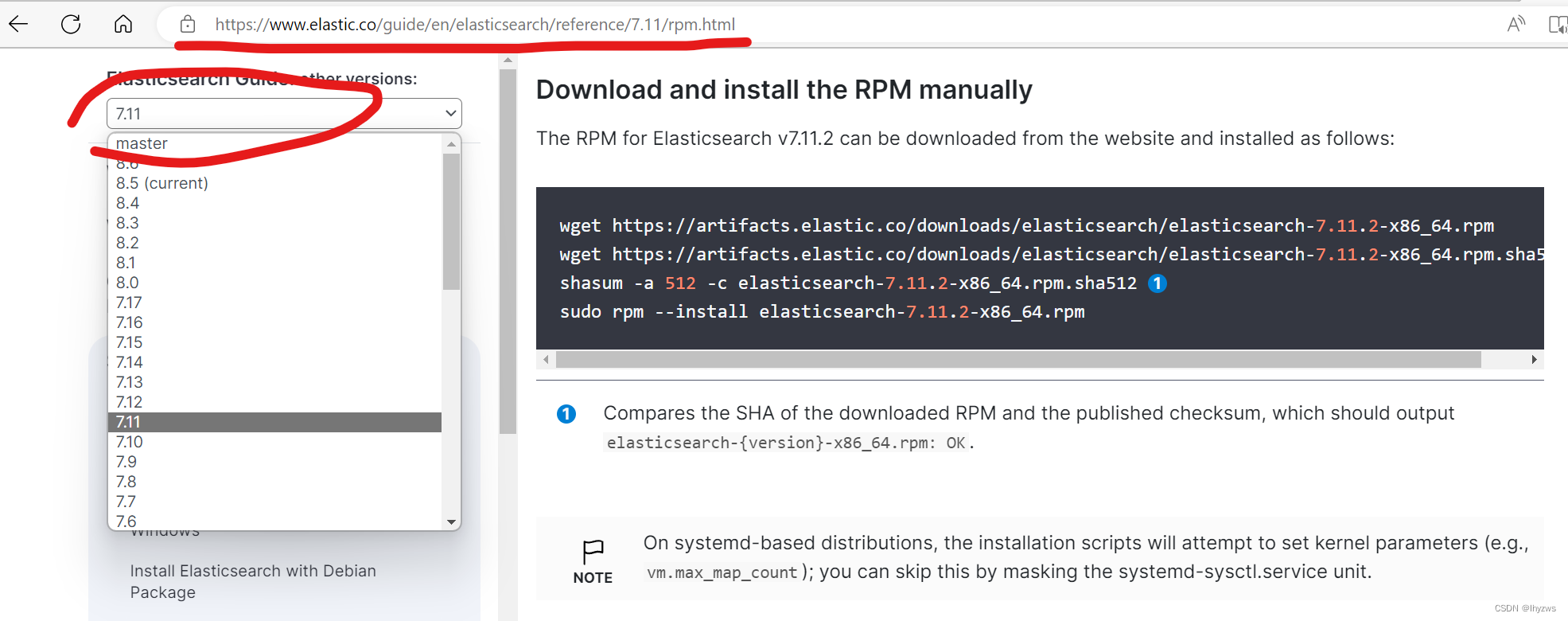
直接使用这个下载地址把rpm下载下来安装就行:
wget https://artifacts.elastic.co/downloads/elasticsearch/elasticsearch-7.11.2-x86_64.rpm
[root@bogon ~]# wget https://artifacts.elastic.co/downloads/elasticsearch/elasticsearch-7.11.2-x86_64.rpm
--2022-12-07 20:24:59--  https://artifacts.elastic.co/downloads/elasticsearch/elasticsearch-7.11.2-x86_64.rpm
正在解析主机 artifacts.elastic.co (artifacts.elastic.co)... 34.120.127.130, 2600:1901:0:1d7::
正在连接 artifacts.elastic.co (artifacts.elastic.co)|34.120.127.130|:443... 已连接。
已发出 HTTP 请求,正在等待回应... 200 OK
长度:322917736 (308M) [binary/octet-stream]
正在保存至: “elasticsearch-7.11.2-x86_64.rpm”elasticsearch-7.11.2-x86_64.rpm    100%[================================================================>] 307.96M  5.90MB/s  用时 66s     2022-12-07 20:26:06 (4.66 MB/s) - 已保存 “elasticsearch-7.11.2-x86_64.rpm” [322917736/322917736])
ElasticSearch安装
[root@bogon ~]# rpm -ivh elasticsearch-7.11.2-x86_64.rpm
警告:elasticsearch-7.11.2-x86_64.rpm: 头V4 RSA/SHA512 Signature, 密钥 ID d88e42b4: NOKEY
Verifying...                          ################################# [100%]
准备中...                          ################################# [100%]
Creating elasticsearch group... OK
Creating elasticsearch user... OK
正在升级/安装...1:elasticsearch-0:7.11.2-1         ################################# [100%]
### NOT starting on installation, please execute the following statements to configure elasticsearch service to start automatically using systemdsudo systemctl daemon-reloadsudo systemctl enable elasticsearch.service
### You can start elasticsearch service by executingsudo systemctl start elasticsearch.service
Created elasticsearch keystore in /etc/elasticsearch/elasticsearch.keystore
Couldn't write '1' to 'vm/unprivileged_userfaultfd', ignoring: No such file or directory
[/usr/lib/tmpfiles.d/elasticsearch.conf:1] Line references path below legacy directory /var/run/, updating /var/run/elasticsearch → /run/elasticsearch; please update the tmpfiles.d/ drop-in file accordingly.
ES在某个版本(大约是8)之后,加入了安全性支持,导致服务启动后直接访问localhost会出现安全错误,这个需要在elasticsearch.yml配置文件中关闭安全设置:
[root@bogon ~]# cd /etc/elasticsearch/
[root@bogon elasticsearch]# ls
elasticsearch.keystore  elasticsearch.yml  jvm.options  jvm.options.d  log4j2.properties  role_mapping.yml  roles.yml  users  users_roles
[root@bogon elasticsearch]# vim elasticsearch.yml
修改 xpack.security.enabled为false:
#----------------------- BEGIN SECURITY AUTO CONFIGURATION -----------------------
#
# The following settings, TLS certificates, and keys have been automatically
# generated to configure Elasticsearch security features on 07-11-2022 02:03:08
#
# --------------------------------------------------------------------------------# Enable security features
xpack.security.enabled: falsexpack.security.enrollment.enabled: true# Enable encryption for HTTP API client connections, such as Kibana, Logstash, and Agents
然后启动ES服务
[root@bogon elasticsearch]# systemctl start elasticsearch.service
[root@bogon elasticsearch]# systemctl enable elasticsearch.service
Synchronizing state of elasticsearch.service with SysV service script with /usr/lib/systemd/systemd-sysv-install.
Executing: /usr/lib/systemd/systemd-sysv-install enable elasticsearch
Created symlink /etc/systemd/system/multi-user.target.wants/elasticsearch.service → /usr/lib/systemd/system/elasticsearch.service.
[root@bogon elasticsearch]# systemctl status elasticsearch.service
● elasticsearch.service - ElasticsearchLoaded: loaded (/usr/lib/systemd/system/elasticsearch.service; enabled; vendor preset: disabled)Active: active (running) since Wed 2022-12-07 21:18:36 EST; 28s agoDocs: https://www.elastic.coMain PID: 44800 (java)Tasks: 72 (limit: 49135)Memory: 4.1GCGroup: /system.slice/elasticsearch.service├─44800 /usr/share/elasticsearch/jdk/bin/java -Xshare:auto -Des.networkaddress.cache.ttl=60 -Des.networkaddress.cache.negative.t>└─45004 /usr/share/elasticsearch/modules/x-pack-ml/platform/linux-x86_64/bin/controller12月 07 21:17:41 bogon systemd[1]: Starting Elasticsearch...
12月 07 21:18:36 bogon systemd[1]: Started Elasticsearch.
lines 1-13/13 (END)
验证
查看ES服务主进程号对应的端口,与ES默认端口一致,为9200
[root@bogon elasticsearch]# systemctl status elasticsearch.service
● elasticsearch.service - ElasticsearchLoaded: loaded (/usr/lib/systemd/system/elasticsearch.service; enabled; vendor preset: disabled)Active: active (running) since Wed 2022-12-07 21:18:36 EST; 28s agoDocs: https://www.elastic.coMain PID: 44800 (java)Tasks: 72 (limit: 49135)Memory: 4.1GCGroup: /system.slice/elasticsearch.service├─44800 /usr/share/elasticsearch/jdk/bin/java -Xshare:auto -Des.networkaddress.cache.ttl=60 -Des.networkaddress.cache.negative.t>└─45004 /usr/share/elasticsearch/modules/x-pack-ml/platform/linux-x86_64/bin/controller12月 07 21:17:41 bogon systemd[1]: Starting Elasticsearch...
12月 07 21:18:36 bogon systemd[1]: Started Elasticsearch.
[root@bogon elasticsearch]#
[root@bogon elasticsearch]# netstat -ltnp |grep '44800'
tcp6       0      0 127.0.0.1:9200          :::*                    LISTEN      44800/java
tcp6       0      0 ::1:9200                :::*                    LISTEN      44800/java
tcp6       0      0 127.0.0.1:9300          :::*                    LISTEN      44800/java
tcp6       0      0 ::1:9300                :::*                    LISTEN      44800/java
[root@bogon elasticsearch]#
访问一下ES的接口,如下图说明安装成功
[root@bogon elasticsearch]# curl localhost:9200
{"name" : "bogon","cluster_name" : "elasticsearch","cluster_uuid" : "Gf8XNyGUTpeTVtbJI0pALQ","version" : {"number" : "7.11.2","build_flavor" : "default","build_type" : "rpm","build_hash" : "3e5a16cfec50876d20ea77b075070932c6464c7d","build_date" : "2021-03-06T05:54:38.141101Z","build_snapshot" : false,"lucene_version" : "8.7.0","minimum_wire_compatibility_version" : "6.8.0","minimum_index_compatibility_version" : "6.0.0-beta1"},"tagline" : "You Know, for Search"
}
[root@bogon elasticsearch]#
(4)安装Python、虚拟环境
在Centos-stream-8的含GUI安装中,python3和pip3都是默认安装的:
[root@bogon ~]# python3
Python 3.6.8 (default, Mar 25 2022, 11:15:52)
[GCC 8.5.0 20210514 (Red Hat 8.5.0-10)] on linux
Type "help", "copyright", "credits" or "license" for more information.
>>> quit()
[root@bogon ~]# pip3 --version
pip 9.0.3 from /usr/lib/python3.6/site-packages (python 3.6)
[root@bogon ~]#
而且除了python3和pip3,没有其它的了
[root@bogon ~]# which python3
/usr/bin/python3
[root@bogon ~]# which python
/usr/bin/which: no python in (/usr/local/bin:/usr/local/sbin:/usr/bin:/usr/sbin:/root/bin)
[root@bogon ~]# which pip3
/usr/bin/pip3
[root@bogon ~]# which pip
/usr/bin/which: no pip in (/usr/local/bin:/usr/local/sbin:/usr/bin:/usr/sbin:/root/bin)
[root@bogon ~]#
安装VirtualEnv
后续安装cascade的requirements,需要在虚拟python环境中安装,否则组件的兼容性问题会把人搞疯。所以安装virtualenv工具备用。
[root@bogon ~]# pip3 install virtualenv
WARNING: pip is being invoked by an old script wrapper. This will fail in a future version of pip.
Please see https://github.com/pypa/pip/issues/5599 for advice on fixing the underlying issue.
To avoid this problem you can invoke Python with '-m pip' instead of running pip directly.
Collecting virtualenvDownloading virtualenv-20.17.1-py3-none-any.whl (8.8 MB)|████████████████████████████████| 8.8 MB 317 kB/s
Collecting distlib<1,>=0.3.6Downloading distlib-0.3.6-py2.py3-none-any.whl (468 kB)|████████████████████████████████| 468 kB 11.9 MB/s
Collecting importlib-metadata>=4.8.3Downloading importlib_metadata-4.8.3-py3-none-any.whl (17 kB)
Collecting platformdirs<3,>=2.4Downloading platformdirs-2.4.0-py3-none-any.whl (14 kB)
Collecting importlib-resources>=5.4Downloading importlib_resources-5.4.0-py3-none-any.whl (28 kB)
Collecting filelock<4,>=3.4.1Downloading filelock-3.4.1-py3-none-any.whl (9.9 kB)
Collecting zipp>=0.5Downloading zipp-3.6.0-py3-none-any.whl (5.3 kB)
Collecting typing-extensions>=3.6.4Downloading typing_extensions-4.1.1-py3-none-any.whl (26 kB)
Installing collected packages: zipp, typing-extensions, platformdirs, importlib-resources, importlib-metadata, filelock, distlib, virtualenv
Successfully installed distlib-0.3.6 filelock-3.4.1 importlib-metadata-4.8.3 importlib-resources-5.4.0 platformdirs-2.4.0 typing-extensions-4.1.1 virtualenv-20.17.1 zipp-3.6.0
WARNING: Running pip as the 'root' user can result in broken permissions and conflicting behaviour with the system package manager. It is recommended to use a virtual environment instead: https://pip.pypa.io/warnings/venv
2. 安装Cascade
好了,到目前为止,Cascade的准备工作就已经搞定了。下面可以下载并安装了。
(1)安装git工具
在命令行中键入git命令,centos会提示是否安装,y就行了
[root@bogon ~]# git
bash: git: 未找到命令...
安装软件包“git-core”以提供命令“git”? [N/y] y* 正在队列中等待... * 装入软件包列表...
下列软件包必须安装:git-core-2.31.1-2.el8.x86_64	Core package of git with minimal functionality
继续更改? [N/y] y* 正在队列中等待... * 正在等待认证... * 正在队列中等待... * 正在下载软件包... * 正在请求数据... * 正在测试更改... * 正在安装软件包...
用法:git [--version] [--help] [-C ] [-c =][--exec-path[=]] [--html-path] [--man-path] [--info-path][-p | --paginate | -P | --no-pager] [--no-replace-objects] [--bare][--git-dir=] [--work-tree=] [--namespace=][--super-prefix=] [--config-env==] []这些是各种场合常见的 Git 命令:开始一个工作区(参见:git help tutorial)clone             克隆仓库到一个新目录init              创建一个空的 Git 仓库或重新初始化一个已存在的仓库在当前变更上工作(参见:git help everyday)add               添加文件内容至索引mv                移动或重命名一个文件、目录或符号链接restore           恢复工作区文件rm                从工作区和索引中删除文件sparse-checkout   初始化及修改稀疏检出检查历史和状态(参见:git help revisions)bisect            通过二分查找定位引入 bug 的提交diff              显示提交之间、提交和工作区之间等的差异grep              输出和模式匹配的行log               显示提交日志show              显示各种类型的对象status            显示工作区状态扩展、标记和调校您的历史记录branch            列出、创建或删除分支commit            记录变更到仓库merge             合并两个或更多开发历史rebase            在另一个分支上重新应用提交reset             重置当前 HEAD 到指定状态switch            切换分支tag               创建、列出、删除或校验一个 GPG 签名的标签对象协同(参见:git help workflows)fetch             从另外一个仓库下载对象和引用pull              获取并整合另外的仓库或一个本地分支push              更新远程引用和相关的对象命令 'git help -a' 和 'git help -g' 显示可用的子命令和一些概念帮助。
查看 'git help <命令>' 或 'git help <概念>' 以获取给定子命令或概念的
帮助。
有关系统的概述,查看 'git help git'。
(2)克隆cascade到本地
cascade的克隆地址可以在Code按钮中找到,点击复制按钮即可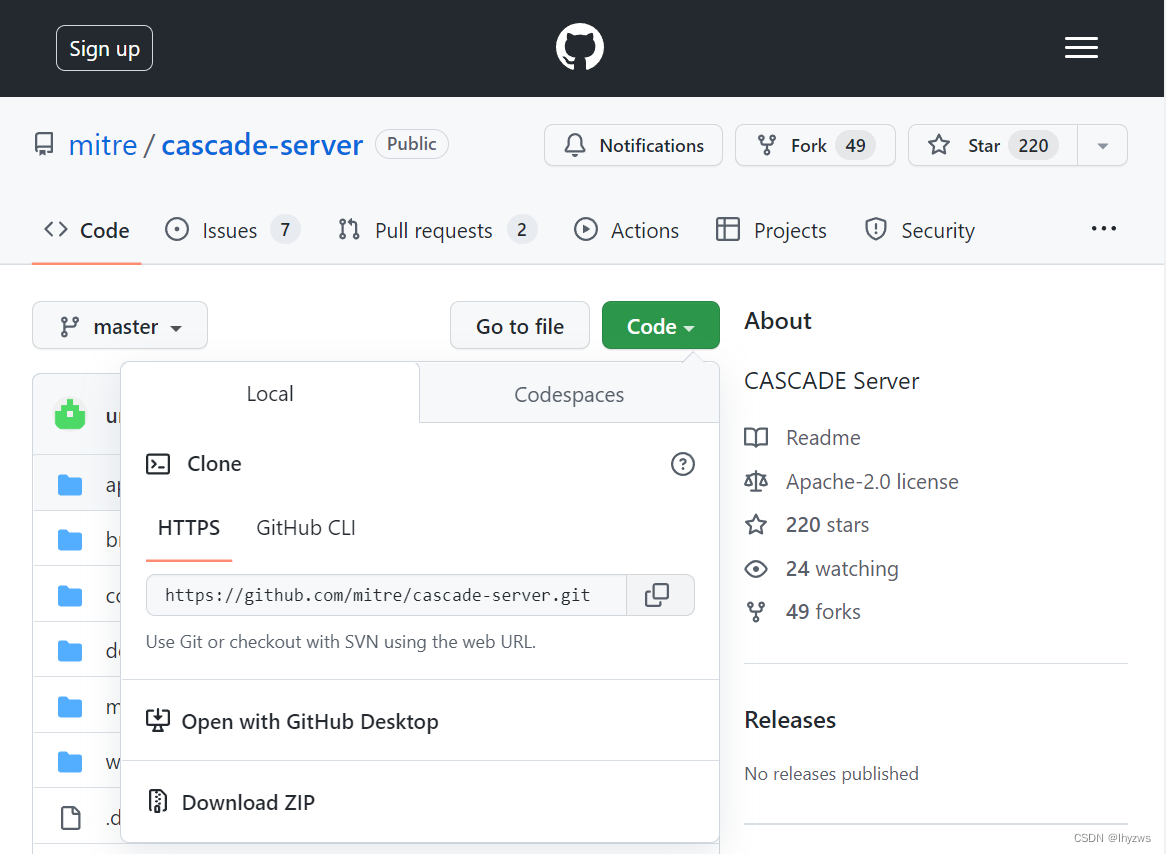
使用git clone下载
[root@bogon ~]# git clone https://github.com/mitre/cascade-server.git
正克隆到 'cascade-server'...
remote: Enumerating objects: 501, done.
remote: Counting objects: 100% (173/173), done.
remote: Compressing objects: 100% (124/124), done.
remote: Total 501 (delta 64), reused 115 (delta 47), pack-reused 328
接收对象中: 100% (501/501), 6.43 MiB | 4.76 MiB/s, 完成.
处理 delta 中: 100% (117/117), 完成.
[root@bogon ~]#
当然,如果克隆一直得到如下的失败结果:
[root@bogon /]# git clone https://github.com/mitre/cascade-server.git
正克隆到 'cascade-server'...
fatal: 无法访问 'https://github.com/mitre/cascade-server.git/':Failed to connect to 192.168.1.26 port 1080: 拒绝连接
[root@bogon /]#
那可能需要考虑调整一下你的网络设置(懂的都懂):
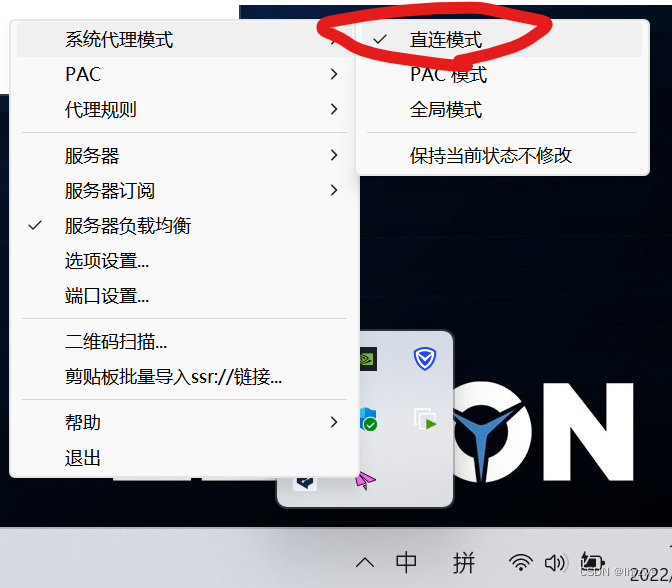
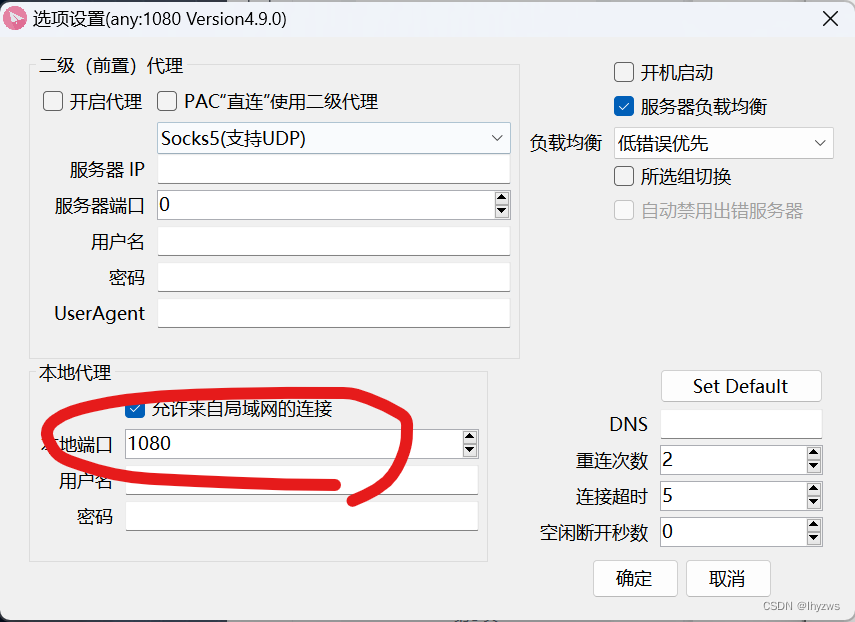
一个是需要在CentOS中将网络代理设置成手动,代理IP选择宿主机IP,端口1080。(这个类似于在主机Chrome上设置Proxy SwitchyOmega一样的效果,都是指示将数据流发往宿主机的代理软件)
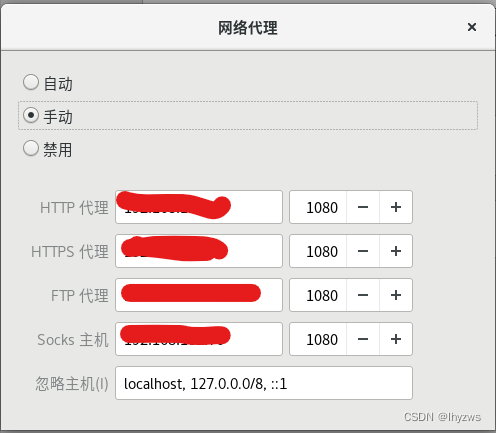
另一个,是需要在宿主机的软件上勾选本地代理的允许来自局域网的连接项——不要选择全局模式这么暴力高调,过于高调的通信会造成网络~~~~~~抖动~~~~~~,所以选择直连模式就好,勾选这个选项的目的是允许内部的CentOS能够使用软件的代理。
克隆完成,命令目录下应该就多了一个叫做cascade的目录:
[root@bogon ~]# cd cascade-server/
[root@bogon cascade-server]# pwd
/root/cascade-server
[root@bogon cascade-server]# ls
app         cascade.py          docker_defaults.yml  docs     NOTICE        README.md
AUTHORS     conf                Dockerfile           LICENSE  Pipfile       requirements.txt
brawl-demo  docker-compose.yml  docker_start.sh      misc     Pipfile.lock  www
[root@bogon cascade-server]#
(3)创建虚拟环境
前面我们已经安装了virtualenv,这里我们需要使用该工具来构建python的虚拟环境:
先找到本机上我们建立需要依托的python工具所在的位置,作为virtualenv -p选项的参数,然后指定虚拟环境所在的目录,比如我们指定vcascade,执行完成后,在当前目录下,会建立一个vcascade的子目录来放置虚拟环境。
[root@bogon ~]# which python3
/usr/bin/python3
[root@bogon ~]# virtualenv -p /usr/bin/python3 vcascade
created virtual environment CPython3.6.8.final.0-64 in 412mscreator CPython3Posix(dest=/root/vcascade, clear=False, no_vcs_ignore=False, global=False)seeder FromAppData(download=False, pip=bundle, setuptools=bundle, wheel=bundle, via=copy, app_data_dir=/root/.local/share/virtualenv)added seed packages: pip==21.3.1, setuptools==59.6.0, wheel==0.37.1activators BashActivator,CShellActivator,FishActivator,NushellActivator,PowerShellActivator,PythonActivator
[root@bogon ~]# ls
公共  视频  文档  音乐  anaconda-ks.cfg  elasticsearch-7.11.2-x86_64.rpm  mongodb-org-server-4.0.28-1.el8.x86_64.rpm
模板  图片  下载  桌面  cascade-server   initial-setup-ks.cfg             vcascade
[root@bogon ~]#
完成创建后,需要激活虚拟环境,这一步需要进入到刚刚创建的虚拟环境子目录进行:
[root@bogon vcascade]# ls
bin  lib  lib64  pyvenv.cfg
[root@bogon vcascade]# source bin/activate
(vcascade) [root@bogon vcascade]#
使用source命令执行bin/activate,就好像使用docker一样,进入一个虚拟的子系统。在命令提示符前会多出一个使用圆括号括住的虚拟系统名称,如(vcascade)。
若是从该子系统退出,可使用deactive命令:
[root@bogon vcascade]# source bin/activate
(vcascade) [root@bogon vcascade]# deactivate
[root@bogon vcascade]#
(4)安装requirements
进入虚拟子系统后,切换到cascade-server目录下,安装requirements.txt:
当然,这里也可能出现网络不畅的情况,如上问所述调整配置就好:
[root@bogon cascade-server]# cd ..
[root@bogon ~]# cd vcascade/
[root@bogon vcascade]# source bin/activate
(vcascade) [root@bogon vcascade]# cd ..
(vcascade) [root@bogon ~]# cd cascade-server/
(vcascade) [root@bogon cascade-server]# pip install -r requirements.txt
Collecting antlr4-python3-runtime==4.9.1Downloading antlr4-python3-runtime-4.9.1.tar.gz (173 kB)|████████████████████████████████| 173 kB 250 kB/s            Preparing metadata (setup.py) ... done
Collecting certifi==2020.12.5Downloading certifi-2020.12.5-py2.py3-none-any.whl (147 kB)|████████████████████████████████| 147 kB 1.4 MB/s
Collecting cffi==1.14.5Downloading cffi-1.14.5-cp36-cp36m-manylinux1_x86_64.whl (401 kB)|████████████████████████████████| 401 kB 1.6 MB/s
Collecting chardet==4.0.0Downloading chardet-4.0.0-py2.py3-none-any.whl (178 kB)|████████████████████████████████| 178 kB 3.2 MB/s
Collecting click==7.1.2Downloading click-7.1.2-py2.py3-none-any.whl (82 kB)|████████████████████████████████| 82 kB 2.7 MB/s
Collecting cryptography==3.4.6Downloading cryptography-3.4.6-cp36-abi3-manylinux2014_x86_64.whl (3.2 MB)|████████████████████████████████| 3.2 MB 3.7 MB/s
Collecting elasticsearch==7.11.0Downloading elasticsearch-7.11.0-py2.py3-none-any.whl (325 kB)|████████████████████████████████| 325 kB 4.9 MB/s
Collecting flask==1.1.2Downloading Flask-1.1.2-py2.py3-none-any.whl (94 kB)|████████████████████████████████| 94 kB 3.5 MB/s
Collecting gevent-websocket==0.10.1Downloading gevent_websocket-0.10.1-py3-none-any.whl (22 kB)
Collecting gevent==21.1.2Downloading gevent-21.1.2-cp36-cp36m-manylinux2010_x86_64.whl (5.5 MB)|████████████████████████████████| 5.5 MB 5.7 MB/s
Collecting greenlet==1.0.0Downloading greenlet-1.0.0-cp36-cp36m-manylinux2010_x86_64.whl (156 kB)|████████████████████████████████| 156 kB 9.4 MB/s
Collecting idna==2.10Downloading idna-2.10-py2.py3-none-any.whl (58 kB)|████████████████████████████████| 58 kB 12.5 MB/s
Collecting importlib-metadata==3.7.2Downloading importlib_metadata-3.7.2-py3-none-any.whl (11 kB)
Collecting itsdangerous==1.1.0Downloading itsdangerous-1.1.0-py2.py3-none-any.whl (16 kB)
Collecting jinja2==2.11.3Downloading Jinja2-2.11.3-py2.py3-none-any.whl (125 kB)|████████████████████████████████| 125 kB 6.7 MB/s
Collecting markdown==3.3.4Downloading Markdown-3.3.4-py3-none-any.whl (97 kB)|████████████████████████████████| 97 kB 7.2 MB/s
Collecting markupsafe==1.1.1Downloading MarkupSafe-1.1.1-cp36-cp36m-manylinux2010_x86_64.whl (32 kB)
Collecting mongoengine==0.23.0Downloading mongoengine-0.23.0-py3-none-any.whl (107 kB)|████████████████████████████████| 107 kB 6.9 MB/s
Collecting passlib==1.7.4Downloading passlib-1.7.4-py2.py3-none-any.whl (525 kB)|████████████████████████████████| 525 kB 6.7 MB/s
Collecting pycparser==2.20Downloading pycparser-2.20-py2.py3-none-any.whl (112 kB)|████████████████████████████████| 112 kB 11.5 MB/s
Collecting pymongo==3.11.3Downloading pymongo-3.11.3-cp36-cp36m-manylinux2014_x86_64.whl (509 kB)|████████████████████████████████| 509 kB 5.5 MB/s
Collecting pyopenssl==20.0.1Downloading pyOpenSSL-20.0.1-py2.py3-none-any.whl (54 kB)|████████████████████████████████| 54 kB 7.4 MB/s
Collecting python-dateutil==2.8.1Downloading python_dateutil-2.8.1-py2.py3-none-any.whl (227 kB)|████████████████████████████████| 227 kB 12.5 MB/s
Collecting pyyaml==5.4.1Downloading PyYAML-5.4.1-cp36-cp36m-manylinux1_x86_64.whl (640 kB)|████████████████████████████████| 640 kB 4.1 MB/s
Collecting requests==2.25.1Downloading requests-2.25.1-py2.py3-none-any.whl (61 kB)|████████████████████████████████| 61 kB 10.8 MB/s
Collecting six==1.15.0Downloading six-1.15.0-py2.py3-none-any.whl (10 kB)
Collecting splunk-sdk==1.6.15Downloading splunk-sdk-1.6.15.tar.gz (105 kB)|████████████████████████████████| 105 kB 12.0 MB/s            Preparing metadata (setup.py) ... done
Collecting typing-extensions==3.7.4.3Downloading typing_extensions-3.7.4.3-py3-none-any.whl (22 kB)
Collecting urllib3==1.26.3Downloading urllib3-1.26.3-py2.py3-none-any.whl (137 kB)|████████████████████████████████| 137 kB 2.2 MB/s
Collecting werkzeug==1.0.1Downloading Werkzeug-1.0.1-py2.py3-none-any.whl (298 kB)|████████████████████████████████| 298 kB 4.9 MB/s
Collecting zipp==3.4.1Downloading zipp-3.4.1-py3-none-any.whl (5.2 kB)
Collecting zope.event==4.5.0Downloading zope.event-4.5.0-py2.py3-none-any.whl (6.8 kB)
Collecting zope.interface==5.2.0Downloading zope.interface-5.2.0-cp36-cp36m-manylinux2010_x86_64.whl (236 kB)|████████████████████████████████| 236 kB 8.3 MB/s
Requirement already satisfied: setuptools in /root/vcascade/lib/python3.6/site-packages (from gevent==21.1.2->-r requirements.txt (line 11)) (59.6.0)
WARNING: The candidate selected for download or install is a yanked version: 'splunk-sdk' candidate (version 1.6.15 at https://files.pythonhosted.org/packages/9d/65/ca741361b7199b279cd83753ebbc9671e5364a850859864200a6caee6f63/splunk-sdk-1.6.15.tar.gz#sha256=922b4541b9764a65e450e5437638a357f8aff5c7e6a4cd2637355a7a4197301a (from https://pypi.org/simple/splunk-sdk/))
Reason for being yanked:
Building wheels for collected packages: antlr4-python3-runtime, splunk-sdkBuilding wheel for antlr4-python3-runtime (setup.py) ... doneCreated wheel for antlr4-python3-runtime: filename=antlr4_python3_runtime-4.9.1-py3-none-any.whl size=144443 sha256=38390d924ad295d5c4674c8564516924aa65e3c80913a8288bbae5dd64758971Stored in directory: /root/.cache/pip/wheels/4d/7e/ea/a6f1a9354b440cbc29549054287e778525ad2fe9331e399ab0Building wheel for splunk-sdk (setup.py) ... doneCreated wheel for splunk-sdk: filename=splunk_sdk-1.6.15-py3-none-any.whl size=123209 sha256=2bc33cea6d0dacb5f4d92f396435b3c450f2fe0748fba4dead641c8a5db7cd6bStored in directory: /root/.cache/pip/wheels/a5/da/59/8dcdcff87134b7d910a88a15db3c8280fd3640abf86abed14d
Successfully built antlr4-python3-runtime splunk-sdk
Installing collected packages: pycparser, zope.interface, zope.event, zipp, typing-extensions, markupsafe, greenlet, cffi, werkzeug, urllib3, six, pymongo, jinja2, itsdangerous, importlib-metadata, idna, gevent, cryptography, click, chardet, certifi, splunk-sdk, requests, pyyaml, python-dateutil, pyopenssl, passlib, mongoengine, markdown, gevent-websocket, flask, elasticsearch, antlr4-python3-runtime
Successfully installed antlr4-python3-runtime-4.9.1 certifi-2020.12.5 cffi-1.14.5 chardet-4.0.0 click-7.1.2 cryptography-3.4.6 elasticsearch-7.11.0 flask-1.1.2 gevent-21.1.2 gevent-websocket-0.10.1 greenlet-1.0.0 idna-2.10 importlib-metadata-3.7.2 itsdangerous-1.1.0 jinja2-2.11.3 markdown-3.3.4 markupsafe-1.1.1 mongoengine-0.23.0 passlib-1.7.4 pycparser-2.20 pymongo-3.11.3 pyopenssl-20.0.1 python-dateutil-2.8.1 pyyaml-5.4.1 requests-2.25.1 six-1.15.0 splunk-sdk-1.6.15 typing-extensions-3.7.4.3 urllib3-1.26.3 werkzeug-1.0.1 zipp-3.4.1 zope.event-4.5.0 zope.interface-5.2.0
(vcascade) [root@bogon cascade-server]#
(5)setup Cascade
直接运行python cascade.py --setup;一路回车取默认值就可以。这个地方需要保持合适的网络代理配置~~~~,否则可能会出错,而且不知怎的就直接把我的MongoDB搞崩溃。
配置完成后,继续python cascade.py就可以把服务运行起来。
(vcascade) [root@bogon cascade-server]# python cascade.py --setup
Update configuration settings for CASCADE. Enter nothing to keep the default value
config:allow_account_creation (True):
password:enforce (False): regex (^(?=.*?[A-Z])(?=.*?[a-z])(?=.*?[0-9])(?=.*?[#?!@$%^&*-\.]).{8,}$):
database:mongo:host (127.0.0.1): port (27017): crypto:fernet (): key ():
links:attack (https://attack-old.mitre.org): car (https://car.mitre.org): smtp (): proxies:http (): https ():
server:hostname (bogon): https:certfile (misc/cascade.mitre.org.pem): enabled (False): keyfile (misc/cascade.mitre.org.key): interface (127.0.0.1): port (5000): Initializing database...
Importing collection attack_technique
Importing collection attack_tactic
Importing collection analytic
Importing collection session
(vcascade) [root@bogon cascade-server]#
(vcascade) [root@bogon cascade-server]#
(vcascade) [root@bogon cascade-server]#
(vcascade) [root@bogon cascade-server]# python cascade.py
/root/cascade-server/app/async_wrapper.py:44: MonkeyPatchWarning: Monkey-patching ssl after ssl has already been imported may lead to errors, including RecursionError on Python 3.6. It may also silently lead to incorrect behaviour on Python 3.7. Please monkey-patch earlier. See https://github.com/gevent/gevent/issues/1016. Modules that had direct imports (NOT patched): ['pymongo.ssl_context (/root/vcascade/lib64/python3.6/site-packages/pymongo/ssl_context.py)', 'urllib3.util.ssl_ (/root/vcascade/lib/python3.6/site-packages/urllib3/util/ssl_.py)', 'urllib3.util (/root/vcascade/lib/python3.6/site-packages/urllib3/util/__init__.py)']. gevent.monkey.patch_all()
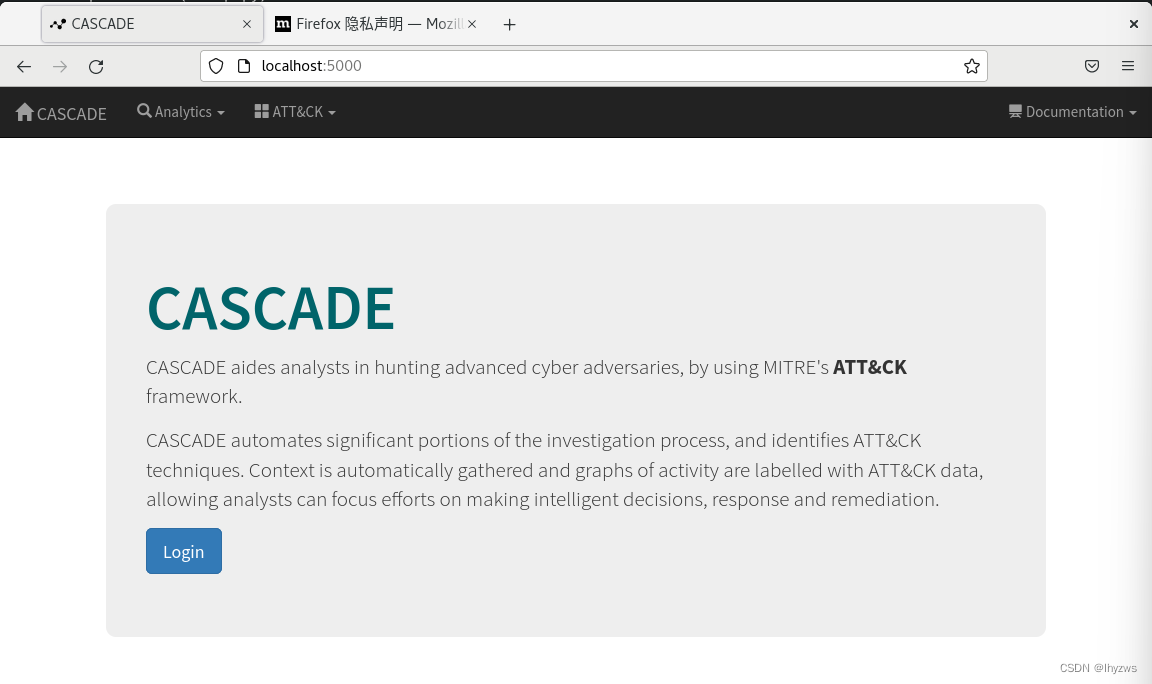
Running CASCADE via WSGIServer on http://bogon:5000
此时打开 浏览器,从localhost就可以访问cascade了
三、Docker上的Cascade
Cascade提供了容器版本,并且包括了多服务容器的编排。这个从cascade-server目录下存在的Dockfile和docker-compose.yml文件就能看出来。然而,直接使用docker-compose build是会出错的: 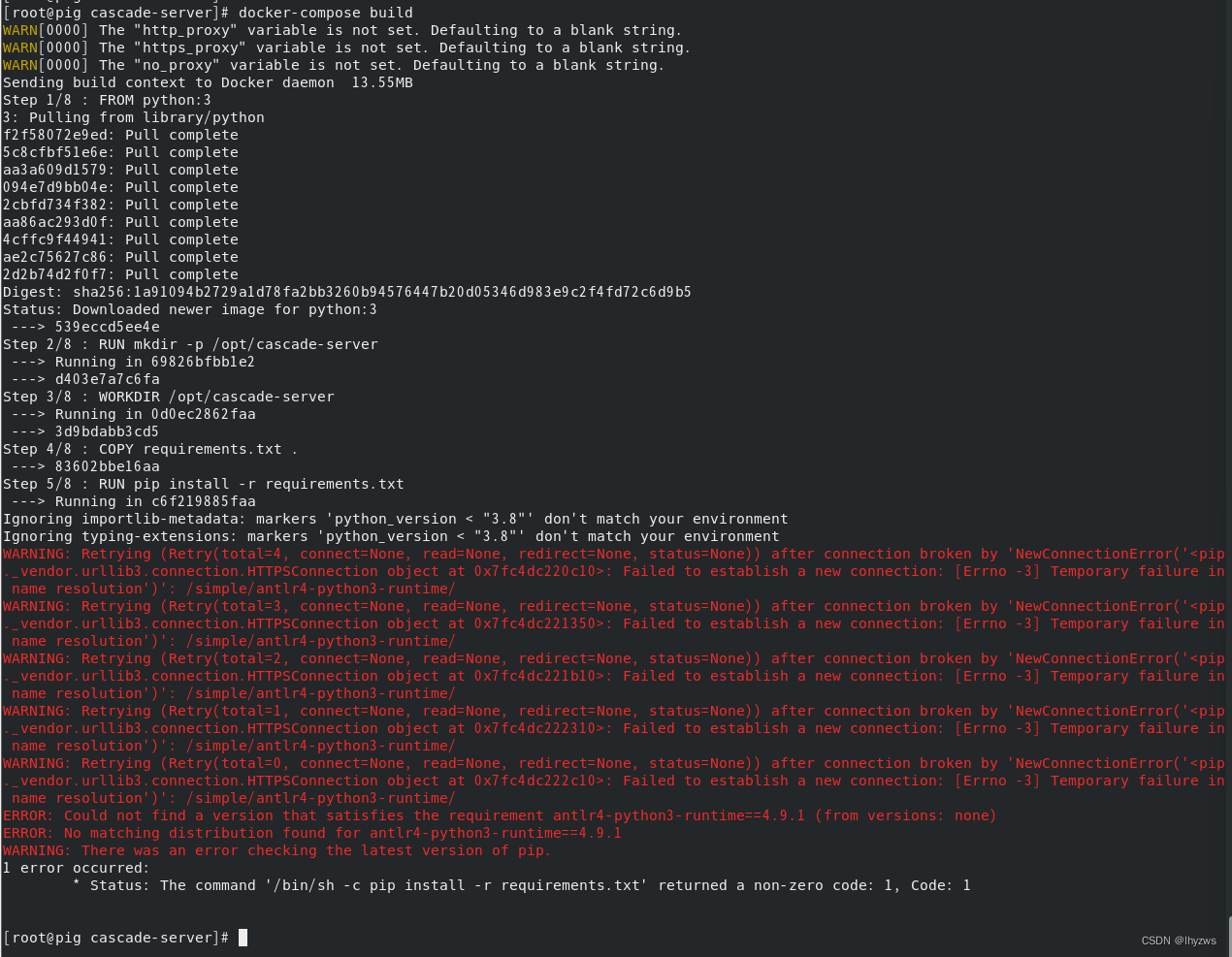
好在我们完全立足手工自己搭建过,至少说明这个系统是能够搭建起来的,很可能是docker-compose.yml或者Dockerfile这两个配置文件中哪里出现了错误——我们可以尝试在docker的基础上再手撸一次来查找问题。
PS:其实问题很简单,因为过程都已经给出了,是在安装requirements.txt的这一步出现了问题。因为这个requirements中的组件模块太多了,对python版本的要求也不同,出错概率太高。好在按照我们之前的成功搭建经验,在python 3.6.8的版本下是能够搭建成功的。所以只需要改一下这个地方就好。
但,这完全不妨碍我们打算手撸一遍的兴趣。
当然,在手撸之前,我们需要知道cascade的容器是如何配置的。
1. Dockfile
[root@pig cascade-server]# cat Dockerfile
FROM python:3RUN mkdir -p /opt/cascade-server
WORKDIR /opt/cascade-server
COPY requirements.txt .
RUN pip install -r requirements.txtCOPY . .
COPY docker_defaults.yml conf/defaults.ymlCMD /bin/bash docker_start.sh
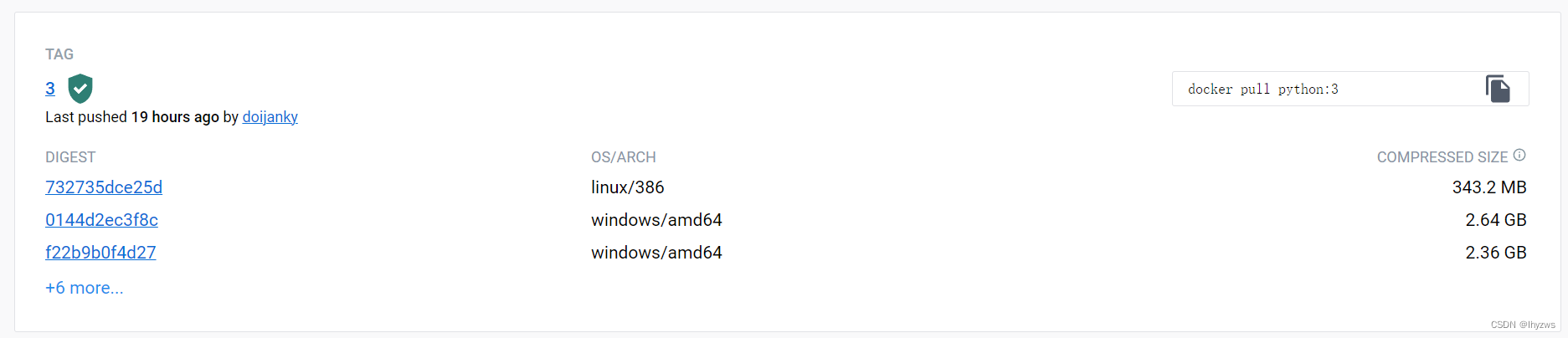
FROM python:3,表示镜像从名为“python:3”的基础镜像开始构建。这个镜像在当前dockerhub中,实际对应的python版本号是3.11。
RUN mkdir -p /opt/cascade-server,在镜像中构建cascade-server文件夹,如果父文件夹/opt不存在,则同时构建(-p的作用)
WORKDIR /opt/cascade-server,将刚建立的文件夹作为默认的工作文件夹
COPY requirements.txt . ,将宿主机中requirements.txt文件拷贝到默认工作文件夹
RUN pip install -r requirements.txt, 这其中 requirements.txt和上文是一致的。其作用就是安装cascade工作所需的预选项
COPY . . ,将宿主机的整个cascade-server 目录下的文件拷贝到工作目录下
COPY docker-defaults.yml conf/defaults.yml, 将docker_defaults.yml拷贝到镜像中的/opt/cascade-server/conf目录下,其中存储的配置,实际和上文在运行python cascade.py --setup时敲的一堆回车相同效果。
CMD /bin/bash docker_start.sh,最后容器启动时默认执行的docker_start.sh,实际就是python cascade.py --setup和python cascade.py这2条命令。当然,--setup是在conf下没有默认的cascade.yml配置文件的情况下执行的。
[root@pig cascade-server]# cat docker_start.sh
#!/bin/bashif [ -f "conf/cascade.yml" ]; thenecho "cascade.yml found. Using existing configuration."
elseecho "cascade.yml not found. Generating new config file from defaults"python cascade.py --setup_with_defaults
fipython cascade.py -vv
2. docker-compose.yml
[root@pig cascade-server]# cat docker-compose.yml
---
version: '2'
volumes:mongo_data: {}cascade_conf: {}
services:mongodb:image: mongo:4.0ports:- "127.0.0.1:27017:27017"volumes:- mongo_data:/datacascade_web:build:context: .args:- "http_proxy:${http_proxy}"- "https_proxy:${https_proxy}"- "no_proxy:${no_proxy}"image: "cascade:latest"volumes:- cascade_conf:/opt/cascade-server/confports:- "5000:5000"cascade_jobs:image: "cascade:latest"volumes:- cascade_conf:/opt/cascade-server/confdepends_on:- cascade_web- mongodbcommand: python cascade.py -vv --jobs
docker-compose主要用于支持某种应用需要多服务支撑的场景。从前篇我们讨论docker的最佳用法是进程隔离来看。当需要多服务支撑的时候,显然是不适用于在一个容器里开多个服务的。标准的做法,应该是在每个docker中开一个服务,然后把这些容器组合成一个应用环境。这个成为容器的连接。
docker-compose.yml的主要作用就是说明这种容器的连接方式。其主要的含义在于,一个项目(Project)可以由多个服务(Service)构成,我们用来实现客户功能的App也可以看作是一个服务(比如Cascade);对于每个服务,使用Image指定服务的镜像,使用Ports指定服务需要开放的端口,使用Volumes指定服务使用的映射于主机上的空间;使用depends_on来确定服务与服务之间的依赖关系;对于没有镜像可拉取的服务,可以使用Build来指定基于Dockerfile来创建。
(1)存储映射别名

这里是给主机上的存储空间起的别名,后面再每个服务里,可以将这个别名指代的主机空间映射到容器内的指定路径上。
(2)服务Mongodb 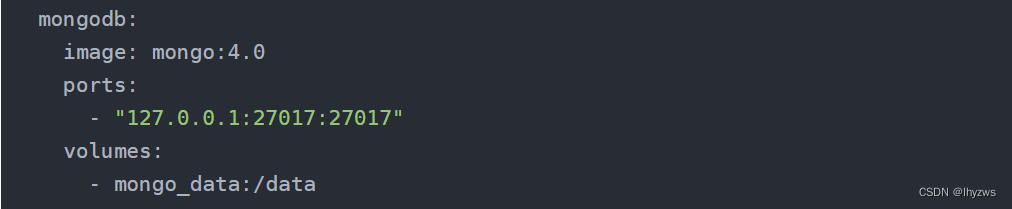
image: 该服务使用的是官方的Mongo:4.0镜像 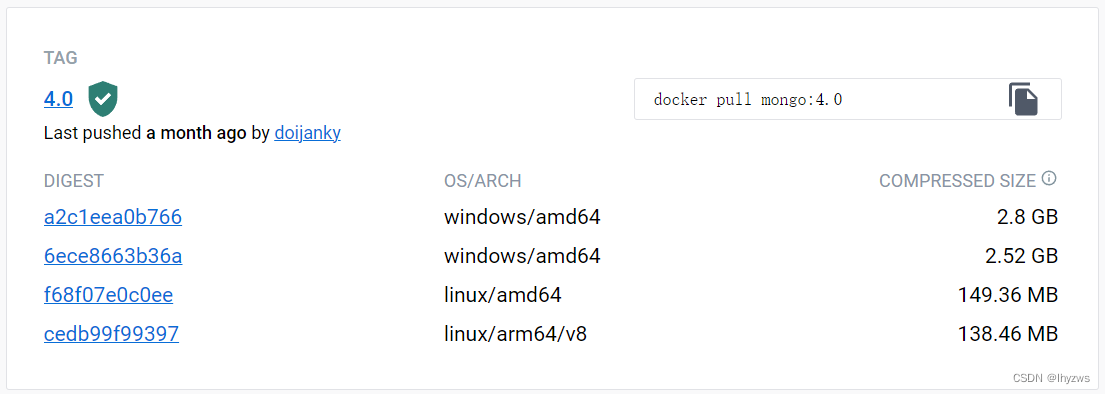
ports:并且将mongo的默认27017端口绑定到宿主机的127.0.0.1:27017上。
volumes:将存储卷映射到容器的/data目录中
(3)服务Cascade_web 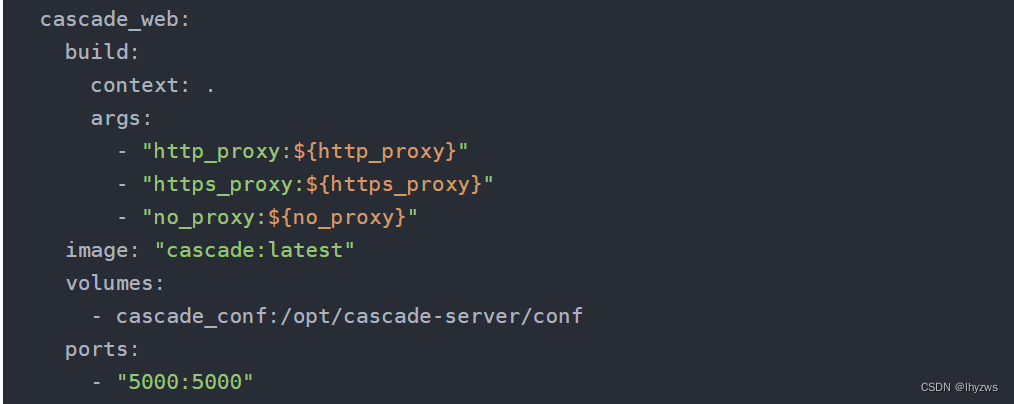
这个服务就是我们之前装成功的提供WEB图形访问界面的那个python cascade.py
build:表示该镜像需要从Dockerfile文件构建而来,Dockerfile文件的构建环境(默认目录)由context表示,此处为当前目录;构建参数(不携带到容器)由args指定,这里虽然有,但实际在构建过程中都取了空值(猜测应该是由conf/cascade.yml确定)。
image:image和build同时使用,表示build构建除的镜像使用image指示的这个名字
volumes:同样,将存储卷映射到conf子目录下
ports:绑定5000端口到宿主机上
(4)服务cascade_jobs

根据官方给出的指南,在打开webserver后,为了对Splunk或者ES进行查询,还需要开启第二个终端,执行python cascade.py --jobs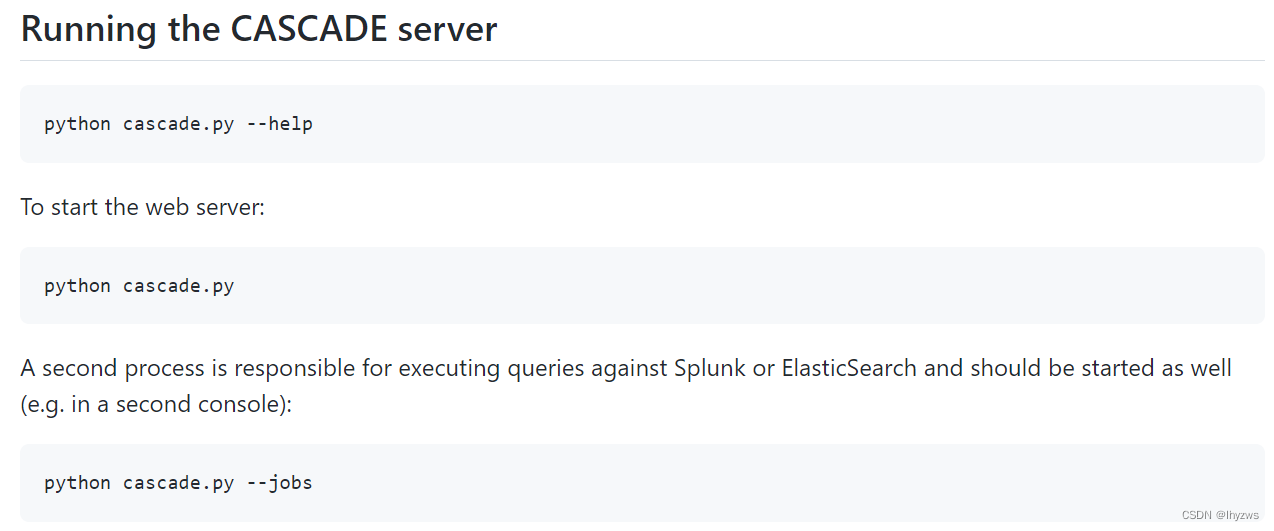
所以,这里以cascade_jobs这个服务来对应。该服务使用cascade_web服务中建立的镜像cascade:latest,然后在镜像载入后执行python cascade.py -vv --jobs,这个使用command来指示。因为jobs的启动依赖于web中镜像的构建,所以需要使用depends_on来指示这个依赖关系。
4. 手撸docker cascade
下面按照cascade配置文件的方式,手工走一遍docker的构建。
(1)创建数据卷
创建docker的存储卷,默认驱动为local,volume模式。这种模式下,存储卷的空间将会映射到宿主机docker空间/var/lib/docker/volumes下面。
[root@pig cascade-server]# docker volume create mongo_data
mongo_data
[root@pig cascade-server]# docker volume create cascade_conf
cascade_conf
[root@pig cascade-server]# docker volume inspect mongo_data
[{"CreatedAt": "2022-12-09T01:44:03-05:00","Driver": "local","Labels": {},"Mountpoint": "/var/lib/docker/volumes/mongo_data/_data","Name": "mongo_data","Options": {},"Scope": "local"}
]
[root@pig cascade-server]#
(2)构建Mongodb容器
首先手工pull mongo:4.0的镜像
[root@pig cascade-server]# docker pull mongo:4.0
4.0: Pulling from library/mongo
58690f9b18fc: Pull complete
b51569e7c507: Pull complete
da8ef40b9eca: Pull complete
fb15d46c38dc: Pull complete
a0dc15b16822: Pull complete
b7a3e92f19af: Pull complete
ed4a7b863fa1: Pull complete
a58b030ea8e4: Pull complete
6aa1ba699846: Pull complete
ebc52c729dca: Pull complete
52e8c440d4d6: Pull complete
22b97876323d: Pull complete
Digest: sha256:4ca81c89ad08f4cfa9906005126112bffe8fb363800466ef5e50f6238f6f6af1
Status: Downloaded newer image for mongo:4.0
docker.io/library/mongo:4.0
然后启动mongdb服务。这里根据配置文件有几个需要关注的点:
一是需要映射主机端口,应使用 -p 127.0.0.1:27017:27017
二是需要映射存储卷,应使用 -v mongo_data:/data
三是容器需要指定名称,方便后面连接,应使用--name mongodb
[root@pig cascade-server]# docker run -d -p 127.0.0.1:27017:27017 -v mongo_data:/data --name mongodb mongo:4.0
a02c3ce1d8864ef6678bde3f9fde2d9d0b9098a9bd5ebf454639cb7c06d6463f
[root@pig cascade-server]# docker ps
CONTAINER ID   IMAGE       COMMAND                  CREATED          STATUS          PORTS                        NAMES
a02c3ce1d886   mongo:4.0   "docker-entrypoint.s…"   14 seconds ago   Up 13 seconds   127.0.0.1:27017->27017/tcp   mongodb
检查一下存储卷的映射:
 检查一下端口的映射,能够看到这一条就是成功的:
[root@pig cascade-server]# curl localhost:27017
It looks like you are trying to access MongoDB over HTTP on the native driver port.
[root@pig cascade-server]#
如果不行。虚拟机下需要使用ifconfig检查一下docker0的状态,在暂停后又重启的一些场合中,docker0的IP地址会丢失,这样就再连不上容器了。需要使用systemctl restart docker重启一下。
(3)构建cascade:lastest
话说,从配置文件看,这个cascade_web及jobs服务使用的镜像叫做cascade:latest,它是由build命令构建而来的。对于手工来说,只要Dockerfile文件存在就可以build:
不过,这里如果直接使用下载的dockerfile进行build,python版本为3.11,过高,后面在pip install requirements.txt的时候会出错。实际测试3.6.8版本就够了。所以我们要将Dockerfile里面的基础镜像改为python:3.6.8在来测试: 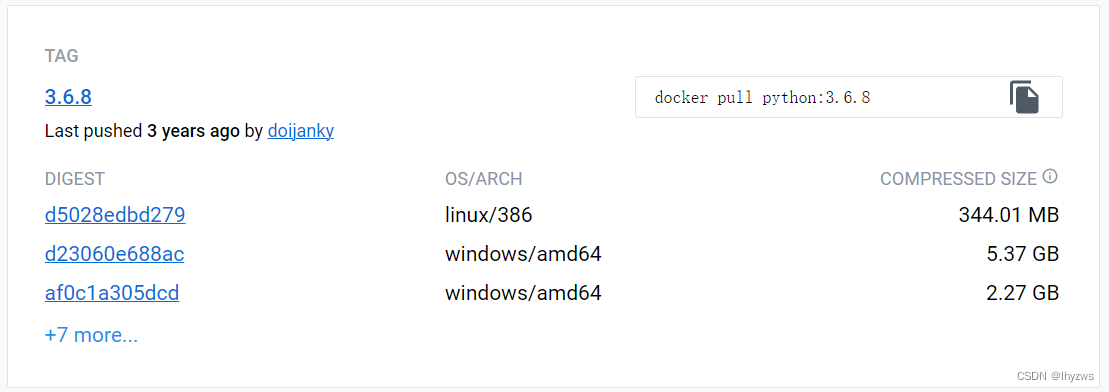
使用官方的python:3.6.8镜像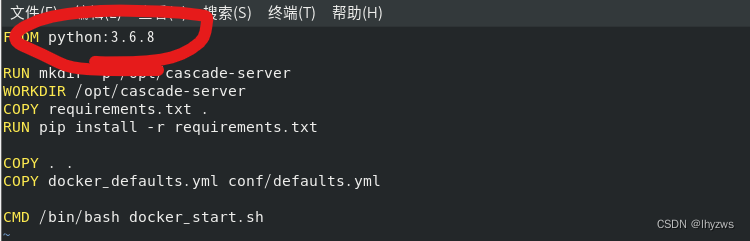
这样构建过程就稳的一批了。
[root@pig cascade-server]# docker build -t cascade:latest .
Sending build context to Docker daemon  20.24MB
Step 1/8 : FROM python:3.6.8
3.6.8: Pulling from library/python
6f2f362378c5: Pull complete
494c27a8a6b8: Pull complete
7596bb83081b: Pull complete
372744b62d49: Pull complete
615db220d76c: Pull complete
1865698adfb0: Pull complete
7159b3304cc0: Pull complete
ad0713808ef6: Pull complete
7ba593904573: Pull complete
Digest: sha256:f20a9bfddd87c238c3d2316b4179222f219090cbb25d5b6975070d4dd4b75004
Status: Downloaded newer image for python:3.6.8---> 48c06762acf0
Step 2/8 : RUN mkdir -p /opt/cascade-server---> Running in 973c96c34640
Removing intermediate container 973c96c34640---> af05a324cf3e
Step 3/8 : WORKDIR /opt/cascade-server---> Running in 900cb1583677
Removing intermediate container 900cb1583677---> 6e32fa80e153
Step 4/8 : COPY requirements.txt .---> cafa46f17bc7
Step 5/8 : RUN pip install -r requirements.txt---> Running in 2d5b5bbd64ea
Collecting antlr4-python3-runtime==4.9.1 (from -r requirements.txt (line 2))Downloading https://files.pythonhosted.org/packages/0a/89/d1926c443bbfdc28321b1435bf9b05019e6d1cc7a685e32bbfb751cf3a78/antlr4-python3-runtime-4.9.1.tar.gz (173kB)
Collecting certifi==2020.12.5 (from -r requirements.txt (line 3))Downloading https://files.pythonhosted.org/packages/5e/a0/5f06e1e1d463903cf0c0eebeb751791119ed7a4b3737fdc9a77f1cdfb51f/certifi-2020.12.5-py2.py3-none-any.whl (147kB)
Collecting cffi==1.14.5 (from -r requirements.txt (line 4))Downloading https://files.pythonhosted.org/packages/2b/cf/9a3b04e57191a970836aeaa8b2075574f02fbdb65d6368457a2f13213e7f/cffi-1.14.5-cp36-cp36m-manylinux1_x86_64.whl (401kB)
Collecting chardet==4.0.0 (from -r requirements.txt (line 5))Downloading https://files.pythonhosted.org/packages/19/c7/fa589626997dd07bd87d9269342ccb74b1720384a4d739a1872bd84fbe68/chardet-4.0.0-py2.py3-none-any.whl (178kB)
Collecting click==7.1.2 (from -r requirements.txt (line 6))Downloading https://files.pythonhosted.org/packages/d2/3d/fa76db83bf75c4f8d338c2fd15c8d33fdd7ad23a9b5e57eb6c5de26b430e/click-7.1.2-py2.py3-none-any.whl (82kB)
Collecting cryptography==3.4.6 (from -r requirements.txt (line 7))Downloading https://files.pythonhosted.org/packages/2f/9f/ad80cfcf9fab90a32cf4e65048cee0936be8ac57cf2a3f63edb88a84eeaf/cryptography-3.4.6-cp36-abi3-manylinux2010_x86_64.whl (3.1MB)
Collecting elasticsearch==7.11.0 (from -r requirements.txt (line 8))Downloading https://files.pythonhosted.org/packages/72/68/76c5d46cc6a48fddb759f585bc8728caa11bfc9b812ce6705fc5f99beab2/elasticsearch-7.11.0-py2.py3-none-any.whl (325kB)
Collecting flask==1.1.2 (from -r requirements.txt (line 9))Downloading https://files.pythonhosted.org/packages/f2/28/2a03252dfb9ebf377f40fba6a7841b47083260bf8bd8e737b0c6952df83f/Flask-1.1.2-py2.py3-none-any.whl (94kB)
Collecting gevent-websocket==0.10.1 (from -r requirements.txt (line 10))Downloading https://files.pythonhosted.org/packages/7b/84/2dc373eb6493e00c884cc11e6c059ec97abae2678d42f06bf780570b0193/gevent_websocket-0.10.1-py3-none-any.whl
Collecting gevent==21.1.2 (from -r requirements.txt (line 11))Downloading https://files.pythonhosted.org/packages/f5/90/000736e587a720f8eef2bcd384456ce2add5ddfc3c63cf51a7ea13412cb6/gevent-21.1.2-cp36-cp36m-manylinux2010_x86_64.whl (5.5MB)
Collecting greenlet==1.0.0 (from -r requirements.txt (line 12))Downloading https://files.pythonhosted.org/packages/22/e2/9fbb24cf1ee89813ded3761314562a83a2822ad2bf5682eef0d0c99e2a5d/greenlet-1.0.0-cp36-cp36m-manylinux2010_x86_64.whl (156kB)
Collecting idna==2.10 (from -r requirements.txt (line 13))Downloading https://files.pythonhosted.org/packages/a2/38/928ddce2273eaa564f6f50de919327bf3a00f091b5baba8dfa9460f3a8a8/idna-2.10-py2.py3-none-any.whl (58kB)
Collecting importlib-metadata==3.7.2 (from -r requirements.txt (line 14))Downloading https://files.pythonhosted.org/packages/34/7c/15499080be7cbb30579630238c6472c7c3529deca03bfab7bdead6419cd1/importlib_metadata-3.7.2-py3-none-any.whl
Collecting itsdangerous==1.1.0 (from -r requirements.txt (line 15))Downloading https://files.pythonhosted.org/packages/76/ae/44b03b253d6fade317f32c24d100b3b35c2239807046a4c953c7b89fa49e/itsdangerous-1.1.0-py2.py3-none-any.whl
Collecting jinja2==2.11.3 (from -r requirements.txt (line 16))Downloading https://files.pythonhosted.org/packages/7e/c2/1eece8c95ddbc9b1aeb64f5783a9e07a286de42191b7204d67b7496ddf35/Jinja2-2.11.3-py2.py3-none-any.whl (125kB)
Collecting markdown==3.3.4 (from -r requirements.txt (line 17))Downloading https://files.pythonhosted.org/packages/6e/33/1ae0f71395e618d6140fbbc9587cc3156591f748226075e0f7d6f9176522/Markdown-3.3.4-py3-none-any.whl (97kB)
Collecting markupsafe==1.1.1 (from -r requirements.txt (line 18))Downloading https://files.pythonhosted.org/packages/9d/d3/75cddfad6ca1d1bb3a017cece499a65e54ceb4583800f1256b8ad07bb57f/MarkupSafe-1.1.1-cp36-cp36m-manylinux2010_x86_64.whl
Collecting mongoengine==0.23.0 (from -r requirements.txt (line 19))Downloading https://files.pythonhosted.org/packages/7e/6a/35699b1079aecebd88aae02ca3eb3a5a645cfd46a53c0df28b1e5c3e5768/mongoengine-0.23.0-py3-none-any.whl (107kB)
Collecting passlib==1.7.4 (from -r requirements.txt (line 20))Downloading https://files.pythonhosted.org/packages/3b/a4/ab6b7589382ca3df236e03faa71deac88cae040af60c071a78d254a62172/passlib-1.7.4-py2.py3-none-any.whl (525kB)
Collecting pycparser==2.20 (from -r requirements.txt (line 21))Downloading https://files.pythonhosted.org/packages/ae/e7/d9c3a176ca4b02024debf82342dab36efadfc5776f9c8db077e8f6e71821/pycparser-2.20-py2.py3-none-any.whl (112kB)
Collecting pymongo==3.11.3 (from -r requirements.txt (line 22))Downloading https://files.pythonhosted.org/packages/03/4b/2adf815a054b467e87de2b5c830dfc9bc75e9ae7f977b50e6bb8eca7c3ac/pymongo-3.11.3-cp36-cp36m-manylinux1_x86_64.whl (492kB)
Collecting pyopenssl==20.0.1 (from -r requirements.txt (line 23))Downloading https://files.pythonhosted.org/packages/b2/5e/06351ede29fd4899782ad335c2e02f1f862a887c20a3541f17c3fa1a3525/pyOpenSSL-20.0.1-py2.py3-none-any.whl (54kB)
Collecting python-dateutil==2.8.1 (from -r requirements.txt (line 24))Downloading https://files.pythonhosted.org/packages/d4/70/d60450c3dd48ef87586924207ae8907090de0b306af2bce5d134d78615cb/python_dateutil-2.8.1-py2.py3-none-any.whl (227kB)
Collecting pyyaml==5.4.1 (from -r requirements.txt (line 25))Downloading https://files.pythonhosted.org/packages/7a/5b/bc0b5ab38247bba158504a410112b6c03f153c652734ece1849749e5f518/PyYAML-5.4.1-cp36-cp36m-manylinux1_x86_64.whl (640kB)
Collecting requests==2.25.1 (from -r requirements.txt (line 26))Downloading https://files.pythonhosted.org/packages/29/c1/24814557f1d22c56d50280771a17307e6bf87b70727d975fd6b2ce6b014a/requests-2.25.1-py2.py3-none-any.whl (61kB)
Collecting six==1.15.0 (from -r requirements.txt (line 27))Downloading https://files.pythonhosted.org/packages/ee/ff/48bde5c0f013094d729fe4b0316ba2a24774b3ff1c52d924a8a4cb04078a/six-1.15.0-py2.py3-none-any.whl
Collecting splunk-sdk==1.6.15 (from -r requirements.txt (line 28))Downloading https://files.pythonhosted.org/packages/9d/65/ca741361b7199b279cd83753ebbc9671e5364a850859864200a6caee6f63/splunk-sdk-1.6.15.tar.gz (105kB)
Collecting typing-extensions==3.7.4.3 (from -r requirements.txt (line 29))Downloading https://files.pythonhosted.org/packages/60/7a/e881b5abb54db0e6e671ab088d079c57ce54e8a01a3ca443f561ccadb37e/typing_extensions-3.7.4.3-py3-none-any.whl
Collecting urllib3==1.26.3 (from -r requirements.txt (line 30))Downloading https://files.pythonhosted.org/packages/23/fc/8a49991f7905261f9ca9df5aa9b58363c3c821ce3e7f671895442b7100f2/urllib3-1.26.3-py2.py3-none-any.whl (137kB)
Collecting werkzeug==1.0.1 (from -r requirements.txt (line 31))Downloading https://files.pythonhosted.org/packages/cc/94/5f7079a0e00bd6863ef8f1da638721e9da21e5bacee597595b318f71d62e/Werkzeug-1.0.1-py2.py3-none-any.whl (298kB)
Collecting zipp==3.4.1 (from -r requirements.txt (line 32))Downloading https://files.pythonhosted.org/packages/0f/8c/715c54e9e34c0c4820f616a913a7de3337d0cd79074dd1bed4dd840f16ae/zipp-3.4.1-py3-none-any.whl
Collecting zope.event==4.5.0 (from -r requirements.txt (line 33))Downloading https://files.pythonhosted.org/packages/9e/85/b45408c64f3b888976f1d5b37eed8d746b8d5729a66a49ec846fda27d371/zope.event-4.5.0-py2.py3-none-any.whl
Collecting zope.interface==5.2.0 (from -r requirements.txt (line 34))Downloading https://files.pythonhosted.org/packages/82/b0/da8afd9b3bd50c7665ecdac062f182982af1173c9081f9af7261091c5588/zope.interface-5.2.0-cp36-cp36m-manylinux2010_x86_64.whl (236kB)
Requirement already satisfied: setuptools in /usr/local/lib/python3.6/site-packages (from gevent==21.1.2->-r requirements.txt (line 11)) (41.0.1)
Building wheels for collected packages: antlr4-python3-runtime, splunk-sdkBuilding wheel for antlr4-python3-runtime (setup.py): startedBuilding wheel for antlr4-python3-runtime (setup.py): finished with status 'done'Stored in directory: /root/.cache/pip/wheels/91/71/b3/107269b49ae650db5158b5645960dea7802e3765624e5a1e1cBuilding wheel for splunk-sdk (setup.py): startedBuilding wheel for splunk-sdk (setup.py): finished with status 'done'Stored in directory: /root/.cache/pip/wheels/b6/d7/0f/0c62897973efc0b21e31712241396c099af237d0a866be8292
Successfully built antlr4-python3-runtime splunk-sdk
Installing collected packages: antlr4-python3-runtime, certifi, pycparser, cffi, chardet, click, cryptography, urllib3, elasticsearch, werkzeug, markupsafe, jinja2, itsdangerous, flask, greenlet, zope.interface, zope.event, gevent, gevent-websocket, idna, typing-extensions, zipp, importlib-metadata, markdown, pymongo, mongoengine, passlib, six, pyopenssl, python-dateutil, pyyaml, requests, splunk-sdk
Successfully installed antlr4-python3-runtime-4.9.1 certifi-2020.12.5 cffi-1.14.5 chardet-4.0.0 click-7.1.2 cryptography-3.4.6 elasticsearch-7.11.0 flask-1.1.2 gevent-21.1.2 gevent-websocket-0.10.1 greenlet-1.0.0 idna-2.10 importlib-metadata-3.7.2 itsdangerous-1.1.0 jinja2-2.11.3 markdown-3.3.4 markupsafe-1.1.1 mongoengine-0.23.0 passlib-1.7.4 pycparser-2.20 pymongo-3.11.3 pyopenssl-20.0.1 python-dateutil-2.8.1 pyyaml-5.4.1 requests-2.25.1 six-1.15.0 splunk-sdk-1.6.15 typing-extensions-3.7.4.3 urllib3-1.26.3 werkzeug-1.0.1 zipp-3.4.1 zope.event-4.5.0 zope.interface-5.2.0
WARNING: You are using pip version 19.1.1, however version 21.3.1 is available.
You should consider upgrading via the 'pip install --upgrade pip' command.
Removing intermediate container 2d5b5bbd64ea---> f2fc4abc9d29
Step 6/8 : COPY . .---> f3c20447494f
Step 7/8 : COPY docker_defaults.yml conf/defaults.yml---> e316a7a9e83f
Step 8/8 : CMD /bin/bash docker_start.sh---> Running in c0072b683627
Removing intermediate container c0072b683627---> 32fde45d2e5a
Successfully built 32fde45d2e5a
Successfully tagged cascade:latest
[root@pig cascade-server]#
[root@pig cascade-server]# docker images
REPOSITORY   TAG       IMAGE ID       CREATED              SIZE
cascade      latest    32fde45d2e5a   About a minute ago   1.02GB
mongo        4.0       fb1435e8841c   3 months ago         430MB
python       3.6.8     48c06762acf0   3 years ago          924MB
[root@pig cascade-server]#
(4)启动cascade_web
cascade:latest构建完成后,就可以使用它来启动cascade_web服务了,这里同样要解决几个问题:
一是映射存储卷,-v cascade_conf:/opt/cascade-server/conf
二是映射服务端口,-p 5000:5000
三是服务名称,--name cascade_web
四是容器连接,应为该容器需要基于mongodb服务运作,所以需要使用 --link mongodb 连接
[root@pig cascade-server]# docker run -d -p 5000:5000 -v cascade_conf:/opt/cascade-server/conf --name cascade_web --link mongodb cascade:latest
ce61237d122891418ae8ad3e4212c82f9286d55c0c77dbeec6d2d3cf8dd35a9c
[root@pig cascade-server]# docker ps
CONTAINER ID   IMAGE            COMMAND                  CREATED          STATUS          PORTS                                       NAMES
ce61237d1228   cascade:latest   "/bin/sh -c '/bin/ba…"   8 seconds ago    Up 7 seconds    0.0.0.0:5000->5000/tcp, :::5000->5000/tcp   cascade_web
a02c3ce1d886   mongo:4.0        "docker-entrypoint.s…"   27 minutes ago   Up 18 minutes   127.0.0.1:27017->27017/tcp                  mongodb
[root@pig cascade-server]#
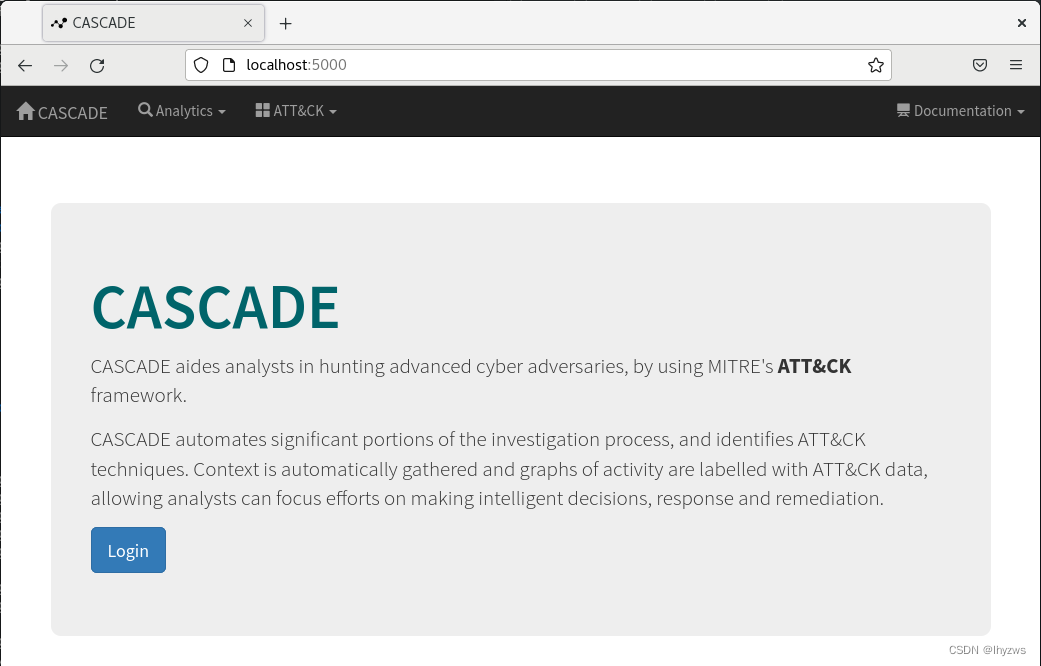
然后在宿主机浏览器中访问localhost:5000,就可以进入cascade的登陆页面了
这里有个疑问,是不是一定要建立这个连接?mongodb不是也被绑到了宿主机的27017端口上?而且之前我们在倒腾网络时不是也试过,从容器向外访问是没有问题的。
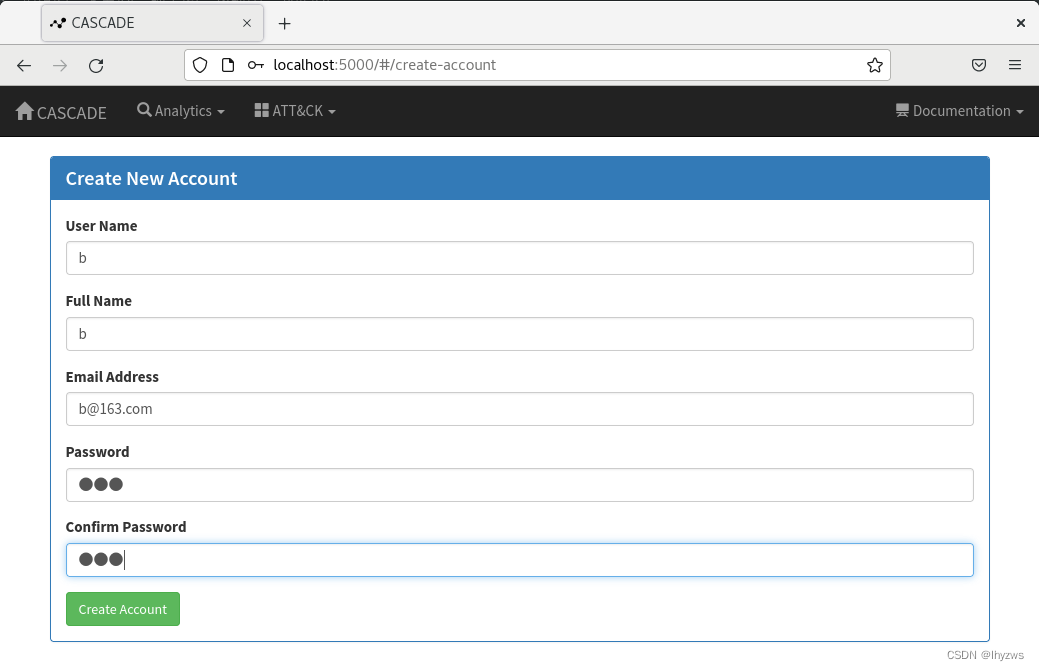
然而实际情况是不行,必须连接,否则cascade_web无法使用mongodb的数据库,从而导致create
account页面失效,无法创建用户。
具体表现就是这个按钮无论怎么点,页面就是没反应,也不会报任何错误:
至于cascade_jobs,我们就不在赘述了,反正一时半会也用不上。
4. 使用docker-compose部署cascade
经过手撸这一遍,我们对cascade的容器部署方式可以说是一步一步体验了一把,具体在直接使用docker-compose部署失败的时候怎么解决,就会比较容易的找到问题并进行解决:
一是cascade:latest的构建,Dockfile中的python基础镜像,需要使用3.6.8的版本。
二是docker-compose.yml中,按理说还是应该加上个依赖关系的。
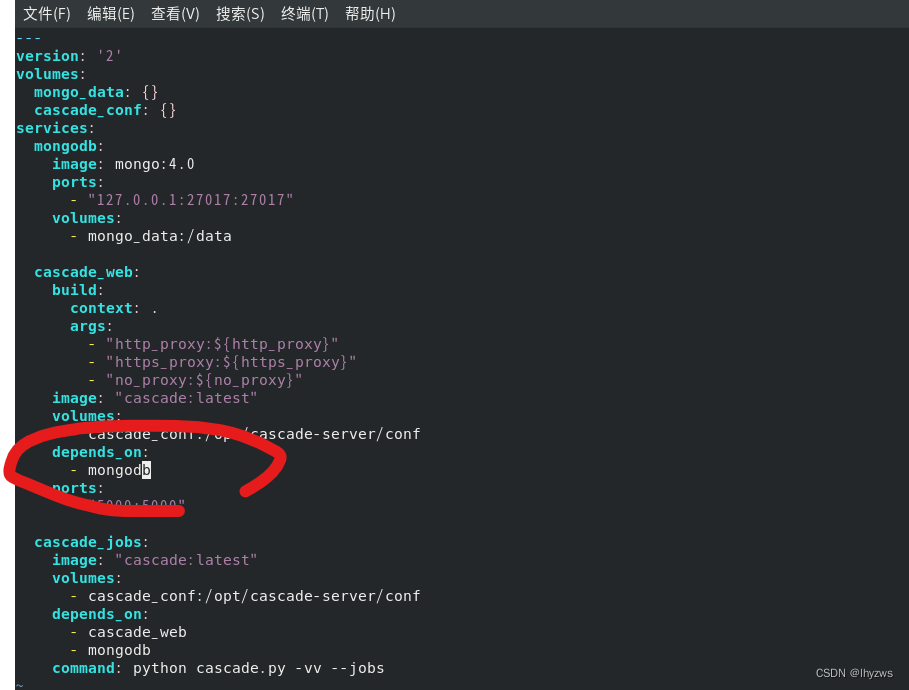
改动后,依序使用docker-compose build和docker-compose up来构建镜像并启动服务:
[root@pig cascade-server]# docker-compose build
WARN[0000] The "http_proxy" variable is not set. Defaulting to a blank string.
WARN[0000] The "https_proxy" variable is not set. Defaulting to a blank string.
WARN[0000] The "no_proxy" variable is not set. Defaulting to a blank string.
Sending build context to Docker daemon  13.55MB
Step 1/8 : FROM python:3.6.8
3.6.8: Pulling from library/python
6f2f362378c5: Pull complete
494c27a8a6b8: Pull complete
7596bb83081b: Pull complete
372744b62d49: Pull complete
615db220d76c: Pull complete
1865698adfb0: Pull complete
7159b3304cc0: Pull complete
ad0713808ef6: Pull complete
7ba593904573: Pull complete
Digest: sha256:f20a9bfddd87c238c3d2316b4179222f219090cbb25d5b6975070d4dd4b75004
Status: Downloaded newer image for python:3.6.8---> 48c06762acf0
Step 2/8 : RUN mkdir -p /opt/cascade-server---> Running in 63773441106e---> 4f45921fe585
Step 3/8 : WORKDIR /opt/cascade-server---> Running in 54501192c07d---> 9e60ed4374a8
Step 4/8 : COPY requirements.txt .---> d8bba6608bd7
Step 5/8 : RUN pip install -r requirements.txt---> Running in 421de5fb3ca1
Collecting antlr4-python3-runtime==4.9.1 (from -r requirements.txt (line 2))Downloading https://files.pythonhosted.org/packages/0a/89/d1926c443bbfdc28321b1435bf9b05019e6d1cc7a685e32bbfb751cf3a78/antlr4-python3-runtime-4.9.1.tar.gz (173kB)
Collecting certifi==2020.12.5 (from -r requirements.txt (line 3))Downloading https://files.pythonhosted.org/packages/5e/a0/5f06e1e1d463903cf0c0eebeb751791119ed7a4b3737fdc9a77f1cdfb51f/certifi-2020.12.5-py2.py3-none-any.whl (147kB)
Collecting cffi==1.14.5 (from -r requirements.txt (line 4))Downloading https://files.pythonhosted.org/packages/2b/cf/9a3b04e57191a970836aeaa8b2075574f02fbdb65d6368457a2f13213e7f/cffi-1.14.5-cp36-cp36m-manylinux1_x86_64.whl (401kB)
Collecting chardet==4.0.0 (from -r requirements.txt (line 5))Downloading https://files.pythonhosted.org/packages/19/c7/fa589626997dd07bd87d9269342ccb74b1720384a4d739a1872bd84fbe68/chardet-4.0.0-py2.py3-none-any.whl (178kB)
Collecting click==7.1.2 (from -r requirements.txt (line 6))Downloading https://files.pythonhosted.org/packages/d2/3d/fa76db83bf75c4f8d338c2fd15c8d33fdd7ad23a9b5e57eb6c5de26b430e/click-7.1.2-py2.py3-none-any.whl (82kB)
Collecting cryptography==3.4.6 (from -r requirements.txt (line 7))Downloading https://files.pythonhosted.org/packages/2f/9f/ad80cfcf9fab90a32cf4e65048cee0936be8ac57cf2a3f63edb88a84eeaf/cryptography-3.4.6-cp36-abi3-manylinux2010_x86_64.whl (3.1MB)
Collecting elasticsearch==7.11.0 (from -r requirements.txt (line 8))Downloading https://files.pythonhosted.org/packages/72/68/76c5d46cc6a48fddb759f585bc8728caa11bfc9b812ce6705fc5f99beab2/elasticsearch-7.11.0-py2.py3-none-any.whl (325kB)
Collecting flask==1.1.2 (from -r requirements.txt (line 9))Downloading https://files.pythonhosted.org/packages/f2/28/2a03252dfb9ebf377f40fba6a7841b47083260bf8bd8e737b0c6952df83f/Flask-1.1.2-py2.py3-none-any.whl (94kB)
Collecting gevent-websocket==0.10.1 (from -r requirements.txt (line 10))Downloading https://files.pythonhosted.org/packages/7b/84/2dc373eb6493e00c884cc11e6c059ec97abae2678d42f06bf780570b0193/gevent_websocket-0.10.1-py3-none-any.whl
Collecting gevent==21.1.2 (from -r requirements.txt (line 11))Downloading https://files.pythonhosted.org/packages/f5/90/000736e587a720f8eef2bcd384456ce2add5ddfc3c63cf51a7ea13412cb6/gevent-21.1.2-cp36-cp36m-manylinux2010_x86_64.whl (5.5MB)
Collecting greenlet==1.0.0 (from -r requirements.txt (line 12))Downloading https://files.pythonhosted.org/packages/22/e2/9fbb24cf1ee89813ded3761314562a83a2822ad2bf5682eef0d0c99e2a5d/greenlet-1.0.0-cp36-cp36m-manylinux2010_x86_64.whl (156kB)
Collecting idna==2.10 (from -r requirements.txt (line 13))Downloading https://files.pythonhosted.org/packages/a2/38/928ddce2273eaa564f6f50de919327bf3a00f091b5baba8dfa9460f3a8a8/idna-2.10-py2.py3-none-any.whl (58kB)
Collecting importlib-metadata==3.7.2 (from -r requirements.txt (line 14))Downloading https://files.pythonhosted.org/packages/34/7c/15499080be7cbb30579630238c6472c7c3529deca03bfab7bdead6419cd1/importlib_metadata-3.7.2-py3-none-any.whl
Collecting itsdangerous==1.1.0 (from -r requirements.txt (line 15))Downloading https://files.pythonhosted.org/packages/76/ae/44b03b253d6fade317f32c24d100b3b35c2239807046a4c953c7b89fa49e/itsdangerous-1.1.0-py2.py3-none-any.whl
Collecting jinja2==2.11.3 (from -r requirements.txt (line 16))Downloading https://files.pythonhosted.org/packages/7e/c2/1eece8c95ddbc9b1aeb64f5783a9e07a286de42191b7204d67b7496ddf35/Jinja2-2.11.3-py2.py3-none-any.whl (125kB)
Collecting markdown==3.3.4 (from -r requirements.txt (line 17))Downloading https://files.pythonhosted.org/packages/6e/33/1ae0f71395e618d6140fbbc9587cc3156591f748226075e0f7d6f9176522/Markdown-3.3.4-py3-none-any.whl (97kB)
Collecting markupsafe==1.1.1 (from -r requirements.txt (line 18))Downloading https://files.pythonhosted.org/packages/9d/d3/75cddfad6ca1d1bb3a017cece499a65e54ceb4583800f1256b8ad07bb57f/MarkupSafe-1.1.1-cp36-cp36m-manylinux2010_x86_64.whl
Collecting mongoengine==0.23.0 (from -r requirements.txt (line 19))Downloading https://files.pythonhosted.org/packages/7e/6a/35699b1079aecebd88aae02ca3eb3a5a645cfd46a53c0df28b1e5c3e5768/mongoengine-0.23.0-py3-none-any.whl (107kB)
Collecting passlib==1.7.4 (from -r requirements.txt (line 20))Downloading https://files.pythonhosted.org/packages/3b/a4/ab6b7589382ca3df236e03faa71deac88cae040af60c071a78d254a62172/passlib-1.7.4-py2.py3-none-any.whl (525kB)
Collecting pycparser==2.20 (from -r requirements.txt (line 21))Downloading https://files.pythonhosted.org/packages/ae/e7/d9c3a176ca4b02024debf82342dab36efadfc5776f9c8db077e8f6e71821/pycparser-2.20-py2.py3-none-any.whl (112kB)
Collecting pymongo==3.11.3 (from -r requirements.txt (line 22))Downloading https://files.pythonhosted.org/packages/03/4b/2adf815a054b467e87de2b5c830dfc9bc75e9ae7f977b50e6bb8eca7c3ac/pymongo-3.11.3-cp36-cp36m-manylinux1_x86_64.whl (492kB)
Collecting pyopenssl==20.0.1 (from -r requirements.txt (line 23))Downloading https://files.pythonhosted.org/packages/b2/5e/06351ede29fd4899782ad335c2e02f1f862a887c20a3541f17c3fa1a3525/pyOpenSSL-20.0.1-py2.py3-none-any.whl (54kB)
Collecting python-dateutil==2.8.1 (from -r requirements.txt (line 24))Downloading https://files.pythonhosted.org/packages/d4/70/d60450c3dd48ef87586924207ae8907090de0b306af2bce5d134d78615cb/python_dateutil-2.8.1-py2.py3-none-any.whl (227kB)
Collecting pyyaml==5.4.1 (from -r requirements.txt (line 25))Downloading https://files.pythonhosted.org/packages/7a/5b/bc0b5ab38247bba158504a410112b6c03f153c652734ece1849749e5f518/PyYAML-5.4.1-cp36-cp36m-manylinux1_x86_64.whl (640kB)
Collecting requests==2.25.1 (from -r requirements.txt (line 26))Downloading https://files.pythonhosted.org/packages/29/c1/24814557f1d22c56d50280771a17307e6bf87b70727d975fd6b2ce6b014a/requests-2.25.1-py2.py3-none-any.whl (61kB)
Collecting six==1.15.0 (from -r requirements.txt (line 27))Downloading https://files.pythonhosted.org/packages/ee/ff/48bde5c0f013094d729fe4b0316ba2a24774b3ff1c52d924a8a4cb04078a/six-1.15.0-py2.py3-none-any.whl
Collecting splunk-sdk==1.6.15 (from -r requirements.txt (line 28))Downloading https://files.pythonhosted.org/packages/9d/65/ca741361b7199b279cd83753ebbc9671e5364a850859864200a6caee6f63/splunk-sdk-1.6.15.tar.gz (105kB)
Collecting typing-extensions==3.7.4.3 (from -r requirements.txt (line 29))Downloading https://files.pythonhosted.org/packages/60/7a/e881b5abb54db0e6e671ab088d079c57ce54e8a01a3ca443f561ccadb37e/typing_extensions-3.7.4.3-py3-none-any.whl
Collecting urllib3==1.26.3 (from -r requirements.txt (line 30))Downloading https://files.pythonhosted.org/packages/23/fc/8a49991f7905261f9ca9df5aa9b58363c3c821ce3e7f671895442b7100f2/urllib3-1.26.3-py2.py3-none-any.whl (137kB)
Collecting werkzeug==1.0.1 (from -r requirements.txt (line 31))Downloading https://files.pythonhosted.org/packages/cc/94/5f7079a0e00bd6863ef8f1da638721e9da21e5bacee597595b318f71d62e/Werkzeug-1.0.1-py2.py3-none-any.whl (298kB)
Collecting zipp==3.4.1 (from -r requirements.txt (line 32))Downloading https://files.pythonhosted.org/packages/0f/8c/715c54e9e34c0c4820f616a913a7de3337d0cd79074dd1bed4dd840f16ae/zipp-3.4.1-py3-none-any.whl
Collecting zope.event==4.5.0 (from -r requirements.txt (line 33))Downloading https://files.pythonhosted.org/packages/9e/85/b45408c64f3b888976f1d5b37eed8d746b8d5729a66a49ec846fda27d371/zope.event-4.5.0-py2.py3-none-any.whl
Collecting zope.interface==5.2.0 (from -r requirements.txt (line 34))Downloading https://files.pythonhosted.org/packages/82/b0/da8afd9b3bd50c7665ecdac062f182982af1173c9081f9af7261091c5588/zope.interface-5.2.0-cp36-cp36m-manylinux2010_x86_64.whl (236kB)
Requirement already satisfied: setuptools in /usr/local/lib/python3.6/site-packages (from gevent==21.1.2->-r requirements.txt (line 11)) (41.0.1)
Building wheels for collected packages: antlr4-python3-runtime, splunk-sdkBuilding wheel for antlr4-python3-runtime (setup.py): startedBuilding wheel for antlr4-python3-runtime (setup.py): finished with status 'done'Stored in directory: /root/.cache/pip/wheels/91/71/b3/107269b49ae650db5158b5645960dea7802e3765624e5a1e1cBuilding wheel for splunk-sdk (setup.py): startedBuilding wheel for splunk-sdk (setup.py): finished with status 'done'Stored in directory: /root/.cache/pip/wheels/b6/d7/0f/0c62897973efc0b21e31712241396c099af237d0a866be8292
Successfully built antlr4-python3-runtime splunk-sdk
Installing collected packages: antlr4-python3-runtime, certifi, pycparser, cffi, chardet, click, cryptography, urllib3, elasticsearch, markupsafe, jinja2, itsdangerous, werkzeug, flask, zope.interface, greenlet, zope.event, gevent, gevent-websocket, idna, typing-extensions, zipp, importlib-metadata, markdown, pymongo, mongoengine, passlib, six, pyopenssl, python-dateutil, pyyaml, requests, splunk-sdk
Successfully installed antlr4-python3-runtime-4.9.1 certifi-2020.12.5 cffi-1.14.5 chardet-4.0.0 click-7.1.2 cryptography-3.4.6 elasticsearch-7.11.0 flask-1.1.2 gevent-21.1.2 gevent-websocket-0.10.1 greenlet-1.0.0 idna-2.10 importlib-metadata-3.7.2 itsdangerous-1.1.0 jinja2-2.11.3 markdown-3.3.4 markupsafe-1.1.1 mongoengine-0.23.0 passlib-1.7.4 pycparser-2.20 pymongo-3.11.3 pyopenssl-20.0.1 python-dateutil-2.8.1 pyyaml-5.4.1 requests-2.25.1 six-1.15.0 splunk-sdk-1.6.15 typing-extensions-3.7.4.3 urllib3-1.26.3 werkzeug-1.0.1 zipp-3.4.1 zope.event-4.5.0 zope.interface-5.2.0
WARNING: You are using pip version 19.1.1, however version 21.3.1 is available.
You should consider upgrading via the 'pip install --upgrade pip' command.---> 4800aff9357c
Step 6/8 : COPY . .---> a8f6e4a6d686
Step 7/8 : COPY docker_defaults.yml conf/defaults.yml---> d4641c2b07b2
Step 8/8 : CMD /bin/bash docker_start.sh---> Running in ce43e538eb5b---> 95e91c0b9574
Successfully built 95e91c0b9574
Successfully tagged cascade:latestUse 'docker scan' to run Snyk tests against images to find vulnerabilities and learn how to fix them
启动
[root@pig cascade-server]# docker-compose up
WARN[0000] The "http_proxy" variable is not set. Defaulting to a blank string.
WARN[0000] The "https_proxy" variable is not set. Defaulting to a blank string.
WARN[0000] The "no_proxy" variable is not set. Defaulting to a blank string.
[+] Running 13/13⠿ mongodb Pulled                                                                                                                      40.1s⠿ 58690f9b18fc Pull complete                                                                                                        14.6s⠿ b51569e7c507 Pull complete                                                                                                        14.7s⠿ da8ef40b9eca Pull complete                                                                                                        14.7s⠿ fb15d46c38dc Pull complete                                                                                                        14.8s⠿ a0dc15b16822 Pull complete                                                                                                        14.9s⠿ b7a3e92f19af Pull complete                                                                                                        15.1s⠿ ed4a7b863fa1 Pull complete                                                                                                        15.2s⠿ a58b030ea8e4 Pull complete                                                                                                        15.3s⠿ 6aa1ba699846 Pull complete                                                                                                        15.3s⠿ ebc52c729dca Pull complete                                                                                                        15.4s⠿ 52e8c440d4d6 Pull complete                                                                                                        35.2s⠿ 22b97876323d Pull complete                                                                                                        35.3s
[+] Running 6/4⠿ Network cascade-server_default           Created                                                                                     0.1s⠿ Volume "cascade-server_cascade_conf"     Created                                                                                     0.0s⠿ Volume "cascade-server_mongo_data"       Created                                                                                     0.0s⠿ Container cascade-server-mongodb-1       Created                                                                                     0.1s⠿ Container cascade-server-cascade_web-1   Created                                                                                     0.0s⠿ Container cascade-server-cascade_jobs-1  Created                                                                                     0.0s
Attaching to cascade-server-cascade_jobs-1, cascade-server-cascade_web-1, cascade-server-mongodb-1
cascade-server-mongodb-1       | 2022-12-09T08:21:27.506+0000 I CONTROL  [main] Automatically disabling TLS 1.0, to force-enable TLS 1.0 specify --sslDisabledProtocols 'none'
cascade-server-mongodb-1       | 2022-12-09T08:21:27.508+0000 I CONTROL  [initandlisten] MongoDB starting : pid=1 port=27017 dbpath=/data/db 64-bit host=be82165789b2
cascade-server-mongodb-1       | 2022-12-09T08:21:27.508+0000 I CONTROL  [initandlisten] db version v4.0.28
cascade-server-mongodb-1       | 2022-12-09T08:21:27.508+0000 I CONTROL  [initandlisten] git version: af1a9dc12adcfa83cc19571cb3faba26eeddac92
cascade-server-mongodb-1       | 2022-12-09T08:21:27.508+0000 I CONTROL  [initandlisten] OpenSSL version: OpenSSL 1.0.2g  1 Mar 2016
cascade-server-mongodb-1       | 2022-12-09T08:21:27.508+0000 I CONTROL  [initandlisten] allocator: tcmalloc
cascade-server-mongodb-1       | 2022-12-09T08:21:27.508+0000 I CONTROL  [initandlisten] modules: none
cascade-server-mongodb-1       | 2022-12-09T08:21:27.508+0000 I CONTROL  [initandlisten] build environment:
cascade-server-mongodb-1       | 2022-12-09T08:21:27.508+0000 I CONTROL  [initandlisten]     distmod: ubuntu1604
cascade-server-mongodb-1       | 2022-12-09T08:21:27.508+0000 I CONTROL  [initandlisten]     distarch: x86_64
cascade-server-mongodb-1       | 2022-12-09T08:21:27.508+0000 I CONTROL  [initandlisten]     target_arch: x86_64
cascade-server-mongodb-1       | 2022-12-09T08:21:27.508+0000 I CONTROL  [initandlisten] options: { net: { bindIpAll: true } }
cascade-server-mongodb-1       | 2022-12-09T08:21:27.508+0000 I STORAGE  [initandlisten] wiredtiger_open config: create,cache_size=380M,cache_overflow=(file_max=0M),session_max=20000,eviction=(threads_min=4,threads_max=4),config_base=false,statistics=(fast),log=(enabled=true,archive=true,path=journal,compressor=snappy),file_manager=(close_idle_time=100000),statistics_log=(wait=0),verbose=(recovery_progress),
cascade-server-mongodb-1       | 2022-12-09T08:21:27.639+0000 I STORAGE  [initandlisten] WiredTiger message [1670574087:639595][1:0x7f11867b7a80], txn-recover: Set global recovery timestamp: 0
cascade-server-mongodb-1       | 2022-12-09T08:21:27.644+0000 I RECOVERY [initandlisten] WiredTiger recoveryTimestamp. Ts: Timestamp(0, 0)
cascade-server-mongodb-1       | 2022-12-09T08:21:27.649+0000 I STORAGE  [initandlisten] Starting to check the table logging settings for existing WiredTiger tables
cascade-server-mongodb-1       | 2022-12-09T08:21:27.651+0000 I CONTROL  [initandlisten]
cascade-server-mongodb-1       | 2022-12-09T08:21:27.651+0000 I CONTROL  [initandlisten] ** WARNING: Access control is not enabled for the database.
cascade-server-mongodb-1       | 2022-12-09T08:21:27.651+0000 I CONTROL  [initandlisten] **          Read and write access to data and configuration is unrestricted.
cascade-server-mongodb-1       | 2022-12-09T08:21:27.651+0000 I CONTROL  [initandlisten]
cascade-server-mongodb-1       | 2022-12-09T08:21:27.651+0000 I CONTROL  [initandlisten]
cascade-server-mongodb-1       | 2022-12-09T08:21:27.651+0000 I CONTROL  [initandlisten] ** WARNING: /sys/kernel/mm/transparent_hugepage/enabled is 'always'.
cascade-server-mongodb-1       | 2022-12-09T08:21:27.651+0000 I CONTROL  [initandlisten] **        We suggest setting it to 'never'
cascade-server-mongodb-1       | 2022-12-09T08:21:27.651+0000 I CONTROL  [initandlisten]
cascade-server-mongodb-1       | 2022-12-09T08:21:27.652+0000 I STORAGE  [initandlisten] createCollection: admin.system.version with provided UUID: 3c8f1749-ef2c-49ee-9652-0c0b6df3490a
cascade-server-mongodb-1       | 2022-12-09T08:21:27.667+0000 I COMMAND  [initandlisten] setting featureCompatibilityVersion to 4.0
cascade-server-mongodb-1       | 2022-12-09T08:21:27.667+0000 I STORAGE  [initandlisten] Finished adjusting the table logging settings for existing WiredTiger tables
cascade-server-mongodb-1       | 2022-12-09T08:21:27.667+0000 I STORAGE  [initandlisten] createCollection: local.startup_log with generated UUID: 176160dd-867f-4c08-aa21-aa62e1aa0b43
cascade-server-mongodb-1       | 2022-12-09T08:21:27.677+0000 I FTDC     [initandlisten] Initializing full-time diagnostic data capture with directory '/data/db/diagnostic.data'
cascade-server-mongodb-1       | 2022-12-09T08:21:27.681+0000 I STORAGE  [LogicalSessionCacheRefresh] createCollection: config.system.sessions with generated UUID: 171b33f1-c619-43ac-88d4-e76f24cd5766
cascade-server-mongodb-1       | 2022-12-09T08:21:27.682+0000 I NETWORK  [initandlisten] waiting for connections on port 27017
cascade-server-mongodb-1       | 2022-12-09T08:21:27.697+0000 I INDEX    [LogicalSessionCacheRefresh] build index on: config.system.sessions properties: { v: 2, key: { lastUse: 1 }, name: "lsidTTLIndex", ns: "config.system.sessions", expireAfterSeconds: 1800 }
cascade-server-mongodb-1       | 2022-12-09T08:21:27.697+0000 I INDEX    [LogicalSessionCacheRefresh] 	 building index using bulk method; build may temporarily use up to 500 megabytes of RAM
cascade-server-mongodb-1       | 2022-12-09T08:21:27.699+0000 I INDEX    [LogicalSessionCacheRefresh] build index done.  scanned 0 total records. 0 secs
cascade-server-cascade_web-1   | cascade.yml not found. Generating new config file from defaults
cascade-server-mongodb-1       | 2022-12-09T08:21:30.039+0000 I NETWORK  [listener] connection accepted from 172.18.0.3:60212 #1 (1 connection now open)
cascade-server-mongodb-1       | 2022-12-09T08:21:30.040+0000 I NETWORK  [conn1] received client metadata from 172.18.0.3:60212 conn1: { driver: { name: "PyMongo", version: "3.11.3" }, os: { type: "Linux", name: "Linux", architecture: "x86_64", version: "4.18.0-373.el8.x86_64" }, platform: "CPython 3.6.8.final.0" }
cascade-server-mongodb-1       | 2022-12-09T08:21:30.045+0000 I NETWORK  [listener] connection accepted from 172.18.0.3:60214 #2 (2 connections now open)
cascade-server-mongodb-1       | 2022-12-09T08:21:30.046+0000 I NETWORK  [conn2] received client metadata from 172.18.0.3:60214 conn2: { driver: { name: "PyMongo", version: "3.11.3" }, os: { type: "Linux", name: "Linux", architecture: "x86_64", version: "4.18.0-373.el8.x86_64" }, platform: "CPython 3.6.8.final.0" }
cascade-server-mongodb-1       | 2022-12-09T08:21:30.048+0000 I STORAGE  [conn2] createCollection: cascade2.attack_technique with generated UUID: e220274c-af1e-4beb-a086-6b9df32bcf65
cascade-server-mongodb-1       | 2022-12-09T08:21:30.082+0000 I STORAGE  [conn2] createCollection: cascade2.attack_tactic with generated UUID: b2e0c2db-e9c8-43cb-9227-07446bb05fa0
cascade-server-mongodb-1       | 2022-12-09T08:21:30.100+0000 I NETWORK  [conn2] end connection 172.18.0.3:60214 (1 connection now open)
cascade-server-mongodb-1       | 2022-12-09T08:21:30.103+0000 I NETWORK  [conn1] end connection 172.18.0.3:60212 (0 connections now open)
cascade-server-mongodb-1       | 2022-12-09T08:21:30.106+0000 I NETWORK  [listener] connection accepted from 172.18.0.3:60216 #3 (1 connection now open)
cascade-server-mongodb-1       | 2022-12-09T08:21:30.107+0000 I NETWORK  [conn3] received client metadata from 172.18.0.3:60216 conn3: { driver: { name: "PyMongo", version: "3.11.3" }, os: { type: "Linux", name: "Linux", architecture: "x86_64", version: "4.18.0-373.el8.x86_64" }, platform: "CPython 3.6.8.final.0" }
cascade-server-mongodb-1       | 2022-12-09T08:21:30.113+0000 I NETWORK  [listener] connection accepted from 172.18.0.3:60218 #4 (2 connections now open)
cascade-server-mongodb-1       | 2022-12-09T08:21:30.114+0000 I NETWORK  [conn4] received client metadata from 172.18.0.3:60218 conn4: { driver: { name: "PyMongo", version: "3.11.3" }, os: { type: "Linux", name: "Linux", architecture: "x86_64", version: "4.18.0-373.el8.x86_64" }, platform: "CPython 3.6.8.final.0" }
cascade-server-mongodb-1       | 2022-12-09T08:21:30.117+0000 I STORAGE  [conn4] createCollection: cascade2.analytic with generated UUID: 34fee893-e4f0-450d-b090-69c3b92a002b
cascade-server-mongodb-1       | 2022-12-09T08:21:30.136+0000 I NETWORK  [conn4] end connection 172.18.0.3:60218 (1 connection now open)
cascade-server-mongodb-1       | 2022-12-09T08:21:30.136+0000 I NETWORK  [conn3] end connection 172.18.0.3:60216 (0 connections now open)
cascade-server-mongodb-1       | 2022-12-09T08:21:30.141+0000 I NETWORK  [listener] connection accepted from 172.18.0.3:60220 #5 (1 connection now open)
cascade-server-mongodb-1       | 2022-12-09T08:21:30.141+0000 I NETWORK  [conn5] received client metadata from 172.18.0.3:60220 conn5: { driver: { name: "PyMongo", version: "3.11.3" }, os: { type: "Linux", name: "Linux", architecture: "x86_64", version: "4.18.0-373.el8.x86_64" }, platform: "CPython 3.6.8.final.0" }
cascade-server-mongodb-1       | 2022-12-09T08:21:30.148+0000 I NETWORK  [listener] connection accepted from 172.18.0.3:60222 #6 (2 connections now open)
cascade-server-mongodb-1       | 2022-12-09T08:21:30.148+0000 I NETWORK  [conn6] received client metadata from 172.18.0.3:60222 conn6: { driver: { name: "PyMongo", version: "3.11.3" }, os: { type: "Linux", name: "Linux", architecture: "x86_64", version: "4.18.0-373.el8.x86_64" }, platform: "CPython 3.6.8.final.0" }
cascade-server-mongodb-1       | 2022-12-09T08:21:30.149+0000 I STORAGE  [conn6] createCollection: cascade2.session with generated UUID: 2ea3906d-d835-49ec-ac57-a0f659b17336
cascade-server-cascade_web-1   | Automatically updated configuration settings for CASCADE based on defaults.yml
cascade-server-cascade_web-1   |
cascade-server-cascade_web-1   | Initializing database...
cascade-server-cascade_web-1   | Importing collection attack_technique
cascade-server-cascade_web-1   | Importing collection attack_tactic
cascade-server-cascade_web-1   | Importing collection analytic
cascade-server-cascade_web-1   | Importing collection session
cascade-server-mongodb-1       | 2022-12-09T08:21:30.164+0000 I NETWORK  [conn6] end connection 172.18.0.3:60222 (1 connection now open)
cascade-server-mongodb-1       | 2022-12-09T08:21:30.165+0000 I NETWORK  [conn5] end connection 172.18.0.3:60220 (0 connections now open)
cascade-server-cascade_jobs-1  | /opt/cascade-server/app/async_wrapper.py:44: MonkeyPatchWarning: Monkey-patching ssl after ssl has already been imported may lead to errors, including RecursionError on Python 3.6. It may also silently lead to incorrect behaviour on Python 3.7. Please monkey-patch earlier. See https://github.com/gevent/gevent/issues/1016. Modules that had direct imports (NOT patched): ['pymongo.ssl_context (/usr/local/lib/python3.6/site-packages/pymongo/ssl_context.py)', 'urllib3.util.ssl_ (/usr/local/lib/python3.6/site-packages/urllib3/util/ssl_.py)', 'urllib3.util (/usr/local/lib/python3.6/site-packages/urllib3/util/__init__.py)'].
cascade-server-cascade_jobs-1  |   gevent.monkey.patch_all()
cascade-server-cascade_jobs-1  | 2022-12-09 08:21:30,934 | INFO | app.cascade.runner | Resetting all dispatched events
cascade-server-mongodb-1       | 2022-12-09T08:21:30.945+0000 I NETWORK  [listener] connection accepted from 172.18.0.4:39758 #7 (1 connection now open)
cascade-server-mongodb-1       | 2022-12-09T08:21:30.947+0000 I NETWORK  [conn7] received client metadata from 172.18.0.4:39758 conn7: { driver: { name: "PyMongo", version: "3.11.3" }, os: { type: "Linux", name: "Linux", architecture: "x86_64", version: "4.18.0-373.el8.x86_64" }, platform: "CPython 3.6.8.final.0" }
cascade-server-mongodb-1       | 2022-12-09T08:21:30.952+0000 I NETWORK  [listener] connection accepted from 172.18.0.4:39760 #8 (2 connections now open)
cascade-server-mongodb-1       | 2022-12-09T08:21:30.954+0000 I NETWORK  [conn8] received client metadata from 172.18.0.4:39760 conn8: { driver: { name: "PyMongo", version: "3.11.3" }, os: { type: "Linux", name: "Linux", architecture: "x86_64", version: "4.18.0-373.el8.x86_64" }, platform: "CPython 3.6.8.final.0" }
cascade-server-mongodb-1       | 2022-12-09T08:21:30.956+0000 I STORAGE  [conn8] createCollection: cascade2.job with generated UUID: ec9855be-f877-4cd8-8fa6-175d6b827c20
cascade-server-mongodb-1       | 2022-12-09T08:21:31.011+0000 I INDEX    [conn8] build index on: cascade2.job properties: { v: 2, unique: true, key: { uuid: 1 }, name: "uuid_1", ns: "cascade2.job", background: false }
cascade-server-mongodb-1       | 2022-12-09T08:21:31.011+0000 I INDEX    [conn8] 	 building index using bulk method; build may temporarily use up to 500 megabytes of RAM
cascade-server-mongodb-1       | 2022-12-09T08:21:31.013+0000 I INDEX    [conn8] build index done.  scanned 0 total records. 0 secs
cascade-server-mongodb-1       | 2022-12-09T08:21:31.017+0000 I INDEX    [conn8] build index on: cascade2.job properties: { v: 2, key: { _cls: 1 }, name: "_cls_1", ns: "cascade2.job", background: false }
cascade-server-mongodb-1       | 2022-12-09T08:21:31.017+0000 I INDEX    [conn8] 	 building index using bulk method; build may temporarily use up to 500 megabytes of RAM
cascade-server-cascade_jobs-1  | 2022-12-09 08:21:31,024 | INFO | app.cascade.runner | Waiting for worker events...
cascade-server-mongodb-1       | 2022-12-09T08:21:31.019+0000 I INDEX    [conn8] build index done.  scanned 0 total records. 0 secs
cascade-server-cascade_web-1   | 2022-12-09 08:21:31,204 | WARNING | app.plugins | Couldn't find plugin directory at ./plugins (will not load plugins)
cascade-server-mongodb-1       | 2022-12-09T08:21:31.369+0000 I NETWORK  [listener] connection accepted from 172.18.0.3:60228 #9 (3 connections now open)
cascade-server-mongodb-1       | 2022-12-09T08:21:31.370+0000 I NETWORK  [conn9] received client metadata from 172.18.0.3:60228 conn9: { driver: { name: "PyMongo", version: "3.11.3" }, os: { type: "Linux", name: "Linux", architecture: "x86_64", version: "4.18.0-373.el8.x86_64" }, platform: "CPython 3.6.8.final.0" }
可以看到,现在这个安装部署就不是一般的简洁了。
四、Cascade的使用
创建好用户,登陆进去以后,在sessions菜单下,有个upload选项,可以供我们将mitre提供的示例数据载入进去体验一下:
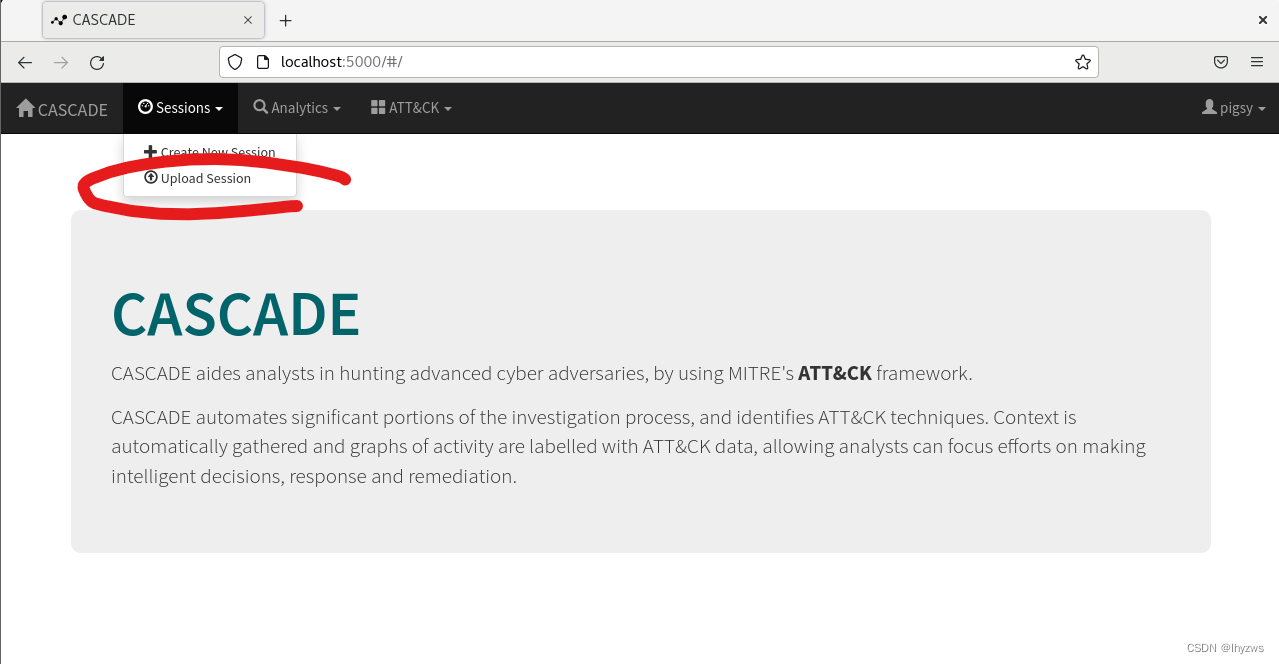
点击,在弹出对话框中选择“choose file”,选择在cascade-server/misc目录下的brawl-public-game-001.bson。
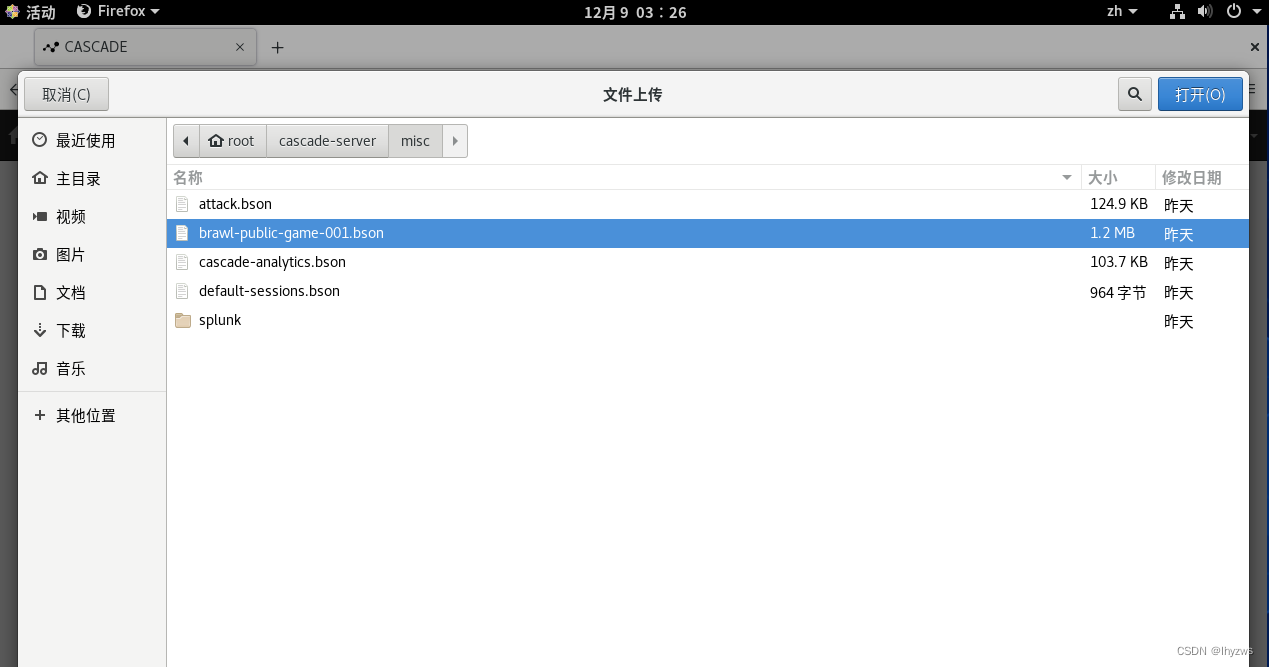
打开后upload
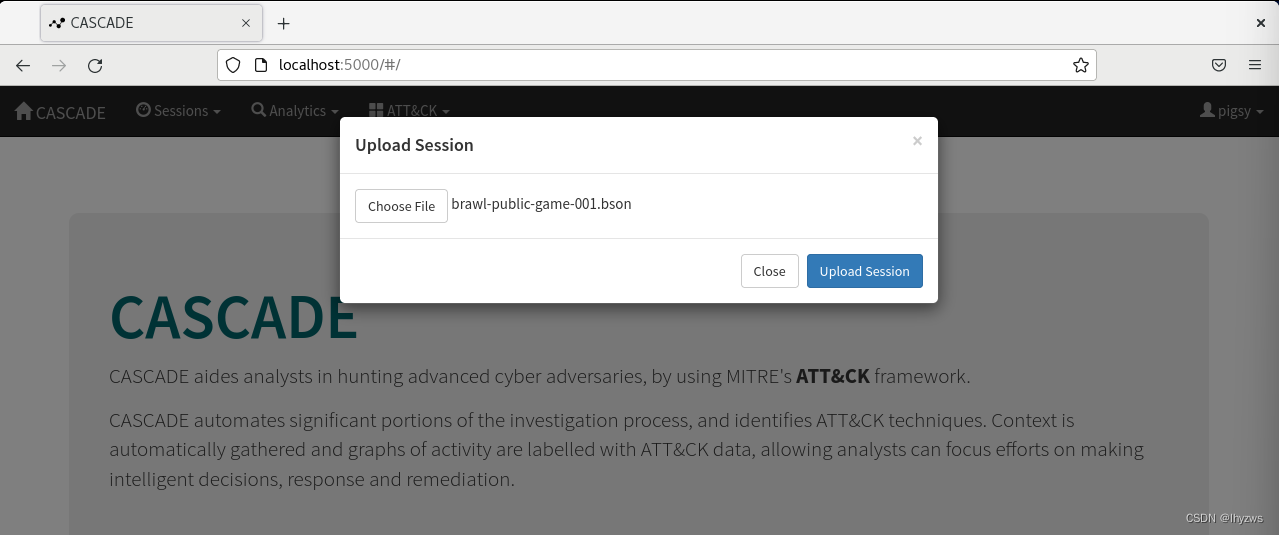
成功后数据就被载入了,关闭即可
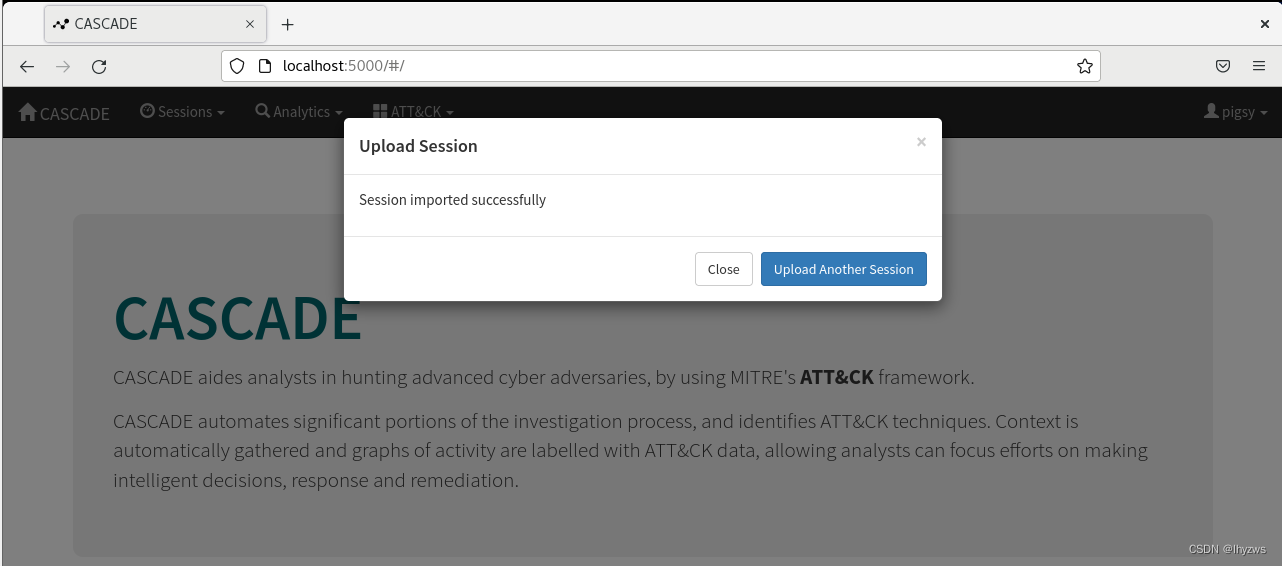
喝口茶等机器折腾会,然后刷新一下页面,再次看看sessions菜单,会发现这次多出来了刚才我们加入的数据(也就是被cascade-server成为session的一次数据分析任务) 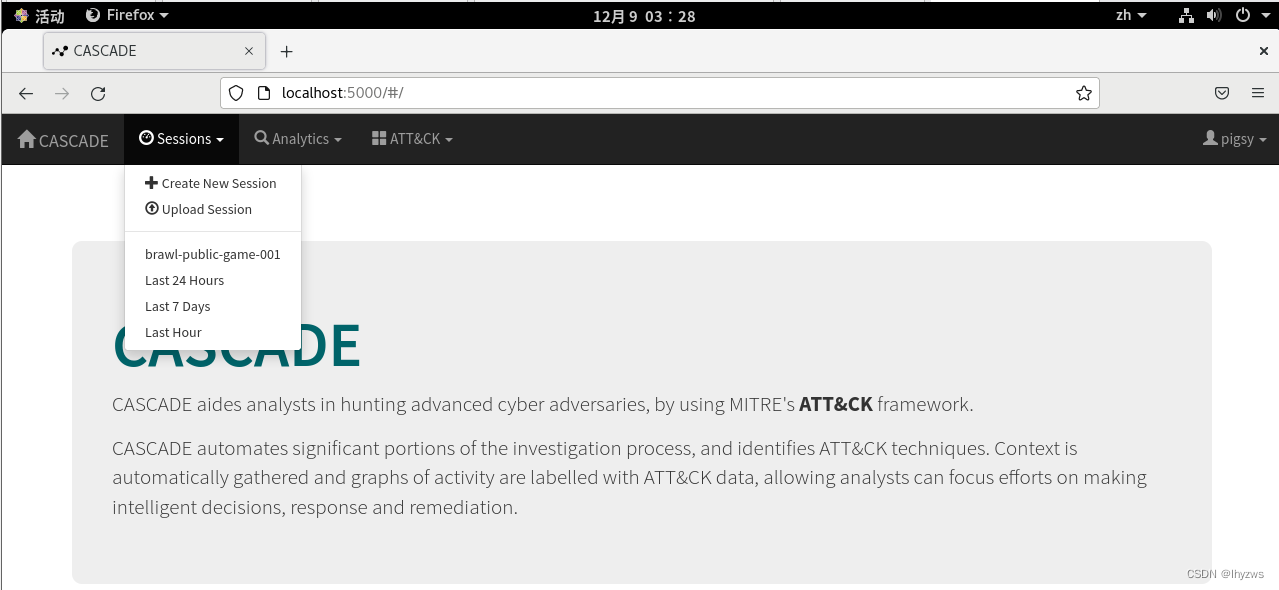
选择以后,就可以看到载入的数据的统计信息了
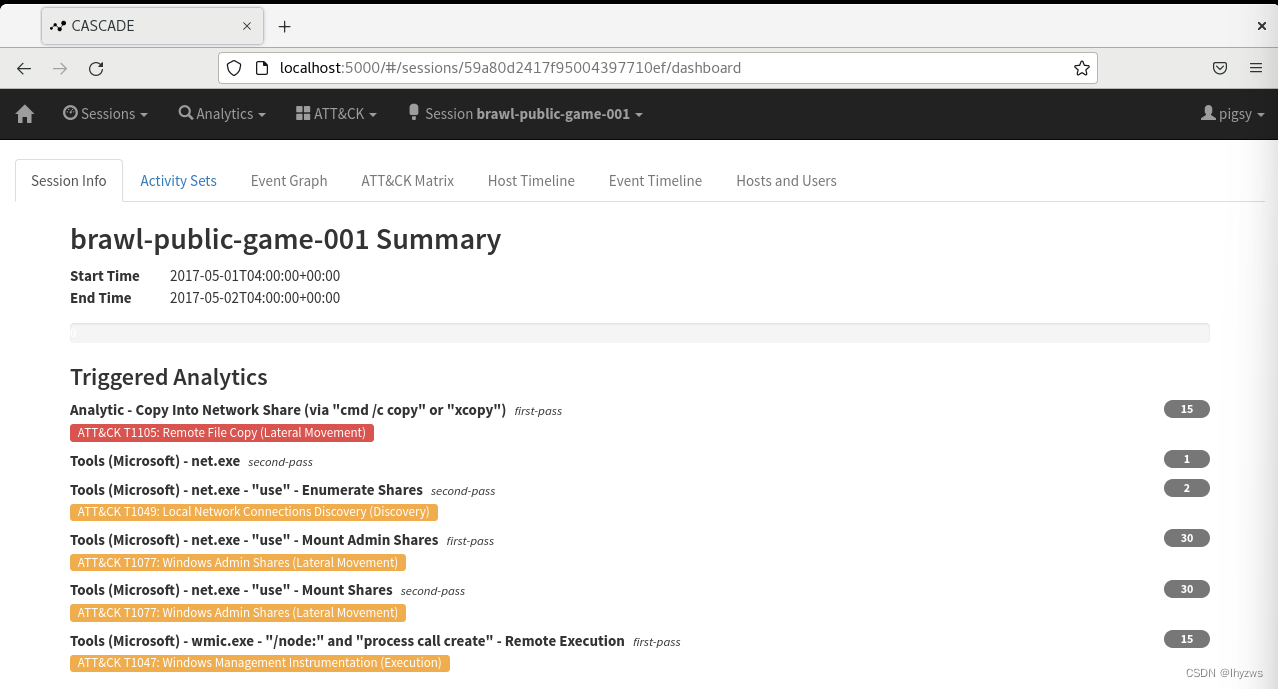
然后就可以开始愉快的玩耍了: